


Public transportation systems are the backbone of any modern city. With thousands of daily trips, countless passengers, multiple routes, and several transport modes, tracking transit performance becomes a major challenge. When data stays scattered across spreadsheets or manual reports, teams struggle to understand delays, revenue patterns, vehicle usage, and operational issues. This is exactly where the Public Transit Dashboard in Power BI becomes a game-changing solution.
This interactive dashboard brings all transit KPIs into one clear and visually rich platform. Whether you manage buses, metros, trains, ferries, trams, or city shuttles, this dashboard helps you monitor operational efficiency, ridership, cost behavior, revenue performance, transport mode comparison, and monthly trends—all in just a few clicks. With clean visuals, slicers, dynamic filters, and drill-down insights, transit teams can make faster and smarter decisions.
Built entirely in Power BI and powered by an Excel data source, this dashboard updates instantly when new data is added. You gain complete clarity over the entire public transit system without spending hours analyzing spreadsheets. This tool is perfect for transport authorities, city planners, operations managers, and public service executives who want real-time, data-driven transit management.
🚦 Key Features of the Public Transit Dashboard in Power BI
This dashboard includes five high-impact analysis pages, each designed to give transit teams complete visibility of their operations.
⭐ 1. Overview Page – Your Complete Transit Summary
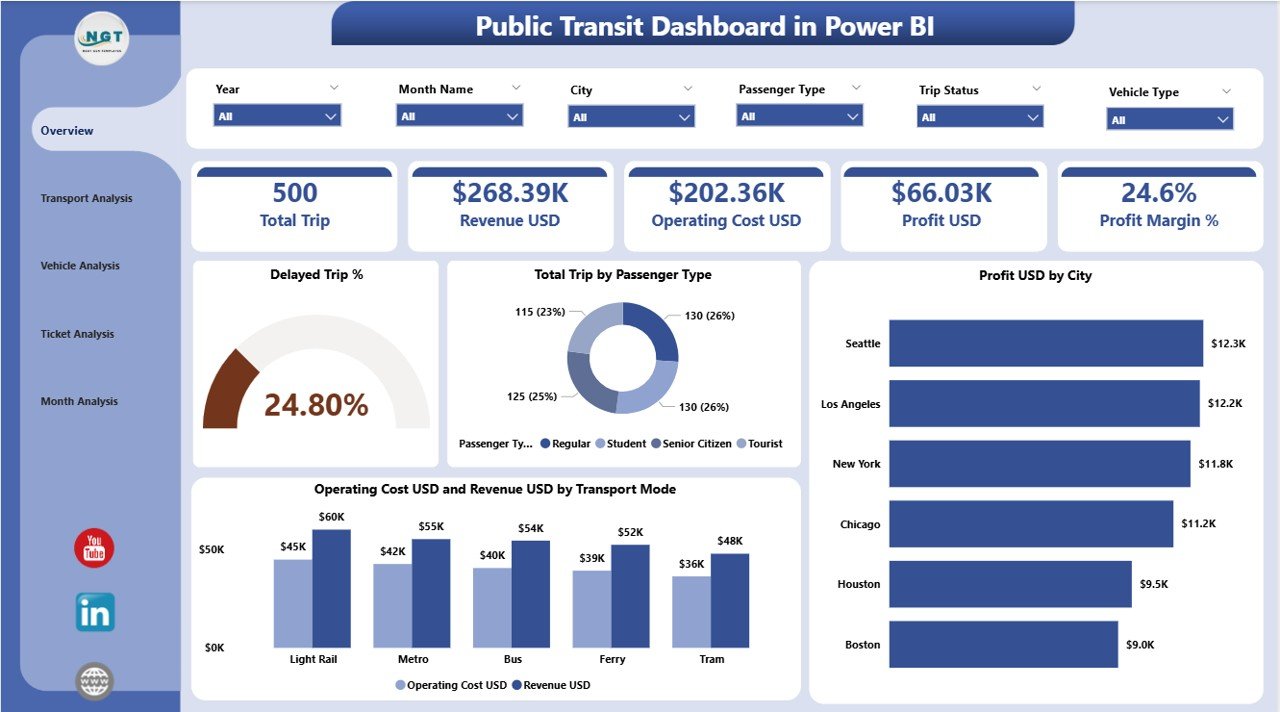
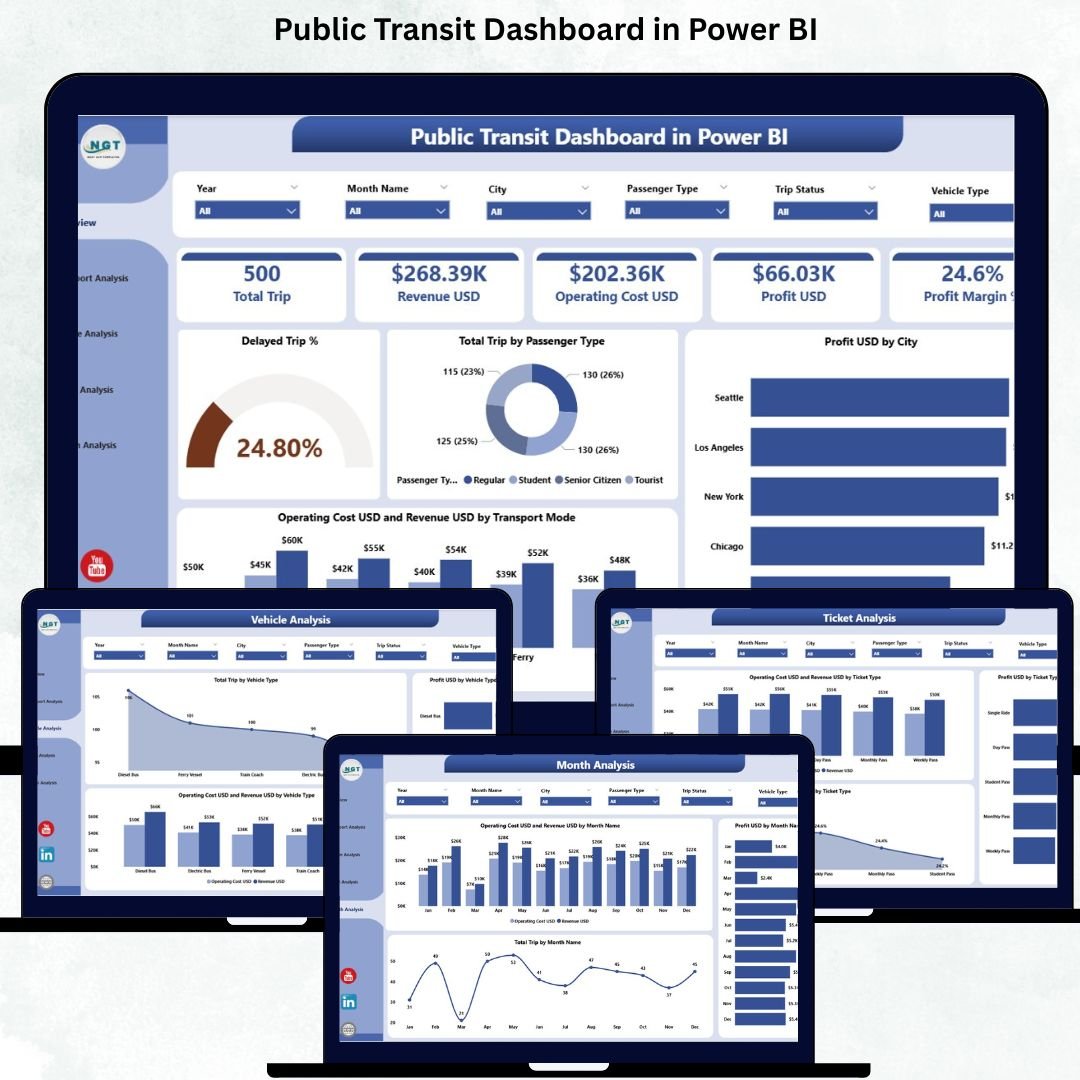
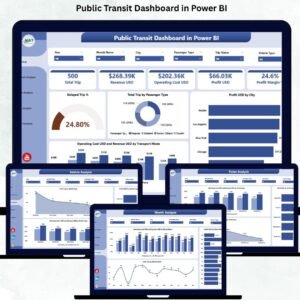
The Overview Page acts as the main control center. It summarizes all critical KPIs through simple and powerful visuals.
🔹 What You’ll See:
✔ Month, City, Transport Mode & Passenger Type slicers
✔ Four KPI cards:
Delayed Trip %
Total Trips by Passenger Type
Profit (USD) by City
Operating Cost (USD) & Revenue (USD) by Transport Mode
🔹 Key Charts:
Delayed Trip %
Total Trips by Passenger Type
Profit USD by City
Operating Cost USD vs Revenue USD by Transport Mode
This page gives a complete, at-a-glance understanding of system performance.
⭐ 2. Transport Analysis Page – Compare Transport Modes Easily
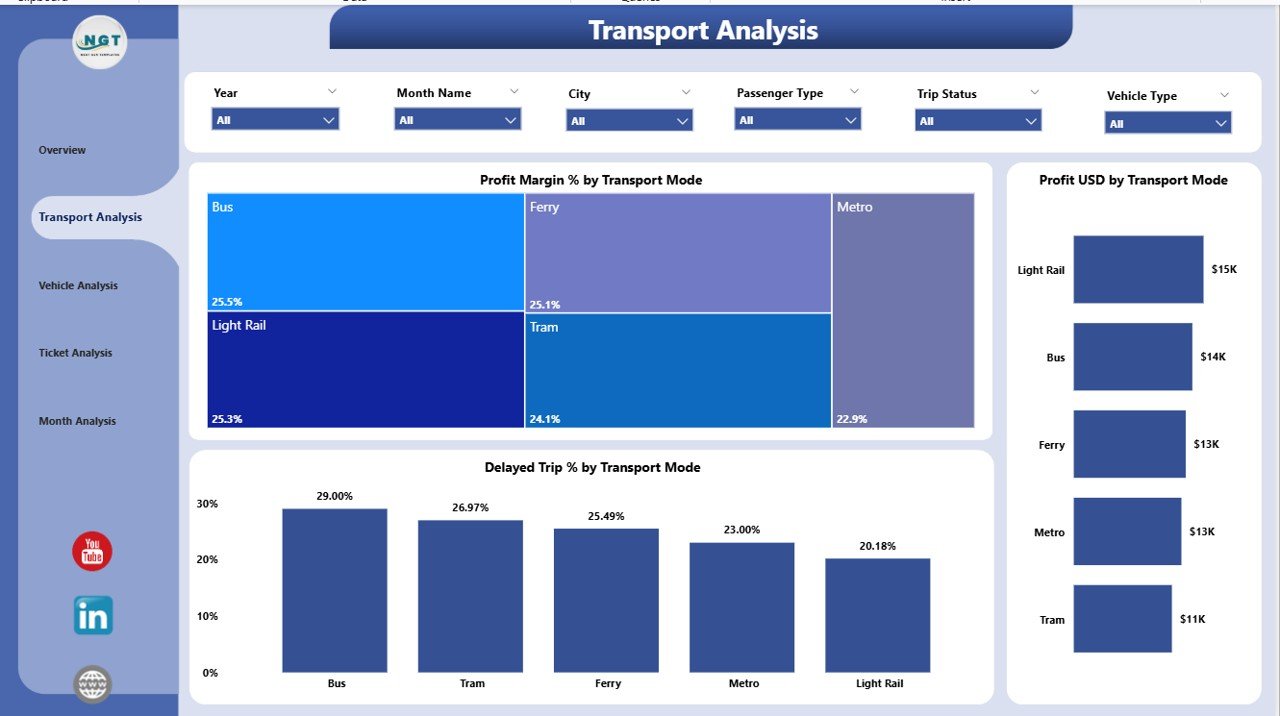
Every transport mode performs differently. The Transport Analysis Page helps you compare cost, delays, revenue, and profitability for:
Bus • Train • Metro • Ferry • Tram • Shuttle • Cable Car
🔹 Charts Included:
Profit Margin % by Transport Mode
Profit USD by Transport Mode
Delayed Trip % by Transport Mode
This page helps you identify the modes that are profitable, efficient, or causing delays.
⭐ 3. Vehicle Analysis Page – Track Vehicle-Level Performance
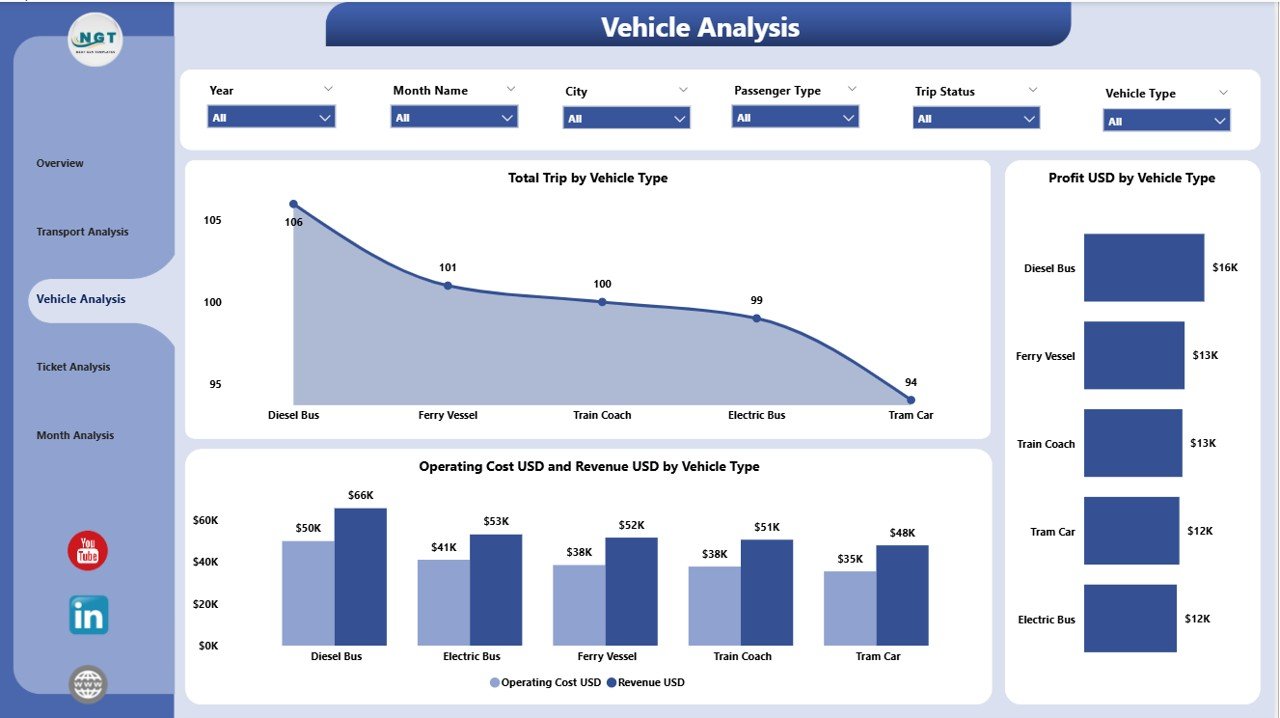
Public transit uses a variety of vehicles, and each vehicle type plays a different role. The Vehicle Analysis Page highlights detailed insights for:
Bus • Mini Bus • Electric Bus • Tram • Metro Coach • Ferry Boat • Shuttle Van
🔹 Charts Included:
Total Trips by Vehicle Type
Profit USD by Vehicle Type
Operating Cost & Revenue by Vehicle Type
This helps you optimize vehicle allocation, maintenance planning, and cost management.
⭐ 4. Ticket Analysis Page – Understand Passenger Behavior
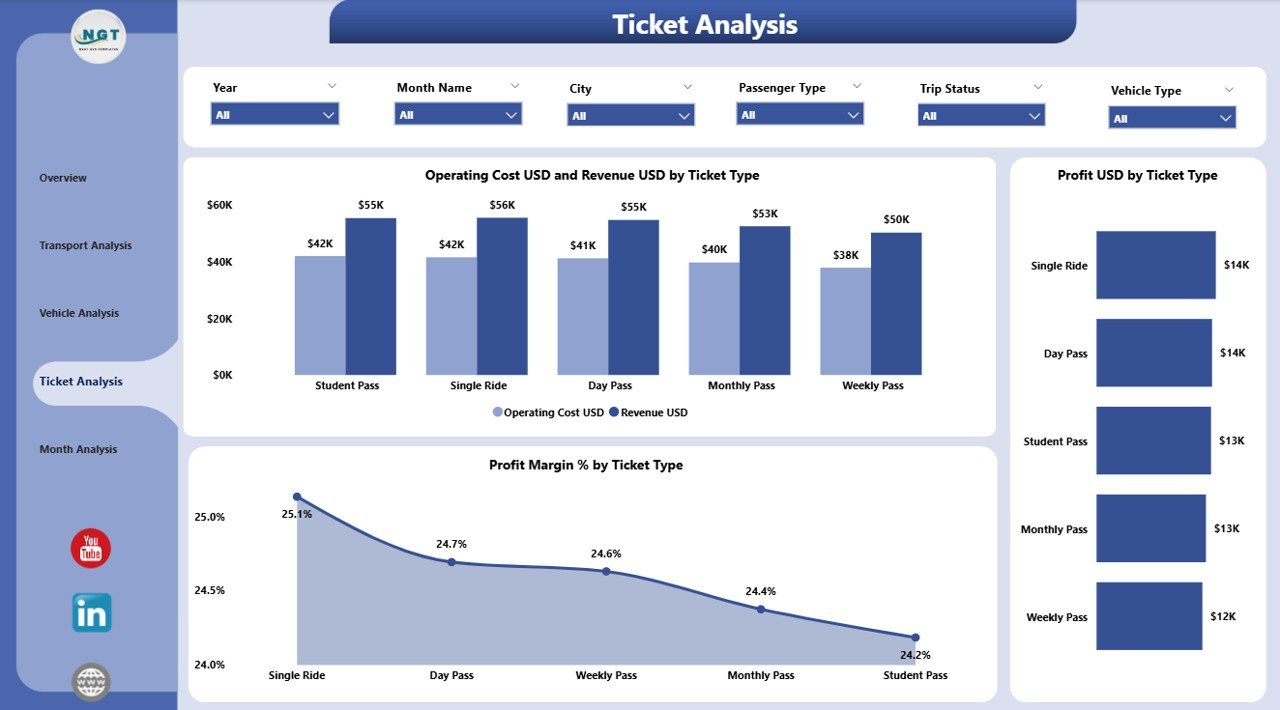
Ticket types reveal important revenue and travel patterns. This page helps you analyze tickets such as:
Single Journey • Monthly Pass • Student Pass • Senior Citizen Pass • Tourist Pass
🔹 Key Charts:
Profit Margin % by Ticket Type
Profit USD by Ticket Type
Operating Cost & Revenue by Ticket Type
This helps transit teams refine pricing, improve affordability, and enhance profitability.
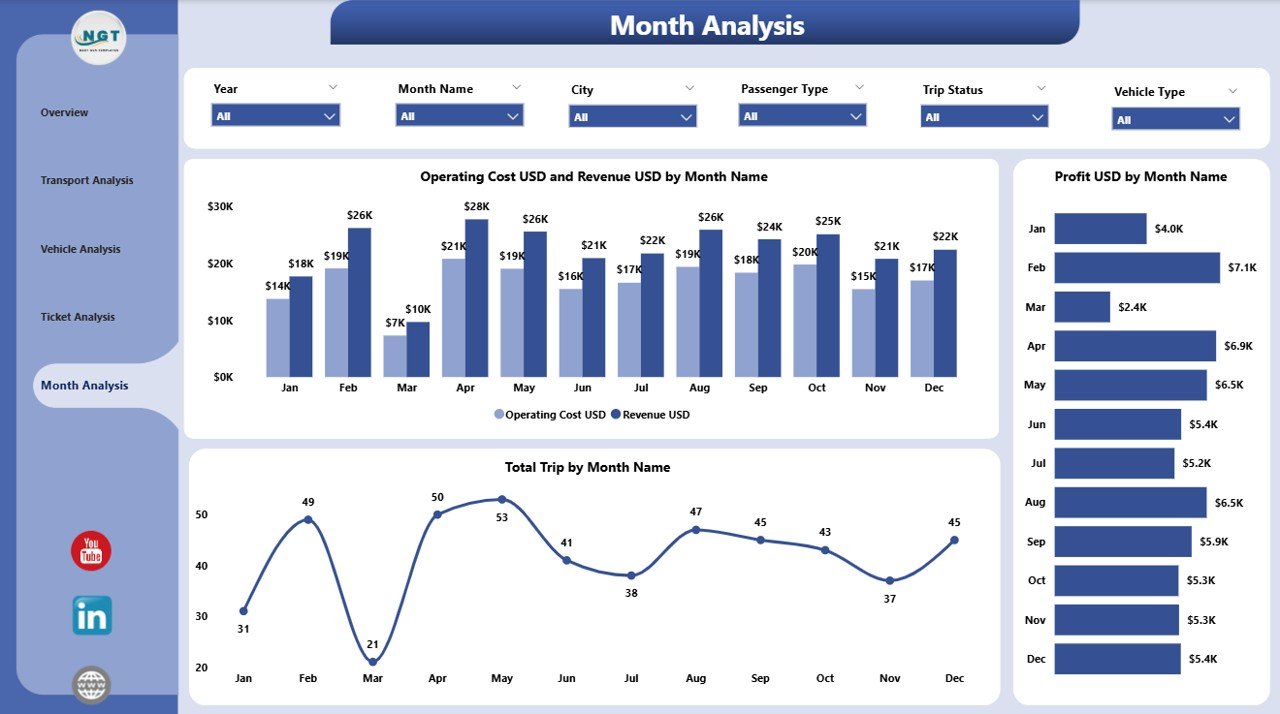
⭐ 5. Monthly Trends Page – Track Month-by-Month Performance
Seasonality and event-based demand affect public transit heavily. This page reveals:
Total Trips by Month
Profit USD by Month
Operating Cost vs Revenue by Month
Transit authorities use these insights for forecasting and budget planning.
🧩 What’s Inside the Public Transit Dashboard in Power BI
You get:
5 Power BI analysis pages
Dynamic slicers
Clean KPI cards
Interactive charts
Full transport mode comparison
Excel-based data entry system
Automatic visual updates
Fully customizable layout
This dashboard is designed for real-world decision-making and operational clarity.
🚀 How to Use the Dashboard Effectively
Enter updated transit data into Excel
Refresh the dashboard in Power BI
Use slicers to filter by city, month, ticket type, or vehicle type
Review KPIs on the Overview Page
Explore detailed pages for deeper analysis
Compare transport modes, ticket types, and monthly trends
Take corrective actions for delays, high cost, or low ridership
No technical skills required—just click, filter, and analyze.
👤 Who Can Benefit from This Dashboard
This dashboard is ideal for:
🚌 Public Transit Authorities
🚇 Metro & Rail Corporations
🚍 Transport Departments
🚢 Ferry & Water Transport Teams
🌆 City Planners
📊 Operations & Finance Teams
🧭 Urban Mobility Consultants
Anyone managing or analyzing public transit operations will benefit immediately.
### Click hare to read the Detailed blog post
Visit our YouTube channel to learn step-by-step video tutorials
👉 Youtube.com/@PKAnExcelExpert
Watch the step-by-step video tutorial:
Compatibility and Requirements
- Works in Power BI Desktop, which is free to download. Microsoft explains the download in Get Power BI Desktop.
- The data source is an Excel file. You add new transit data there and refresh the report in Power BI.
Frequently Asked Questions
How many pages does the dashboard have?
Five pages: Overview, Transport Analysis, Vehicle Analysis, Ticket Analysis and Monthly Trends.
How do I update the data?
Enter the new transit data in the Excel data source and refresh the dashboard in Power BI. The visuals update automatically.
Can I filter by city, month or ticket type?
Yes. The Overview page has slicers for Month, City, Transport Mode and Passenger Type. You can also filter by ticket type and vehicle type on the detail pages.
Which transport modes can I compare?
Bus, Train, Metro, Ferry, Tram, Shuttle and Cable Car. The Transport Analysis page compares profit margin, profit and delayed trip percentage for each mode.
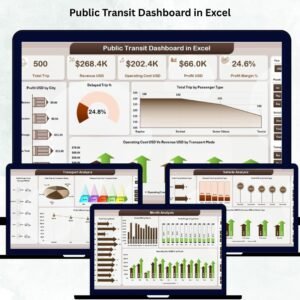
Is there an Excel version?
Yes. See the Public Transit Dashboard in Excel. A lighter Public Transit KPI Dashboard in Power BI is also available.
Related Public Transit and Power BI Templates
- Public Transit Dashboard in Excel: the same transit dashboard in Excel
- Public Transit KPI Dashboard in Power BI: a KPI-focused Power BI edition
- Public Transit KPI Dashboard in Excel: transit KPIs in Excel
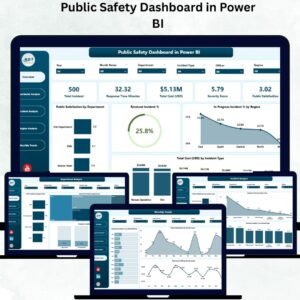
- Public Safety Dashboard in Power BI: a public service dashboard in Power BI
- Power BI Dashboard Mega Collection: 15 Power BI templates in one download
Browse all Power BI dashboards.































Reviews
There are no reviews yet.