



Office environments change faster than ever. Teams grow, new hires join, departments shift, hybrid schedules evolve, and project-driven seating needs appear almost every week. Managing seating requests through emails or basic spreadsheets often leads to confusion, miscommunication, and delayed responses. That’s why the Office Seating Arrangement Request Tracker in Google Sheets is the ideal solution for modern workplaces.Office Seating Arrangement Request Tracker in Google Sheets
This powerful Google Sheets tool helps companies record every seating-related request, categorize them, track status, analyze trends, and manage workspace planning with complete clarity. Built for facility teams, HR departments, admin offices, and corporate leaders, this tracker eliminates manual chaos and replaces it with a clean, automated, and easy-to-use system.Office Seating Arrangement Request Tracker in Google Sheets
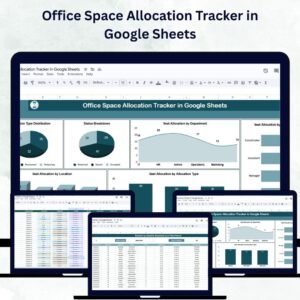
With dashboard cards, interactive charts, a smart search panel, and a structured data sheet, you can finally manage office seating with confidence, accuracy, and speed.Office Seating Arrangement Request Tracker in Google Sheets

✨ Key Features of the Office Seating Arrangement Request Tracker in Google Sheets
📊 1. Real-Time Dashboard Insights
The Tracker Sheet gives you a complete visual overview of all seating requests. With cards displaying Total Requests, High-Priority Requests, and Pending Requests, you instantly understand workload levels and urgency. This helps facility managers prioritize actions and allocate resources more efficiently.
📈 2. Interactive Charts for Smart Decision-Making
The dashboard includes several charts, such as:
Seating Request Status Breakdown
Priority-wise Seating Requests
Requests by Location
Requests by Reason
Requests by Department
These charts reveal patterns, bottlenecks, high-demand areas, and future capacity requirements. With visual insights readily available, planning becomes faster and more accurate.
🔍 3. Smart Search & Filtering System
The Search Sheet allows you to instantly locate any seating request using keywords or filters. Whether you want to search by employee name, department, manager, location, priority, or request reason, the sheet displays exactly what you need in seconds.
📝 4. Clean, Structured Data Storage
The Data Sheet acts as your master database. It stores request information such as employee name, department, location, priority, status, request reason, and more. Charts and dashboards pull live data from this sheet, ensuring accuracy at all times.
☁️ 5. Cloud-Based & Fully Collaborative
As a Google Sheets tool, the tracker supports real-time collaboration. Multiple teams can access it simultaneously, update details instantly, and maintain a single source of truth—without any complex installation or training.
📦 What’s Inside the Office Seating Arrangement Request Tracker in Google Sheets
📊 1. Tracker Sheet – The Visual Dashboard
This sheet gives you instant visibility into seating workflow. It includes:
Dashboard Cards for total, high-priority, and pending requests
Status Breakdown Chart showing completed, pending, in-progress, and rejected requests
Priority-wise Request Chart for workload analysis
Location-wise Request Chart for multi-site planning
Department-wise Request Chart to understand which teams generate the most movement
Request Reason Chart for analyzing seat change patterns
With these insights, facility teams can predict future needs and improve overall efficiency.
🔍 2. Search Sheet – Fast Search Functionality
This sheet is designed to help you quickly filter seating requests based on:
Employee name
Department
Manager
Location
Priority
Reason
Status
It ensures that no request gets missed and helps administrators resolve issues faster.
📝 3. Data Sheet – The Input Database
The Data Sheet records all request information including:
Request ID
Employee Name
Department
Location
Manager Name
Request Date
Reason for Request
Priority
Status
Resolution Date
Comments
All charts and dashboards are powered by this sheet, making data accuracy extremely important.
🛠️ How to Use the Office Seating Arrangement Request Tracker in Google Sheets
1️⃣ Step 1: Enter Seating Requests
Add each request to the Data Sheet. You can also link this sheet with Google Forms for automatic entries.
2️⃣ Step 2: Track Progress
Use the Status and Priority fields to monitor request stages.
3️⃣ Step 3: Review Dashboard Insights
Check the Tracker Sheet to understand trends, demands, and workload levels.
4️⃣ Step 4: Use Search for Quick Filtering
Locate any request instantly using the smart search feature.
5️⃣ Step 5: Improve Seating Strategy
Use department, location, and reason analysis to optimize workspace planning.
🎯 Who Can Benefit from This Office Seating Arrangement Request Tracker in Google Sheets
🏢 Facility Management Teams
Manage seat assignments, handle urgent requests, and monitor demand trends.
👨💼 HR Departments
Track onboarding seating, department shifts, and remote-to-office transitions.
🧩 Admin Teams
Organize seat planning for events, projects, and restructured teams.
🏙️ Multi-Location Offices
Understand location-specific seating needs and space requirements.
💼 Startup & Corporate Offices
Ideal for fast-growing companies with frequent seating updates.
Click here to read the Detailed blog post
Watch the step-by-step video Demo:
Visit our YouTube channel to learn step-by-step video tutorials — Youtube.com/@NeotechNavigators
Compatibility and Requirements
- Works in Google Sheets. You need a free Google account and a web browser.
- Several people can open and edit the sheet at the same time. Google explains how to build sheets and charts in Get started with Google Sheets.
Frequently Asked Questions
Which sheets are included?
Three sheets: Tracker, Search and Data. The Tracker sheet holds the dashboard cards and charts, the Search sheet filters requests, and the Data sheet stores every request.
What details can I record for each request?
The Data sheet has fields for Request ID, employee name, department, location, manager name, request date, reason for request, priority, status, resolution date and comments.
What does the dashboard show?
Cards for total requests, high-priority requests and pending requests. Charts break requests down by status, priority, location, reason and department.
How do I find one request quickly?
Use the Search sheet. You can filter by employee name, department, manager, location, priority, reason or status.
Is there an Excel version?
Yes. See the Office Seating Arrangement Request Tracker in Excel.
Related Office Request Templates
- Office Seating Arrangement Request Tracker in Excel: the same tracker for Excel
- Office Relocation Request Tracker in Google Sheets: track moves between offices
- Office Meeting Room Setup Request Tracker in Google Sheets: log room setup requests
- Office Renovation Request Tracker in Google Sheets: manage layout and renovation requests
- Google Sheets Business Pack (Pro): 14 business templates in one download
Browse all Google Sheets trackers.















Reviews
There are no reviews yet.