



Freight cost management is one of the most critical responsibilities in logistics and supply chain operations. Transport charges fluctuate frequently, fuel prices rise unexpectedly, shipment delays add hidden costs, and inaccurate manual tracking can lead to major financial losses. To overcome these challenges, the Freight Cost KPI Dashboard in Google Sheets gives your team a smart, structured, and automated way to track all key performance indicators (KPIs) related to freight expenses.Freight Cost KPI Dashboard in Google Sheets
This ready-to-use dashboard helps logistics managers, supply chain leaders, warehouse teams, and business owners monitor monthly and yearly freight performance with precision. You can compare Month-to-Date (MTD) and Year-to-Date (YTD) numbers, analyze performance against targets, review previous year (PY) data, and understand trends instantly. As a result, your decision-making becomes faster, clearer, and more accurate.Freight Cost KPI Dashboard in Google Sheets

✨ Key Features of the Freight Cost KPI Dashboard in Google Sheets
📌 1. Dashboard Sheet – Complete Freight Performance View
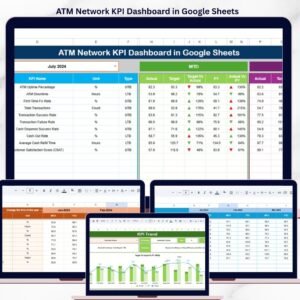
The Dashboard Sheet is the central view of the system. When you select a month from the dropdown (Cell D3), the entire dashboard updates instantly.
It displays:
MTD Actual
MTD Target
MTD Previous Year (PY)
Target vs Actual
PY vs Actual
For yearly comparisons, you also see:
YTD Actual
YTD Target
YTD Previous Year
YTD Target vs Actual
YTD PY vs Actual
Up/down arrows powered by conditional formatting highlight whether your cost performance is improving or declining. This makes the dashboard visual, intuitive, and decision-ready.
📈 2. KPI Trend Sheet – Complete KPI Reference & Analysis
The KPI Trend sheet shows detailed information about any KPI you choose from the dropdown in Cell C3.
It displays:
KPI Group
KPI Unit
KPI Type (UTB – Upper The Better, LTB – Lower The Better)
KPI Formula
KPI Definition
This allows teams to understand exactly how each metric is calculated and promotes consistent KPI usage across departments.
🧮 3. Actual Number Sheet – Input Real Freight Cost Data
This sheet helps you enter MTD and YTD actual data for all KPIs. You simply select the month from Cell E1 and enter the numbers for that period. Everything else updates automatically on the dashboard.
It ensures that your data stays accurate, real-time, and aligned with monthly reporting needs.
🎯 4. Target Sheet – Set Monthly KPI Goals
This section allows you to enter monthly:
MTD Targets
YTD Targets
Targets form the backbone of performance measurement. Once set, the dashboard automatically compares actual numbers against expectations—highlighting gaps and progress.
📊 5. Previous Year Sheet – Track Year-over-Year Improvement
This sheet stores previous year’s KPI data in the same monthly structure as the current year.
The dashboard uses this reference to calculate PY vs Actual values, which helps identify whether your freight performance is improving or declining.
Year-over-year comparisons are essential for long-term planning and cost forecasting.
📘 6. KPI Definition Sheet – Your Complete KPI Dictionary
This tab acts as the master reference for all KPIs used in the dashboard.
You can define:
KPI Name
KPI Group
Unit
Formula
Description
It’s perfect for training new team members and maintaining consistency across logistics departments.
📦 What’s Inside the Freight Cost KPI Dashboard in Google Sheets
The complete template includes:
Interactive Dashboard Page
KPI Trend Analysis Page
Actual Data Sheet
Monthly Target Sheet
Previous Year Data Sheet
KPI Definition Dictionary
Dropdown controls and auto-calculations
Conditional formatting & visual indicators
Fully cloud-based collaboration features
Everything is built, automated, and ready to use instantly.
🛠 How to Use the Freight Cost KPI Dashboard in Google Sheets
Using the dashboard is simple and does not require advanced technical skills.
- Step 1: Open the template and enable editing
- Step 2: Select month on the Dashboard (Cell D3)
- Step 3: Enter actual MTD and YTD numbers on the Actual Number Sheet
- Step 4: Update monthly targets on the Target Sheet
- Step 5: Review previous year data in the PY Sheet
- Step 6: Use the Dashboard to compare performance
- Step 7: Conduct monthly reviews using KPI Trend insights
- Within minutes, your freight performance becomes transparent, well-organized, and easy to understand.Freight Cost KPI Dashboard in Google Sheets
🎯 Who Can Benefit From This Freight Cost KPI Dashboard in Google Sheets
This dashboard is essential for:
Logistics Managers
Supply Chain Teams
Warehouse Operators
Freight Forwarding Companies
Transport Managers
Distribution Teams
Operations Directors
Business Owners
3PL & Carrier Management Teams
If you handle freight movement, this tool gives you the visibility and analytical power needed to stay cost-efficient.Freight Cost KPI Dashboard in Google Sheets
Click here to read the detailed blog post
Visit our YouTube channel to learn step-by-step video tutorials – Neotech Navigators
Compatibility and Requirements
- Works in Google Sheets. You need a free Google account and a web browser.
- You pick the month and the KPI from dropdowns on the Dashboard and KPI Trend sheets. Google explains dropdowns in Create an in-cell dropdown list.
Frequently Asked Questions
Which sheets are included?
The template has a Dashboard, KPI Trend, Actual Number, Target, Previous Year and KPI Definition sheet.
How do I update the dashboard?
Select the month on the Actual Number sheet (cell E1) and enter your MTD and YTD figures. Set your monthly goals on the Target sheet. Then choose the month in cell D3 of the Dashboard and the numbers update.
Can I compare this year with last year?
Yes. Enter last year’s figures on the Previous Year sheet. The Dashboard then shows PY vs Actual next to Target vs Actual, for both MTD and YTD.
What do the up and down arrows mean?
Conditional formatting adds arrows that show whether a freight cost KPI is improving or declining against its target and against the previous year.
Is there an Excel or Power BI version?
Yes. See the Freight Cost KPI Dashboard in Excel and the Freight Cost KPI Dashboard in Power BI.
Related Freight and Logistics Templates
- Freight Cost KPI Dashboard in Excel: the same freight cost KPIs in Excel
- Freight Cost KPI Dashboard in Power BI: the Power BI edition
- Freight Management KPI Dashboard in Google Sheets: wider freight management KPIs in Google Sheets
- Procurement Cost Analysis Dashboard in Google Sheets: a cost view for purchasing
- Google Sheets Business Pack (Pro): 14 business templates in one download
Browse all Google Sheets KPI dashboards.




















Reviews
There are no reviews yet.