

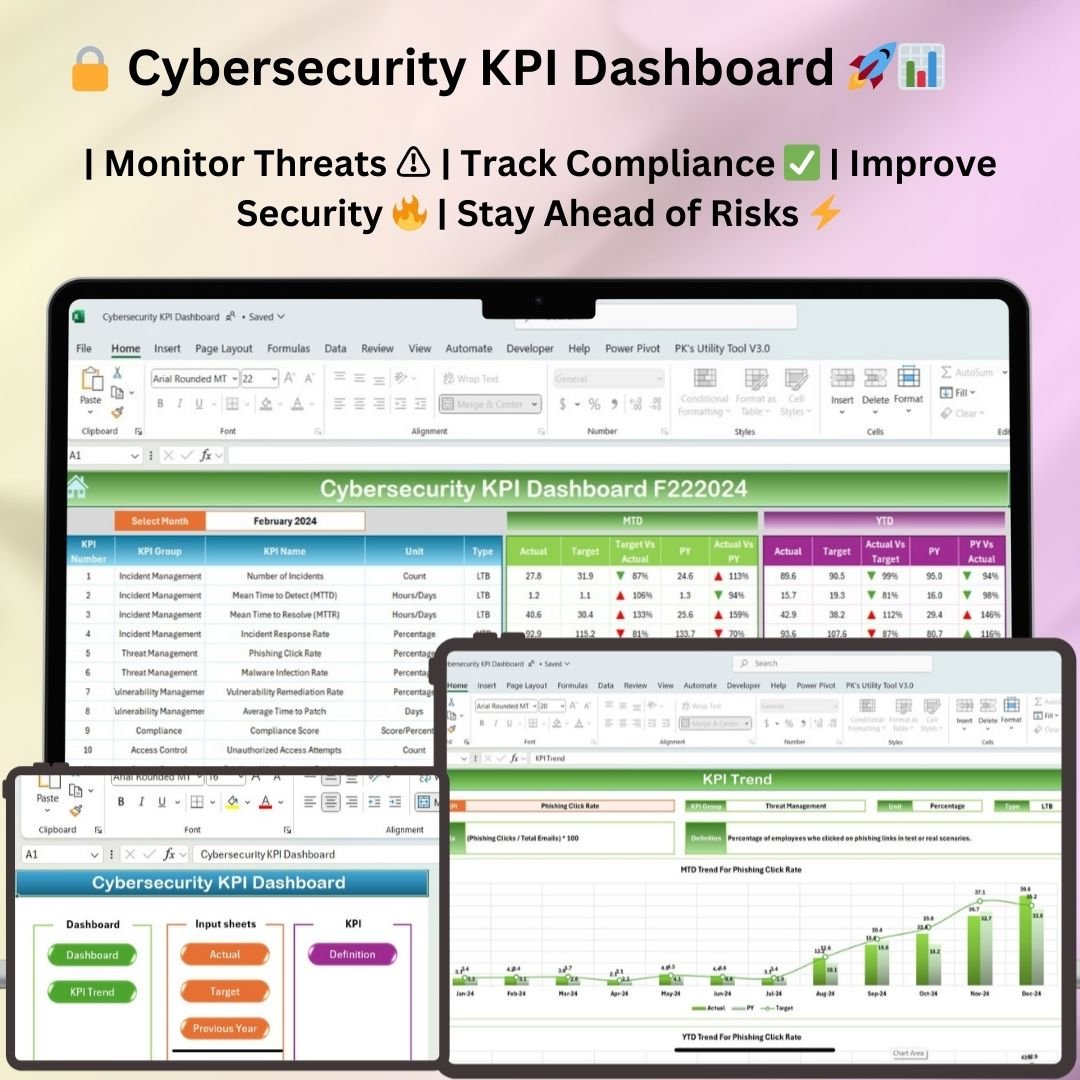

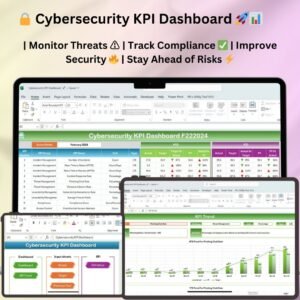
The Cybersecurity KPI Dashboard in Excel is a reporting workbook for comparing entered security metrics with targets and previous-year values. It includes dashboard and trend views, actual-number inputs, a target sheet, historical data and KPI definitions for consistent month-to-date and year-to-date reporting.
Key Features
1. Home Sheet
- A user-friendly interface with quick-access buttons for seamless navigation.
- Provides an overview of all sections within the dashboard.
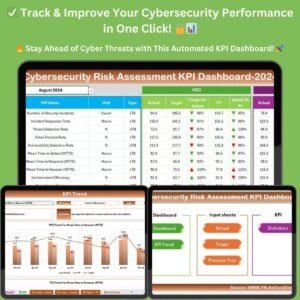
2. Dashboard Sheet Tab
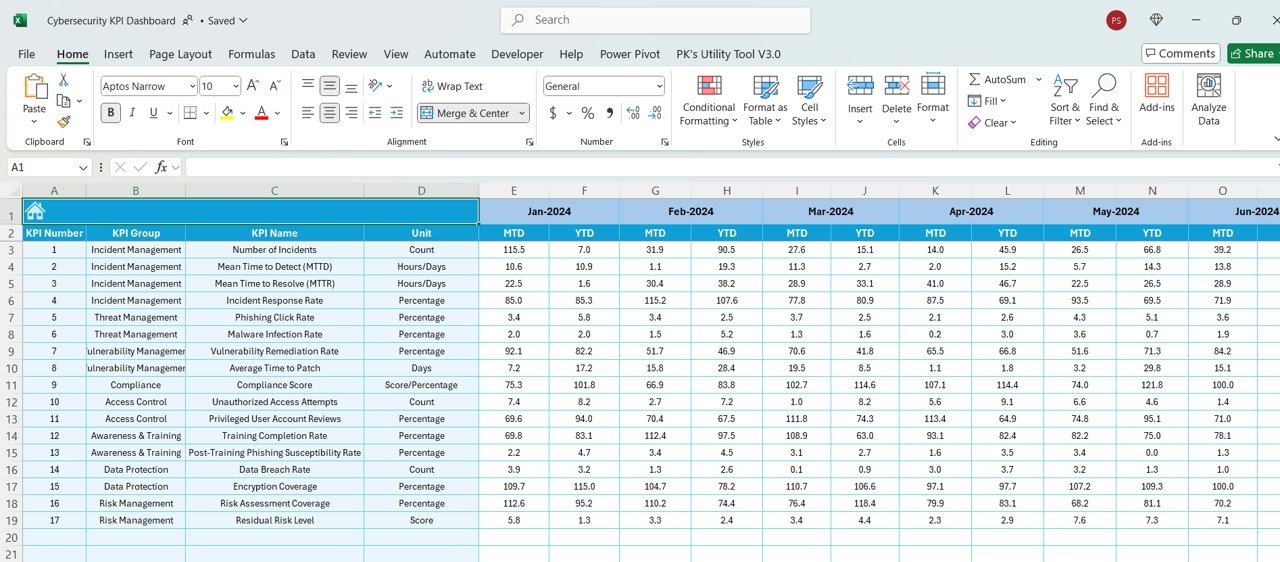
- Displays MTD and YTD values for various cybersecurity KPIs.
- Features conditional formatting and visual cues to indicate performance trends.
- Allows users to compare actual performance with target values.

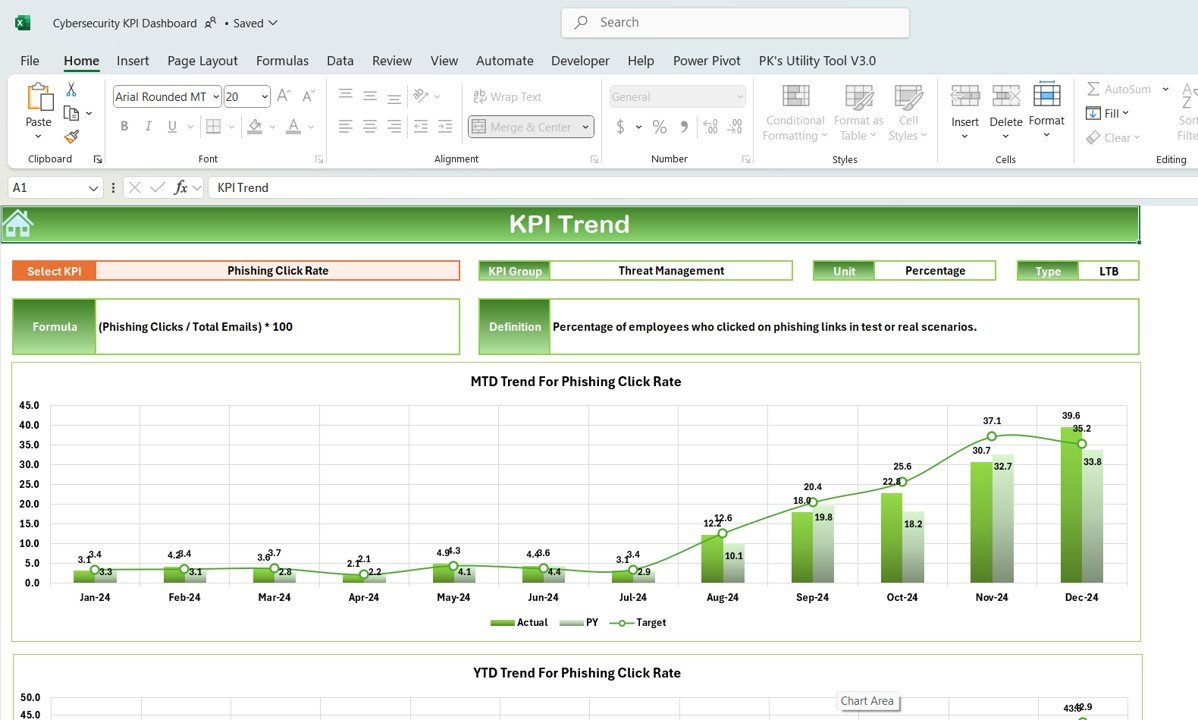
3. KPI Trend Sheet Tab
- Tracks KPI trends over time using interactive charts.
- Includes details like KPI type, unit, and calculation formulas.
- Helps organizations identify potential security gaps and improvement areas.
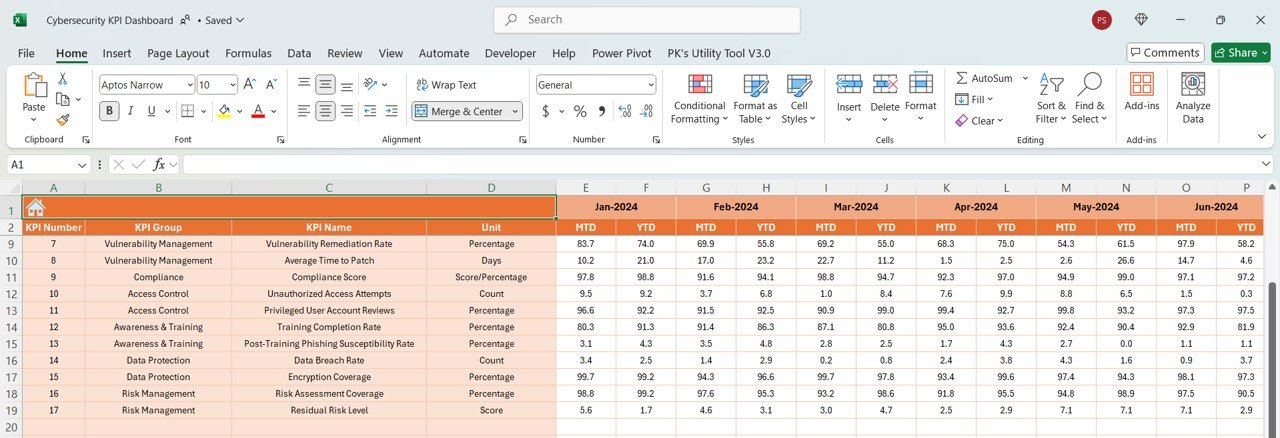
4. Actual Numbers Input Sheet
- Users can input real-time monthly data for accurate KPI tracking.
- Automatically updates the dashboard and KPI trends.
5. Target Sheet Tab
- Enables setting of monthly and yearly targets for various KPIs.
- Helps in benchmarking actual performance against predefined security goals.
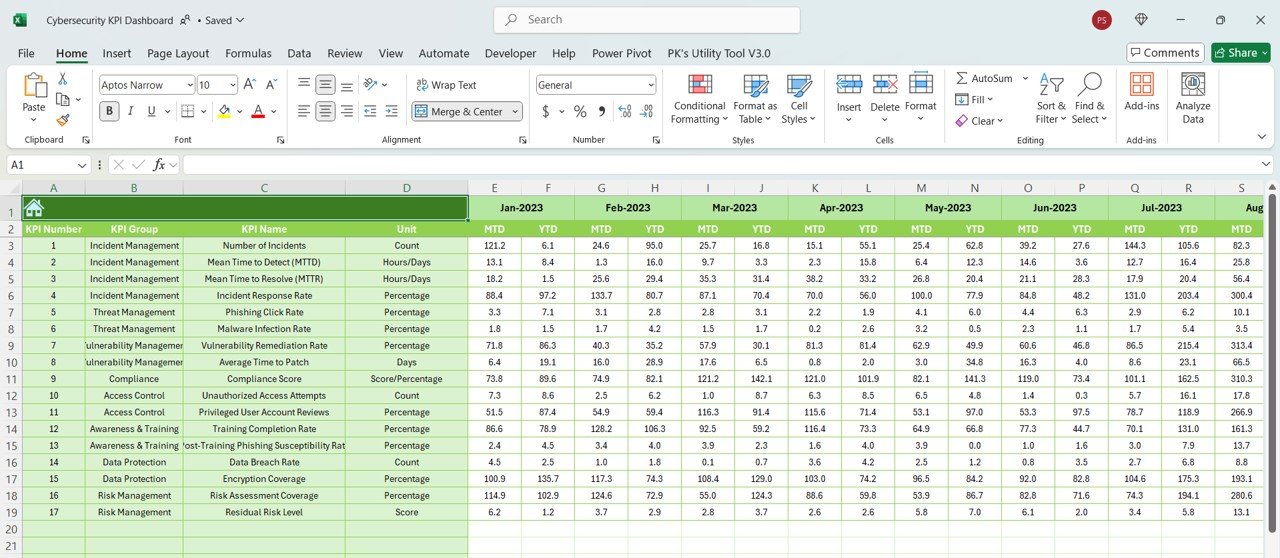
6. Previous Year Data Sheet
- Stores historical cybersecurity performance data for easy comparison.
- Assists in evaluating long-term trends and progress.
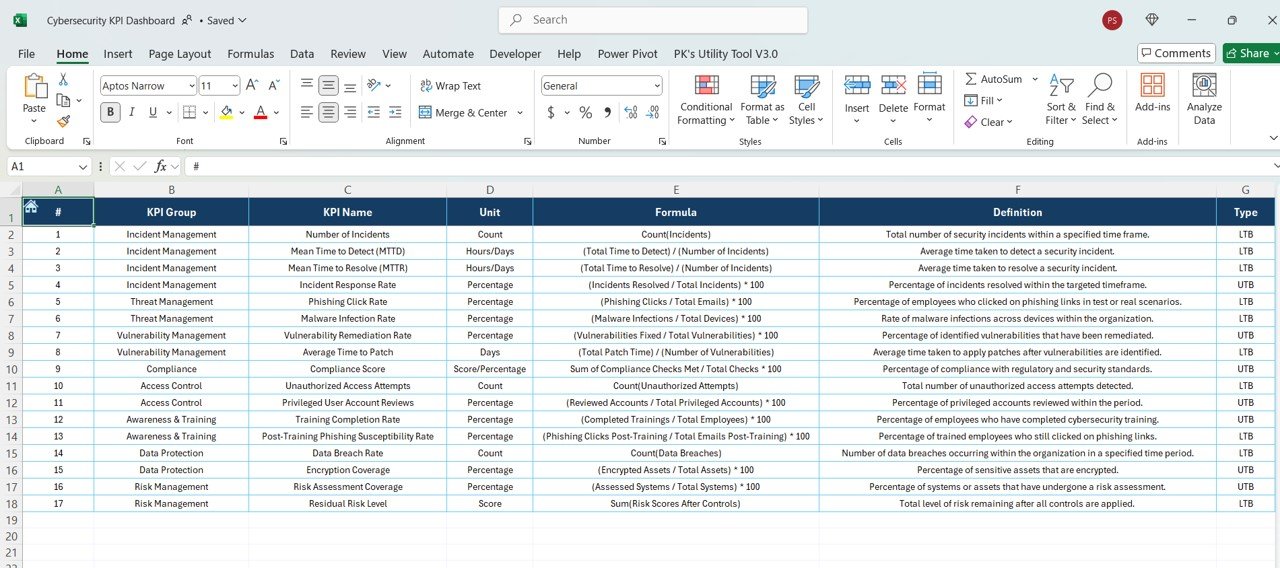
7. KPI Definition Sheet
- Clearly defines each KPI, its purpose, calculation method, and unit of measurement.
- Ensures consistency and clarity in cybersecurity metric tracking.
Benefits of Using the Cybersecurity KPI Dashboard
- Comprehensive Security Performance Monitoring: Gain real-time insights into key cybersecurity metrics, including incident response rates, phishing click rates, malware infection rates, and compliance scores.
- Data-Driven Decision Making: Enables IT leaders to make informed decisions based on historical trends and real-time data.
- User-Friendly Interface: Simplifies cybersecurity reporting with an easy-to-use Excel dashboard, requiring minimal technical expertise.
- Automated Data Updates: Input new data each month, and the dashboard will automatically reflect the latest performance metrics.
- Customizable Metrics: Modify KPI definitions, targets, and trends to align with your organization’s specific security goals.
- Visual Data Representation: Use color-coded indicators and charts to quickly assess security posture and risk levels.
- Comparative Analysis: Evaluate cybersecurity performance against historical data and industry benchmarks.
Who Can Benefit from This Dashboard?
This Cybersecurity KPI Dashboard is ideal for:
- Chief Information Security Officers (CISOs): Monitor and report cybersecurity performance to stakeholders.
- IT Security Teams: Identify vulnerabilities and areas for improvement in real-time.
- Compliance Officers: Ensure adherence to cybersecurity policies and regulatory requirements.
- Risk Management Professionals: Analyze risk assessment coverage and residual risk levels effectively.
- Enterprise Security Consultants: Provide clients with detailed cybersecurity performance reports.
KPIs Tracked in This Dashboard
- Incident Management KPIs: Number of incidents, Mean Time to Detect (MTTD), Mean Time to Resolve (MTTR), Incident Response Rate.
- Threat Management KPIs: Phishing Click Rate, Malware Infection Rate.
- Vulnerability Management KPIs: Remediation Rate, Average Time to Patch.
- Compliance KPIs: Compliance Score.
- Access Control KPIs: Unauthorized Access Attempts, Privileged User Account Reviews.
- Awareness & Training KPIs: Training Completion Rate, Post-Training Phishing Susceptibility Rate.
- Data Protection KPIs: Data Breach Rate, Encryption Coverage.
- Risk Management KPIs: Risk Assessment Coverage, Residual Risk Level.
Instant Download and Easy Setup
- Instant Access: Download the Excel file immediately upon purchase.
- No Additional Software Required: Works seamlessly in Microsoft Excel.
- Easy Setup: Follow the provided instructions to start tracking your cybersecurity KPIs instantly.
Conclusion
The Cybersecurity KPI Dashboard in Excel is an essential tool for security professionals aiming to optimize their cybersecurity strategy. With a structured and visual approach to tracking security performance, this dashboard empowers organizations to mitigate risks, ensure compliance, and enhance overall security resilience.
Click here to read the detailed blog post
Visit our YouTube channel to learn step-by-step video tutorials
Also check our HR KPI Dashboard in Excel
Questions about this template
Where do I enter actuals, targets and historical values?
Use Actual Numbers Input for monthly results, Target for planned values and Previous Year Data for historical values. The KPI Definition sheet explains the metric purpose, calculation method and unit.
Which cybersecurity KPIs are included?
KPIs for incident management (incidents, MTTD, MTTR, response rate), threats (phishing click rate, malware infection rate), vulnerabilities (remediation rate, time to patch), compliance score, access control, awareness and training, data protection and risk management.
Can I compare this year with last year?
Yes. The dashboard shows MTD and YTD values against targets and against the figures stored on the Previous Year Data sheet.
Can I change the KPIs or their targets?
Yes. Edit the KPI Definition sheet to change a metric’s purpose, formula or unit, and set monthly and yearly goals on the Target sheet.
Is there a Power BI version?
Yes, the Cybersecurity KPI Dashboard in Power BI covers the same topic in Power BI.
Compatibility and Requirements
- Works in Microsoft Excel desktop (Excel 2016 or later, or Microsoft 365).
- The KPI Trend sheet uses Excel charts. Microsoft’s guide to creating a chart explains how Excel charts work if you want to restyle them.
Related Cybersecurity Templates
- IT and Tech Cybersecurity KPI Dashboard in Excel: cybersecurity KPIs for IT teams
- Cybersecurity Risk Assessment KPI Dashboard in Excel: focus on risk assessment
- Cybersecurity Incident KPI Dashboard in Excel: focus on security incidents
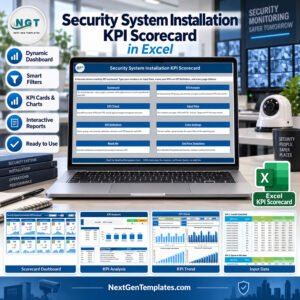
- Cybersecurity KPI Scorecard in Excel: the same KPIs as a scorecard
- IT and Cybersecurity Operations Bundle: 8 Excel and Power BI templates
Browse all Excel KPI dashboards or the IT templates.
















Reviews
There are no reviews yet.