



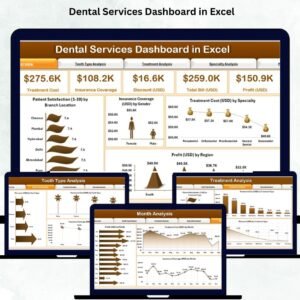
Managing a dental clinic is more than just providing great care — it’s about making smart, data-driven decisions that improve patient satisfaction, control costs, and boost profitability. That’s where the Dental Services Dashboard in Excel comes in — a ready-to-use, interactive template that transforms your clinic’s data into actionable insights. 🚀
This all-in-one Excel dashboard helps you monitor essential KPIs such as Patient Satisfaction, Treatment Cost, Profit, Insurance Coverage, and Discounts — empowering dentists and clinic managers to make informed decisions with ease.
🧩 Key Features of the Dental Services Dashboard in Excel
✨ Interactive Overview Page:
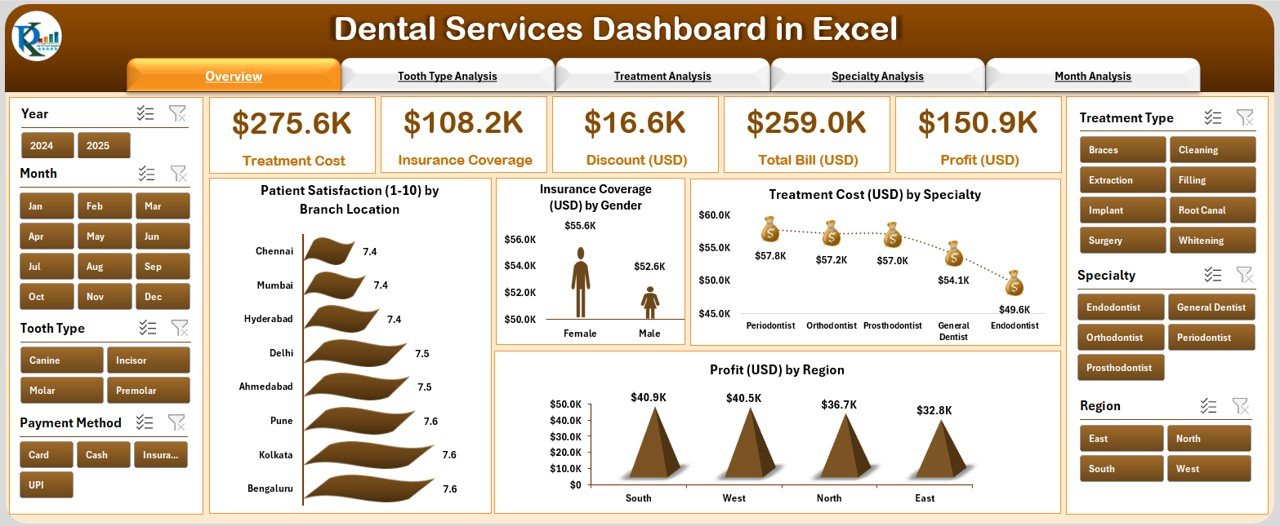
Gain a complete snapshot of your clinic’s health in one view. Monitor satisfaction, cost, profit, and insurance coverage through visually engaging charts and cards.
📊 Multi-Dimensional Analysis:
Switch seamlessly between five analytical pages — Overview, Tooth Type, Treatment, Specialty, and Month Analysis — using the left-side page navigator for smooth exploration.
💡 Dynamic Insights:
Understand which treatments are most profitable, which specialties bring the highest returns, and which regions or months deliver the best performance.
🎯 Real-Time Analytics:
Track MTD (Month-to-Date) and YTD (Year-to-Date) data automatically with no manual calculation needed.
📈 Fully Automated Dashboard:
The dashboard updates dynamically whenever new data is added to the Data Sheet — no coding or technical setup required.
🧾 Insurance & Profit Tracking:
Quickly see how much of your revenue comes from insurance claims and how discounts affect your profit margins.
🔒 Offline & Secure:
Built entirely in Excel — no need for external software or online tools. Your sensitive patient data remains safe and accessible offline.
📦 What’s Inside the Dental Services Dashboard
When you download this template, you’ll get a structured, ready-to-analyze Excel workbook containing:
📘 Overview Page: Instant snapshot of your clinic’s overall performance.
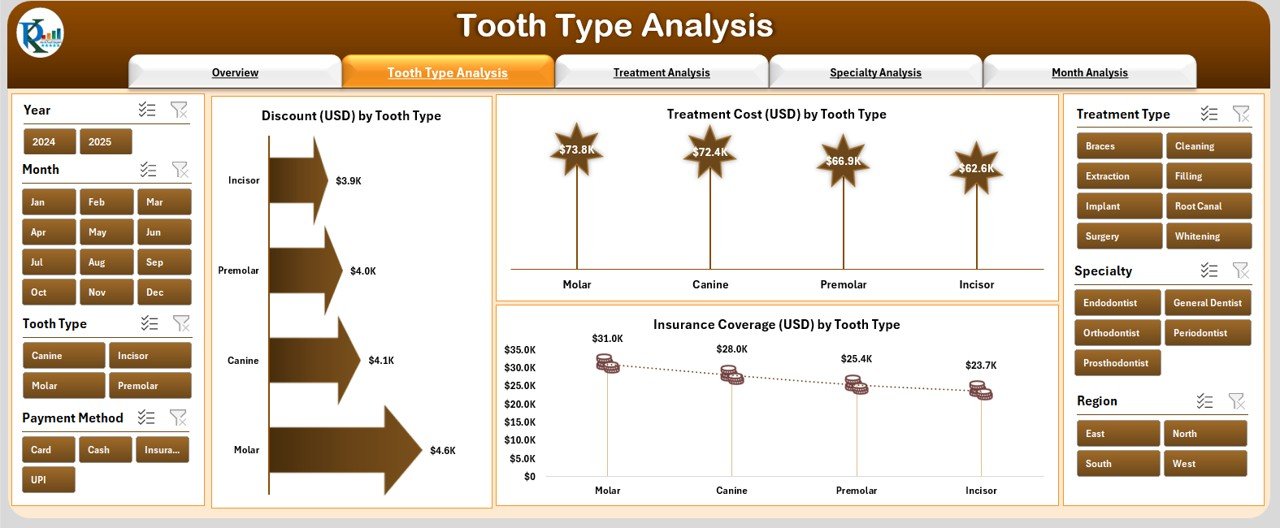
🦷 Tooth Type Analysis Page: Compare costs, discounts, and insurance by tooth type.
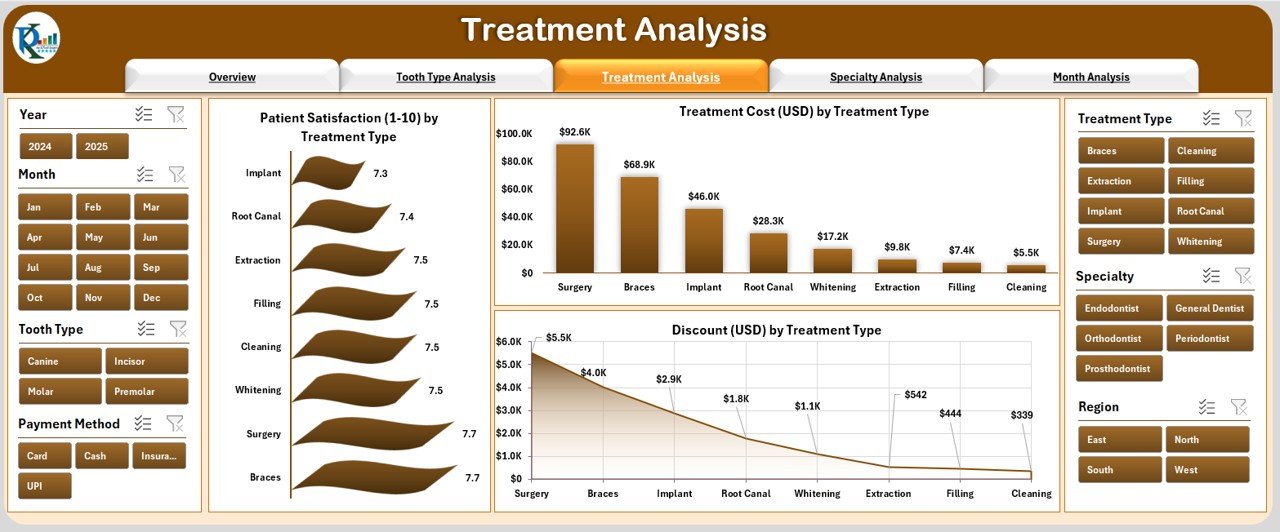
💉 Treatment Analysis Page: Measure satisfaction and profitability across treatment categories.
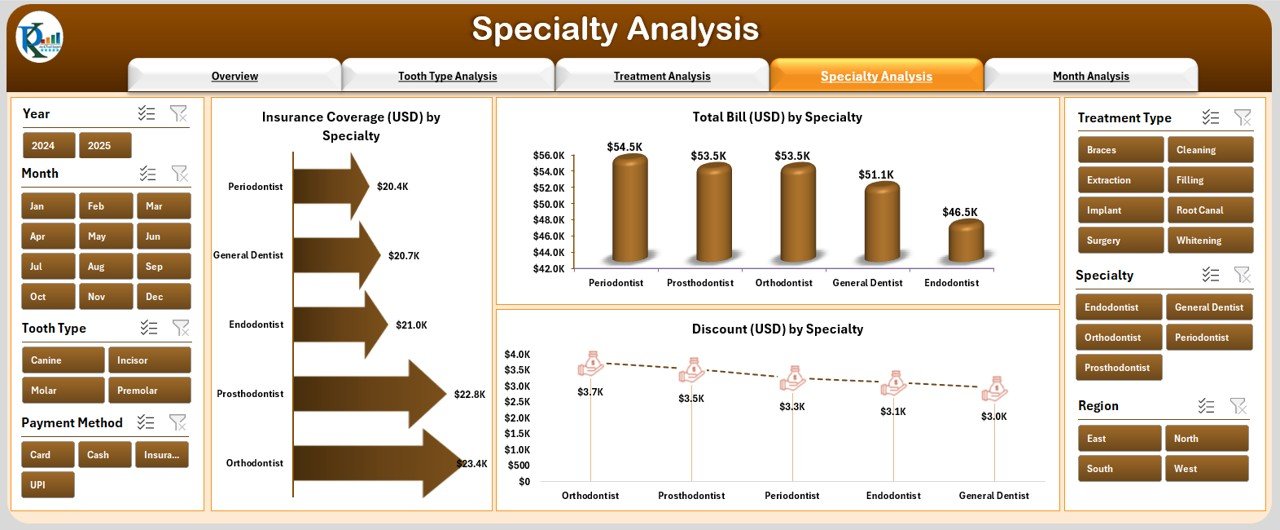
🏥 Specialty Analysis Page: View department-level insights such as Orthodontics, Surgery, and Periodontics.
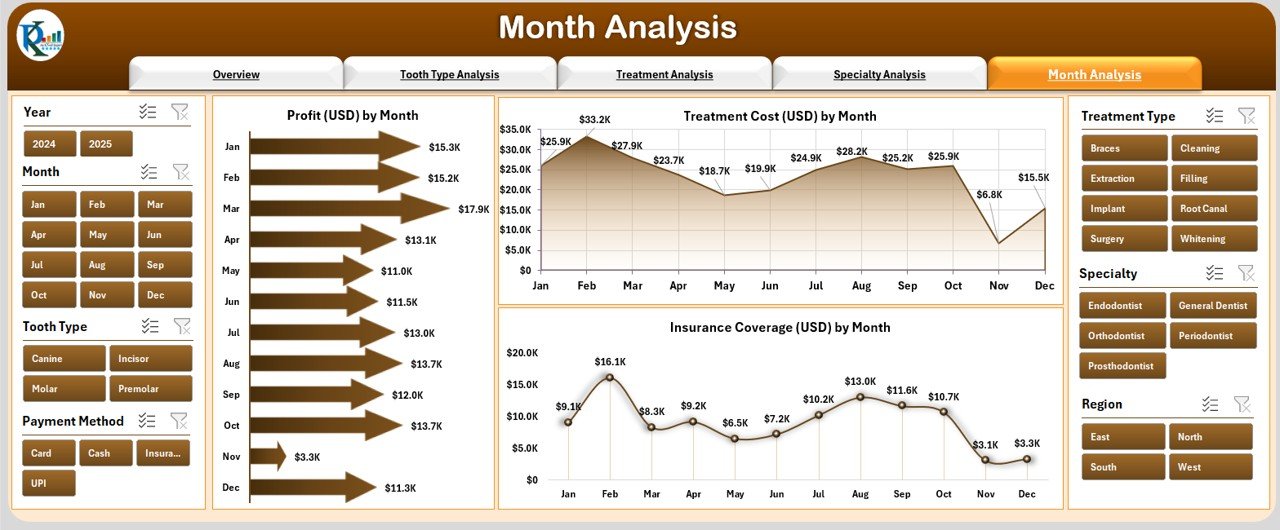
📅 Month Analysis Page: Track trends, seasonality, and monthly profits.
📊 Data Sheet: The backbone of the dashboard — all raw data is stored and linked here for auto updates.
Each page includes interactive filters, slicers, and visuals that make performance analysis effortless.
🧭 How to Use the Dental Services Dashboard in Excel
🪄 Step 1: Enter your patient, treatment, and insurance data in the Data Sheet.
🪄 Step 2: The dashboard auto-refreshes with the latest metrics.
🪄 Step 3: Use the dropdowns and slicers to view data by month, branch, specialty, or treatment type.
🪄 Step 4: Review charts for trends and performance comparisons.
🪄 Step 5: Export graphs and visuals for management reports or presentations.
No formulas or VBA knowledge required — everything works seamlessly with Excel’s built-in features. 💻
👩⚕️ Who Can Benefit from This Dashboard
This Excel dashboard is ideal for:
👨⚕️ Dentists & Clinic Owners: Monitor profitability and service quality easily.
👩💼 Clinic Managers: Track operations, cost, and satisfaction across branches.
💰 Accountants: Analyze revenues, insurance claims, and discounts.
🧾 Insurance Coordinators: Evaluate coverage and claim performance.
📊 Healthcare Analysts: Review KPIs, trends, and efficiency metrics monthly.
Whether you manage a single clinic or a multi-branch dental network, this dashboard simplifies reporting and helps make smarter, data-backed decisions.
🎯 Why Choose This Excel Dashboard
✔️ Saves hours of manual reporting time.
✔️ Provides powerful insights at a glance.
✔️ Easy customization for your clinic’s unique needs.
✔️ Works entirely offline — secure and private.
✔️ Designed for professionals — from beginners to experts.
The Dental Services Dashboard in Excel is your go-to analytical solution for better management, improved profitability, and enhanced patient care. 🦷📈
### Click here to read the Detailed blog post
Visit our YouTube channel to learn step-by-step video tutorials
Watch the step-by-step video tutorial:
Compatibility and Requirements
- Works in Microsoft Excel desktop (Excel 2016 or later, or Microsoft 365).
- Each page has filters and slicers for month, branch, specialty or treatment type. Microsoft explains slicers in Use slicers to filter data.
Frequently Asked Questions
Which pages are included?
Five analysis pages (Overview, Tooth Type, Treatment, Specialty and Month Analysis) plus the Data Sheet, with a page navigator on the left.
Which KPIs does it track?
Patient satisfaction, treatment cost, profit, insurance coverage and discounts, with MTD and YTD figures.
How do I update it?
Enter patient, treatment and insurance data in the Data Sheet. The dashboard refreshes with the latest figures.
Does it work offline?
Yes. It is an Excel workbook, so your patient data stays on your computer.
Is there a Power BI or Google Sheets version?
Yes. See the Dental Services Dashboard in Power BI and the Dental Services Dashboard in Google Sheets.
Related Dental Templates
- Dental Services Dashboard in Power BI: the same dashboard in Power BI
- Dental Services Dashboard in Google Sheets: the Google Sheets edition
- Dental Services KPI Dashboard in Excel: monthly dental KPIs against targets in Excel
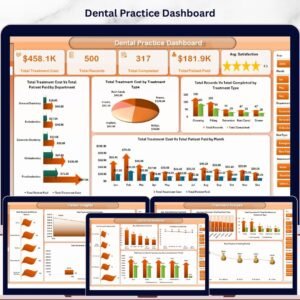
- Dental Practice Dashboard in Excel: a dental practice view of patients and revenue
- Healthcare & Hospital Management Bundle: 8 healthcare templates in one download
Browse all Excel dashboards.











Reviews
There are no reviews yet.