

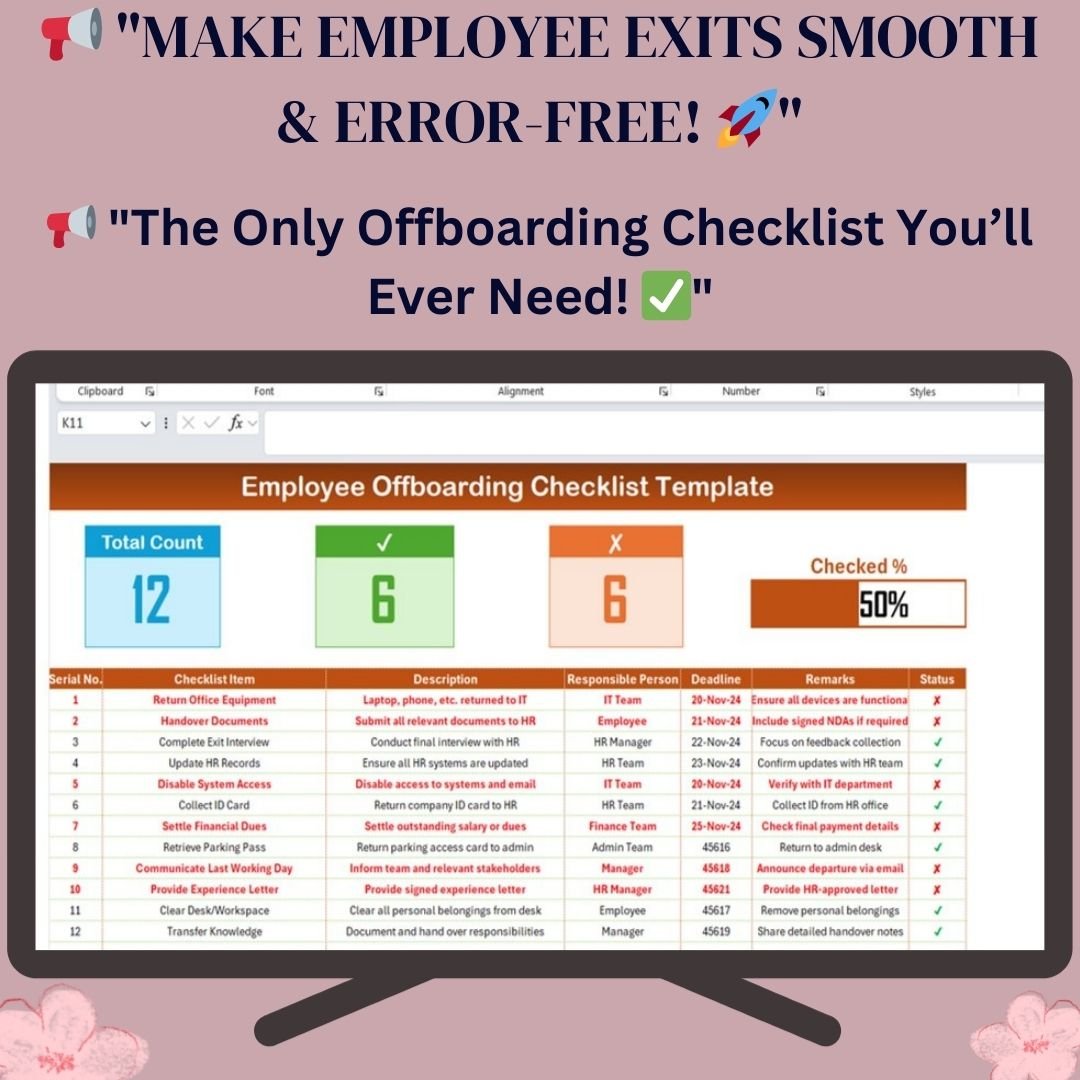

Managing employee departures is as crucial as onboarding. Ensure a smooth transition with our Employee Offboarding Checklist Template in Excel. Designed for HR teams, this template provides a structured approach to track, manage, and complete all offboarding tasks efficiently.
From returning office assets to finalizing HR documentation, this ready-to-use, automated checklist helps eliminate errors, ensures compliance, and maintains a positive exit experience for departing employees.
Key Features of the Employee Offboarding Checklist Template
Our Employee Offboarding Checklist Template is a structured tool that simplifies the exit process. It includes two primary worksheets to ensure error-free offboarding and seamless coordination between departments.
1️⃣ Employee Offboarding Checklist Sheet Tab
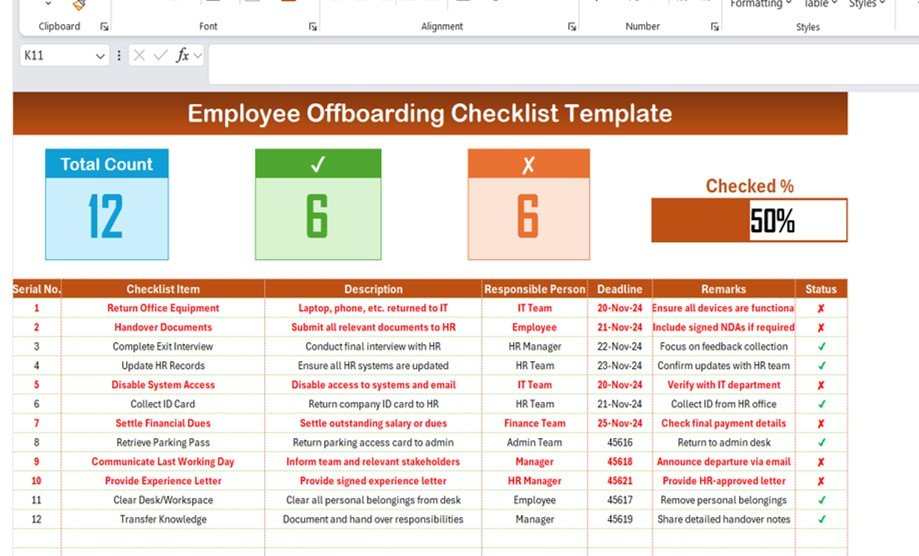
This is the main tracking sheet, where HR professionals and managers record offboarding tasks. It contains:
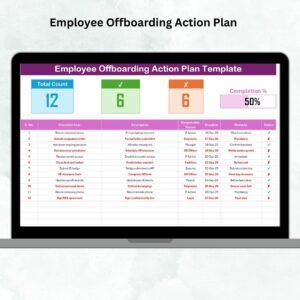
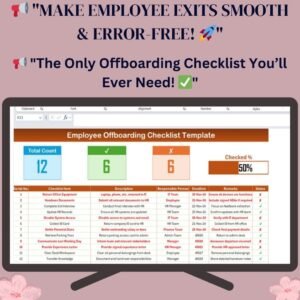
✅ Progress Summary Section
- Displays the Total Count of tasks
- Shows Checked Count for completed tasks
- Highlights Crossed Count for pending tasks
- Includes a progress bar that visually tracks completion percentage
✅ Comprehensive Offboarding Checklist
A detailed table that captures all critical offboarding steps with the following columns:
- Serial No. – Auto-generated task number for easy tracking
- Checklist Item – Task name such as returning IT assets, HR documentation, and payroll clearance
- Description – A brief task explanation
- Responsible Person – Department/team accountable for completing the task
- Deadline – The due date for each task
- Remarks – Additional notes on the offboarding process
- Status – A simple check (✔) for completed tasks and a cross (✘) for pending ones
This structured checklist ensures no step is overlooked, making the offboarding experience seamless.
2️⃣ List Sheet Tab: Smart Data Management
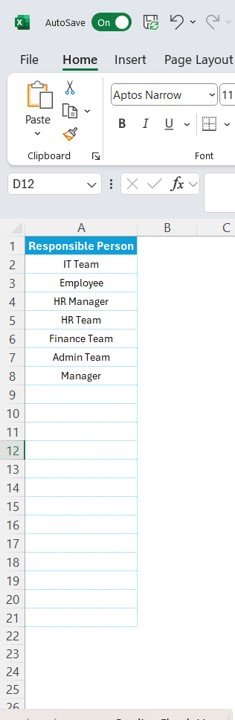
The List Sheet Tab simplifies dropdown selection and ensures data consistency.
- Dropdown List of Responsible Persons – This tab stores a unique list of employees or teams responsible for completing specific tasks.
- Error-Free Data Entry – Helps avoid manual entry mistakes and speeds up task allocation.
By using this feature, you can easily assign offboarding responsibilities to relevant departments like IT, HR, Admin, and Finance.
Why Use This Offboarding Checklist?
- ✅ Ensures a Structured & Transparent Exit Process
- ✅ Reduces Administrative Errors & Compliance Risks
- ✅ Improves Data Accuracy & Accountability
- ✅ Saves Time by Automating Task Assignments
- ✅ Enhances Employee Experience & Company Reputation
With this template, you can track offboarding tasks in real-time and maintain a professional, organized exit process for all employees.
Who Can Benefit from This Template?
✔ HR Teams & Managers – To manage the offboarding process effortlessly.
✔ IT Departments – To track the return of laptops, phones, and system access.
✔ Finance Teams – To ensure payroll settlements are completed.
✔ Admin Staff – To handle ID card collection, workspace clearance, and final documentation.
This all-in-one Excel template ensures cross-functional collaboration between departments and reduces the risk of overlooking critical steps.
How to Use the Employee Offboarding Checklist?
Using the template is easy! Simply:
📌 Enter offboarding tasks in the checklist table
📌 Assign responsible persons from the dropdown list
📌 Set deadlines for each task
📌 Update task status with a simple ✔ or ✘
📌 Track progress with real-time indicators
Everything is automated and customizable, allowing you to tailor the checklist to your organization’s needs.
Click hare to read the Detailed blog post
Visit our YouTube channel to learn step-by-step video tutorials
Compatibility and Requirements
- Works in Microsoft Excel desktop (Excel 2016 or later, or Microsoft 365).
- Microsoft’s guide Create a drop-down list explains how drop-down lists work.
Frequently Asked Questions
What sheets are in the Employee Offboarding Checklist Template?
Two sheets. The Employee Offboarding Checklist sheet holds the progress summary and task table, and the List sheet stores the responsible persons for the dropdown.
Which columns does the checklist have?
Serial number, checklist item such as returning IT assets or payroll clearance, description, responsible person, deadline, remarks and a status column marked ✔ or ✘.
How is progress shown?
The summary shows the total task count, checked count, crossed count and a progress bar with the completion percentage.
Can I assign tasks to different departments?
Yes. Pick the responsible person or team, such as IT, HR, Admin or Finance, from the dropdown in each row.
Related Offboarding and HR Templates
- Employee Offboarding To-Do List in Excel: an offboarding to-do list with asset and interview tracking
- Employee Offboarding Tracker in Excel: a fuller offboarding tracker in Excel
- Employee Offboarding Checklist in Google Sheets: an offboarding checklist in Google Sheets
- Employee Onboarding Checklist Template in Excel: the matching onboarding checklist for new hires
- HR Director Toolkit: HR templates in one toolkit
Browse all Excel checklists or the Excel HR and payroll templates.






























Reviews
There are no reviews yet.