

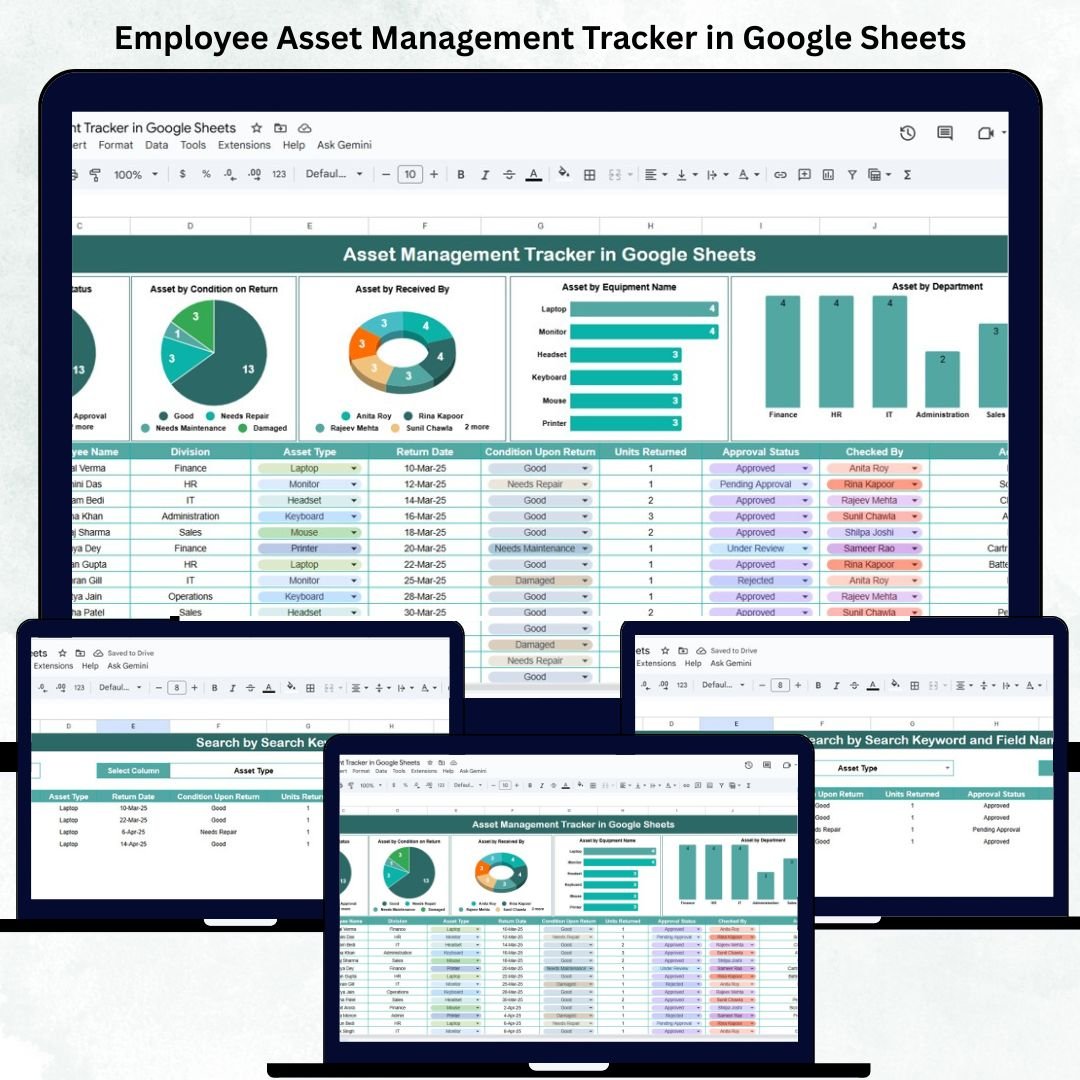
Every organization depends on company assets — laptops, mobiles, ID cards, and equipment — to keep operations running efficiently. But without proper tracking, it’s easy for assets to get misplaced, delayed in return, or lost altogether. The Employee Asset Management Tracker in Google Sheets provides a ready-to-use, automated solution to track, assign, and manage company assets — all within one powerful, visual dashboard. 💼📊
This Google Sheets-based tracker helps HR, admin, and IT teams streamline asset allocation, monitor asset conditions, and ensure accountability throughout the asset’s lifecycle — from issue to return. It eliminates the hassle of manual tracking while providing real-time insights and collaboration.
🔑 Key Features of the Employee Asset Management Tracker in Google Sheets
📋 Tracker Sheet Tab (Main Dashboard)
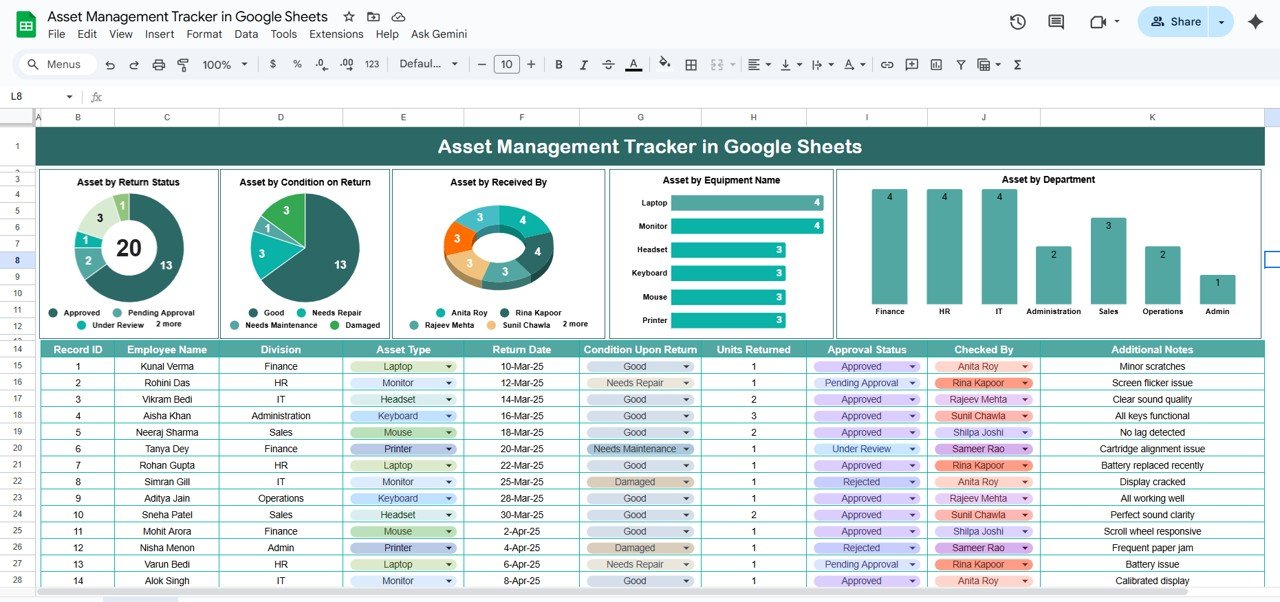
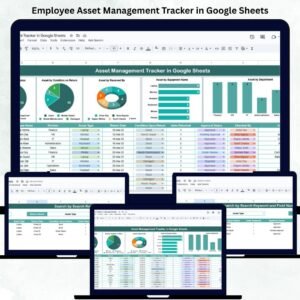
Gain an instant overview of your organization’s asset distribution and condition with interactive charts that update automatically as data changes.
Charts Included:
Asset by Return Status: Tracks how many assets are Returned, Pending, or Not Returned.
Asset by Condition on Return: Monitors condition ratings such as Good, Damaged, or Needs Repair.
Asset by Received By: Identifies who currently holds or manages each asset.
Asset by Asset Type: Breaks down equipment like Laptops, Phones, Access Cards, Headsets, etc.
Asset by Department: Shows how assets are distributed across teams for better resource planning.
These visual reports allow HR and IT teams to instantly identify bottlenecks, pending returns, and maintenance needs.
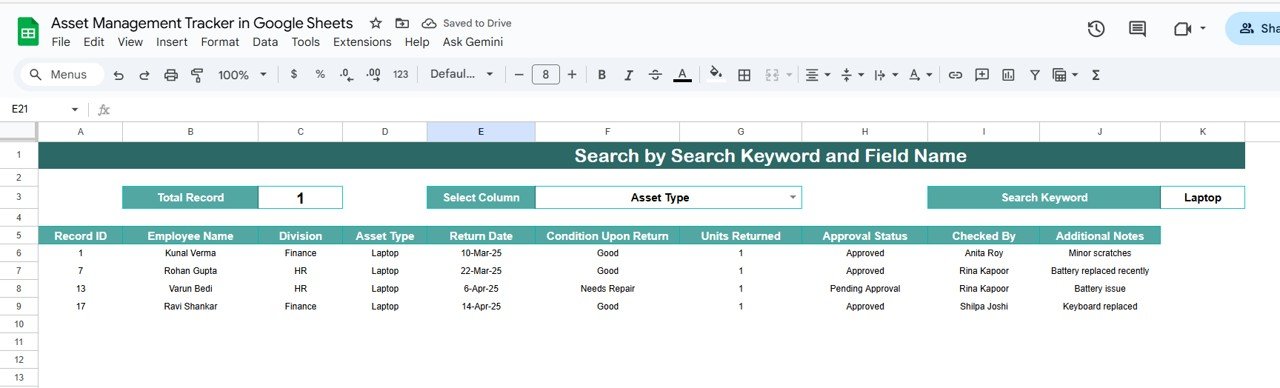
🔍 Search Functionality
Find any asset or employee instantly using smart filters.
Search by:
Asset ID
Employee Name
Department
Return Status
Received By
Asset Type
Example: Enter “Pending” to instantly view all assets awaiting return.
📊 Data Sheet Tab (Master Input Sheet)
This is the backbone of the tracker — where all asset records are stored.
Typical columns include:
Asset ID / Type / Model / Serial Number
Department / Assigned Employee / Received By
Issue Date / Return Date / Return Status
Condition on Return / Remarks
All dashboard charts and summaries automatically update when new entries are added.
📦 What’s Inside the Employee Asset Management Tracker
✅ Interactive Google Sheets Dashboard – Ready to use and fully visualized
✅ Dynamic Charts – For real-time monitoring of assets and conditions
✅ Search Function – Find specific records instantly
✅ Color-Coded Insights – Pending, Returned, Damaged at a glance
✅ Auto-Updating KPIs – Summary cards update automatically
✅ Collaborative Access – Real-time editing for HR and IT teams
✅ Customizable Fields – Add new asset types or departments
✅ Export Option – Easily save or share reports as PDF
Everything you need to manage company assets efficiently — without expensive software or manual tracking. ⚙️
🧑💼 Who Can Benefit from This Tracker
🎯 HR Teams – Track employee-assigned equipment during onboarding and exit.
💻 IT Departments – Monitor asset utilization and technical condition.
🏢 Admin Staff – Ensure timely asset return and maintenance.
📈 Business Owners – Gain full visibility into company-owned resources.
Ideal for businesses of all sizes, the tracker ensures transparency, accountability, and control over every issued asset.
🧪 How to Use the Employee Asset Management Tracker
1️⃣ Enter Asset Details: Record all assigned or returned assets in the Data Sheet Tab.
2️⃣ View the Dashboard: Automatically updated charts and KPIs appear on the Tracker Sheet.
3️⃣ Search Records: Instantly find any asset or employee using keywords.
4️⃣ Monitor Returns: Track pending or overdue returns using Return Status indicators.
5️⃣ Plan Maintenance: Identify damaged or repair-needed assets for timely servicing.
💡 Pro Tip: Automate asset issue and return logs by integrating Google Forms or set email alerts for overdue returns using Google Apps Script.
🌟 Why Choose This Tracker
Complete lifecycle tracking for every asset
Automated charts and status summaries
Real-time multi-user collaboration
Customizable and scalable for all departments
Cloud-based and accessible from anywhere
Simple, visual, and cost-effective
The Employee Asset Management Tracker in Google Sheets is your all-in-one solution for effective asset management, ensuring no item goes untracked. 🌟
🔗 Click here to read the Detailed blog post
Watch the step-by-step video Demo:




















Reviews
There are no reviews yet.