

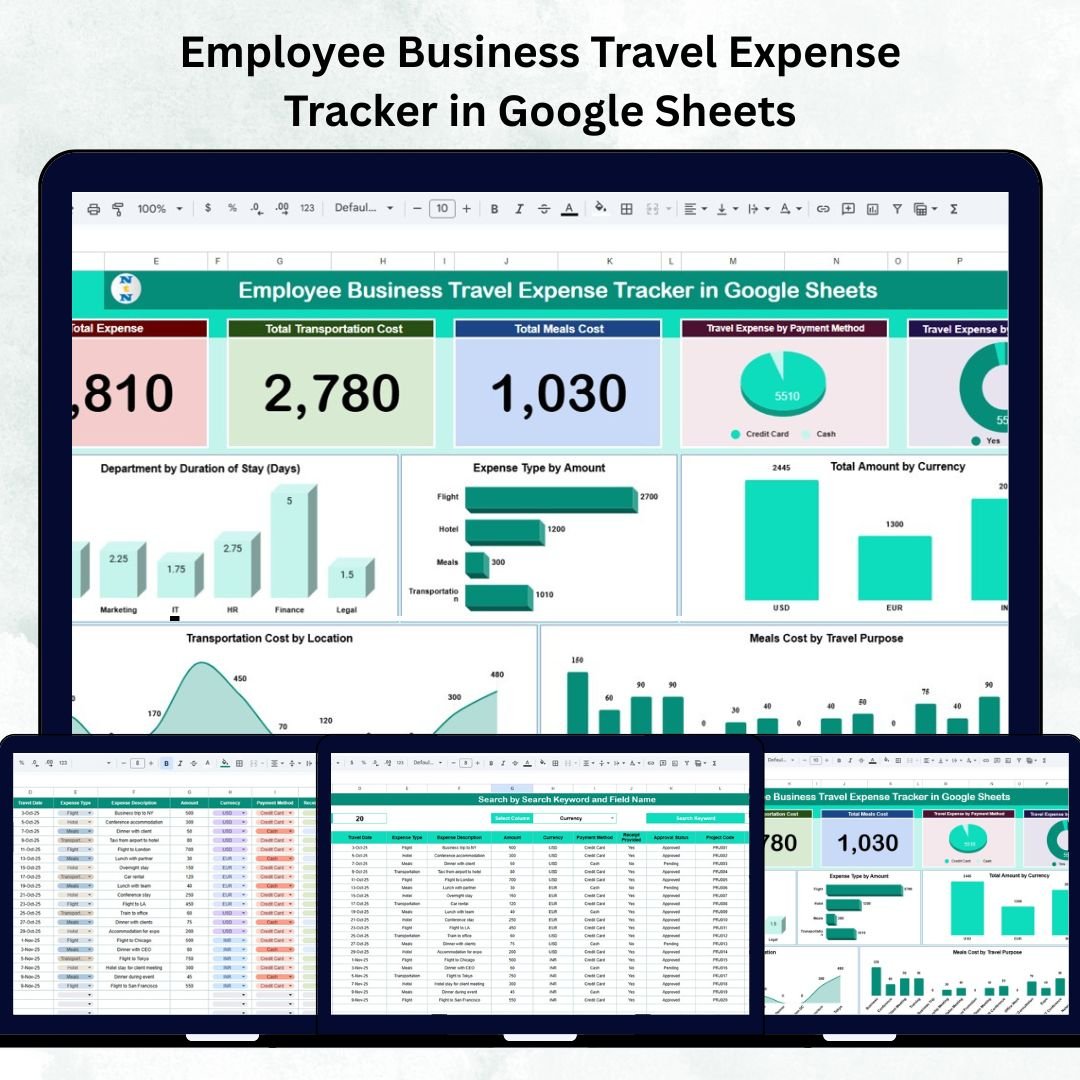

Tracking employee travel costs can be a major administrative challenge without a clear system in place. The Employee Business Travel Expense Tracker in Google Sheets offers a smart, ready-to-use solution for recording, analyzing, and managing travel-related expenses — all within a single collaborative platform.
Whether you manage a startup or a multinational company, this tracker simplifies reimbursement management, ensures transparency, and provides real-time insights into business travel spending.
Built in Google Sheets, it’s cloud-based, fully customizable, and accessible from anywhere. With dynamic charts and automatic summaries, your finance and HR teams can finally track expenses with confidence and clarity.
🔑 Key Features of the Employee Business Travel Expense Tracker
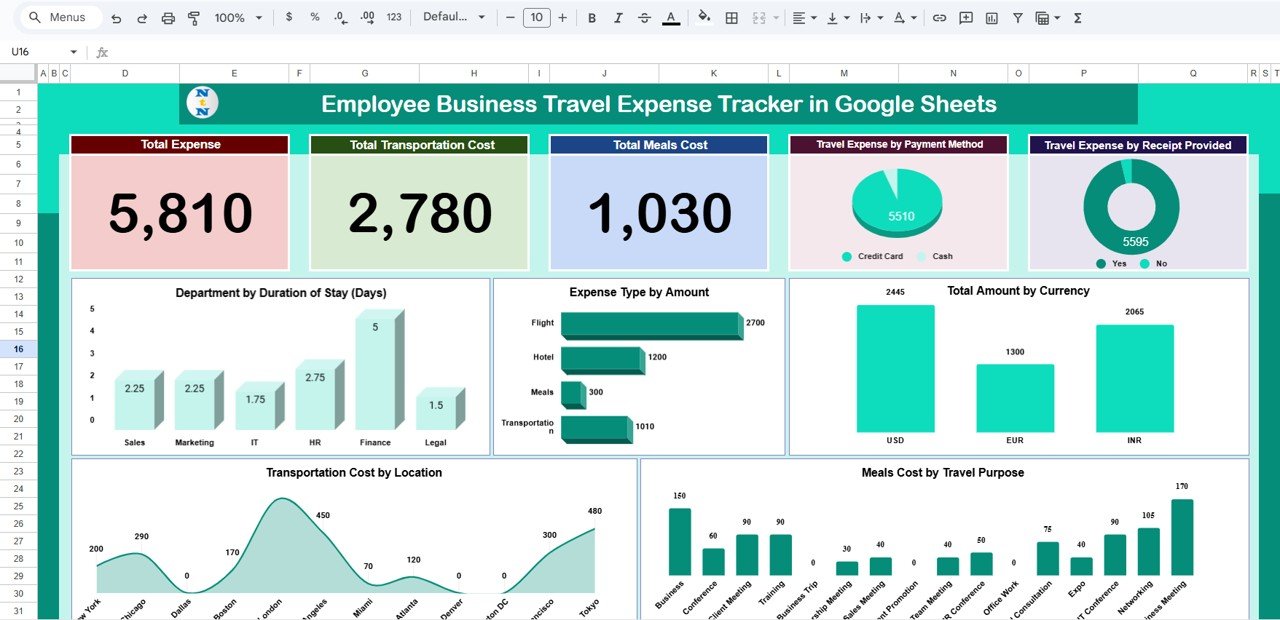
🏠 1. Tracker Sheet Tab – The Expense Dashboard
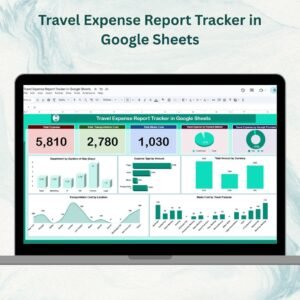
This is the main control panel where all travel data is visually summarized.
Cards Section:
💰 Total Expense: Displays total business travel spending for the selected period.
🚗 Total Transportation Cost: Shows total spending on flights, cabs, trains, or car rentals.
🍽 Total Meals Cost: Summarizes all meal-related expenses.
💳 Expense by Payment Method: Visualizes distribution of cash, card, or corporate payments.
🧾 Receipt Provided (%): Indicates the percentage of claims with valid receipts.
Charts Section:
🏢 Department by Duration of Stay (Days): Compares total travel days per department.
💸 Expense Type by Amount: Breaks down costs by category — flights, meals, accommodation, etc.
🌍 Total Amount by Currency: Ideal for multinational organizations handling multiple currencies.
🍲 Meal Costs by Travel Purpose: Links meal spending to trip objectives (training, meetings, etc.).
🚌 Transportation Cost by Location: Tracks travel-related expenses by city or destination.
These visuals help finance teams and department heads quickly identify where money is being spent — and where it can be saved.
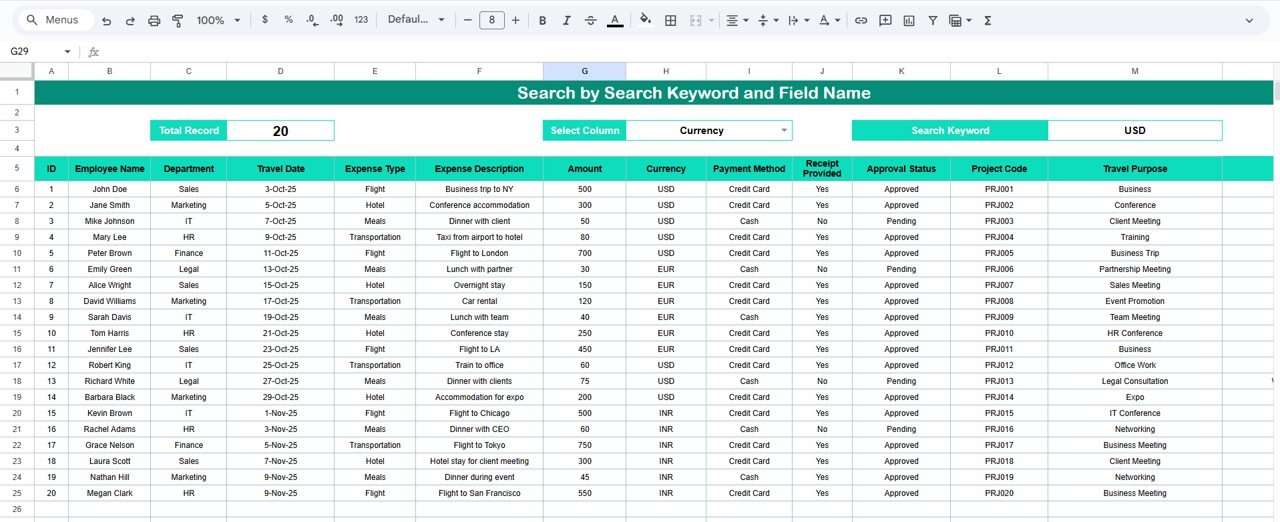
🔍 2. Search Sheet Tab – Find Records Instantly
The Search Sheet provides instant access to specific records without manually scrolling through data.
Features Include:
🔎 Search by Keyword: Enter employee name, department, or location.
📂 Filter by Field Name: Choose fields like Expense Type, Payment Method, or Travel Purpose.
⚡ Instant Results: View filtered records dynamically for faster reimbursements or audits.
This feature is especially useful during budget reviews, compliance checks, or when verifying employee claims.
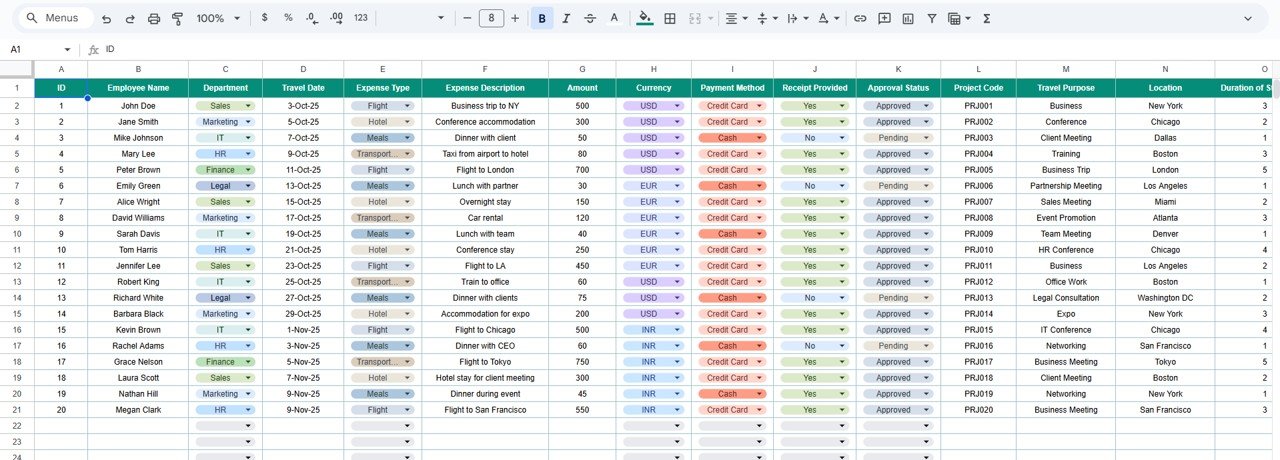
📋 3. Data Sheet Tab – The Expense Database
The Data Sheet is the foundation of this tracker. Every entry you record here automatically reflects in the dashboard.
Each Record Captures:
👤 Employee Name and Department
📅 Trip Date and Location
✈️ Expense Type (Flight, Hotel, Meals, Transportation, etc.)
💵 Amount and Currency
💳 Payment Method (Cash, Card, Corporate Account)
🧾 Receipt Provided (Yes/No)
🎯 Travel Purpose
With all this information centralized, you can generate reports, audit expenses, and manage reimbursements effortlessly.
🌟 Benefits of Using the Employee Travel Expense Tracker
📂 Centralized Expense Data: All business travel information in one sheet.
⚙️ Automated Insights: Real-time charts and summaries with zero manual calculations.
💡 Data Transparency: Monitor expenses by employee, department, or purpose.
💱 Multi-Currency Tracking: Record international trips seamlessly.
🔁 Collaboration-Ready: Teams can access, edit, and update data simultaneously.
🕒 Time-Saving: Cuts down hours of manual reporting and approval processes.
🧾 Audit-Ready: Ideal for compliance and financial audits.
💼 Best Practices for Using the Tracker
✅ Update After Every Trip: Log details immediately for accurate reporting.
✅ Categorize Consistently: Use predefined expense types for cleaner analytics.
✅ Validate Receipts: Use the “Receipt Provided” column to maintain compliance.
✅ Monitor Department Spending: Track which teams travel the most and optimize budgets.
✅ Review Monthly: Analyze trends to identify cost-saving opportunities.
✅ Automate Approvals: Link this sheet with Google Forms or Apps Script to streamline reimbursements.
👨💼 Who Can Use This Tracker
💼 Finance Teams: Manage travel reimbursements and budget allocations.
🏢 HR Managers: Track employee travel for compliance and reporting.
🚀 Department Heads: Monitor departmental travel and spending efficiency.
🌍 Global Companies: Handle multi-location or multi-currency expense tracking.
🚀 How This Tracker Helps Your Organization
Promotes financial accountability across departments.
Enhances cost visibility for better budgeting and control.
Simplifies approval workflows for reimbursements.
Ensures audit compliance with receipt tracking.
Enables data-driven decisions for travel policies and budget planning.
🔗 Click here to read the detailed blog post
Watch the step-by-step video Demo:
🔗 Visit our YouTube channel for step-by-step tutorials
Compatibility and Requirements
- Works in Google Sheets with a free Google account and a web browser. Nothing to install.
- Finance and HR teams can update the same file at the same time. Google explains charts in Add & edit a chart or graph.
How to Use the Travel Expense Tracker
- Record each expense on the Data sheet with the employee, department, trip date, location, expense type, amount, currency, payment method, receipt status and travel purpose.
- Open the Tracker sheet to see the cards and charts update from your data.
- Use the Search sheet to find records by keyword or by field, such as expense type or payment method.
- Review the Receipt Provided (%) card before you approve reimbursements.
Frequently Asked Questions
Which totals does the dashboard show?
Cards show total expense, total transportation cost, total meals cost, expense by payment method and the percentage of claims with receipts.
Can I record trips in different currencies?
Yes. Each record has a currency field, and a chart shows the total amount by currency.
How do I find one employee’s claims?
On the Search sheet, enter the employee name or pick a field to filter, and the matching records appear.
Who is this tracker for?
Finance teams, HR managers and department heads who manage travel reimbursements and budgets.
Related Travel Expense Templates
- Business Travel Expense Control Dashboard in Google Sheets: a dashboard for travel spend control
- Travel Expense Report Tracker in Google Sheets: build travel expense reports
- Travel Expense Tracker Checklist in Google Sheets: a checklist for trip expenses
- Travel Expense Report Tracker in Excel: the report tracker for Excel users
- Tracker Toolkit: 12 premium Excel and Google Sheets trackers in one bundle
Browse all Google Sheets trackers or the Google Sheets financial tools.




























Reviews
There are no reviews yet.