


Managing internship applications can be challenging when dealing with multiple candidates, departments, and companies. The Internship Application Tracker in Google Sheets offers a ready-to-use, automated, and collaborative solution to simplify the entire process. Designed for HR teams, academic coordinators, and internship managers, this tracker helps you record, monitor, and analyze internship applications in real time — all from a single interactive dashboard.
Built in Google Sheets, this tracker eliminates the hassle of manual tracking. It allows teams to efficiently manage candidate information, application statuses, and supervisor assignments while offering visual charts for quick insights and reports. 🚀

🔑 Key Features of the Internship Application Tracker
📊 Tracker Sheet Tab
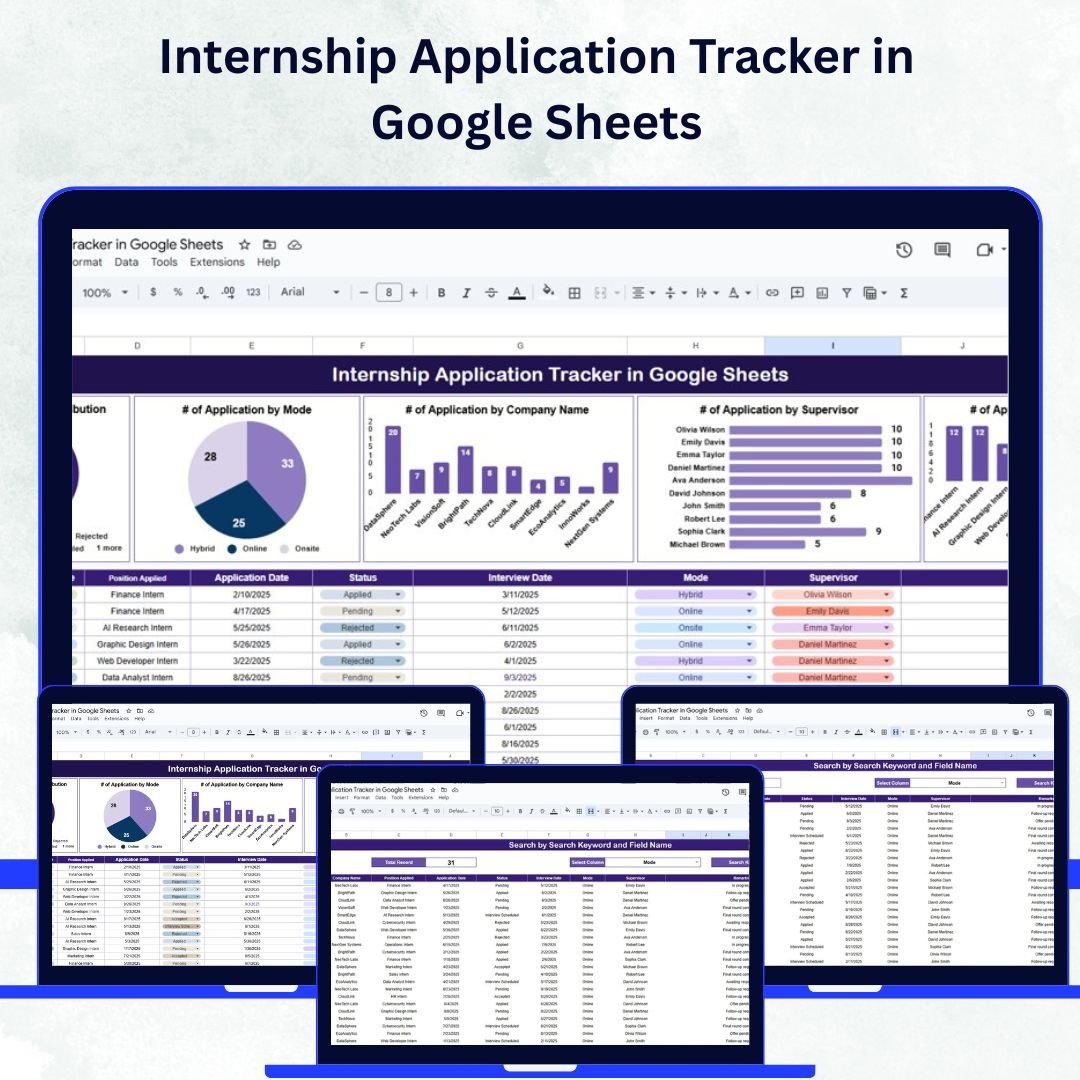
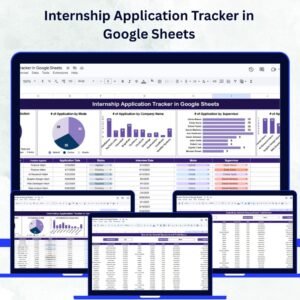
Gain a clear overview of all applications with interactive charts and summary metrics:
Application Status Distribution – Visualize applications by status (Pending, Approved, Rejected, or Under Review).
Applications by Mode – Track how applications were submitted (Online, Offline, or Referral).
Applications by Company Name – Identify which companies attract the most applicants.
Applications by Supervisor – Analyze supervisor workloads and candidate distribution.
Applications by Position Applied – See which internship roles are most in demand.
These charts make it easy to analyze trends, measure application volume, and track review progress — saving hours of manual reporting.
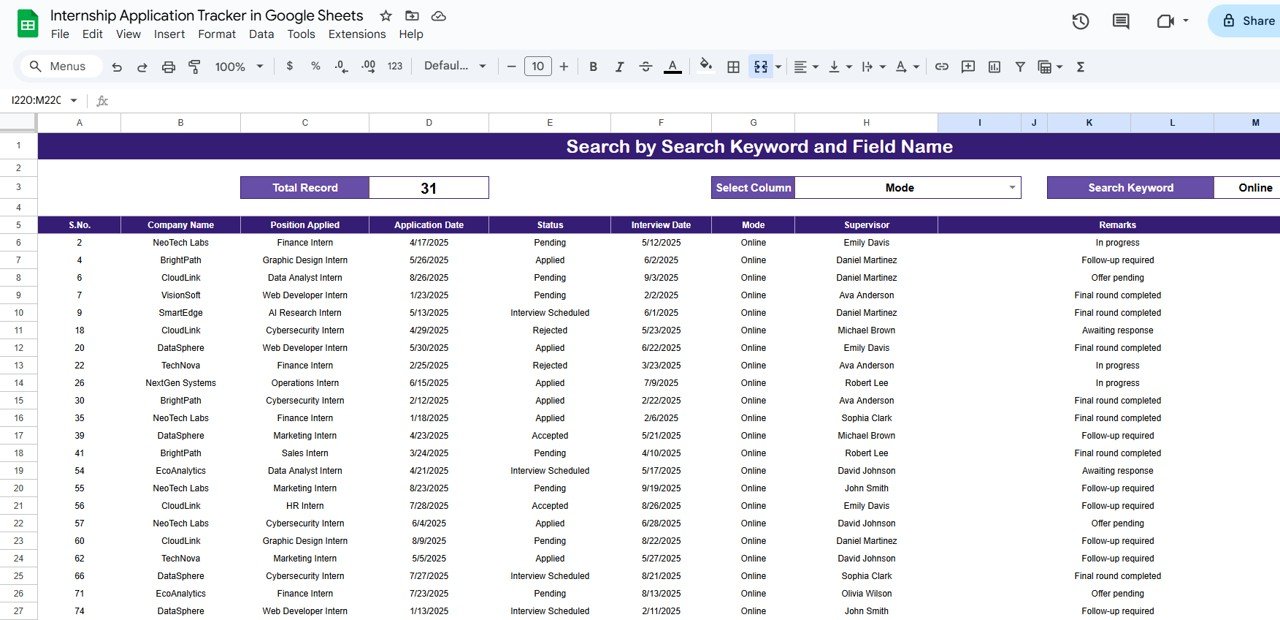
🔍 Search Sheet Tab
Quickly find specific applications without scrolling through hundreds of records.
Search by Keyword and Field Name – Filter by candidate name, company, supervisor, or position.
Instantly retrieve results with one click, improving review speed and accuracy.
This feature is ideal for HR teams or universities handling large datasets.
📑 Data Integration and Automation
The tracker automatically updates charts as new data is added.
Centralized database ensures consistency and eliminates duplicate records.
Easy customization for adding new columns such as Department, Internship Duration, or Priority Level.
📦 What’s Inside the Tracker?
✅ Interactive Dashboard (Tracker Sheet) with charts and metrics
✅ Search Sheet for quick data filtering
✅ Sample Data for instant demonstration
✅ Predefined Status Categories – Pending, Approved, Rejected, Under Review
✅ Editable Fields – Customize by department, program, or university
✅ Automatic Chart Updates – Reflect data changes in real-time
🧑💼 Who Can Benefit from This Tracker?
🎯 HR Managers – Simplify recruitment and candidate management
🎯 University Coordinators – Manage student internship placements
🎯 Corporate Internship Teams – Track applications across multiple departments
🎯 Consulting Firms – Monitor internship programs for partner organizations
🎯 Educational Institutions – Streamline internship tracking for students and departments
🧪 How to Use the Internship Application Tracker
Enter Application Data: Input candidate details, company names, status, and supervisor information in the Data Sheet.
Monitor Progress: The Tracker Sheet automatically visualizes application statuses, company distributions, and supervisor workloads.
Search Efficiently: Use the Search Sheet to quickly locate individual records or filter by position, company, or department.
Review & Report: Generate summary charts and reports for management or department reviews with zero manual effort.
This is a plug-and-play Google Sheets template — no coding, no add-ons, and no complex setup required. Just enter your data and let the dashboard do the rest. ⚙️
🌟 Why Choose This Tracker?
📋 Centralized Management: Track all internship applications in one place.
📈 Real-Time Insights: Automatically updates charts and data summaries.
🔍 Quick Search: Instantly locate specific applications or candidates.
🤝 Collaborative Access: Multiple users can update and review simultaneously.
📊 Visual Analytics: Get a quick overview of application statuses and trends.
⚙️ Fully Customizable: Adapt fields and charts to fit your organization’s workflow.
⏱️ Time-Saving Tool: Reduce manual tracking and improve data accuracy.
The Internship Application Tracker in Google Sheets helps teams stay organized, make faster decisions, and manage candidates efficiently — all with professional, data-driven visuals. 🌟
🔗 Click here to read the Detailed blog post
Watch the step-by-step video Demo:
🔗 Visit our YouTube channel to learn step-by-step video tutorials
Compatibility and Requirements
- Works in Google Sheets with a free Google account and a web browser. No Excel installation is needed.
- New to Google Sheets? Google covers the basics in How to use Google Sheets.
Frequently Asked Questions
Which charts does the internship tracker include?
Charts show applications by status, by mode, by company name, by supervisor and by position applied.
Which application statuses are set up?
Pending, Approved, Rejected and Under Review.
How do I find one application quickly?
Use the Search sheet to filter by keyword and field, such as candidate name, company, supervisor or position.
Can I add my own columns?
Yes. You can add columns such as Department, Internship Duration or Priority Level.
Does it come with sample data?
Yes. Sample data is included so you can see how the charts work before adding your own.
Related Internship and Recruitment Templates
- Internship Application Tracker in Excel: the same internship tracker in Excel
- Internship Program KPI Dashboard in Google Sheets: tracks internship program KPIs in Google Sheets
- Recruitment Pipeline Dashboard in Google Sheets: a recruitment pipeline dashboard in Google Sheets
- Job Application Tracker in Google Sheets: a job application tracker in Google Sheets
- Recruitment & Talent Acquisition Bundle: seven recruitment templates in one bundle
Browse all Google Sheets trackers or the Google Sheets HR and payroll templates.







Reviews
There are no reviews yet.