


Staying organized every day can mean the difference between achieving your goals and feeling overwhelmed. Without a structured plan, tasks slip through the cracks, priorities get lost, and productivity suffers. That’s why we created the Daily Routine Schedule Checklist Template in Excel — a simple, ready-to-use solution to help you plan, track, and complete your daily tasks effectively. ✅📅Daily Routine Schedule Checklist Template in Excel
This template is designed for professionals, students, families, or anyone who wants to stay consistent with their routines. With built-in progress tracking, dropdowns for responsible persons, and visual indicators, it makes daily planning clear and motivating.Daily Routine Schedule Checklist Template in Excel
🔑 Key Features of Daily Routine Schedule Checklist in Excel
📋 Main Checklist Sheet
Capture all daily activities in one central table.
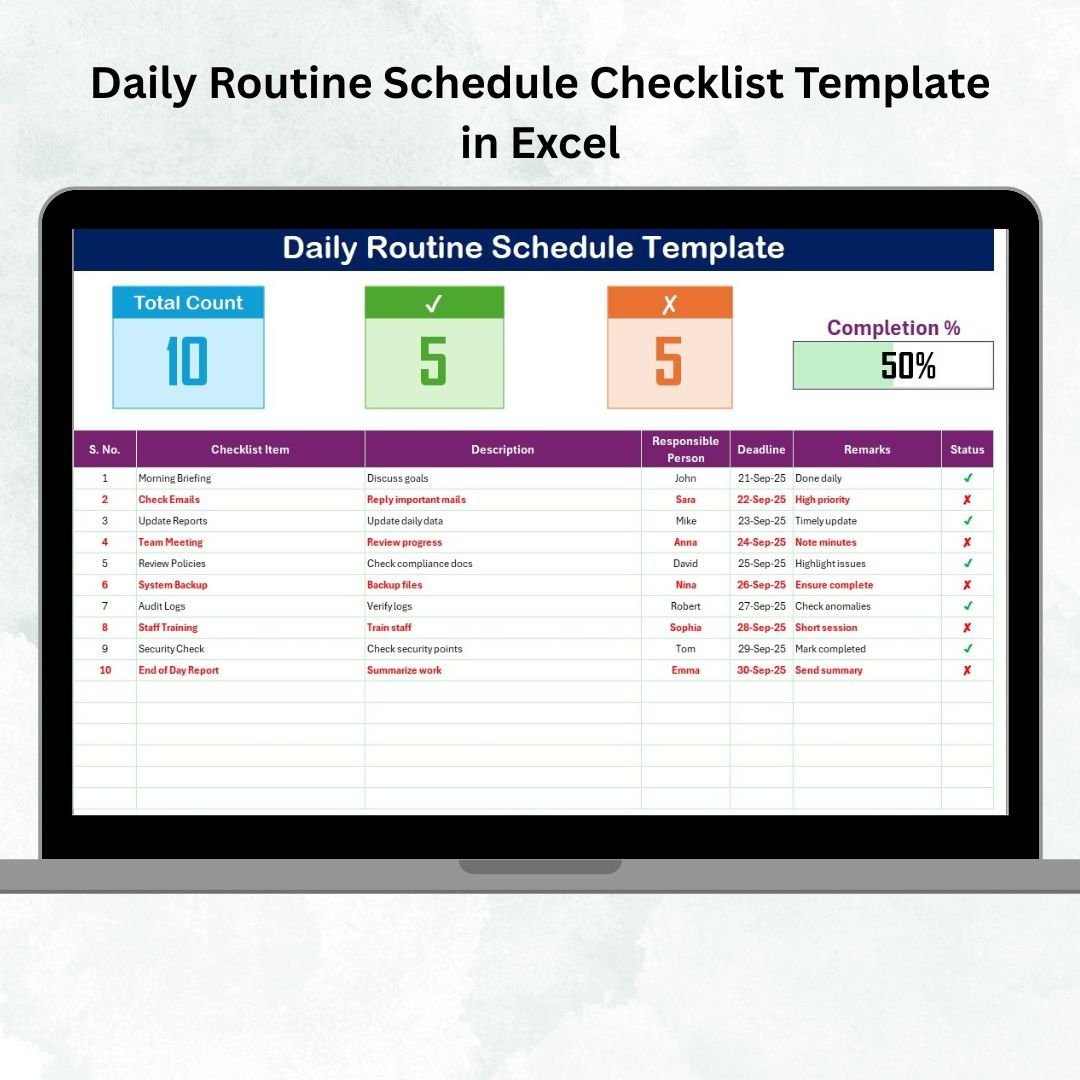
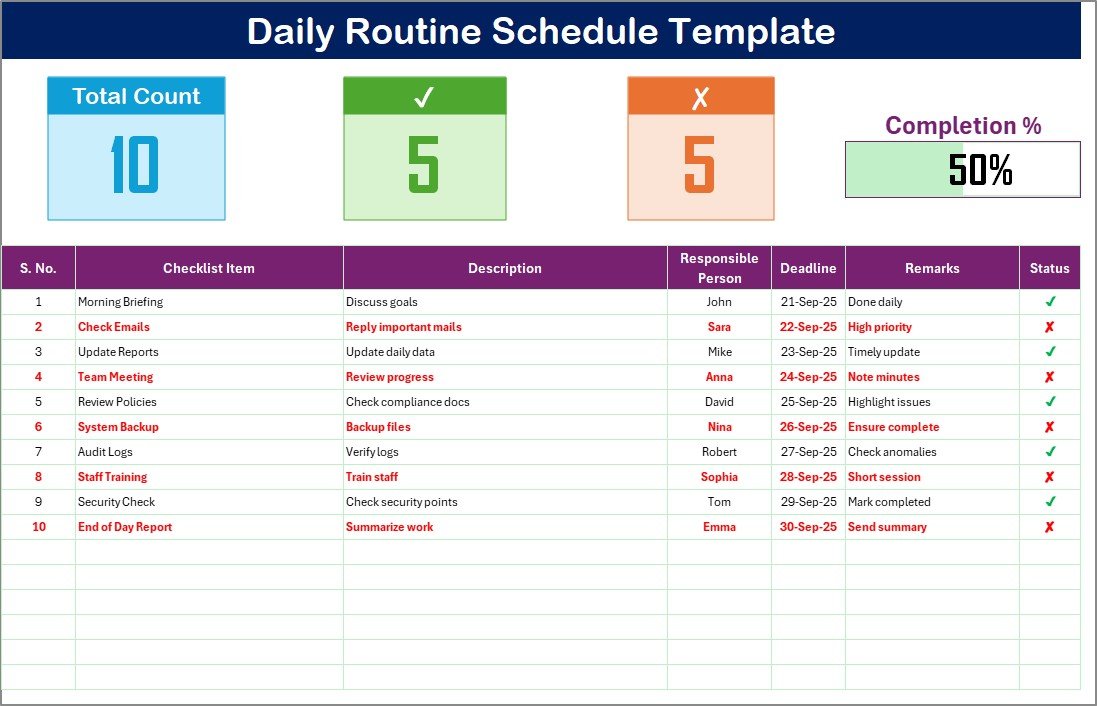
Summary cards for Total Count, Completed, Pending Tasks, plus a Progress Bar.
Task table with columns: Serial No., Checklist Item, Description, Responsible Person, Deadline, Remarks, and Status (✔ for completed, ✘ for pending).
📑 List Sheet
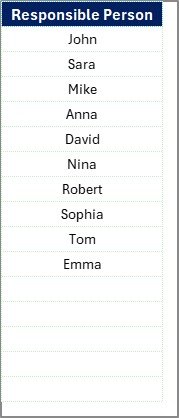
Stores unique “Responsible Person” entries.
Enables dropdown selection for accuracy and faster data entry.
Keeps team-based or family-based task assignments organized.
📊 Progress Tracking
Visual progress bar updates automatically as you complete tasks.
See at a glance how productive your day has been.
📦 What’s Inside the Template?
✅ Main Checklist Tab – Organize and monitor your daily tasks
✅ List Tab – Dropdown-powered data consistency
✅ Summary Cards & Progress Bar – Real-time daily performance overview
✅ Pre-Loaded Sample Data – Easy-to-understand examples
✅ Customizable Layout – Add columns or categories to suit your needs
✅ User-Friendly Design – No coding or complex formulas required
🎯 Who Can Benefit from This Template?
👨💼 Professionals – Track meetings, calls, and project deadlines.
👩🎓 Students – Organize study schedules and assignments.
👨👩👧 Families – Manage chores, routines, and family tasks.
💪 Fitness Enthusiasts – Keep track of workouts and health goals.
📚 Teachers – Plan lessons and monitor daily teaching tasks.
👥 Teams – Assign responsibilities and ensure accountability.
🧠 How to Use the Daily Routine Schedule Checklist
Download the template and open it in Excel.
Enter your tasks into the Checklist Table.
Assign responsibility (optional, for teams) using dropdowns.
Set deadlines to prioritize time-sensitive tasks.
Update the Status column as you complete tasks.
Review the progress bar and summary cards for motivation.
It’s a straightforward way to make your day more productive.
🚀 Advantages of Using This Template
Better Organization – A clear roadmap for your day.
Higher Productivity – Track completed vs. pending tasks.
Accountability – Perfect for teams and shared routines.
Time-Saving – Pre-formatted checklist, ready to use.
Motivational – Visual progress bar to keep you on track.
Flexible – Adaptable for personal, professional, or academic use.
🔗 Click here to read the Detailed blog post
🔗 Visit our YouTube channel to learn step-by-step video tutorials
Compatibility and Requirements
- Works in Microsoft Excel desktop (Excel 2016 or later, or Microsoft 365).
- The Responsible Person column uses a dropdown list fed from the List sheet. Microsoft explains how in Create a drop-down list.
Frequently Asked Questions
Which sheets are included?
Two sheets: the Main Checklist sheet and the List sheet. The Main Checklist holds the task table, the summary cards and the progress bar. The List sheet stores the Responsible Person names.
What columns does the task table have?
Serial No., Checklist Item, Description, Responsible Person, Deadline, Remarks and Status. The Status column shows a tick for completed tasks and a cross for pending ones.
How do I add a new person to the Responsible Person dropdown?
Add the name to the List sheet. The dropdown on the Main Checklist sheet reads its entries from that list.
Does the progress bar update by itself?
Yes. It updates as you change the Status column, together with the Total Count, Completed and Pending summary cards.
Can I use it for a team or a family?
Yes. Assign each task to a person with the dropdown and set a deadline, so everyone can see who is responsible for what.
Is there a Google Sheets version?
A similar daily routine checklist is available in Google Sheets. See the Daily Routine Action Plan Checklist in Google Sheets.
Related Daily Routine Checklists
- Daily Routine Checklist in Excel: a basic daily checklist
- Daily Routine Planner Checklist in Excel: a planner layout for your day
- Daily Routine Tracking Checklist in Excel: for tracking tasks as you finish them
- Daily Work Schedule Checklist Template in Excel: a checklist for the work day
- Daily Routine Action Plan Checklist in Google Sheets: the Google Sheets option
Browse all Excel checklist templates.

































Reviews
There are no reviews yet.