

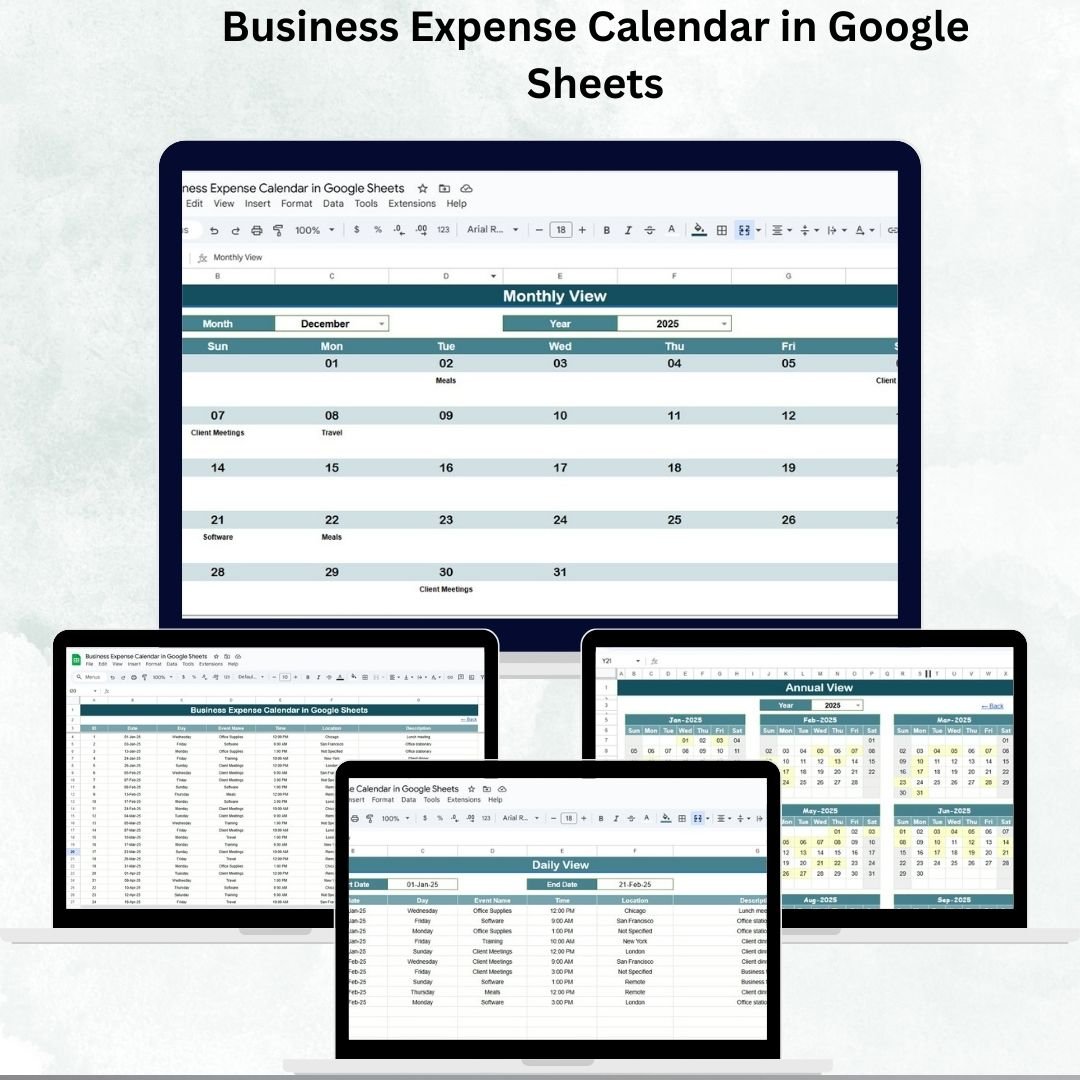

Managing business expenses is one of the biggest challenges for organizations of all sizes. Without a proper system, costs can spiral out of control, approvals may be delayed, and financial visibility becomes limited. To solve this problem, we created the Business Expense Calendar in Google Sheets — a ready-to-use, interactive tool that makes it easy to plan, track, and review expenses across the year. 🚀
This template helps business owners, finance managers, and teams organize expense data in one centralized place, offering clear insights into monthly and annual spending patterns. With its structured layout and dynamic views, you can instantly switch between annual, monthly, and daily expense tracking, making financial management more efficient and transparent.
🔑 Key Features of the Business Expense Calendar
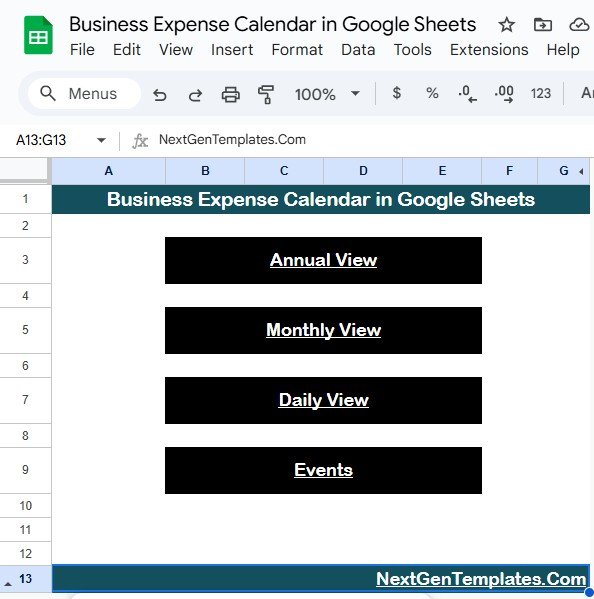
📌 Home Sheet – Easy Navigation
One-click buttons to access Annual, Monthly, Daily, and Events views
Acts as the main index page for smooth navigation
Saves time and ensures users don’t get lost in multiple sheets
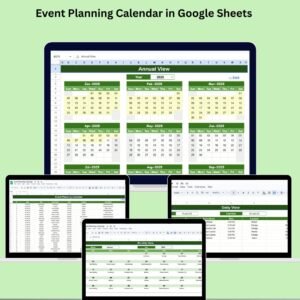
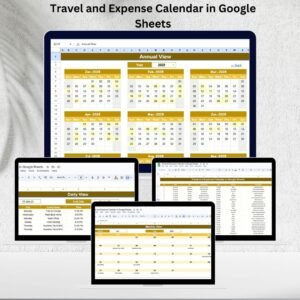
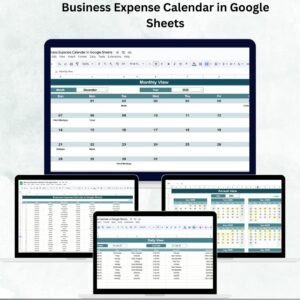
📅 Annual View – Yearly Expense Overview
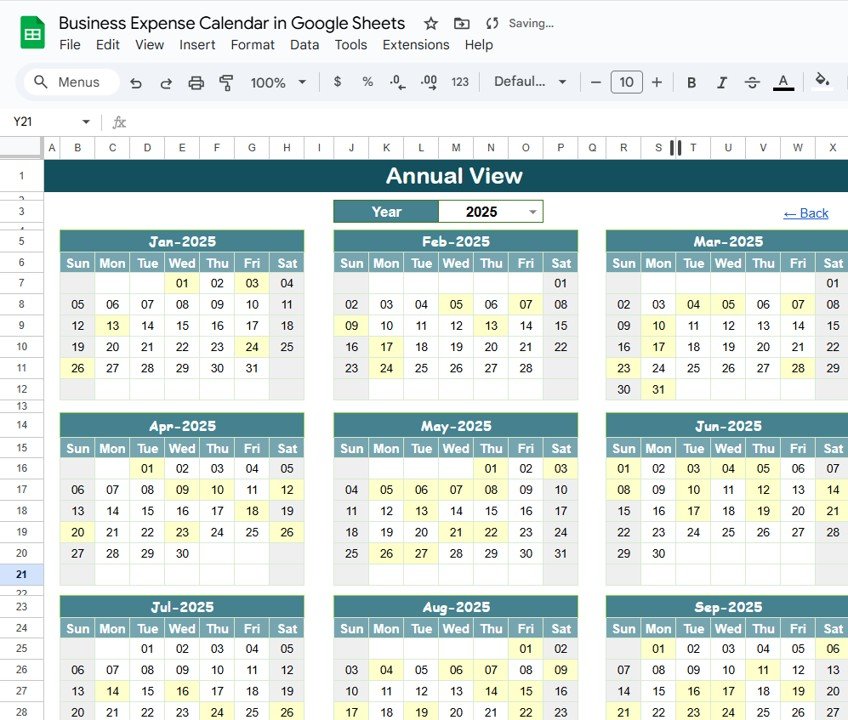
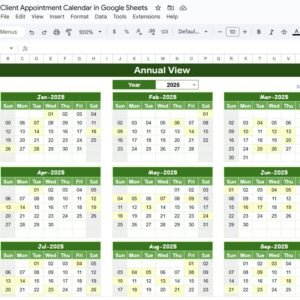
12-month calendar layout with automatic year selection
Option to adjust starting month to align with your fiscal year
Customize week start day (Sunday/Monday)
Visual markers highlight dates with recorded expenses
Perfect for strategic planning and spotting expense trends
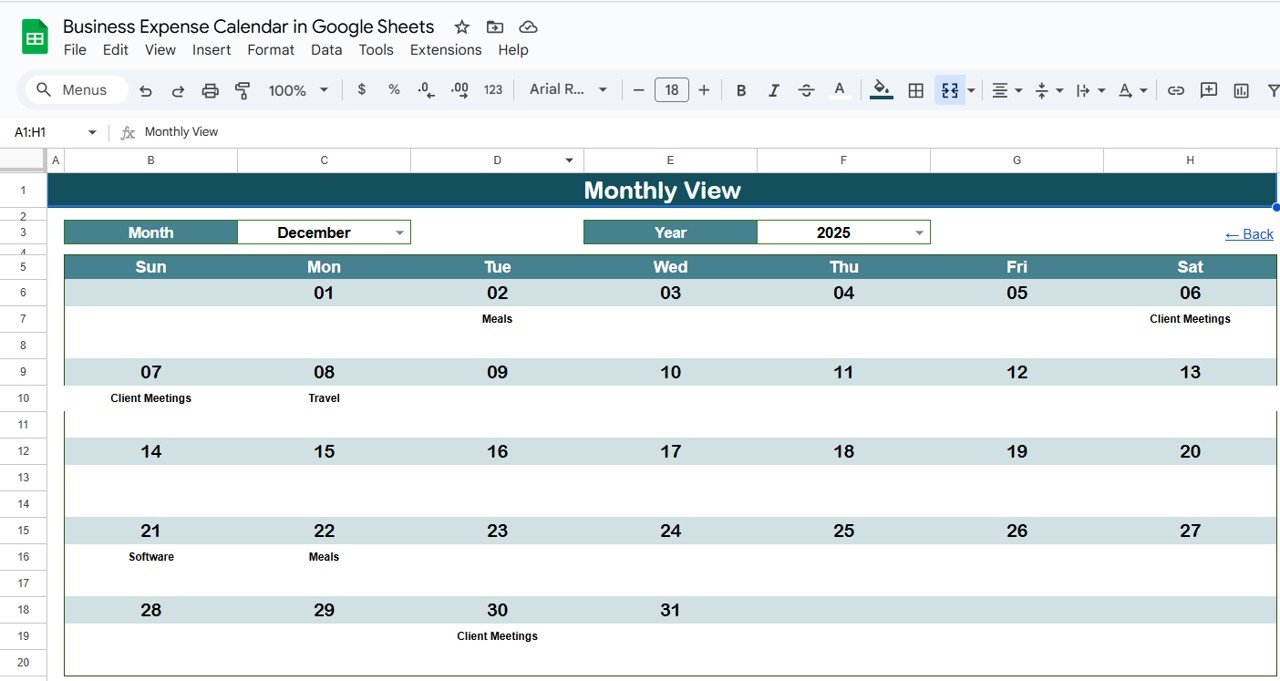
🗓 Monthly View – Detailed Month Analysis
Select Month & Year from a drop-down menu
Displays daily expense entries for the chosen month
Shows “more than 1…” when multiple expenses occur on the same day
Helps managers track and review monthly spending patterns
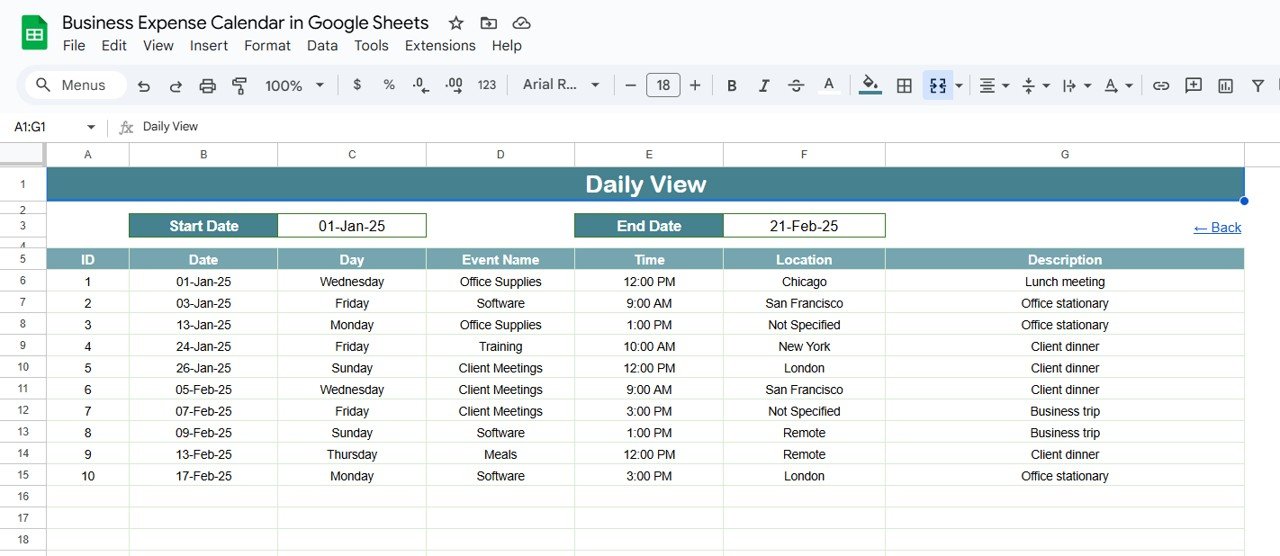
📖 Daily View – Transaction-Level Tracking
Pick a custom date range using the calendar selector
Lists all expenses within the chosen period with complete details
Search-friendly format to filter by category, keyword, or department
Useful for audits, reviews, or investigating unusual expenses
📂 Events Sheet – Centralized Database
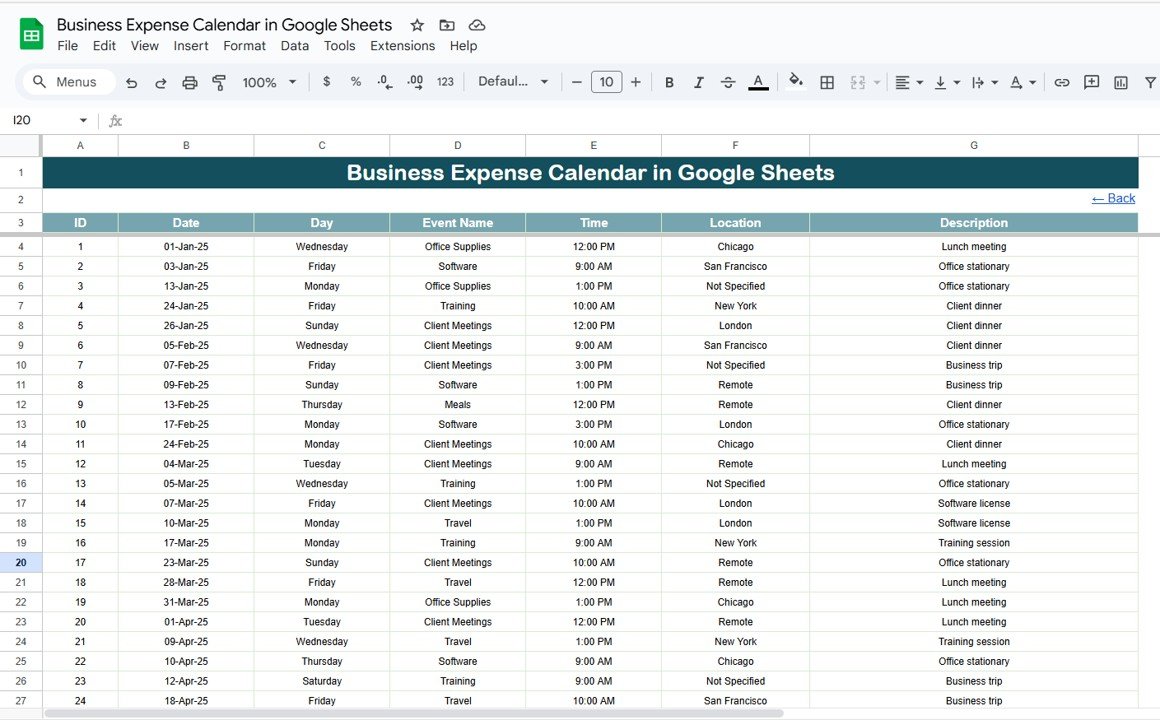
Stores all expense records with structured fields:
ID, Date, Day, Event Name, Time, Location, Description
Acts as the master log for every transaction
Powers the other sheets with dynamic, real-time updates
📦 What’s Inside the Template?
✅ Home Sheet with navigation buttons
✅ Annual View for high-level analysis
✅ Monthly View for detailed expense tracking
✅ Daily View for transaction-level insights
✅ Events Sheet as the master expense database
🧠 How to Use the Business Expense Calendar
Log Expenses – Record all transactions in the Events Sheet
Switch Views – Use Annual, Monthly, or Daily tabs for analysis
Review Trends – Identify high-spending periods and departments
Plan Budgets – Compare monthly/annual expenses against allocations
Collaborate – Share with finance teams for real-time updates
👥 Who Can Benefit from This Calendar?
💼 Business Owners – Gain visibility into all expenses at a glance
📊 Finance Teams – Simplify reporting and audits
🏢 Department Heads – Track team-level expense utilization
🛠 Operations Managers – Monitor cost efficiency and resource allocation
📑 SMBs & Startups – Manage budgets without expensive tools
⭐ Advantages of Using the Business Expense Calendar
📊 Centralized Expense Tracking – All data in one organized sheet
⚡ Customizable Views – Annual, Monthly, and Daily analysis
📅 Automated Updates – Calendar adjusts by year and month
🕒 Time-Saving – Quick navigation with pre-built buttons
🎯 Decision Support – Visual overview of expenses for budgeting
✅ Audit-Friendly – Easy to maintain, review, and present records
🔧 Opportunities for Improvement
Add conditional formatting to flag unusually high expenses
Integrate with Google Calendar for automatic reminders
Include charts and graphs for department-level expense visualization
Export data to accounting software like QuickBooks or Xero
📌 Best Practices
Update expenses immediately to maintain accuracy
Use filters & search tools to quickly locate records
Review monthly spending to prevent budget overruns
Back up data periodically to avoid accidental loss
🎯 Conclusion
The Business Expense Calendar in Google Sheets is an essential tool for businesses that want clarity, control, and efficiency in expense management. By consolidating transactions into a structured, easy-to-use calendar, it saves time, enhances accuracy, and provides actionable financial insights. Whether you’re a small startup or a growing enterprise, this template ensures that no expense goes unnoticed and every decision is backed by data.
🔗 Click here to read the Detailed blog post
🔗 Visit our YouTube channel to learn step-by-step video tutorials
Compatibility and Requirements
- Works in Google Sheets. You need a free Google account and a web browser.
- You pick the month and year from dropdown menus on the Monthly View. Google explains dropdowns in Create an in-cell dropdown list.
Frequently Asked Questions
Which sheets are included?
Five sheets: Home, Annual View, Monthly View, Daily View and Events. The Events sheet is the master log that feeds the other views.
Where do I enter my expenses?
Record each expense in the Events sheet. It has fields for ID, Date, Day, Event Name, Time, Location and Description, and the other sheets update from it.
Can I change the first month of the year or the first day of the week?
Yes. The Annual View lets you set the starting month to match your fiscal year and choose whether the week starts on Sunday or Monday.
How do I see expenses for a custom period?
Open the Daily View and pick a date range with the calendar selector. It lists every expense in that period, and you can filter by category, keyword or department.
Is there an Excel version?
Yes. See the Business Expense Calendar in Excel.
Related Expense and Calendar Templates
- Business Expense Calendar in Excel: the same calendar for Excel
- Expense Report and Tracker in Google Sheets: a report and tracker for expense entries
- Income and Expense Dashboard in Google Sheets: a dashboard view of income and spending
- Employee Business Travel Expense Tracker in Google Sheets: tracks travel costs by employee
- Small Business Owner Essentials: 12 templates for owners in one download
Browse all Google Sheets calendar templates.














Reviews
There are no reviews yet.