

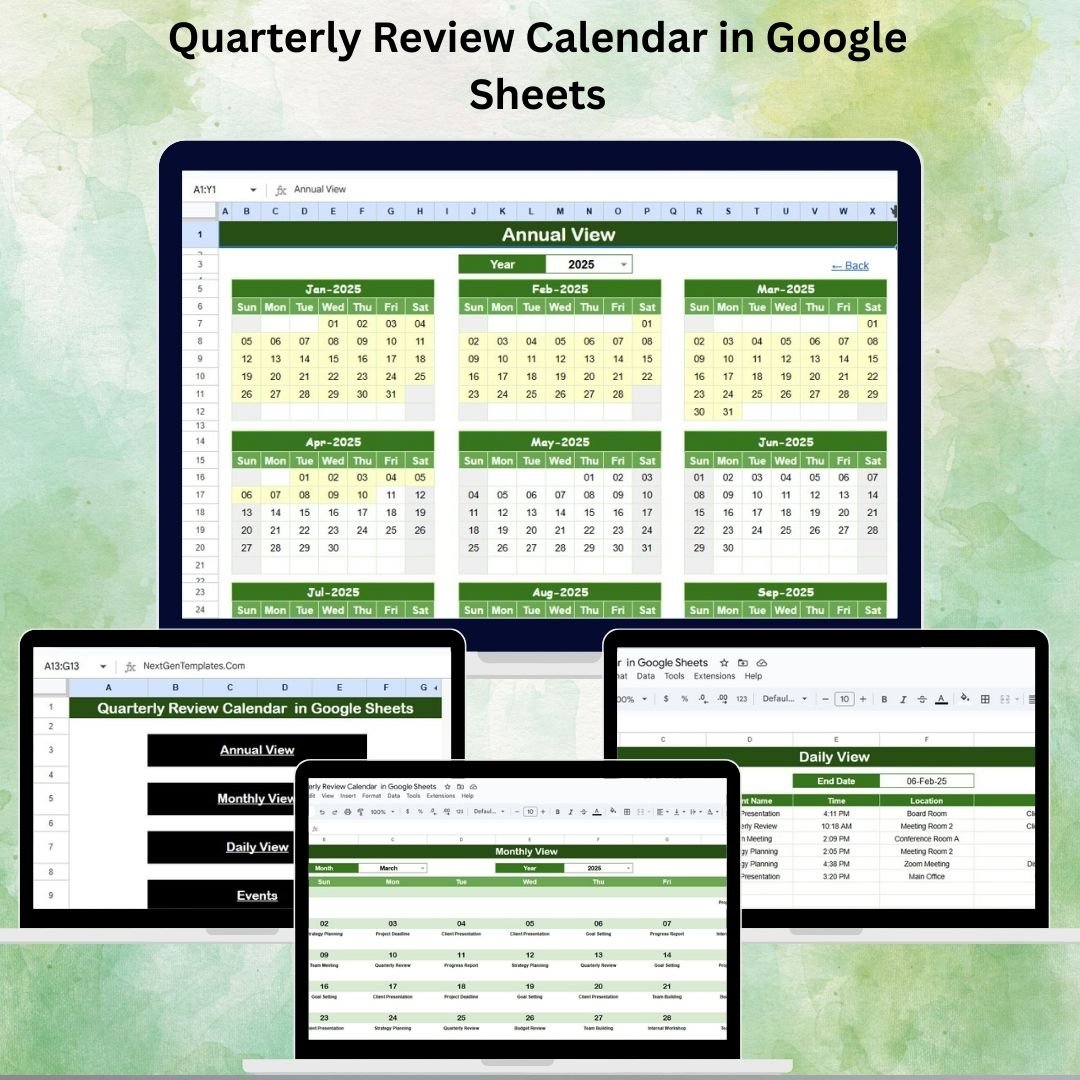

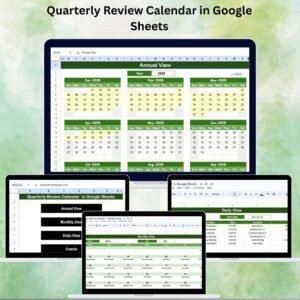
Quarterly reviews are a cornerstone of effective business management. They help teams align with organizational goals, monitor progress, and identify areas for improvement. However, managing review schedules manually often leads to missed deadlines, overlapping meetings, or poor preparation. To solve this, we designed the Quarterly Review Calendar in Google Sheets – a ready-to-use, interactive template that simplifies planning and tracking reviews across all departments.
This calendar is perfect for managers, team leads, HR professionals, and executives who want to keep their quarterly activities organized, transparent, and accessible in real time.
⭐ Key Features of the Quarterly Review Calendar
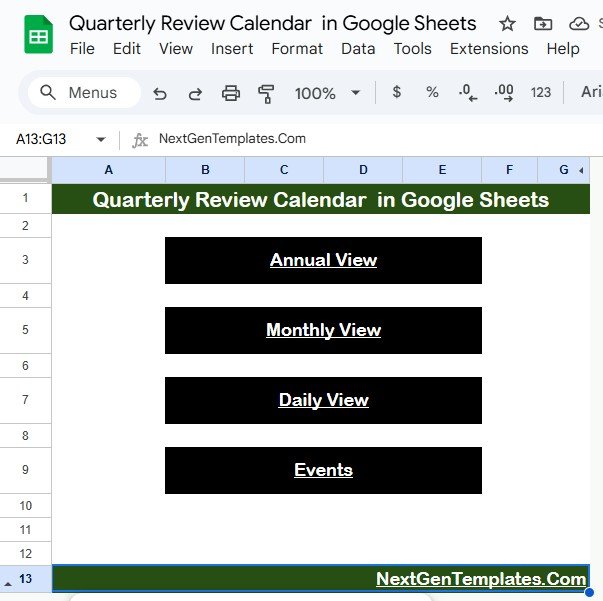
1. Home Sheet Tab 🏠
Acts as the main index page for quick navigation.
Buttons allow instant access to:
Annual View 📆
Monthly View 🗓️
Daily View 📋
Events Database 📑
This makes moving between different calendar views seamless and efficient.
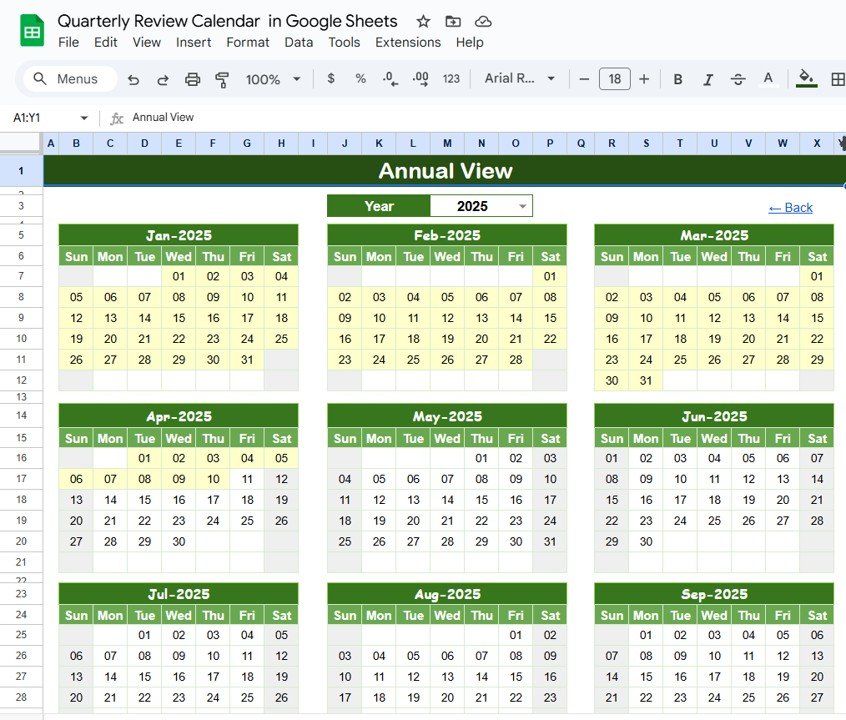
2. Annual View Sheet Tab 📆
Displays a 12-month calendar for long-term planning.
Input options include:
Select Year 🔄
Choose Starting Month 🏁
Adjust Starting Weekday 📌
This view is ideal for tracking quarterly milestones, audits, or organizational reviews at a glance.
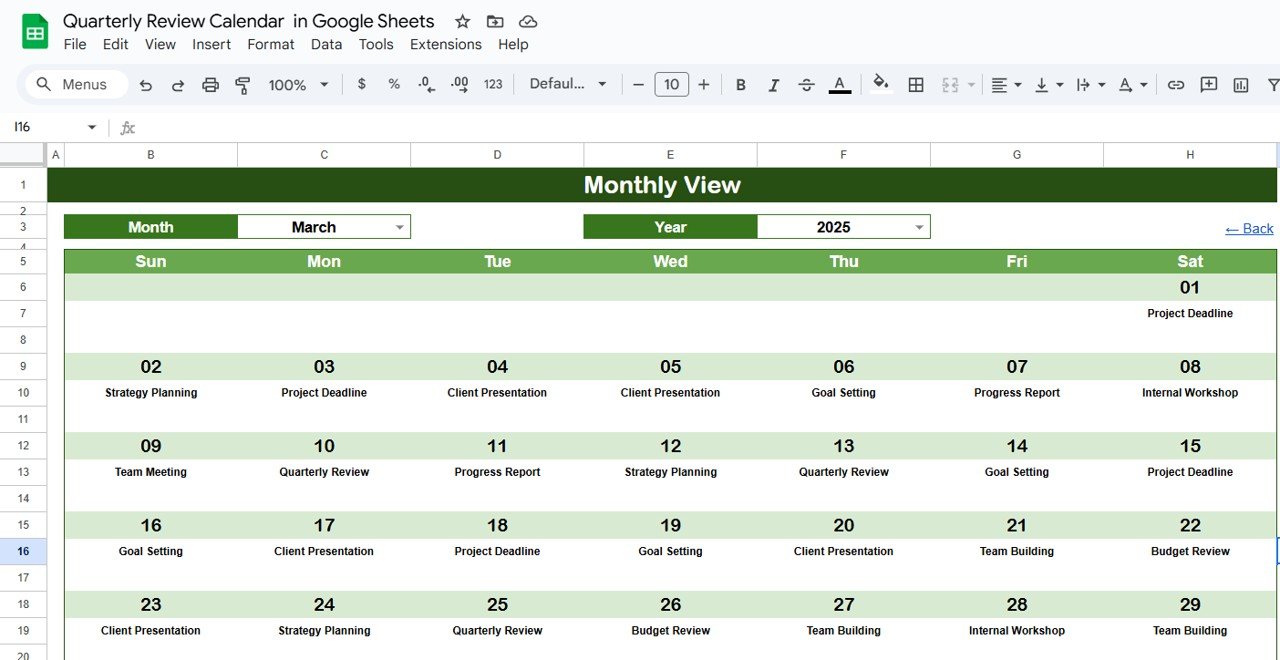
3. Monthly View Sheet Tab 🗓️
Focuses on detailed monthly schedules.
Select Month & Year at the top.
Displays all events for the chosen month.
If multiple events occur on a day, it shows “more than 1…” for clarity.
This helps managers plan reviews in detail without conflicts.
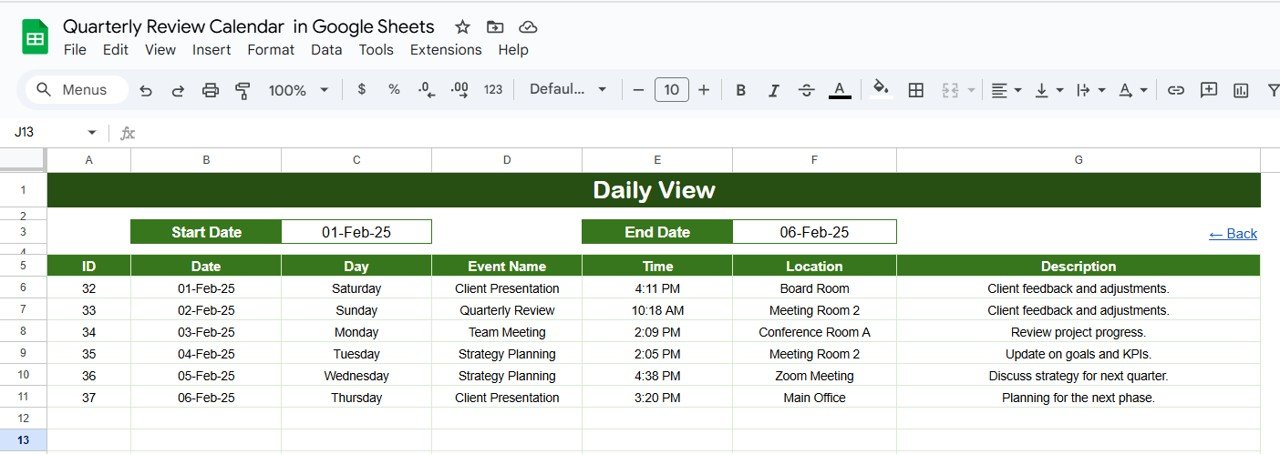
4. Daily View Sheet Tab 📋
Provides day-to-day visibility.
Select Start & End Date using a built-in picker.
Lists all events within that range, including:
Event Name
Time
Location
Description
Perfect for meeting preparation and detailed follow-up.
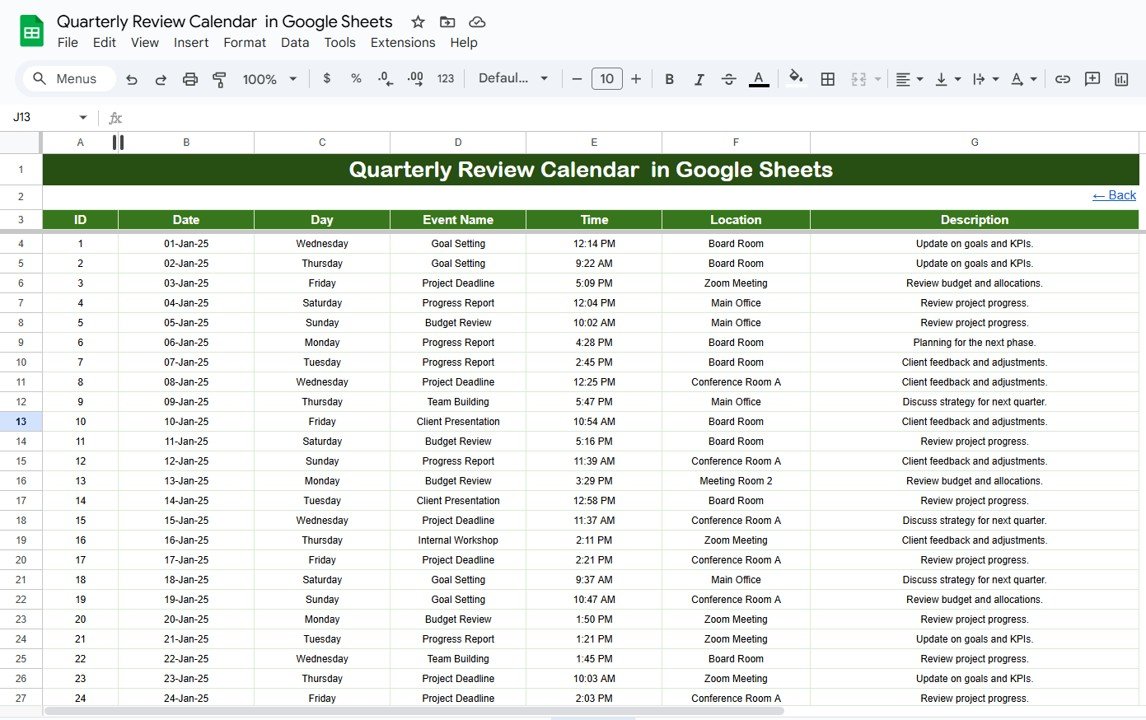
5. Events Sheet Tab 📑
Functions as the data backbone of the calendar.
Captures complete event details:
Event ID
Date & Day
Event Name
Time
Location
Short Description
Maintains a structured database that ensures accuracy across all views.
💡 Advantages of Using This Calendar
📌 Organized Planning – Annual, monthly, and daily breakdowns for efficient scheduling.
⚡ Quick Navigation – Jump to any section instantly via the Home page.
📝 Structured Data – Centralized events database reduces errors.
🎨 Customizable – Adjust start dates, months, or event categories.
🌍 Cloud-Based – Works in Google Sheets, accessible anytime, anywhere.
🚀 Opportunities for Improvement
🔗 Integrate with Google Calendar for real-time reminders.
🎨 Add color-coded categories (reviews, audits, meetings).
🔔 Use Google Apps Script notifications for upcoming events.
📊 Include quarter-wise summaries directly in the calendar.
📝 Best Practices
Keep the Events Sheet updated regularly.
Use Monthly & Daily views for detailed review prep.
Rely on Annual View for long-term planning.
Share the calendar with your team for collaboration and accountability.
✅ Conclusion
The Quarterly Review Calendar in Google Sheets is a complete event management system for businesses looking to stay organized and efficient. With annual, monthly, and daily views plus a structured events database, this template ensures reviews are well-planned, on time, and effective.
🔗 Click here to read the Detailed blog post
Watch the step-by-step video Demo:
🔗 Visit our YouTube channel to learn step-by-step video tutorials
Compatibility and Requirements
- Works in Google Sheets. You need a free Google account and a web browser.
- You pick the year, starting month and starting weekday from dropdowns on the Annual View sheet. Google explains dropdowns in Create an in-cell dropdown list.
Frequently Asked Questions
Which sheets are included?
The template has a Home sheet, an Annual View, a Monthly View, a Daily View and an Events sheet.
Where do I enter my review dates?
Add each review on the Events sheet. It stores the event ID, date, day, event name, time, location and a short description, and the other views read from it.
Can I start the annual calendar in a different month?
Yes. On the Annual View sheet you choose the year, the starting month and the starting weekday, so the 12-month view can begin where your review cycle begins.
What happens when two events fall on the same day?
The Monthly View shows “more than 1…” on that day. Open the Daily View and select a start and end date to see every event with its time, location and description.
Is there an Excel version?
Yes. See the Quarterly Review Calendar in Excel.
Related Calendar Templates
- Quarterly Review Calendar in Excel: the same review calendar for Excel
- Dynamic Holiday and Event Calendar in Google Sheets: another event calendar in Google Sheets
- Monthly Review To-Do List Checklist in Google Sheets: a checklist for monthly reviews
- Performance Review Calendar in Excel: a calendar for performance review dates
- Calendar & Planner Pack: 12 calendar and planner templates in one download
Browse all Google Sheets calendar templates.












Reviews
There are no reviews yet.