



In today’s education sector, institutions must rely on more than just intuition—they need data-driven insights to elevate student outcomes, streamline operations, and make informed strategic decisions. That’s where the Education Dashboard in Power BI becomes a vital asset.
This ready-to-use Power BI dashboard is designed for schools, colleges, universities, and training institutes. It consolidates key performance indicators (KPIs) into dynamic, interactive visuals that give educators, administrators, and academic analysts a 360° view of institutional and student performance.
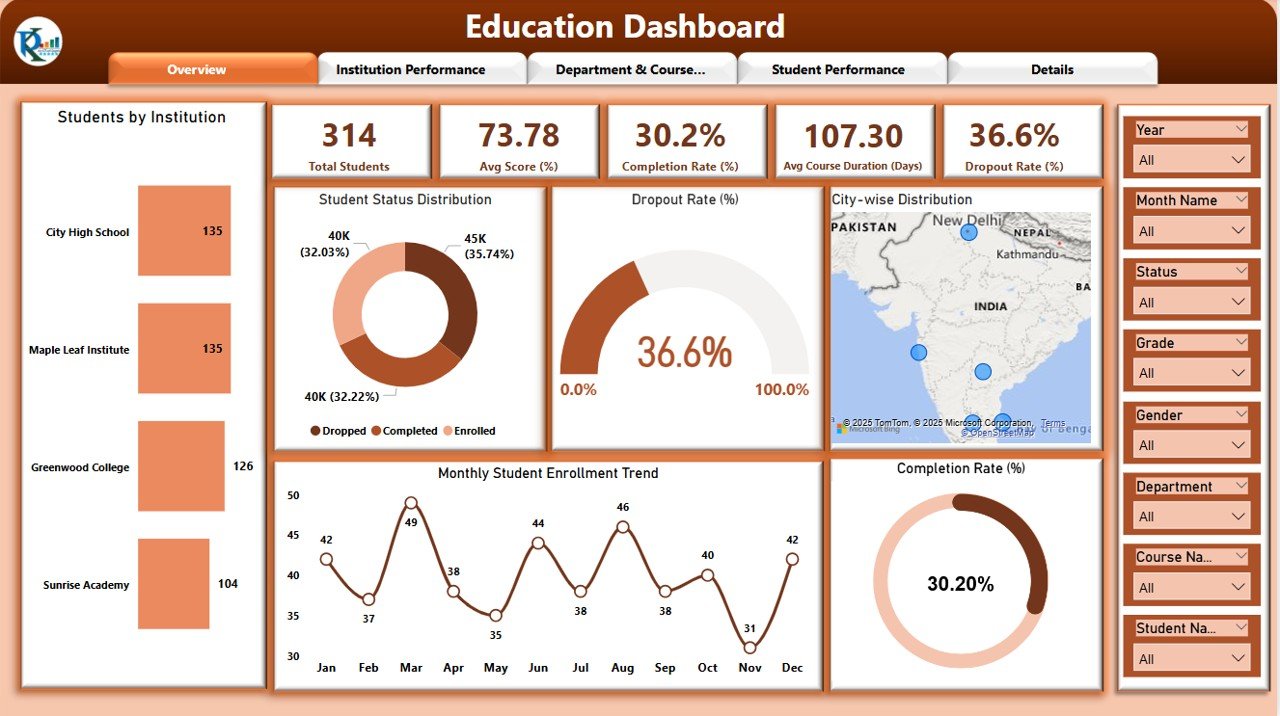
📊 What Does the Education Dashboard Offer?
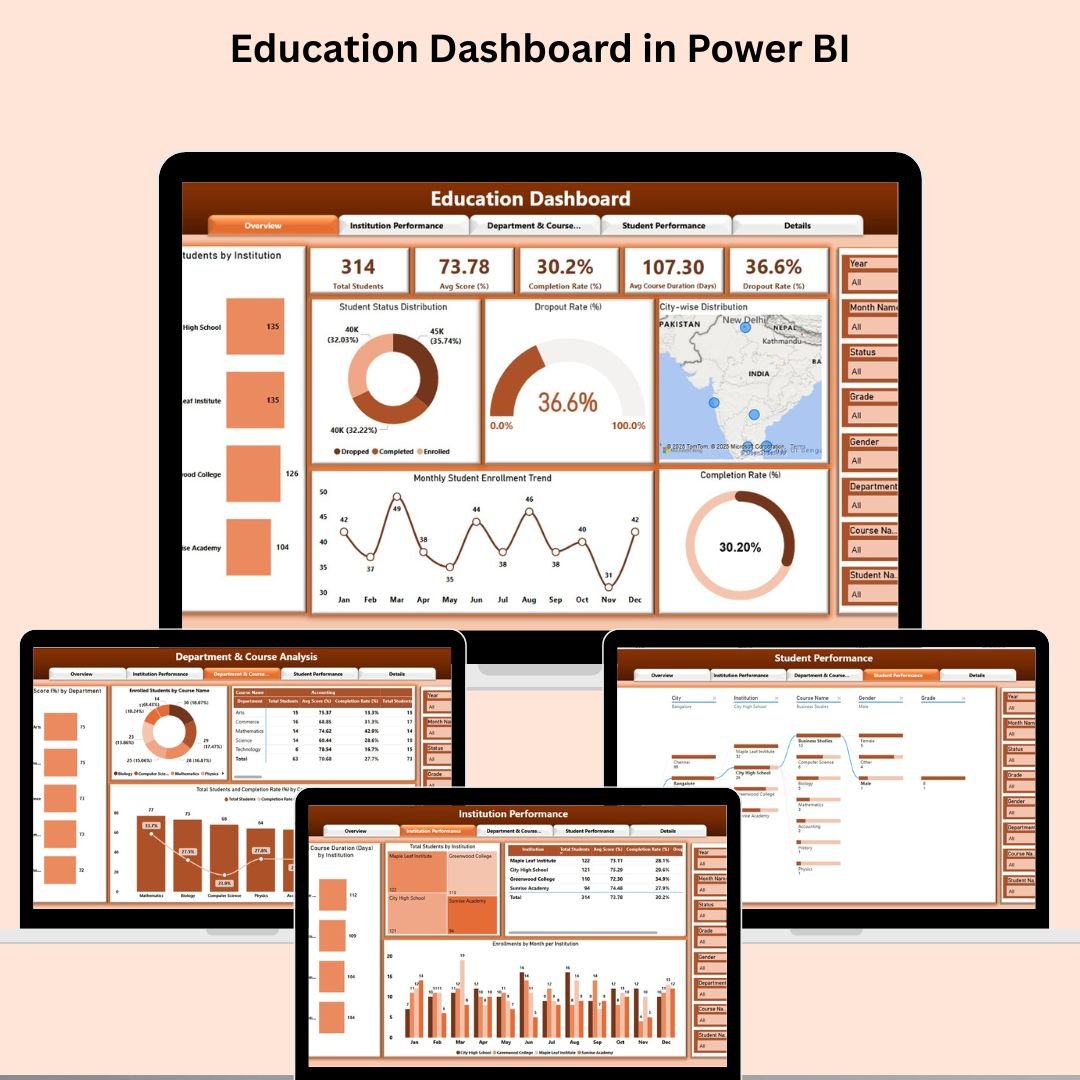
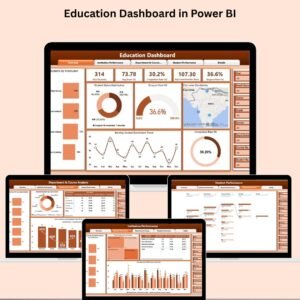
The dashboard includes five comprehensive pages, each tailored to a specific focus area within educational management:
1. Overview Page
Quick-glance KPIs:
🎓 Total Students
📈 Average Score (%)
🏆 Completion Rate (%)
⏱️ Avg. Course Duration
❌ Dropout Rate (%)
Visuals:
Students by Institution
Dropout Rate Trend
Student Status Distribution
Monthly Enrollment Trend
City-wise Student Spread
Completion Rate Over Time
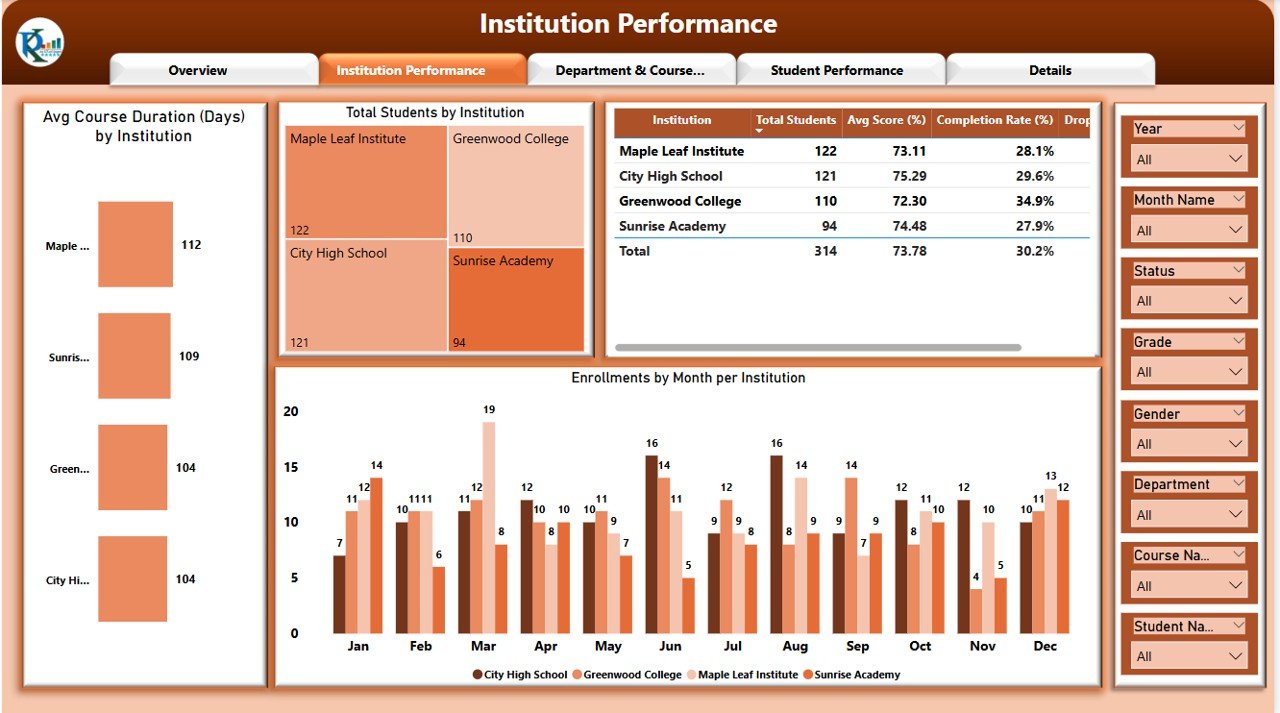
2. Institution Performance Page
Visuals & Tables:
Avg. Course Duration by Institution
Enrollments by Month per Institution
Total Students and KPIs by Institution
Institutional Comparison Slicers
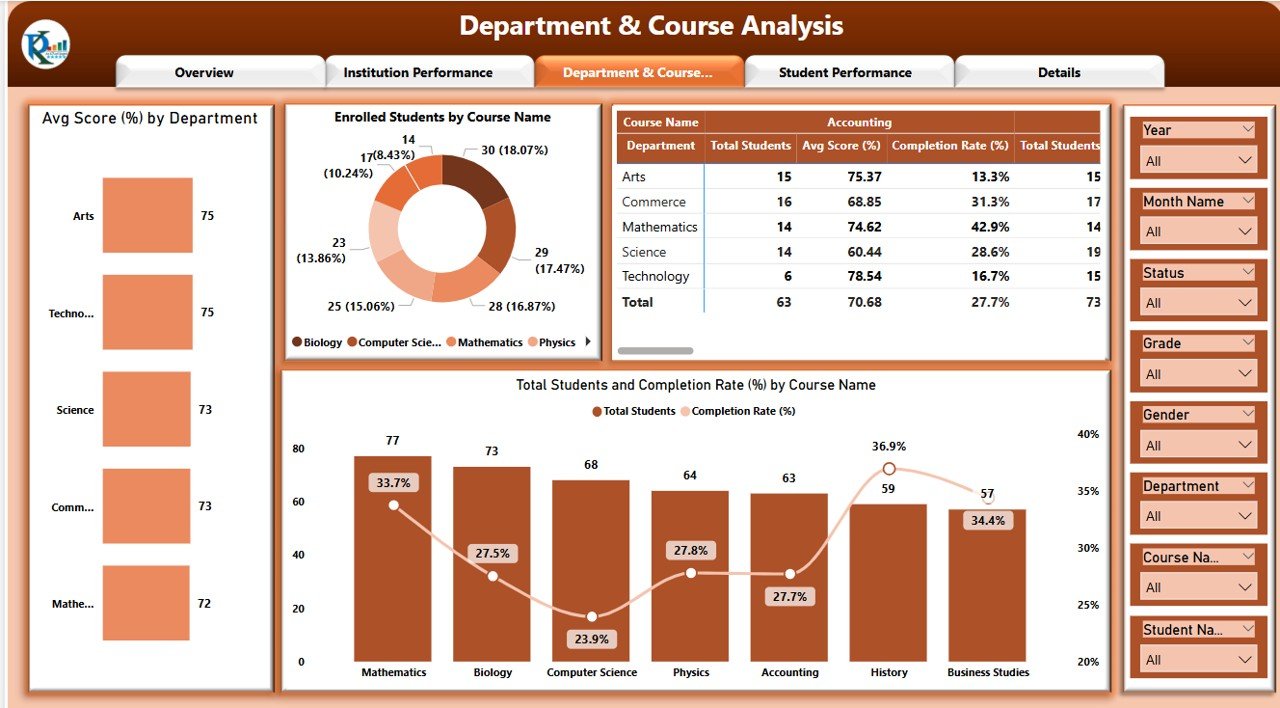
3. Department & Course Analysis Page
Dive into academic structure:
Avg. Score by Department
Enrolled Students by Course
Completion Rate by Course
Perfect for department heads and curriculum analysts.
4. Student Performance Page
🔍 Use decomposition trees to:
Filter by Institution, Department, Course
Analyze Score Ranges
Identify top and struggling students
Ideal for counseling and interventions.
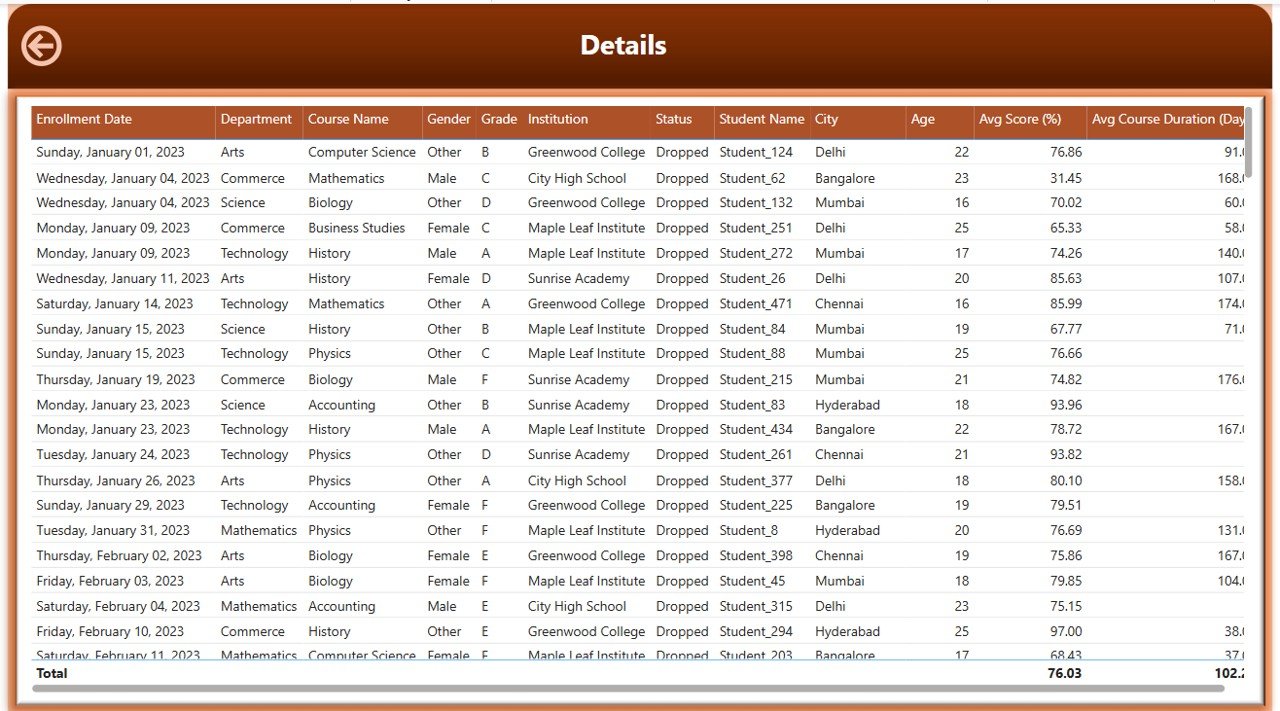
5. Details Drill-Through Page
Right-click and drill into any data point:
View student-level records
Export reports
Conduct case-by-case investigations
🎯 Advantages of Using This Dashboard
✔️ Real-time interactive reporting
✔️ Institution & student-level performance views
✔️ Data-backed academic planning
✔️ Custom visuals for seamless stakeholder communication
✔️ Drill-through & decomposition analysis
✔️ Scalable from K-12 to higher education
✔️ Centralizes academic KPIs for rapid decisions
💡 Opportunities to Improve the Dashboard
Add filters by year, semester, or class level
Track gender, age, or socioeconomic diversity
Integrate student satisfaction or feedback surveys
Set benchmarks using national averages
Include Power BI AI visuals for forecasting
Automate reports for monthly reviews
✅ Best Practices for Implementation
Refresh data monthly or per academic term
Keep KPIs visible across all pages
Use slicers smartly for targeted comparisons
Limit visuals per page for clarity
Train academic leaders on using the tool
Protect student-level data with access control
Use drill-through to investigate dropouts or high performers
🧑🏫 Who Should Use This Dashboard?
School Principals and Academic Deans
Data Analysts in Education
Curriculum Planners and Heads of Department
College Administrators and Government Education Officers
Training Center Directors
Click here to read detailed blog post
Watch the step-by-step video Demo:
📺 Learn More with Step-by-Step Tutorials
🎥 Visit our channel: YouTube.com/@PKAnExcelExpert
Compatibility and Requirements
- Opens in Power BI Desktop, which is free to download for Windows.
- Pages use slicers, decomposition trees and a drill-through page, which all work in Power BI Desktop.
- Get the free app from Microsoft: Get Power BI Desktop.
Frequently Asked Questions
Which KPIs does the Education Dashboard show?
Total students, average score, completion rate, average course duration and dropout rate.
How many pages are included?
Five: Overview, Institution Performance, Department and Course Analysis, Student Performance and a Details drill-through page.
How do I see student-level records?
Right-click a data point and drill through to the Details page to view the student records behind it.
Is there an Excel or Google Sheets version?
Yes. See the Education Dashboard in Excel and the Education Dashboard in Google Sheets.
Related Education Templates
- Education Dashboard in Excel: the same analysis in Excel
- Education Dashboard in Google Sheets: a shared online version
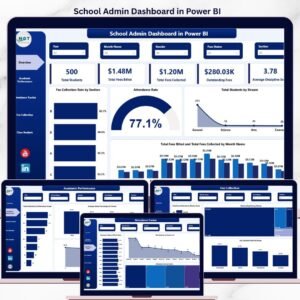
- School Admin Dashboard in Power BI: school administration figures in Power BI
- Education KPI Dashboard in Power BI: KPI tracking for education teams
- Education & School Management Bundle: 8 education templates in one bundle
Browse all Power BI dashboards or the Excel education templates.













Reviews
There are no reviews yet.