

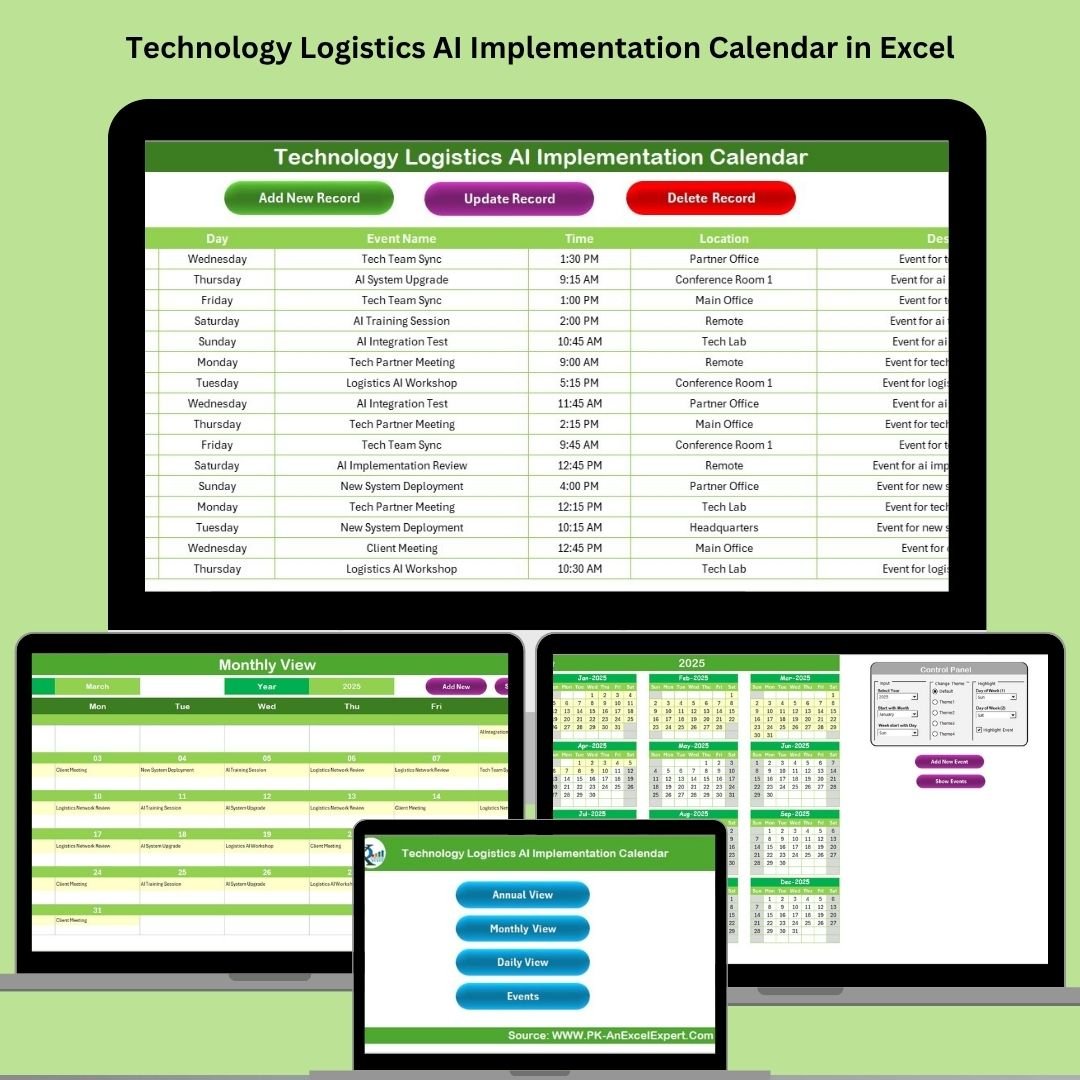

Implementing AI in logistics is a game-changer—but only if it’s well-organized. That’s why we’ve created the Technology Logistics AI Implementation Calendar in Excel, a smart, ready-to-use template that helps you plan, schedule, and manage every event and milestone in your AI adoption journey. Whether you’re rolling out automation tools or machine learning models, this Excel calendar keeps your strategy on track, deadlines in check, and your team in sync.
Built entirely in Microsoft Excel, this calendar blends powerful event tracking with user-friendly controls—no coding or external software required!
🔑 Key Features of Technology Logistics AI Implementation Calendar
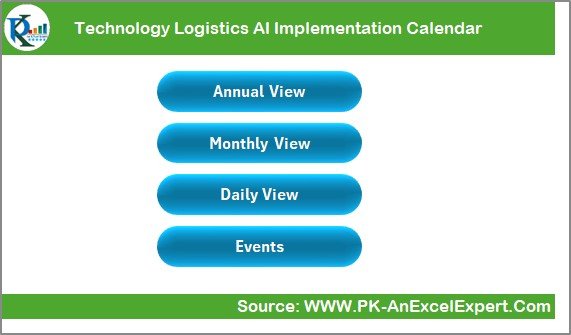
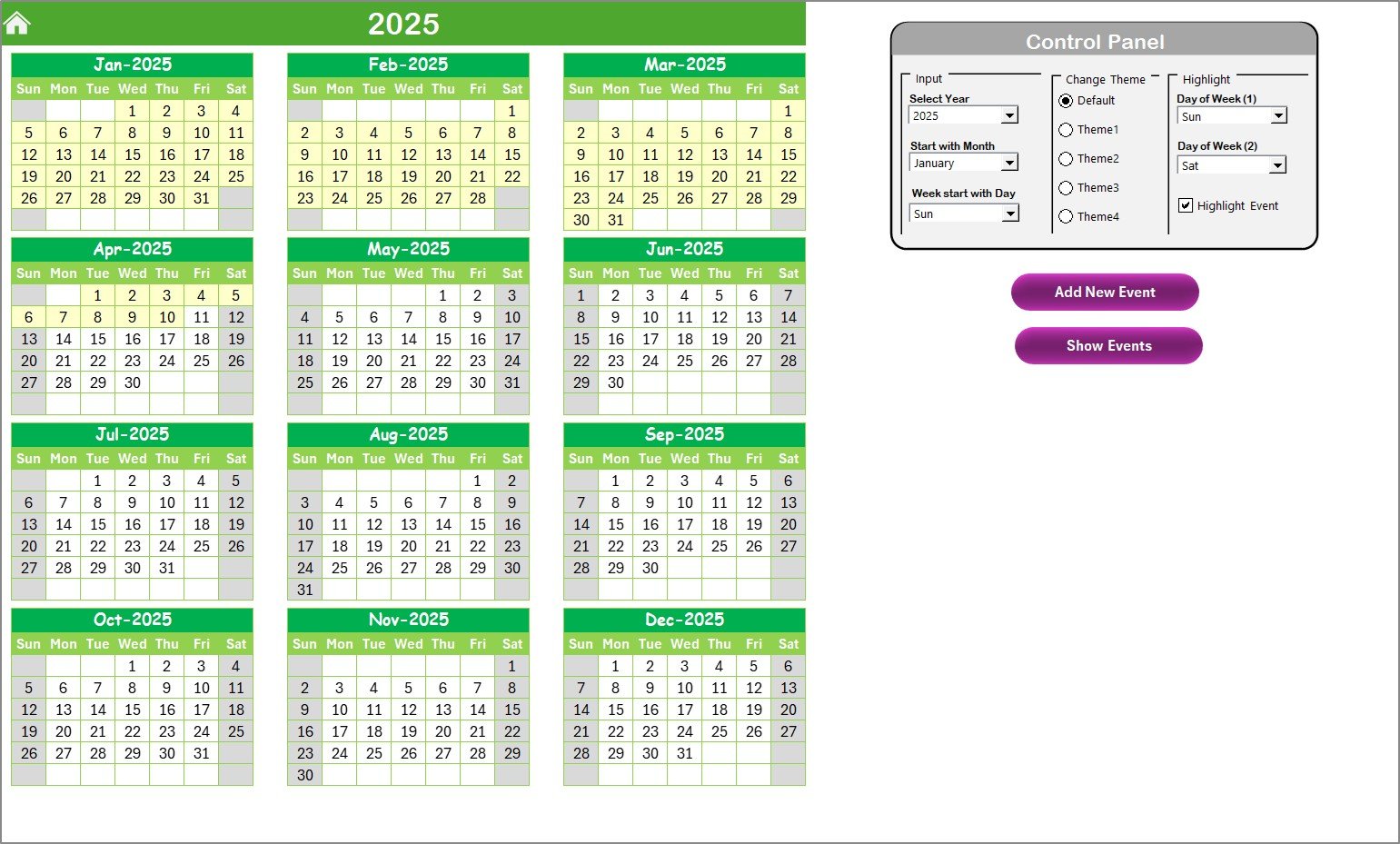
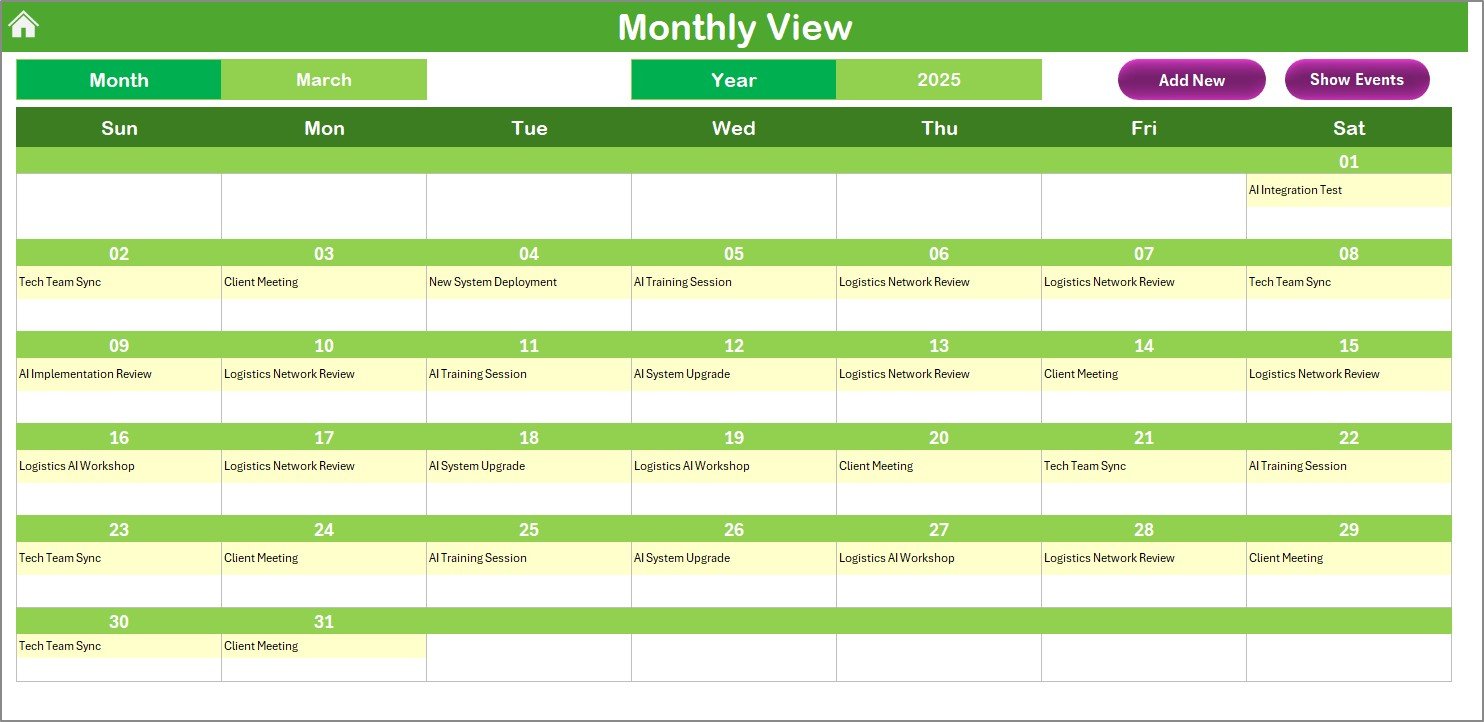
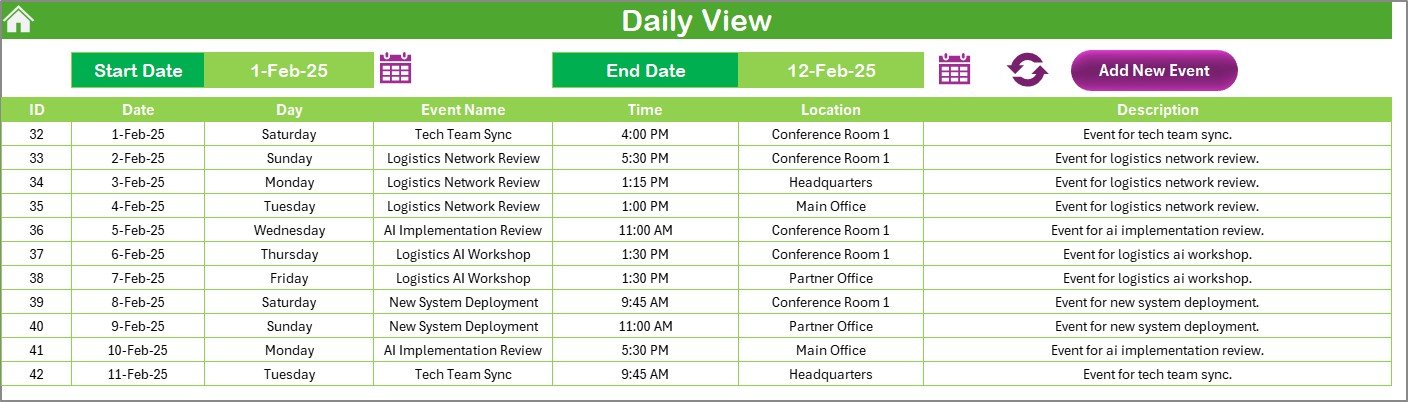
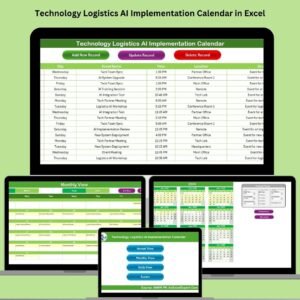
🗓️ Multi-View Calendar (Annual, Monthly, Daily)
Get a high-level annual roadmap, zoom into monthly plans, or analyze day-by-day tasks—at the click of a button.
🎨 Theme Customization
Pick from 5 different color themes to match your team’s branding or preference.
🔍 Smart Navigation Buttons
Jump between views (Annual, Monthly, Daily, Events) directly from the Home Sheet—no need to scroll endlessly.
📂 Integrated Events Database
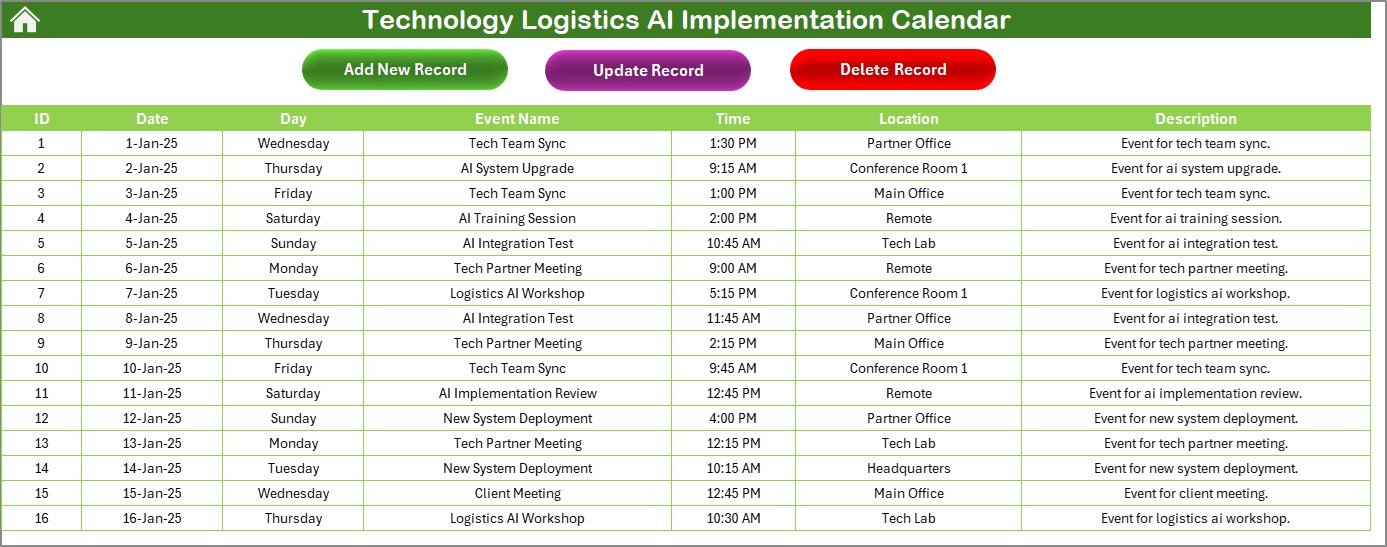
Every event is logged with an ID, name, time, location, and description. You can also add, update, or delete events with ease.
⚙️ Dynamic Control Panel
Adjust the year, start month, and start day of the week to fit your implementation timeline perfectly.
📦 What’s Inside the Calendar?
Your download includes 5 professionally structured sheets, each with a clear role:
Home Sheet – Your central dashboard with navigation buttons.
Annual View Sheet – Full-year visibility with clickable date boxes.
Monthly View Sheet – Focused monthly breakdown of scheduled events.
Daily View Sheet – Select a custom date range to see detailed daily tasks.
Events Sheet – A database-driven backend with CRUD functionality (Create, Read, Update, Delete).
💡 Each view is linked to smart macros and forms that help you add or manage tasks intuitively—just like a real-time project manager.
📘 How to Use the Calendar
✅ Step 1: Open the Home Sheet and pick your preferred view
✅ Step 2: Use the control panel to set your year, start month, and highlight options
✅ Step 3: Add new events using the “Add Event” button
✅ Step 4: Track all events in the Annual, Monthly, or Daily views
✅ Step 5: Update or delete events via the Events sheet
Everything is designed to refresh dynamically with one click. No complex formulas, no manual formatting.
🎯 Who Can Benefit from This Calendar?
🏭 Logistics Project Managers – Easily schedule and monitor AI rollout milestones
📈 Tech Implementation Teams – Keep track of training, deployment, and testing
🤝 Business Stakeholders – Gain transparency into progress and deliverables
📅 Event Planners – Stay ahead with weekly or monthly planning
🧠 AI Consultants – Manage multiple client schedules in one Excel file
🛠️ Small & Mid-Size Enterprises – Enjoy enterprise-grade planning without the cost
If you’re running or overseeing AI adoption in logistics—this tool is made for you!
🔗 Click here to read the Detailed blog post
🔗 Visit our YouTube channel to learn step-by-step video tutorials
Watch the step-by-step video tutorial:
Compatibility and Requirements
- Works in Microsoft Excel desktop on Windows with macros enabled. The calendar uses macros and forms to add and manage events, so it does not run in Excel for the web, Google Sheets or mobile apps.
- Microsoft explains how to turn macros on in Enable or disable macros in Microsoft 365 files.
Frequently Asked Questions
Which sheets are included?
Five sheets: Home Sheet, Annual View Sheet, Monthly View Sheet, Daily View Sheet and Events Sheet.
What details can I store for each event?
Each event is saved with an ID, name, time, location and description. You can add, update or delete events from the Events sheet.
Can I change the year and the first day of the week?
Yes. The control panel lets you set the year, the start month and the start day of the week to match your implementation timeline.
Can I change the colors?
Yes. You can choose from 5 color themes.
Is there a version for another team or topic?
Yes. For example, see the Logistics AI Implementation Calendar in Excel and the Technology Operations AI Implementation Calendar in Excel.
Related Calendar Templates
- Logistics AI Implementation Calendar in Excel: the same AI rollout calendar for general logistics teams
- Technology Operations AI Implementation Calendar in Excel: an AI rollout calendar for operations teams
- Technology Logistics Supply Chain Resilience Calendar in Excel: a logistics calendar focused on supply chain resilience
- Technology Logistics Remote Work Calendar in Excel: a logistics calendar for remote work planning
- Calendar & Planner Pack: 12 calendar and planner templates in one download
Browse all Excel calendar templates.









Reviews
There are no reviews yet.