

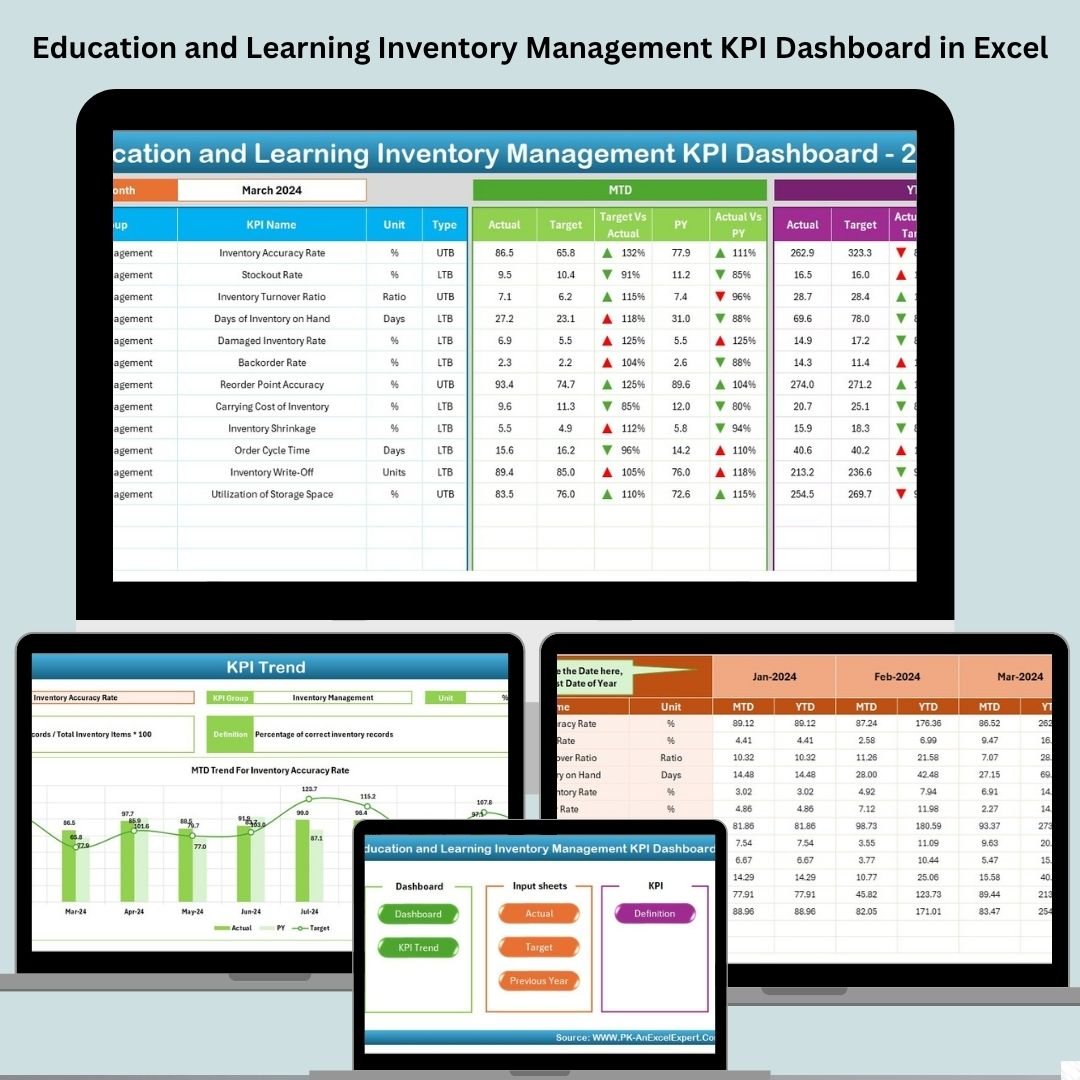


This powerful, Excel-based tool is tailor-made for the education sector to simplify inventory monitoring, enhance resource planning, and ensure smart, data-driven decision-making Education and Learning Inventory Management KPI Dashboard
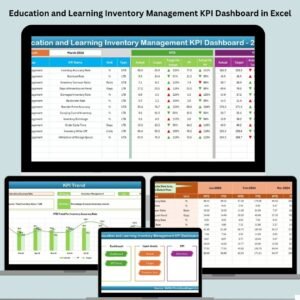
With a clean interface, clickable buttons, trend charts, and monthly/YTD comparisons, this dashboard gives you 360° visibility into your inventory performance—without needing technical knowledge or expensive software.
✨ Key Features of Education and Learning Inventory Management KPI Dashboard
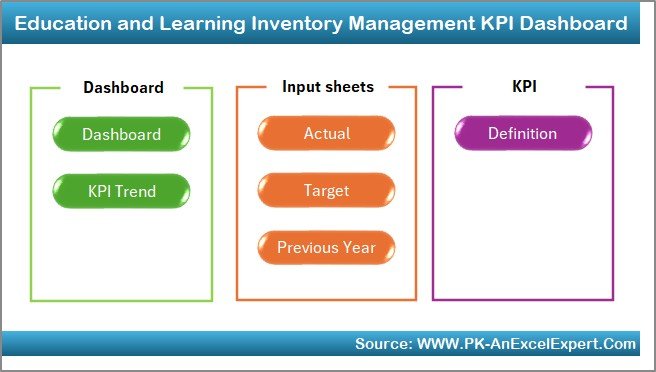
📌 7 Organized Worksheets
From data entry to dashboard view, every sheet is designed for a specific function to keep things simple and streamlined.
🎯 Interactive Dashboard Sheet
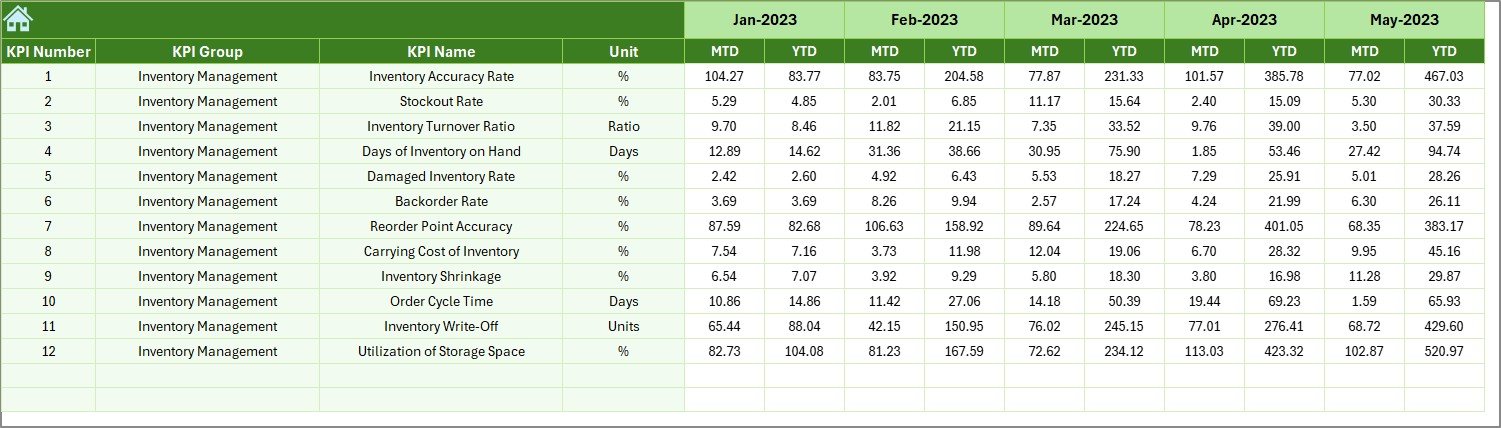
Shows all KPIs with dynamic MTD, YTD, and Previous Year comparisons. Color-coded arrows and charts make trends visually clear.
🧮 Automated Metrics
Just update the monthly values—formulas and charts update automatically, saving you hours of work.
🔁 Dropdown Filters
Select a specific month to focus your analysis using the dropdown filter at cell D3.
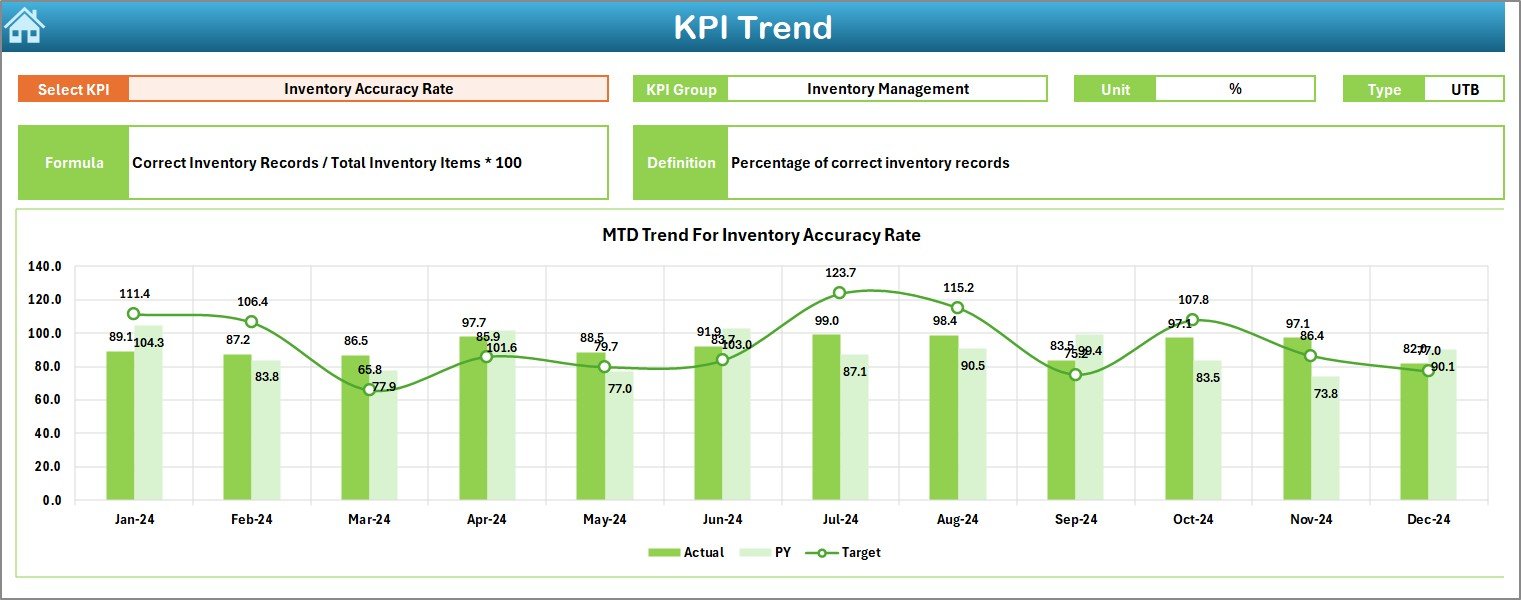
📈 KPI Trend Sheet
Track monthly KPI trends and visualize changes in Actuals, Targets, and Previous Year values for smarter forecasting.
📊 Separate Input Sheets
Cleanly separated tabs for Actuals, Targets, and Previous Year values—organized for easy data input.
📋 KPI Definition Sheet
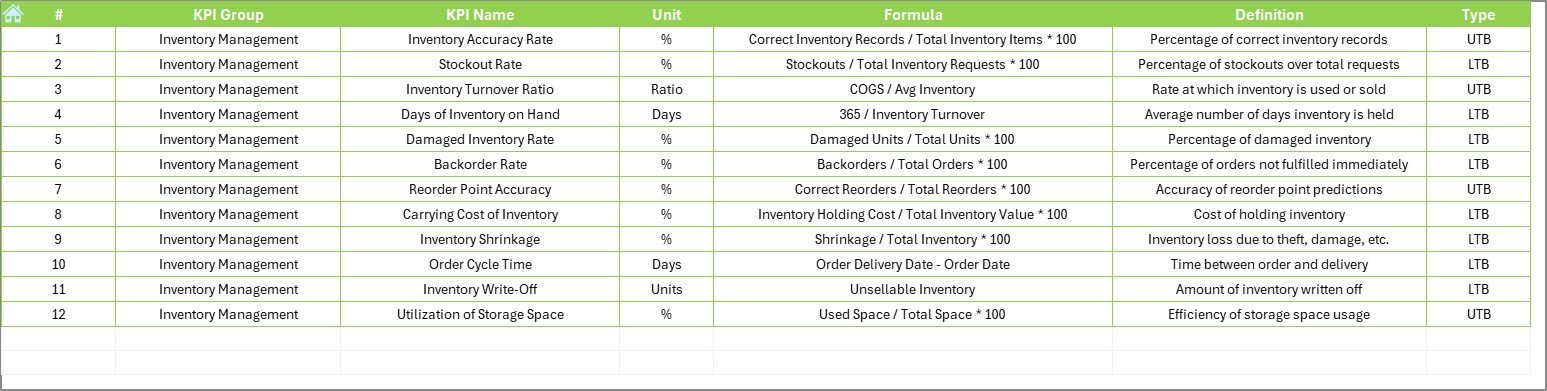
Keep your entire team aligned with standardized definitions, formulas, and goals for each KPI.
📦 What’s Inside the Product
🏠 Home Sheet – Quick links to jump between sheets
📊 Dashboard Tab – Your visual performance center
🔍 KPI Trend Sheet – Analyze changes month-over-month
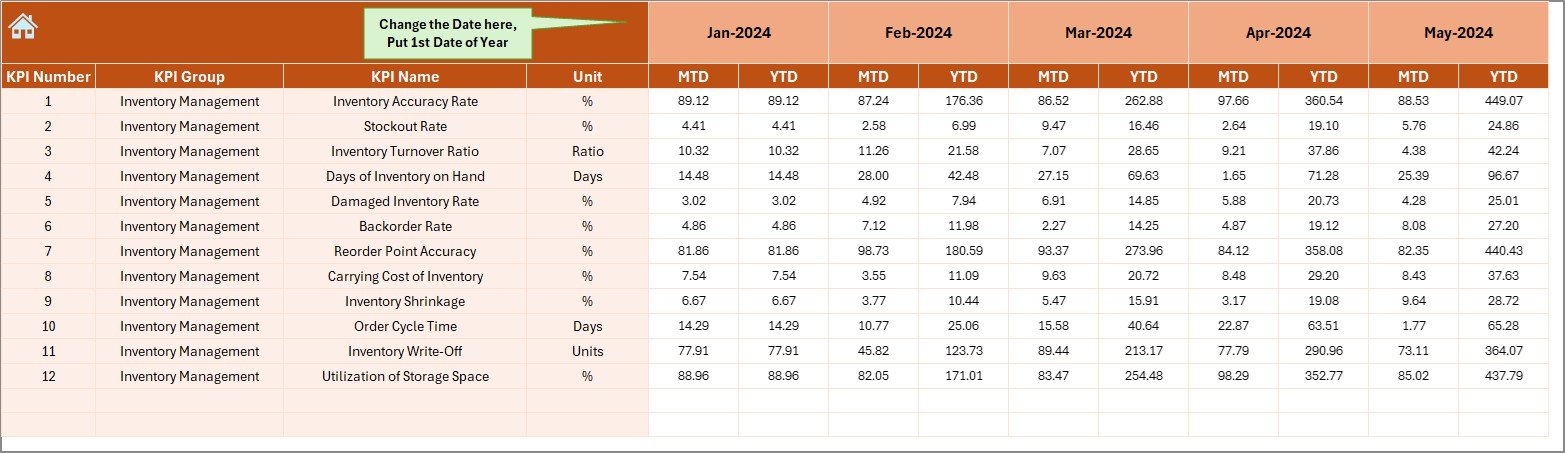
✍️ Actual Input Sheet – Input real monthly/YTD figures
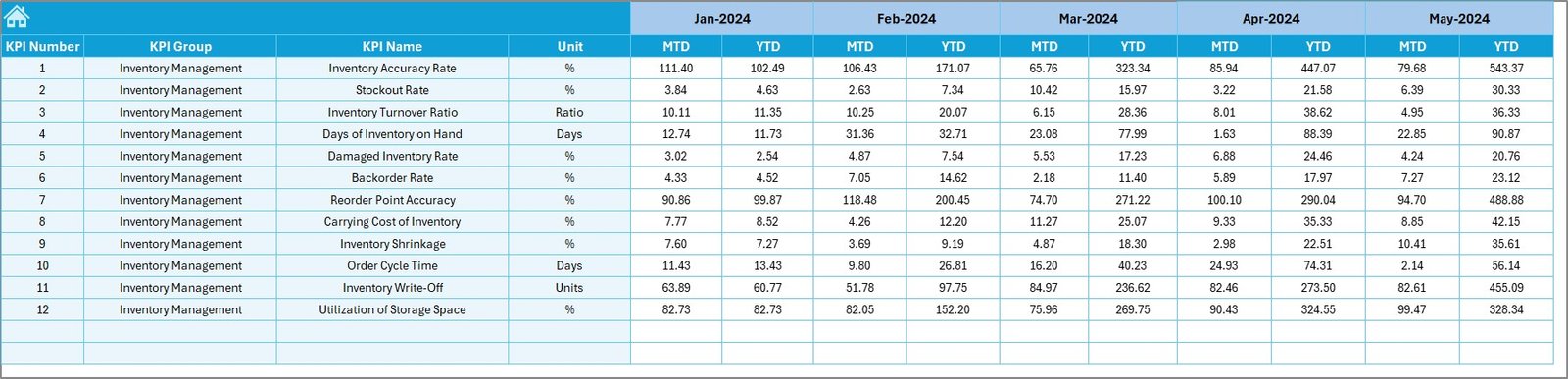
🎯 Target Sheet – Define MTD & YTD targets for each KPI
📆 Previous Year Data Sheet – Add past values for comparison
🧾 KPI Definition Sheet – Track unit, type (UTB/LTB), and formula
🛠️ How to Use the Product
1️⃣ Start with the Home Sheet
Use the buttons to navigate effortlessly across the dashboard.
2️⃣ Update Data Monthly
Input actual numbers, targets, and last year’s data in their respective sheets.
3️⃣ Review the Dashboard
Use the drop-down in cell D3 to pick a month and review all trends and gaps.
4️⃣ Analyze Trends
Go to the KPI Trend Sheet to see detailed monthly performance for each KPI.
5️⃣ Adjust Targets as Needed
Use the Target Sheet to realign procurement and planning goals.
6️⃣ Customize Definitions
In the Definition Sheet, modify or add new KPIs with ease.
👥 Who Can Benefit from This Product
📚 School and College Administrators
🏫 Inventory Officers
📦 Procurement Managers
🧑🏫 Academic Coordinators
💼 Education Consultants
📈 Budget and Planning Teams
🎓 Training Institutes and Coaching Centers
Whether you manage a school’s supply chain or oversee an academic department’s equipment needs—this tool is for you.
📖 Click here to read the Detailed blog post
🎥 Visit our YouTube channel to learn step-by-step video tutorials
👉 youtube.com/@PKAnExcelExpert
Watch the step-by-step video tutorial:
Compatibility and Requirements
- Works in Microsoft Excel desktop (Excel 2016 or later, or Microsoft 365).
- The dashboard has trend charts, and you pick the month from a dropdown in cell D3. Microsoft explains charts in Create a chart from start to finish.
Frequently Asked Questions
How many worksheets does this dashboard have?
Seven: Home, Dashboard, KPI Trend, Actual Input, Target, Previous Year Data and KPI Definition.
How do I update the dashboard each month?
Enter your actual figures, targets and last year’s values in their own sheets. The formulas and charts update on their own.
How do I look at a different month?
Use the dropdown in cell D3 on the Dashboard sheet. It shows MTD, YTD and Previous Year comparisons for the month you pick.
Can I add or change KPIs?
Yes. The KPI Definition sheet holds the unit, the type (UTB or LTB) and the formula for each KPI, and you can edit or add KPIs there.
Is there an Inventory Management KPI dashboard for other platforms or topics?
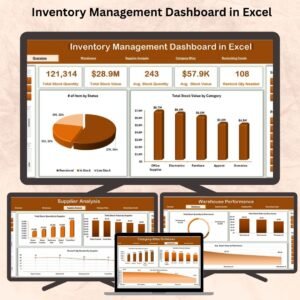
See the Inventory Management Dashboard in Excel for a general inventory view, or the Inventory Management Dashboard in Google Sheets and the Inventory Management Dashboard in Power BI.
Related Education and Inventory Templates
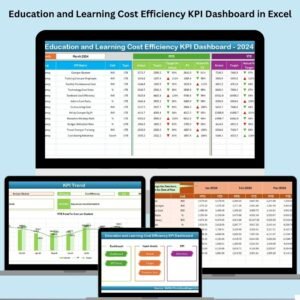
- Education and Learning Cost Efficiency KPI Dashboard in Excel: track the cost side of your programs
- Education and Learning Financial Health KPI Dashboard in Excel: a finance view for schools and institutes
- Education and Learning Process Improvement KPI Dashboard in Excel: the same dashboard layout for process KPIs
- Inventory Management Dashboard in Excel: a general stock dashboard
- Inventory Management System -V3.0: a full inventory system in Excel
Browse all Excel education templates and Excel KPI dashboards.











Reviews
There are no reviews yet.