

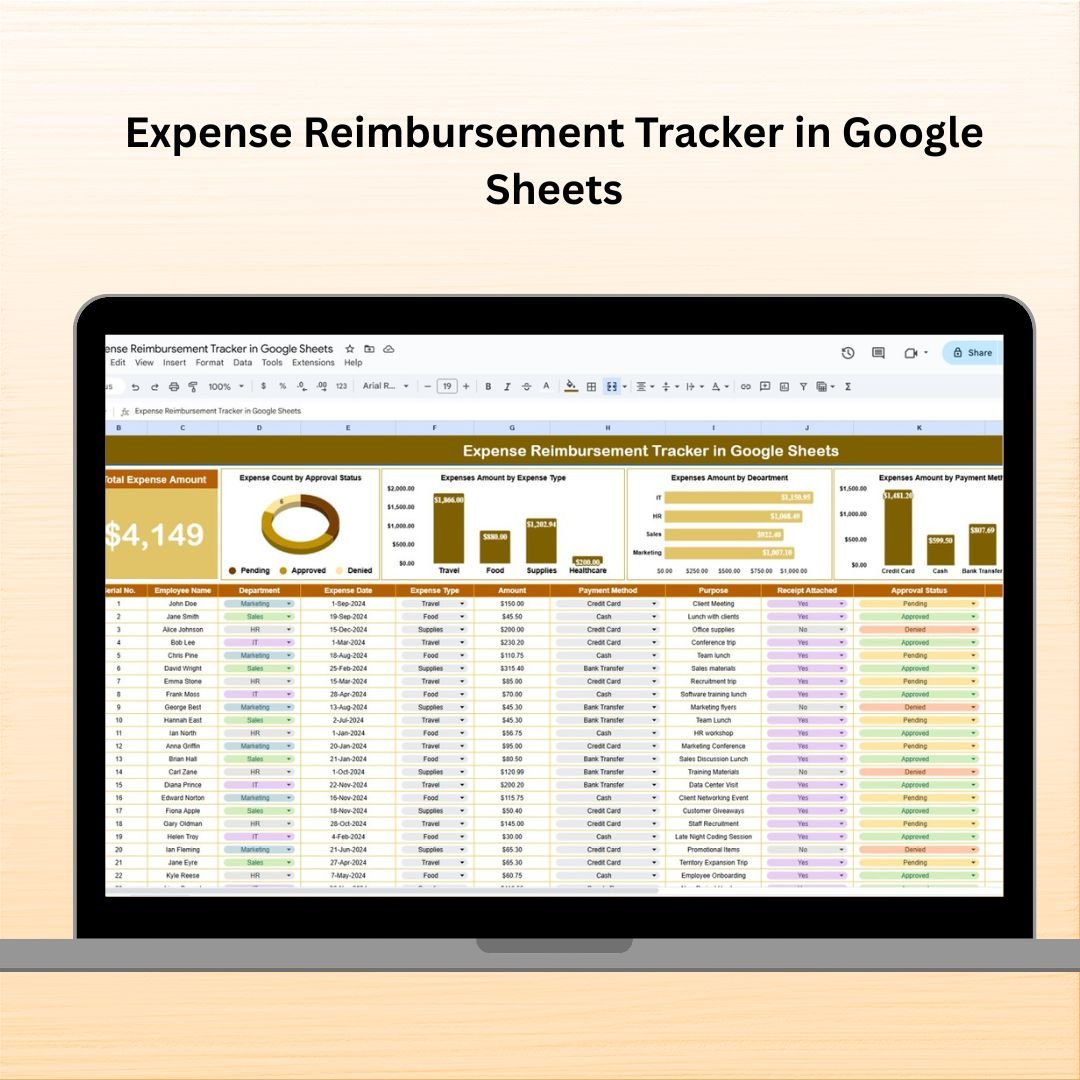
Tired of messy spreadsheets, lost receipts, and delays in reimbursements? Say goodbye to all that confusion with our Expense Reimbursement Tracker in Google Sheets – your all-in-one solution to streamline the employee reimbursement process. Whether you’re a small startup or a large organization, this powerful tool helps you track expenses, monitor approvals, and analyze spending – all from one clean, easy-to-use dashboard!
💡 Key Features of Expense Reimbursement Tracker in Google Sheets
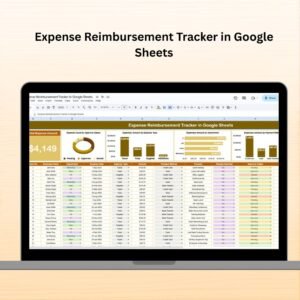
📋 Comprehensive Dashboard View
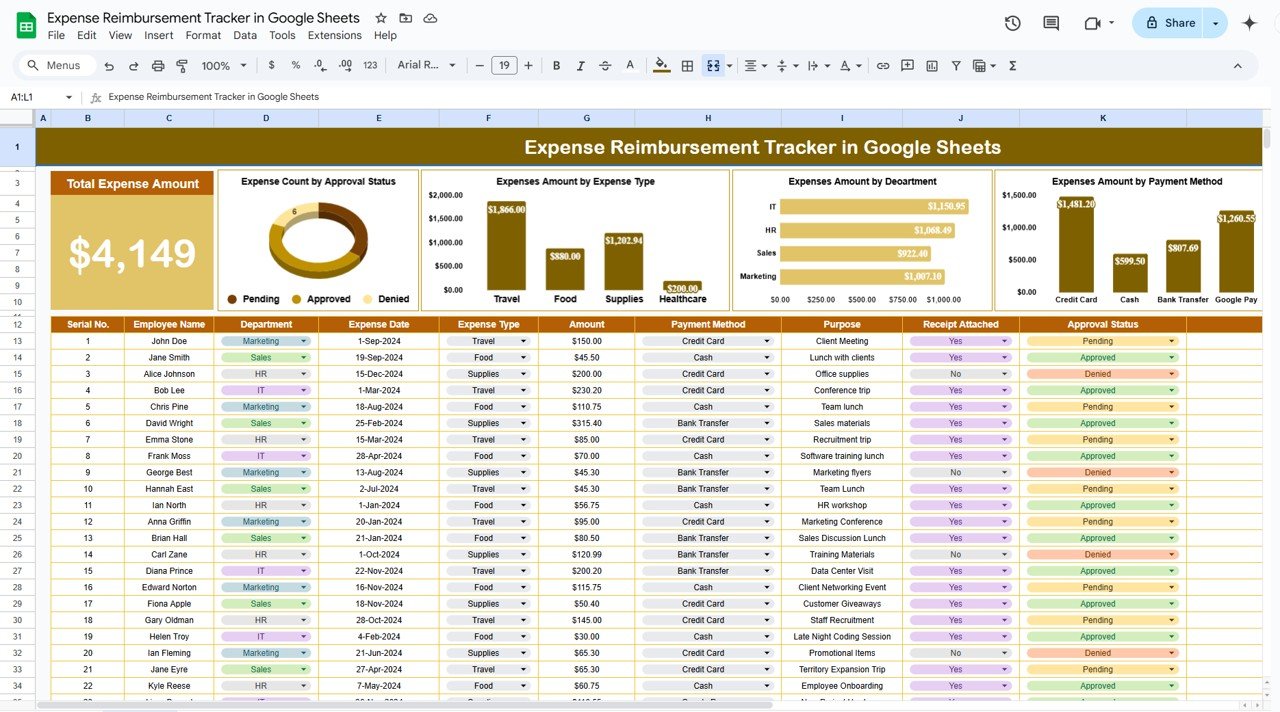
The top section of the sheet features summary cards that give you an instant overview of your organization’s reimbursement activities:
💰 Total Expense Amount at a glance
📈 Charts for quick visual analysis
🔍 Track trends in approval status, departments, payment methods, and more
📊 Insightful Charts & Graphs
Analyze your data like a boss with built-in visuals:
✅ Count by Approval Status: Know what’s pending, approved, or rejected
📎 Expenses by Receipt Attached: Monitor compliance and accountability
💳 Expenses by Payment Method: Understand how your team is paying
🏢 Expenses by Department: Spot which departments are spending the most
🧾 Expenses by Expense Type: See exactly where the money goes (travel, meals, etc.)
🧾 Data Input Table – All in One Place
Log every detail about the expenses in one structured table:
🔢 ID – Unique identifier for each record
👤 Employee Name – Person submitting the claim
🏢 Department – Their business unit or team
📆 Expense Date – When the expense was incurred
💼 Expense Type – Meals, travel, office supplies, etc.
💵 Amount – Claim amount
💳 Payment Method – Cash, card, bank transfer
🎯 Purpose – Reason behind the expense
📎 Receipt Attached – Checkbox to confirm receipt
🔄 Approval Status – Pending, approved, or rejected
📝 Remarks – Additional notes
📦 What’s Inside the Expense Reimbursement Tracker
This ready-to-use Google Sheets template includes:
🗂️ One powerful sheet tab with structured sections
📊 Auto-generated charts for quick visual analysis
💡 Dynamic Summary Cards to monitor totals instantly
📎 Built-in checkboxes to track receipt attachments
📥 Customizable input table for all expense details
📌 Pre-filled dropdowns to keep entries consistent
✅ Formula-based dashboard – no coding needed
🔧 Fully editable – tailor it to fit your organization’s needs
🚀 How to Use the Expense Reimbursement Tracker
Input Expense Data – Enter details in the main table
Check for Receipts – Use the checkbox for compliance
Monitor Approvals – Keep an eye on the approval column
Analyze with Charts – Use visuals for data-driven decisions
Share with Your Team – Collaborate easily in Google Sheets
No steep learning curve. Just plug in the data and start managing expenses like a pro!
👥 Who Can Benefit from This Tracker
This tool is ideal for:
🧾 HR & Finance Teams – Simplify tracking and approval workflows
💼 Managers – Monitor departmental budgets and reimbursements
👩💻 Startups & Small Businesses – Handle expenses without complex software
🏢 Enterprises – Centralize and automate reimbursement workflows
👨👩👧 Remote Teams – Collaborate effortlessly on a shared Google Sheet
No matter your business size or type, this tracker makes reimbursement painless and professional.
🔗 Click here to read the Detailed blog post
Watch the step-by-step video Demo:




















Reviews
There are no reviews yet.