



Turning an idea into a successful product can feel overwhelming—but it doesn’t have to be. The Product Development Outline Checklist in Excel is your simple, structured solution for managing the entire product journey from start to finish. Whether you’re building an app, launching a consumer good, or crafting a new service, this interactive Excel template ensures every task is tracked, scheduled, and completed on time.
No need for complex project management software—this checklist is designed for clarity, control, and collaboration, right inside Microsoft Excel.
✨ Key Features of the Product Development Outline Checklist
✅ Main Checklist Sheet – Complete Task Tracker

Includes all essential elements of project planning:
Checklist Items from research to launch
Description for task clarity
Responsible Person (with dropdown selection)
Deadline and Remarks fields
Status Column to mark ✔ (completed) or ✘ (not done/skipped)
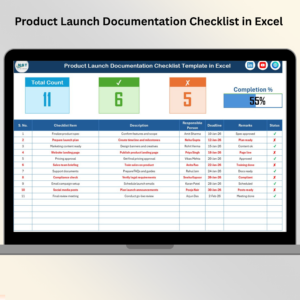
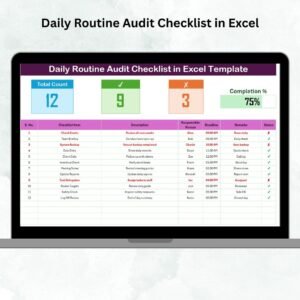
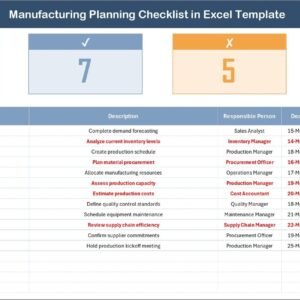
Top Summary Cards show:
📊 Total Number of Tasks
✅ Tasks Completed
❌ Tasks Not Completed
📈 Progress Bar (auto-updates as you check items)
Everything you need for visibility in one screen.
📋 List Sheet – Assign Tasks Easily
A master list of responsible team members that powers dropdowns in the main sheet.
Keeps names consistent and avoids typos—perfect for growing teams.
📦 What’s Inside the Excel Template?
2 Sheets:
ChecklistandList SheetDynamic KPI Summary: Total, Completed, Not Completed
Visual Progress Bar: Auto-calculates based on task status
Status Column: Use ✔ and ✘ for instant feedback
Dropdowns for Assignee Selection
Fully Editable & Expandable—Add your own fields if needed
🛠 How to Use the Checklist Template
Download the Excel File
Plug-and-play template. Open it in Excel, Excel Online, or Google Sheets.Customize Tasks
Add your specific product development steps—from ideation to delivery.Assign Team Members
Use dropdowns to assign responsibilities using theList Sheet.Set Deadlines & Update Progress
Track your tasks using ✔ (done) or ✘ (not applicable/missed). The progress bar updates automatically.Use in Meetings
Share in sprint planning, weekly reviews, or status updates.
👥 Who Should Use This Template?
✅ Product Managers – Track the full development lifecycle
✅ Startup Founders – Organize your MVP or product launch
✅ R&D & Tech Teams – Manage complex builds with clear steps
✅ Freelancers – Structure client-based product work
✅ Business Analysts – Document and execute product strategies
This tool is flexible for any industry—from SaaS to skincare.
📘 Click here to read the Detailed blog post
🎥 Visit our YouTube channel to learn step-by-step video tutorials
Watch the step-by-step video tutorial:
Compatibility and Requirements
- Built in Microsoft Excel (Excel 2016 or later, or Microsoft 365).
- The Responsible Person column uses a dropdown list. Microsoft explains dropdowns in Create a drop-down list.
Frequently Asked Questions
What do the summary cards show?
They show the total number of tasks, tasks completed and tasks not completed, plus a progress bar that updates as you mark items.
How do I assign a task?
Add your team members to the List sheet, then pick a name from the Responsible Person dropdown on the Checklist sheet.
How do I mark progress?
Use the tick mark for done and the cross for not done or skipped in the Status column.
Can I add my own development steps?
Yes. The checklist is fully editable, so you can add tasks and fields from ideation to delivery.
Related Product Development Templates
- Product Development Checklist in Excel: a general development checklist
- Product Development Schedule in Excel: plan dates for each stage
- Product Development Preparation Guide in Excel: prepare before development starts
- Product Launch Checklist Template in Excel: the steps for launch day
- Checklist & SOP Pack: 12 premium Excel and Google Sheets checklists
Browse all Excel checklists or the Excel project management templates.



























Reviews
There are no reviews yet.