



Streamline Your Product Development Process with This Comprehensive Checklist!
This Product Development Checklist in Excel is an essential tool for businesses and teams looking to stay on track with their product launch cycles. Whether you’re a startup or an enterprise, this checklist ensures that every crucial step in the product development process is executed on time. From market research to quality control and launch strategies, this structured checklist helps you track progress, assign responsibilities, and meet deadlines efficiently.
Key Features of the Product Development Checklist
This Excel template is divided into two main worksheets for effective project tracking:
1. Product Development Checklist Worksheet

This primary worksheet is designed to track all tasks related to product development. It features:
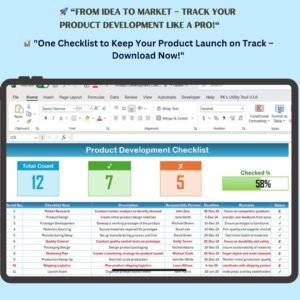
📊 Summary Section (Top Panel)
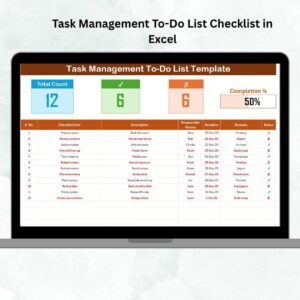
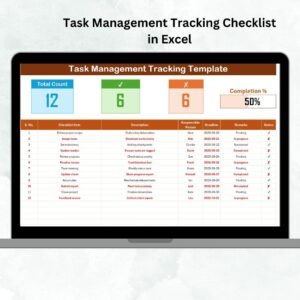
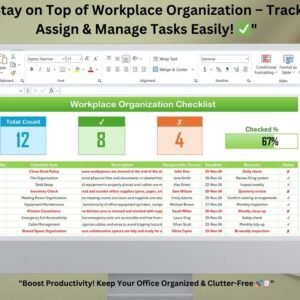
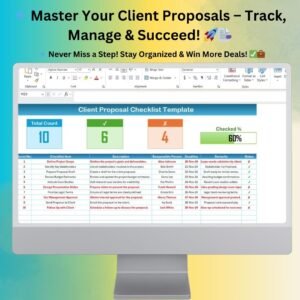
- Total Count – Displays the total number of tasks in the checklist.
- Checked Count – Shows the number of completed tasks.
- Crossed Count – Highlights the number of unfinished tasks.
- Progress Bar – A visual indicator of project completion.
📑 Checklist Table Layout
Each row represents a specific task with the following fields:
- Serial No. – Helps identify tasks easily.
- Checklist Item – Briefly describes the task.
- Description – Provides a detailed explanation of the task.
- Responsible Person – Assigns a team member to ensure accountability.
- Deadline – Displays the target completion date.
- Remarks – Stores additional notes for better tracking.
- Status – Indicates completion (✔) or pending tasks (✘).
2. List Sheet Tab – Simplified Task Assignment
This secondary worksheet contains a predefined list of responsible persons to eliminate manual entry errors.
- Used to create dropdown menus for easy task assignment.
- Helps standardize names across the checklist for better organization.
🌟 Why You Need This Checklist?
✅ Structured Workflow – Organize every step of product development efficiently.
✅ Better Team Collaboration – Assign clear responsibilities for each task.
✅ Time-Saving Automation – Predefined lists eliminate manual errors and improve efficiency.
✅ Easy Monitoring – Track task completion and pending work in real-time.
✅ Customizable – Adjust the checklist to fit any product development process.
📌 How to Use the Product Development Checklist?
1️⃣ List Down All Development Tasks – Enter all essential steps from market research to launch.
2️⃣ Assign Tasks to Team Members – Select responsible persons from the dropdown menu.
3️⃣ Set Deadlines & Track Progress – Ensure all tasks are completed within the assigned timeline.
4️⃣ Monitor Performance with the Progress Bar – Stay updated with real-time progress tracking.
5️⃣ Update & Modify as Needed – Customize as per your project requirements.
Who Can Use This Checklist?
🔹 Project Managers – Manage product development efficiently.
🔹 Entrepreneurs & Startups – Stay on top of new product launches.
🔹 Manufacturers – Keep track of production timelines.
🔹 Marketing Teams – Plan pre-launch and post-launch marketing activities.
🔹 Retail Businesses – Ensure smooth inventory management before product release.
Visit our YouTube channel to learn step-by-step video tutorials
Click hare to read the Detailed blog post
What’s Included
- Product Development Checklist sheet with Total Count, Checked Count, Crossed Count and a progress bar at the top
- Checklist table with Serial No., Checklist Item, Description, Responsible Person, Deadline, Remarks and Status (✔ or ✘)
- List sheet with the responsible persons used in the drop-down
Compatibility and Requirements
- Works in Microsoft Excel desktop (Excel 2016 or later, or Microsoft 365).
- The Responsible Person column uses an Excel drop-down list. Microsoft explains drop-downs in Create a drop-down list.
Frequently Asked Questions
What does the Product Development Checklist cover?
It tracks every task in your product development process, from market research to quality control and launch, with an owner and a deadline for each.
How do I assign tasks?
Pick a responsible person from the drop-down in each row. The names come from the List sheet.
How is progress shown?
The summary panel counts total, checked and crossed tasks, and the progress bar shows how much of the project is complete.
Can I change the tasks for my own process?
Yes. You can add, remove or edit tasks to fit your product development process.
Related Product Development Templates
- Product Development Schedule in Excel: plan dates for each development stage
- Product Development Action Plan Checklist in Excel: turn plans into assigned actions
- Product Development Evaluation Checklist in Excel: review a product before launch
- Product Launch Checklist Template in Excel: the steps for launch day
- Checklist & SOP Pack: 12 checklist templates for Excel and Google Sheets
Browse all Excel checklists or the Excel project management templates.

















Reviews
There are no reviews yet.