

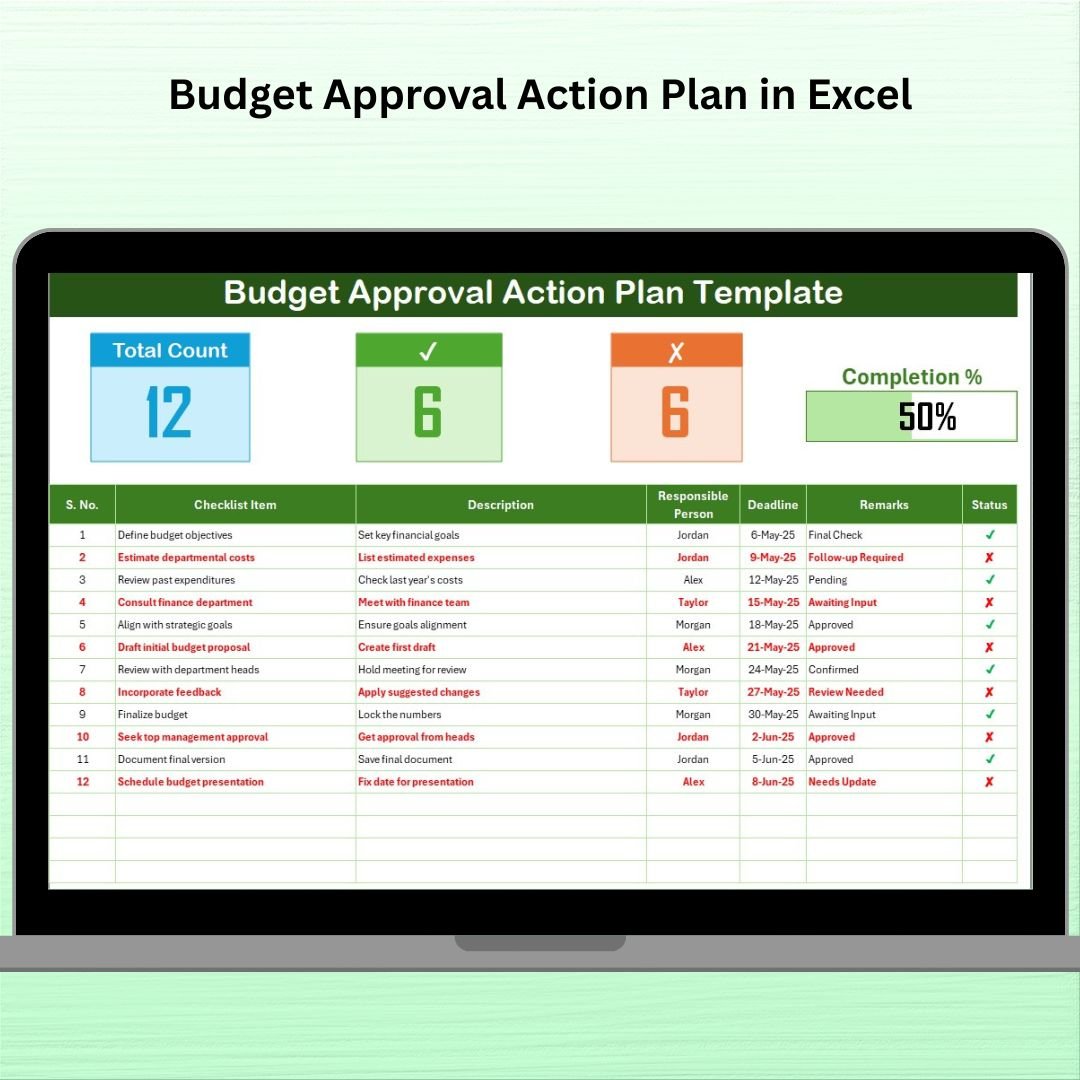

The Budget Approval Action Plan in Excel is a comprehensive, easy-to-use tool designed to help businesses and organizations streamline the process of budget approval. Whether you’re a financial manager, project leader, or department head, this template simplifies budget management by clearly outlining tasks, deadlines, and responsible persons involved in the budget approval process. It allows you to track the progress of each step, ensuring timely approvals and eliminating any bottlenecks in the workflow.
This Excel-based action plan helps you plan, manage, and monitor every stage of the budget approval process, from initial proposal to final approval. With automated tracking features, you can easily identify pending approvals, overdue tasks, and ensure that the entire process stays on schedule.
Key Features of the Budget Approval Action Plan in Excel
📅 Task and Deadline Tracking
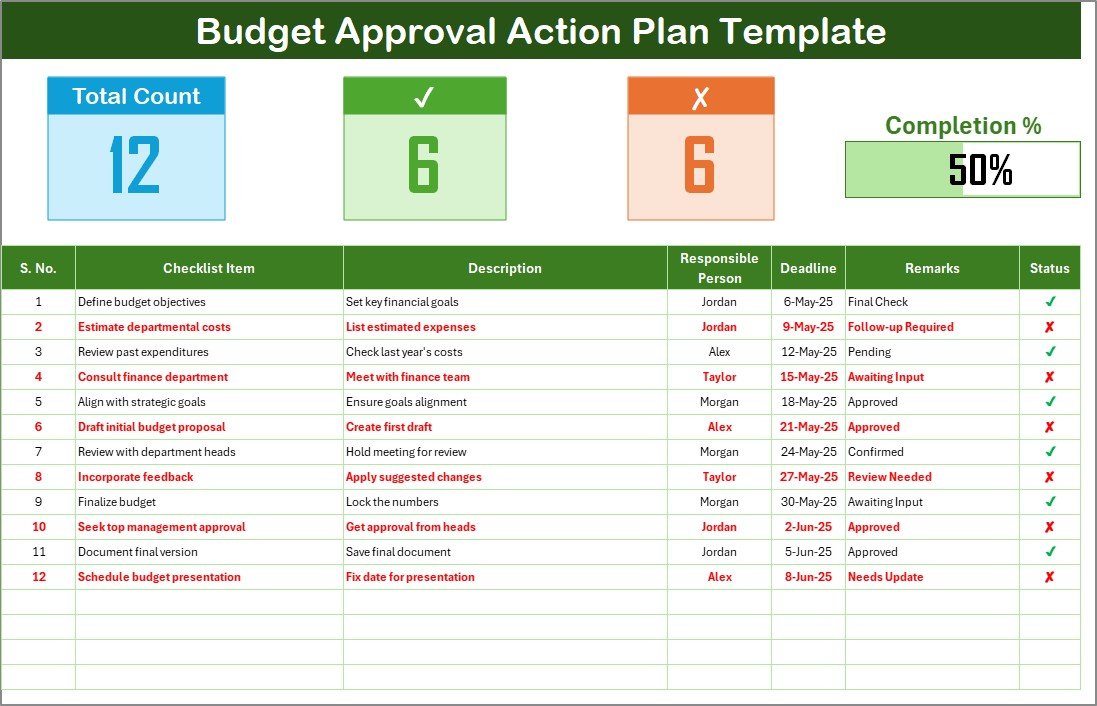
Each task related to the budget approval process is clearly outlined with deadlines, ensuring every step is completed on time and no task is overlooked.
📝 Budget Approval Checklist
The template includes a detailed checklist of all tasks required for budget approval, along with the responsible person and the completion status. This ensures nothing is missed during the process.
👥 Responsible Person Assignment
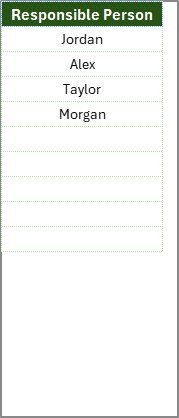
Assign each task to specific team members or departments, ensuring clear accountability throughout the process.
📈 Progress Tracking & Reporting
The built-in progress tracking features allow you to monitor the percentage of tasks completed. You can view real-time updates to ensure timely approvals and identify any issues early on.
📂 Budget Approval History
Keep a record of each budget approval, including the names of the responsible persons and the status of each task. This history can be referred to during audits or future budget planning.
⚙️ Customizable Fields
This action plan is fully customizable to fit your specific needs. You can modify the tasks, deadlines, and responsible persons based on the unique requirements of your organization’s budget approval process.
Why You’ll Love the Budget Approval Action Plan in Excel
✅ Streamline the Budget Approval Process
Simplify the entire approval process with a clear, structured plan that ensures every task is completed on time.
✅ Improve Accountability and Transparency
Assign specific tasks to individuals or departments and track progress in real time to improve accountability.
✅ Efficient Workflow
Prevent bottlenecks by ensuring every task has a set deadline and responsible person, ensuring a smooth and efficient approval process.
✅ Simplify Reporting
With built-in tracking and reporting features, quickly identify completed tasks, pending actions, and overdue items.
✅ Customizable for Your Needs
Adapt the action plan to your specific process and budget approval requirements. Modify tasks, deadlines, and responsible parties to fit your workflow.
What’s Inside the Budget Approval Action Plan in Excel?
Task Assignment & Tracking: Assign tasks to individuals or teams and track progress.
Budget Approval Checklist: A detailed checklist of all necessary steps in the approval process.
Responsible Person Field: Assign clear ownership of tasks to ensure accountability.
Progress Tracker: Track the completion status of each task in real time.
Approval History: Record the status of all tasks for future reference.
Customizable Layout: Modify and tailor the plan according to your needs.
How to Use the Budget Approval Action Plan in Excel
1️⃣ Download the Template: Instantly access the Budget Approval Action Plan in Excel.
2️⃣ Customize the Plan: Adjust the tasks, deadlines, and responsible persons to suit your organization’s budget approval process.
3️⃣ Assign Tasks & Track Progress: Assign responsibilities and track the completion status of each task.
4️⃣ Monitor & Report: Use the built-in progress tracker to monitor the workflow and identify bottlenecks early on.
5️⃣ Ensure Timely Approvals: Make sure that the budget approval process stays on track by managing and tracking each task in real-time.
Who Can Benefit from the Budget Approval Action Plan in Excel?
🔹 Financial Managers & Accountants
🔹 Project Managers & Department Heads
🔹 Business Owners & Executives
🔹 Budgeting Teams & Finance Departments
🔹 Companies & Organizations of All Sizes
🔹 Administrative and Support Staff
Streamline your organization’s budget approval process and ensure timely, effective decision-making with the Budget Approval Action Plan in Excel. Stay on track, improve accountability, and simplify reporting.
Click here to read the Detailed blog post
Visit our YouTube channel to learn step-by-step video tutorials
Youtube.com/@PKAnExcelExpert
Watch the step-by-step video Demo:
Compatibility and Requirements
- Works in Microsoft Excel desktop (Excel 2016 or later, or Microsoft 365).
- You assign each task to a responsible person and track its status in the progress tracker. Microsoft’s Excel for Windows training covers the basics if you are new to Excel.
Frequently Asked Questions
What is included in the Budget Approval Action Plan?
It includes task assignment and tracking, a budget approval checklist, a responsible person field, a progress tracker, an approval history and a customizable layout.
Can I assign tasks to different people?
Yes. Each task has a responsible person field, so you can assign it to a team member or a department and see who owns each step.
How do I track progress?
Use the built-in progress tracker. It shows the completion status of each task so you can spot pending approvals and overdue items early.
Can I change the tasks and deadlines?
Yes. The tasks, deadlines and responsible persons are customizable, so you can match the plan to your own budget approval process.
Is there a Google Sheets version?
There is a Budget Approval Checklist in Google Sheets for teams that work in Google Sheets.
Related Budget Approval Templates
- Budget Approval Checklist in Excel: a step-by-step checklist for the approval process
- Budget Approval Schedule in Excel: plan the approval timeline
- Budget Approval Audit in Excel: review how past approvals were handled
- Budget Approval Checklist in Google Sheets: the same topic in Google Sheets
- Financial Audit Action Plan Checklist in Excel: another finance action plan
Browse all Excel checklists.































Reviews
There are no reviews yet.