

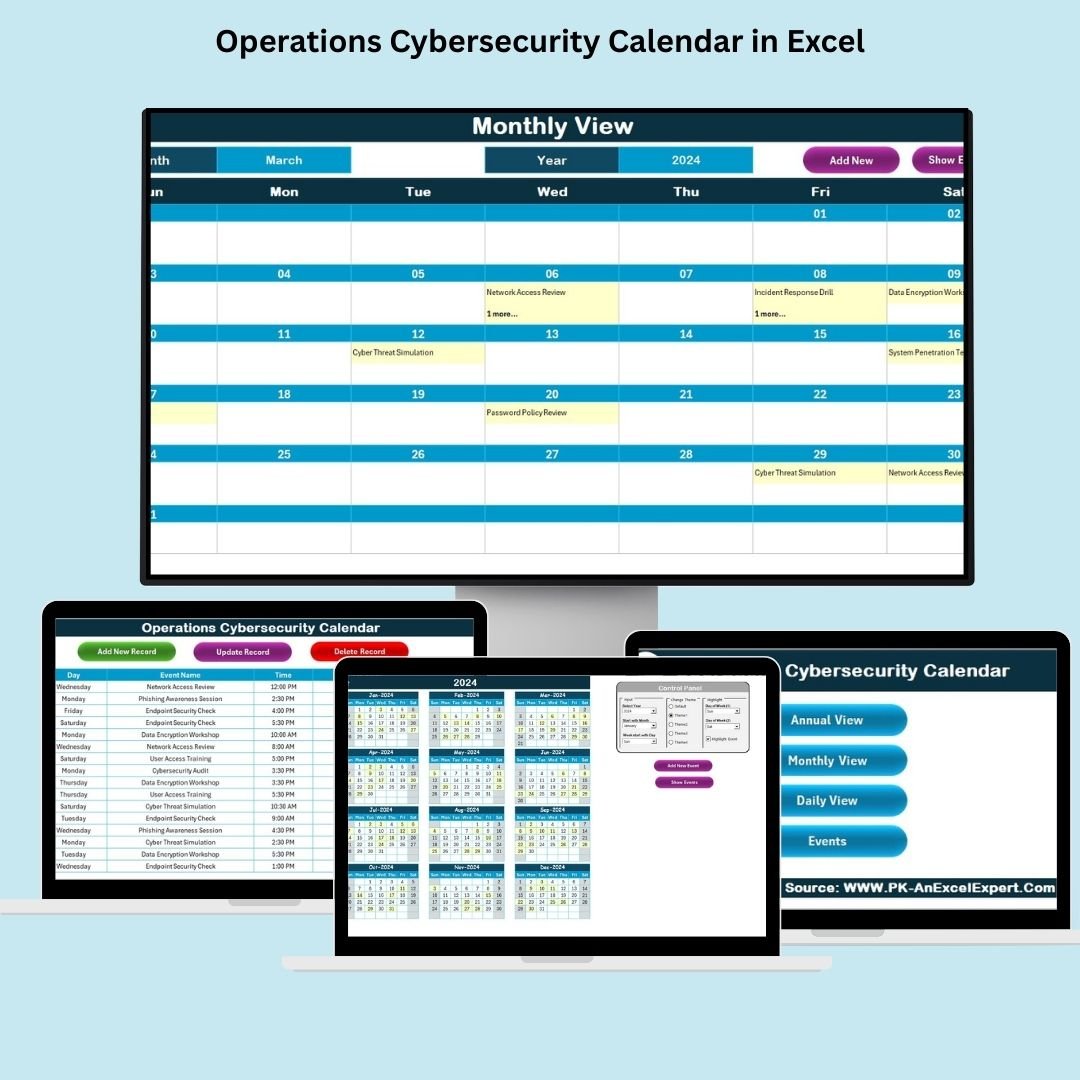

In today’s fast-paced and ever-evolving digital landscape, cybersecurity is a critical concern for every organization. The Operations Cybersecurity Calendar in Excel is a powerful tool designed to help cybersecurity teams and organizations manage and track their cybersecurity events and activities efficiently. Whether it’s planning regular security audits, updating protocols, or managing incident response drills, this calendar ensures that your team stays organized, proactive, and compliant with security standards.
Key Features:
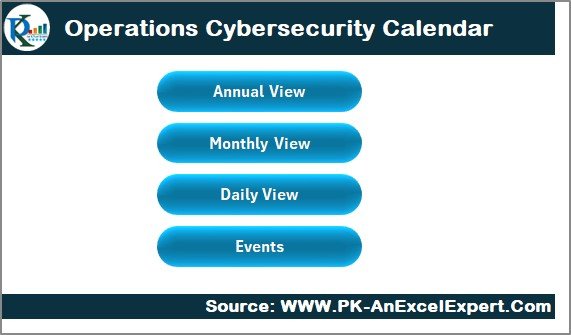
Home Sheet Tab: The central hub for navigating the calendar, offering direct access to various views like Annual, Monthly, and Daily. This user-friendly navigation makes it easier to switch between different tracking methods.
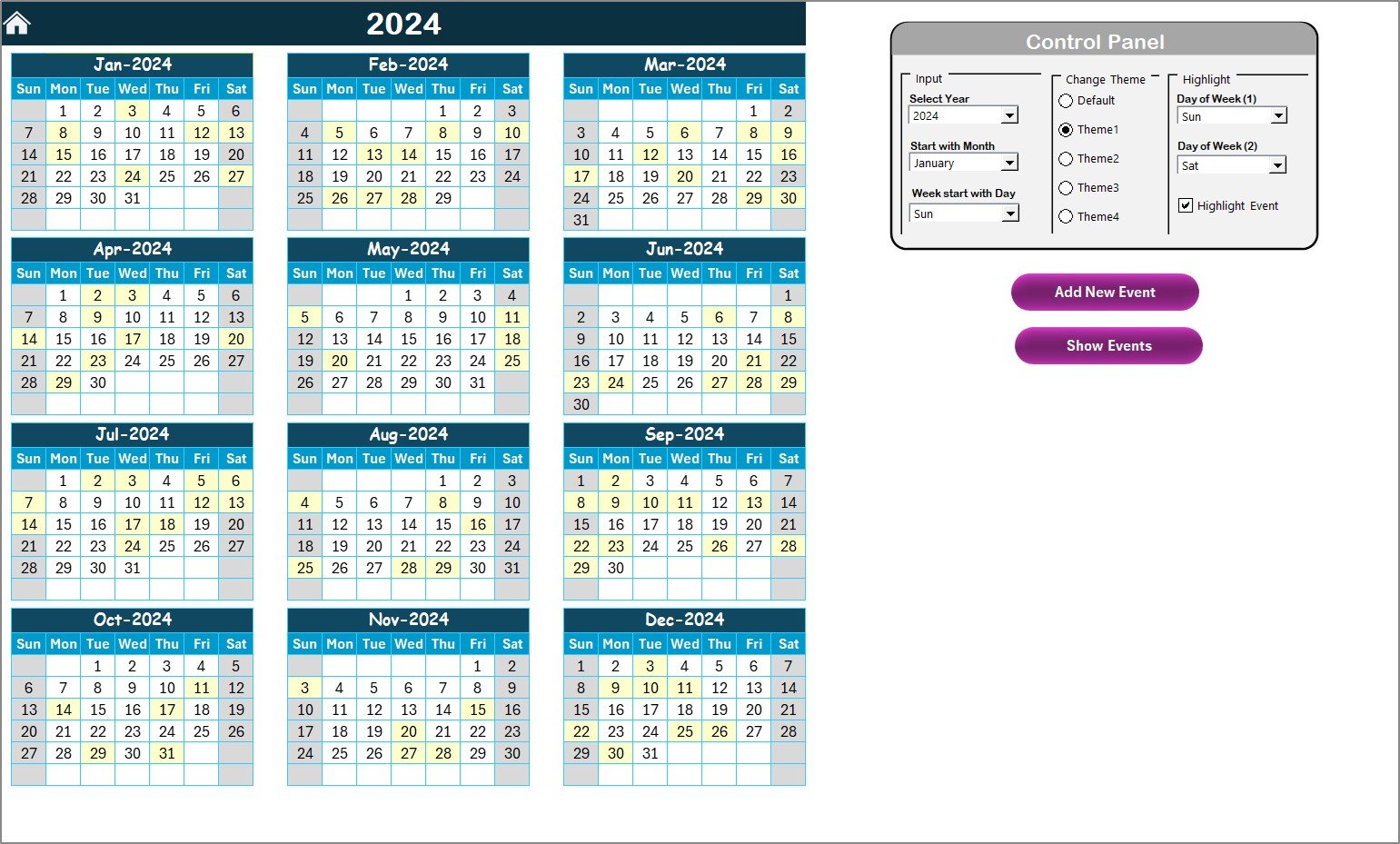
Annual View Sheet Tab: Provides a high-level overview of the year, displaying all planned cybersecurity activities in a 12-month format. The flexible control panel allows users to adjust the year, starting month, and day of the week, providing a customizable yearly overview.
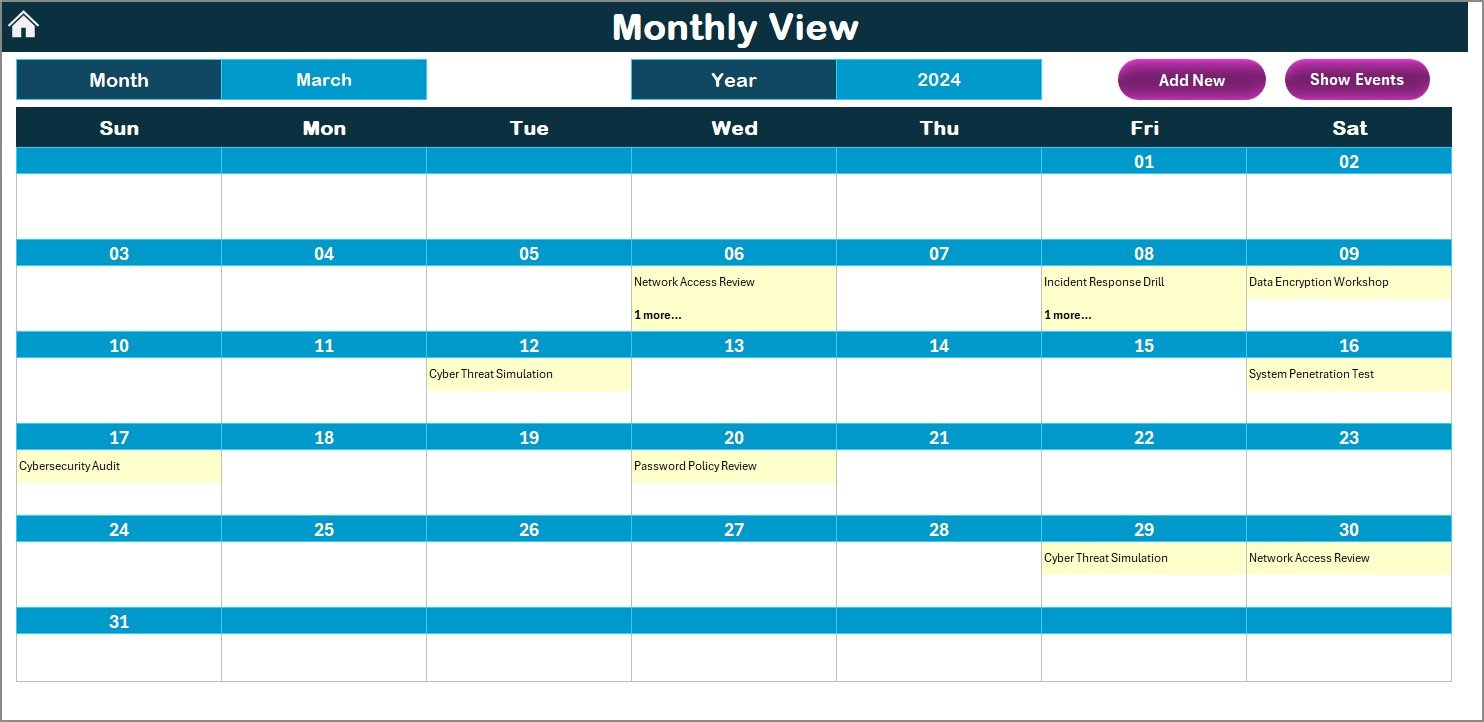
Monthly View Sheet Tab: Displays a detailed calendar view for each specific month. Users can choose a month to view and manage their cybersecurity events, including adding new events or viewing the details for any selected date. This view is perfect for planning month-specific activities and events.
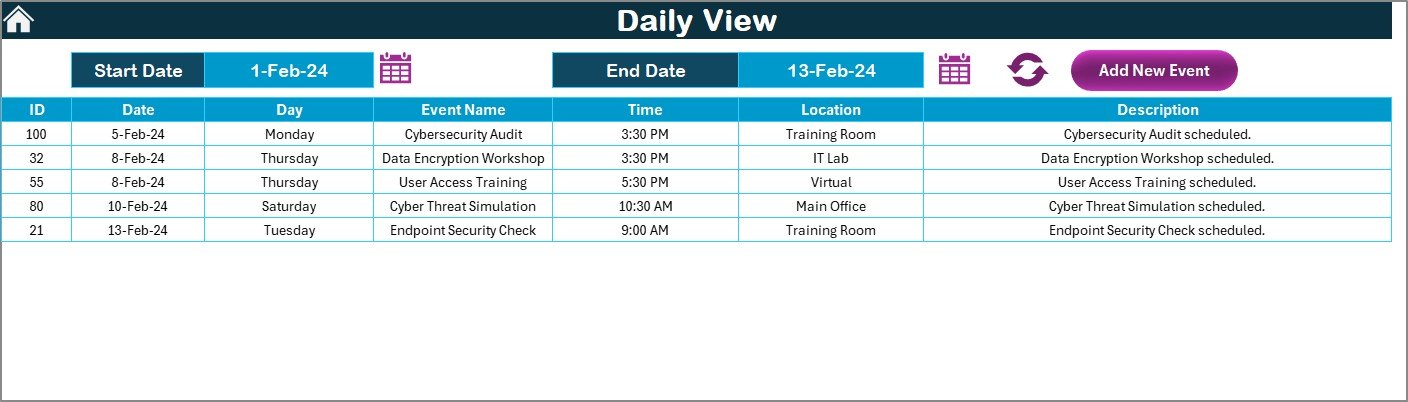
Daily View Sheet Tab: This tab focuses on tracking events by day. It displays all events for a selected range of dates and allows users to input start and end dates. You can easily add, modify, or remove events, ensuring real-time updates.
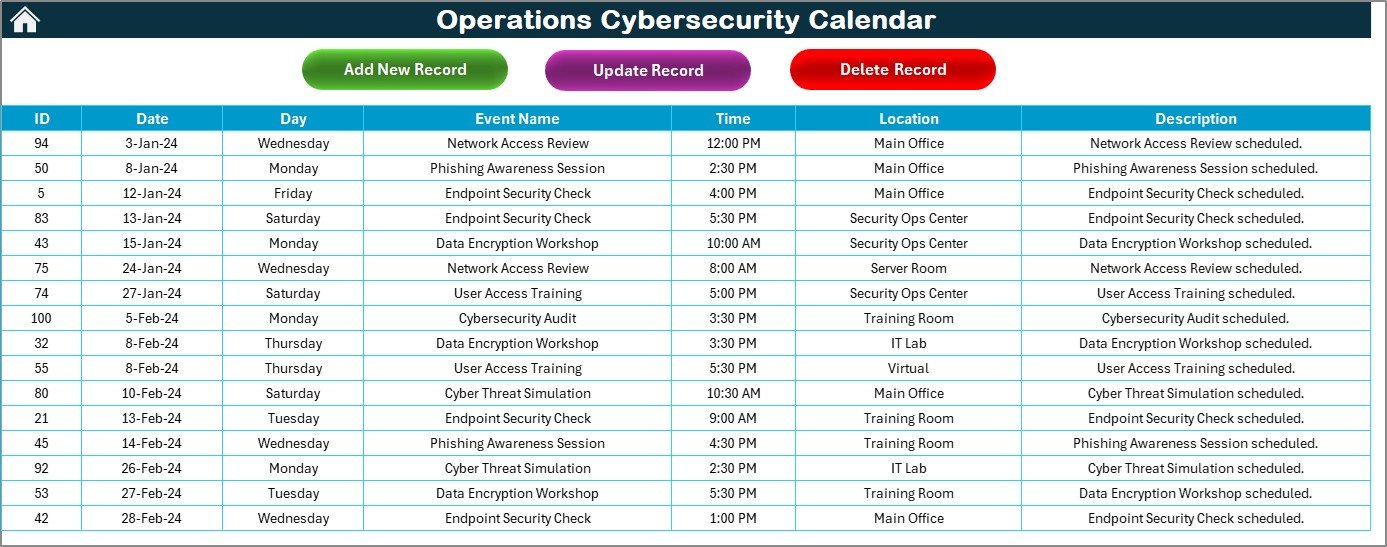
Events Sheet Tab: The backbone of the calendar, where all event data is stored. This tab captures critical information such as event name, date, time, location, description, and more. The centralized database ensures all details are organized and accessible, making event management seamless.
Benefits:
Centralized Event Management: Bring all your cybersecurity-related events and activities into one place. Whether it’s an upcoming security drill, audit, or patch update, having everything tracked in one place ensures nothing is missed.
Customizable Views: The template allows you to track events based on your preferred perspective—yearly, monthly, or daily—giving you a flexible way to monitor progress.
User-Friendly Interface: Designed for ease of use, the calendar is simple to navigate, and the information is presented clearly. This ensures that even non-technical users can take advantage of the tool.
Improved Collaboration: By having all events accessible in a shared environment, teams can collaborate better. Ensure all team members are aligned and aware of upcoming events, deadlines, and responsibilities.
How to Use:
Access the Template: Open the provided Excel link to access the calendar template.
Customize the Calendar: Modify the template to suit your organization’s specific cybersecurity events and activities. Add or remove entries based on your needs.
Input Event Data: Start adding your cybersecurity events into the “Events Sheet.” Each event will have fields such as name, date, time, and description, ensuring every detail is documented.
Monitor Events: Use the Home Sheet to quickly navigate between the Annual, Monthly, and Daily views. Track progress, mark completed tasks, and stay on top of upcoming events.
Regular Updates: Keep the calendar updated with new events, ensuring your cybersecurity efforts remain on track throughout the year. Use the Events Sheet for easy updates to any event’s details.
Conclusion:
The Operations Cybersecurity Calendar in Excel is an essential tool for organizations seeking to maintain high standards in cybersecurity operations. It helps streamline the planning, tracking, and management of cybersecurity activities across your organization. With customizable views, real-time updates, and detailed event management, this calendar ensures that your cybersecurity team remains organized and proactive, ready to address threats and improve security measures.
🔗 Click here to read the Detailed blog post Operations Cybersecurity Calendar
Visit our YouTube channel to learn step-by-step video tutorials
Youtube.com/@PKAnExcelExpert
Compatibility and Requirements
- Works in Microsoft Excel desktop (Excel 2016 or later, or Microsoft 365).
- New to Excel? Microsoft’s Excel for Windows training covers the basics.
Frequently Asked Questions
Which sheet tabs does the calendar have?
It has Home, Annual View, Monthly View, Daily View and Events tabs.
What can I record for each event?
The Events tab stores the event name, date, time, location, description and more.
Can I change the year?
Yes. The control panel on the Annual View tab lets you adjust the year.
What kinds of events fit this calendar?
It suits cybersecurity work such as security drills, audits and patch updates.
Can I view events for a date range?
Yes. The Daily View tab shows all events between the start and end dates you enter.
Related Cybersecurity Templates
- Marketing Cybersecurity Calendar in Excel: the same calendar for marketing teams
- Healthcare IT Cybersecurity Calendar in Excel: the same calendar for healthcare IT
- Technology Marketing Cybersecurity Calendar in Excel: the same calendar for tech marketing
- Cyber Risk Management KPI Dashboard in Excel: measure cyber risk with KPIs
- IT and Cybersecurity Operations Bundle: 8 IT templates in one download
Browse all Excel calendars or the Excel IT templates.
































Reviews
There are no reviews yet.