



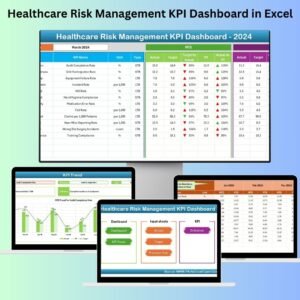
The Healthcare Risk Management KPI Dashboard in Excel is an essential tool for healthcare providers, risk managers, and compliance officers to track and manage key performance indicators (KPIs) related to risk management in the healthcare industry. This Excel-based dashboard allows you to efficiently monitor and assess risks, including patient safety, operational hazards, compliance issues, and financial risks, ensuring that your organization is well-prepared to mitigate potential threats.
By leveraging this dashboard, healthcare organizations can gain a comprehensive overview of risk management activities, enabling them to make data-driven decisions, reduce risks, and improve overall patient care and operational efficiency. With real-time tracking and customizable features, the dashboard provides all the necessary insights to enhance risk management strategies and maintain regulatory compliance.
Key Features of the Healthcare Risk Management KPI Dashboard in Excel
📊 Risk Identification & Monitoring
Track and monitor various types of risks within the healthcare environment, including clinical, operational, financial, and regulatory risks. This feature helps identify risks early, allowing you to take proactive measures.
📉 Risk Mitigation Tracking
Monitor the effectiveness of risk mitigation strategies by tracking actions taken, their completion status, and their impact on reducing risks. This ensures that mitigation efforts are on track and effective.
⚖️ Compliance Monitoring
Keep track of compliance with healthcare regulations, standards, and policies. The dashboard helps ensure that your organization is meeting required standards and is prepared for audits or inspections.
📅 Time-Based Risk Assessment
Track risks over time to identify trends and patterns. This allows you to evaluate whether risk levels are improving or worsening and to adjust strategies accordingly.
📈 Customizable KPIs & Metrics
Tailor the dashboard to reflect the specific risks and KPIs relevant to your healthcare organization. Whether you’re tracking patient safety metrics or financial risk factors, the dashboard is fully customizable.
📉 Data Visualization & Reporting
Use dynamic charts and graphs to visualize key data points, making it easier to communicate risk management insights to stakeholders and senior management.
Why You’ll Love the Healthcare Risk Management KPI Dashboard in Excel

✅ Comprehensive Risk Tracking
Monitor a wide range of risks, from clinical hazards to financial risks, all in one dashboard. Track the status of each risk, actions taken, and the effectiveness of mitigation strategies.
✅ Ensure Regulatory Compliance
Easily track compliance with healthcare regulations and standards. Stay audit-ready by ensuring that all necessary compliance metrics are met.
✅ Make Data-Driven Decisions
Use data and insights from the dashboard to make informed decisions about risk mitigation, operational improvements, and patient safety.
✅ Optimize Risk Mitigation Strategies
Track and evaluate the effectiveness of your risk mitigation strategies in real time. Make necessary adjustments to improve outcomes and reduce risks.
✅ Customizable & Scalable
The dashboard is customizable to meet your organization’s unique risk management needs. Whether you’re a small clinic or a large healthcare system, the dashboard can scale accordingly.
What’s Inside the Healthcare Risk Management KPI Dashboard in Excel?
Risk Identification & Monitoring: Track different types of risks in the healthcare environment.
Risk Mitigation Tracking: Monitor the progress and impact of mitigation strategies.
Compliance Monitoring: Track compliance with healthcare regulations and standards.
Time-Based Risk Assessment: Analyze risks over different time periods and identify trends.
Customizable KPIs & Metrics: Tailor the dashboard to your specific risk management needs.
Data Visualization & Reporting: Visualize data using charts and graphs for better decision-making.
How to Use the Healthcare Risk Management KPI Dashboard in Excel
1️⃣ Download the Template: Get access to the Healthcare Risk Management KPI Dashboard in Excel instantly.
2️⃣ Input Risk Data: Enter risk-related information, including risk type, severity, and mitigation actions.
3️⃣ Monitor Risk Mitigation: Track the effectiveness of actions taken to mitigate risks and monitor completion statuses.
4️⃣ Analyze Trends & Patterns: Use time-based analysis to evaluate trends in risk levels and mitigation efforts.
5️⃣ Generate Reports & Insights: Use data visualizations and reports to communicate risk management insights to stakeholders.
Who Can Benefit from the Healthcare Risk Management KPI Dashboard in Excel?
🔹 Healthcare Providers & Hospitals
🔹 Risk Managers & Compliance Officers
🔹 Healthcare Operations & Safety Teams
🔹 Healthcare Executives & Senior Management
🔹 Healthcare Consultants & Advisors
🔹 Small & Medium Healthcare Organizations
🔹 Large Healthcare Systems & Networks
Optimize your healthcare risk management strategy with the Healthcare Risk Management KPI Dashboard in Excel. Track risks, monitor compliance, and make data-driven decisions to improve patient safety and organizational performance.
Click here to read the Detailed blog post
Visit our YouTube channel to learn step-by-step video tutorials
Youtube.com/@PKAnExcelExpert
Watch the step-by-step video Demo:
Compatibility and Requirements
- Works in Microsoft Excel desktop (Excel 2016 or later, or Microsoft 365).
- To change or add charts, see Microsoft’s guide Create a chart from start to finish.
Frequently Asked Questions
Which healthcare risks can I track?
You can track clinical, operational, financial and regulatory risks.
Can I follow up on mitigation actions?
Yes. It tracks each action taken, its completion status and its impact on reducing risk.
Does it cover compliance?
Yes. It tracks compliance with healthcare regulations, standards and policies, which helps you prepare for audits and inspections.
Can I see risk trends over time?
Yes. Time-based risk assessment shows whether risk levels are improving or getting worse.
Is there a Power BI version of a risk management dashboard?
Yes. The Risk Management KPI Dashboard in Power BI covers risk KPIs in Power BI.
Related Risk and Healthcare Templates
- Risk Management KPI Dashboard in Excel: a general risk management dashboard
- Risk Management KPI Dashboard in Power BI: risk KPIs in Power BI
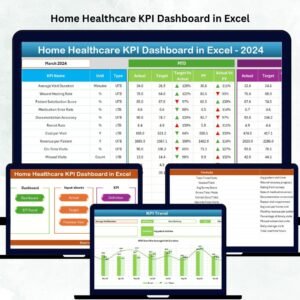
- Healthcare KPI Dashboard In Excel: core healthcare KPIs
- Healthcare Sustainability KPI Dashboard in Excel: track sustainability in healthcare
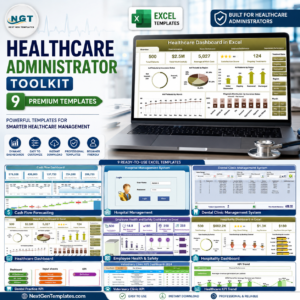
- Healthcare Administrator Toolkit: 9 healthcare templates in one download
Browse all Excel KPI dashboards or the Excel dashboards.















Reviews
There are no reviews yet.