



The Procurement AI Implementation Calendar in Excel is an essential tool for businesses looking to streamline their procurement process by integrating AI technologies. This Excel-based calendar helps procurement teams plan, monitor, and execute AI-driven procurement initiatives effectively. With this tool, organizations can manage AI system rollouts, track milestones, and ensure that AI implementation stays on track with strategic procurement goals.
AI in procurement can help automate tasks, predict demand, optimize supplier selection, and improve cost efficiency. This calendar helps you manage every aspect of AI implementation, ensuring that each step is completed on time and within scope. Whether you’re just starting with AI adoption in procurement or are optimizing existing AI systems, this tool will keep your implementation process organized and efficient.
Key Features of the Procurement AI Implementation Calendar in Excel
📅 Comprehensive AI Implementation Planning
Plan and schedule every phase of your AI implementation project, from initial assessment to system deployment. This calendar provides a clear roadmap for each task, ensuring timely and successful AI integration.
🔄 AI Milestones & Progress Tracking
Monitor key milestones such as data collection, AI model training, system testing, and deployment. The tracker helps you ensure that AI-related tasks are progressing as planned and identifies any delays or issues early on.
📊 Timeline-Based Performance Monitoring
Track progress on AI implementation over time. View deadlines, task completion dates, and progress updates to stay on top of your project and ensure that everything aligns with your procurement objectives.
⚙️ Customizable for Your AI Needs
Tailor the calendar to your specific AI implementation process. Add or modify tasks, timelines, and milestones to match your organization’s requirements and ensure it fits your AI adoption strategy.
📝 Actionable Insights & Reporting
Gain insights into the status of your AI project through clear, actionable reporting. Track project completion, task deadlines, and upcoming milestones, and easily generate reports to share with stakeholders.
Why You’ll Love the Procurement AI Implementation Calendar in Excel

✅ Efficient AI Integration Planning
Plan and organize the entire AI implementation process in one centralized location. Monitor tasks, track milestones, and ensure your project stays on schedule.
✅ Real-Time Project Monitoring
Track AI implementation progress in real-time. Monitor key activities and assess the performance of your AI adoption strategy throughout the project.
✅ Customization for Tailored AI Adoption
Customize the calendar to fit your specific procurement goals. Add detailed project steps, track additional milestones, and align your AI implementation with company objectives.
✅ Improved Procurement Efficiency
Optimize your procurement operations by implementing AI technologies and monitor their effectiveness with the help of this calendar. Track AI adoption stages and measure the impact on procurement efficiency.
✅ Data-Driven Decision Making
Use the calendar to track and report on AI project milestones and completion statuses, ensuring that all tasks are aligned with your business objectives and contributing to smarter decision-making.
What’s Inside the Procurement AI Implementation Calendar in Excel?
AI Implementation Planning: Schedule and plan each phase of your AI implementation.
Milestones & Progress Tracking: Track key milestones such as data collection, model testing, and deployment.
Timeline-Based Monitoring: Monitor task deadlines and track project progress over time.
Customizable Tasks & Timelines: Tailor the calendar to suit your specific AI adoption strategy.
Actionable Reporting: Generate reports to assess project completion, upcoming tasks, and future milestones.
How to Use the Procurement AI Implementation Calendar in Excel
1️⃣ Download the Template: Get the Procurement AI Implementation Calendar in Excel instantly.
2️⃣ Set Up Your AI Milestones: Input key milestones and deadlines for each AI implementation phase.
3️⃣ Track Project Progress: Monitor the progress of your AI implementation project and ensure each milestone is met on time.
4️⃣ Customize the Calendar: Tailor the calendar by adding or modifying tasks, timelines, and milestones to suit your needs.
5️⃣ Report & Optimize: Use reporting tools to track the effectiveness of AI integration and refine your procurement processes for better efficiency.
Who Can Benefit from the Procurement AI Implementation Calendar in Excel?
🔹 Procurement Teams & Managers
🔹 Supply Chain & Operations Teams
🔹 AI & Technology Implementers
🔹 Project Managers & Coordinators
🔹 Business Owners & Executives
🔹 Data Scientists & AI Specialists
🔹 Large Enterprises & SMEs with AI Procurement Projects
Successfully implement AI in your procurement strategy with the Procurement AI Implementation Calendar in Excel. Plan, track, and optimize your AI adoption process to improve procurement efficiency, reduce costs, and make smarter business decisions.
Click here to read the Detailed blog post
Visit our YouTube channel to learn step-by-step video tutorials
Youtube.com/@PKAnExcelExpert
Compatibility and Requirements
- Works in Microsoft Excel desktop (Excel 2016 or later, or Microsoft 365).
- The calendar is a plain Excel workbook, so you can edit tasks, timelines and milestones directly in the cells. Microsoft’s Excel training covers the basics.
Frequently Asked Questions
What does the Procurement AI Implementation Calendar track?
It tracks each phase of an AI rollout in procurement, including key milestones such as data collection, model testing and deployment, plus task deadlines and completion dates.
Can I change the tasks and timelines?
Yes. You can add or modify tasks, timelines and milestones so the calendar matches your own AI adoption plan.
Can I use it to report to stakeholders?
Yes. The calendar gives you reporting on project completion, task deadlines and upcoming milestones that you can share with stakeholders.
Is there a version for another department or sector?
Yes. See the Technology Procurement AI Implementation Calendar in Excel, the Finance Procurement AI Implementation Calendar in Excel and the Operations AI Implementation Calendar in Excel.
Related Procurement and Calendar Templates
- Technology Procurement AI Implementation Calendar in Excel: the same AI rollout calendar for technology procurement
- Finance Procurement AI Implementation Calendar in Excel: an AI rollout calendar for finance procurement
- Procurement Supply Chain Resilience Calendar in Excel: plan supply chain resilience work
- Procurement Dashboard in Excel: a dashboard view of procurement data
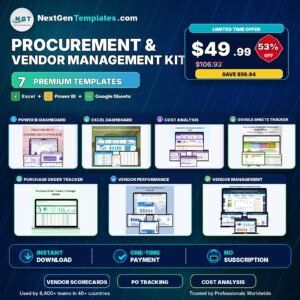
- Procurement and Vendor Management Kit: 7 procurement templates in one bundle
Browse all Excel calendar templates.

































Reviews
There are no reviews yet.