



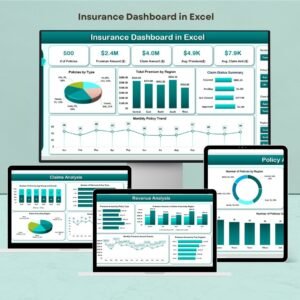
Implementing an Insurance Dashboard in Excel is an effective strategy for insurance companies aiming to monitor and enhance their performance metrics. This dashboard consolidates key performance indicators (KPIs) into a single, user-friendly interface, facilitating data-driven decision-making and operational optimization.

Key Features of the Insurance Dashboard in Excel
Comprehensive Dashboard Overview
Performance Metrics Display: The dashboard provides a visual representation of essential KPIs, including claim approval rates, processing times, and payout accuracy.
Dynamic Data Selection: Users can select specific months from a dropdown menu, allowing the dashboard to update KPI data accordingly for detailed analysis.
Detailed KPI Analysis
KPI Trend Tracking: Monitor the performance of individual KPIs over time with trend charts that compare actual figures against targets and previous year data.
KPI Definitions and Formulas: Access comprehensive details about each KPI, including definitions, units of measurement, and calculation formulas, ensuring clarity and consistency in performance assessment.
Data Management and Customization
Actual Numbers Input: Easily input and update monthly and yearly actual performance data, ensuring that the dashboard reflects the most current figures.
Target Setting: Define monthly and yearly targets for each KPI, enabling performance comparisons and goal tracking.
Historical Data Comparison: Maintain and compare performance data against previous years to identify trends and areas for improvement.
User-Friendly Navigation and Support
Home Sheet Navigation: A central hub with interactive buttons allows quick access to various sections of the dashboard.
Support and Customization: Access guidelines and instructions for setting up and customizing the dashboard to align with specific organizational needs.
Benefits of Using the Insurance Dashboard in Excel
Enhanced Decision-Making: By consolidating critical performance data, the dashboard supports informed decisions that drive business growth and efficiency.
Improved Operational Efficiency: Identifying trends and areas needing attention allows for targeted improvements in processes and performance.
Customization and Flexibility: The dashboard can be tailored to track specific KPIs relevant to your organization, adapting to evolving business objectives.
Getting Started with Your Insurance Dashboard in Excel
Identify Key Performance Indicators (KPIs): Determine the metrics most relevant to your business, such as claim processing times, approval rates, and customer satisfaction scores.
Set Up the Dashboard: Utilize the provided template or design a customized dashboard that includes sections for data entry, performance tracking, and visualizations.
Input Data: Enter historical and target data to provide context for analysis and performance comparison.
Customize Features: Adjust the dashboard to reflect your organization’s specific goals, including modifying KPIs, setting targets, and personalizing visual elements.
Monitor and Update: Regularly review and update the dashboard to ensure it reflects the most current data and aligns with evolving business strategies.
By implementing the Insurance Dashboard in Excel, your organization can streamline performance monitoring, optimize operations, and make data-driven decisions to enhance overall effectiveness and profitability.
Click here to read the Detailed blog post
Insurance Dashboard in Excel
Visit our YouTube channel to learn step-by-step video tutorials
YouTube.com/@PKAnExcelExpert
Watch the step-by-step video tutorial:
Compatibility and Requirements
- Works in Microsoft Excel desktop (Excel 2016 or later, or Microsoft 365).
- You pick the month from a drop-down list and the KPI views update. Microsoft explains drop-down lists in Create a drop-down list.
Frequently Asked Questions
Which insurance KPIs does it show?
Claim approval rate, processing time and payout accuracy are examples of the KPIs included. Each KPI is shown against its target and the previous year.
Can I set my own targets?
Yes. Enter monthly and yearly targets for each KPI next to the actual numbers you record.
Does it explain how each KPI is calculated?
Yes. A KPI definitions section lists each KPI with its unit of measurement and calculation formula.
Who is this dashboard for?
Insurance companies and teams that review claims and operational KPIs every month.
Related Insurance Templates
- Insurance Dashboard in Power BI: the Power BI edition
- Insurance Dashboard in Google Sheets: the Google Sheets version
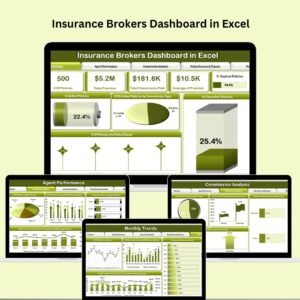
- Insurance Brokers Dashboard in Excel: built for broker businesses
- Insurance KPI Dashboard in Excel: a KPI-focused insurance workbook
- Insurance Coverage Checklist Template in Excel: review policy coverage step by step
Browse all Excel dashboards or the Excel KPI dashboards.





















Reviews
There are no reviews yet.