



The Content Planning Calendar in Excel is a powerful and organized tool designed to help content creators, marketers, and teams plan, manage, and track their content production schedules. Whether you’re managing a blog, social media accounts, or a full-fledged content marketing campaign, this calendar offers a streamlined approach to content scheduling, ensuring that your strategy runs smoothly, and deadlines are met on time.
With the ability to plan content across multiple platforms, set deadlines, track publication dates, and assign tasks, this Excel-based tool enables efficient content management. It’s perfect for individuals and teams looking to create a clear roadmap for content creation, while also tracking its performance and engagement across platforms.
Key Features of the Content Planning Calendar in Excel
📅 Content Schedule & Planning
Plan and organize your content creation schedule, including blog posts, social media updates, emails, videos, and more. The calendar allows you to see all of your upcoming content in one place.
📈 Platform-Specific Planning
Organize content across multiple platforms—whether it’s your website, social media channels, or email newsletters. This feature ensures that all your content is aligned and published on time.
📝 Content Topic & Title Tracking
Track your content ideas, topics, and titles to make sure you’re aligned with your marketing objectives and themes. This feature helps you maintain a consistent content strategy.
🎯 Deadlines & Assignments
Set deadlines for each content piece and assign responsibilities to team members. This ensures accountability and helps prevent missed deadlines or tasks falling through the cracks.
🔄 Performance Tracking
Track the performance of each piece of content by including metrics such as engagement, views, and conversions. This allows you to refine your strategy based on real-time results.
⚙️ Customizable for Your Needs
Tailor the content calendar to fit your specific requirements. Add custom fields, change color codes, and adjust sections to match your content strategy goals.
Why You’ll Love the Content Planning Calendar in Excel
✅ Stay Organized & On Track
Manage all your content schedules, deadlines, and assignments in one easy-to-use tool. The calendar view keeps everything organized and ensures that no task is forgotten.
✅ Collaborate with Ease
Perfect for teams—assign tasks, set deadlines, and track progress collaboratively. Stay aligned on your content strategy and improve communication across your team.
✅ Track Content Performance
Use the built-in performance tracking feature to evaluate how well each content piece is performing. Make data-driven adjustments to improve future campaigns.
✅ Flexible & Customizable
Whether you’re a solopreneur or a large marketing team, the Content Planning Calendar can be customized to suit your needs. Add new sections, update timelines, and adjust the layout as necessary.
✅ Boost Efficiency & Productivity
By planning ahead and tracking content performance, you can create more efficient workflows and ensure that content production stays on schedule.
What’s Inside the Content Planning Calendar in Excel?
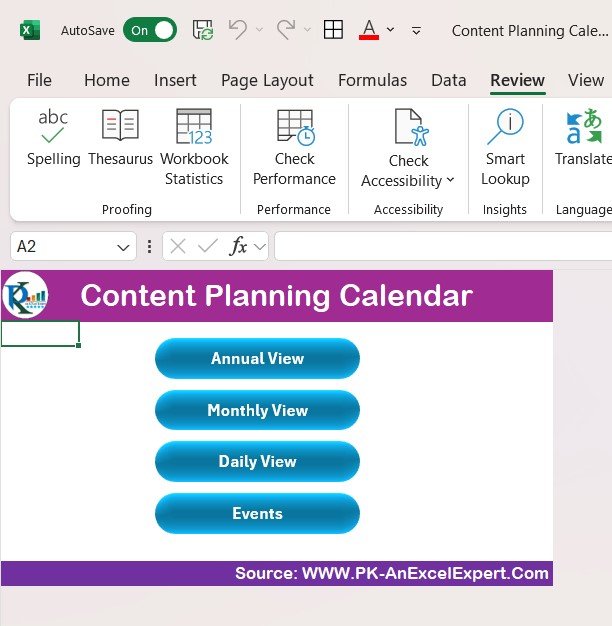
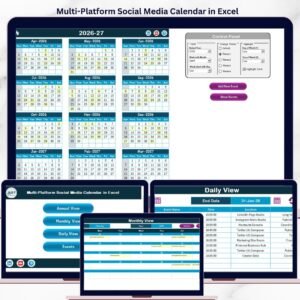
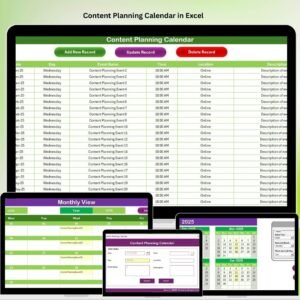
Content Schedule: Plan and view your content creation and publishing schedule in a calendar format.
Platform-Specific Planning: Organize content based on where it will be published (blog, social media, etc.).
Topic & Title Tracking: Keep a record of content ideas, topics, and titles.
Deadlines & Assignments: Set and track deadlines, assign tasks, and monitor progress.
Performance Metrics: Track content performance with data on views, shares, comments, and conversions.
Customizable Fields: Tailor the calendar to your specific content strategy and team needs.
How to Use the Content Planning Calendar in Excel
1️⃣ Download the Template: Get access to the Content Planning Calendar in Excel instantly.
2️⃣ Input Your Content Ideas & Topics: Add content ideas, titles, and platforms where content will be published.
3️⃣ Set Deadlines & Assign Tasks: Set publication deadlines and assign tasks to the relevant team members.
4️⃣ Monitor Progress & Adjust: Use the calendar to track content progress, make adjustments, and ensure deadlines are met.
5️⃣ Analyze Performance: Track how your content is performing and use the data to improve your future content strategy.
Who Can Benefit from the Content Planning Calendar in Excel?
🔹 Content Creators & Bloggers
🔹 Marketing Teams & Agencies
🔹 Social Media Managers
🔹 Freelance Writers & Influencers
🔹 SEO & Content Strategists
🔹 Small Businesses & Entrepreneurs
🔹 Large Corporations with Content Marketing Teams
Stay organized and streamline your content creation process with the Content Planning Calendar in Excel. Track deadlines, assign tasks, and monitor performance, all in one place!
Click here to read the Detailed blog post
Visit our YouTube channel to learn step-by-step video tutorials
Youtube.com/@PKAnExcelExpert
Compatibility and Requirements
- Works in Microsoft Excel desktop (Excel 2016 or later, or Microsoft 365).
- The content schedule is laid out in calendar form. Excel’s own guide to conditional formatting helps if you want to change the color coding.
Frequently Asked Questions
What content can I plan with this calendar?
Blog posts, social media updates, emails and videos. You can organize each piece by the platform where it will be published.
Can I assign content to team members?
Yes. You set a deadline for each piece and assign it to a team member, then track progress in the calendar.
Does it track how content performs?
Yes. The performance section records metrics such as views, shares, comments and conversions for each piece of content.
Can I change the layout and colors?
Yes. You can add custom fields, change color codes and adjust sections to match your content strategy.
Is there a Google Sheets version?
Yes. See the Content Planning Calendar in Google Sheets.
Related Calendar Templates
- Content Planning Calendar in Google Sheets: the same calendar for Google Sheets
- Content Calendar Checklist Template in Excel: a checklist to go with your content schedule
- Event Planning Calendar in Excel: plan events and their dates
- Annual Strategic Planning Calendar in Excel: a year-long planning view
- Project Deadline Calendar in Excel: track deadlines across projects
Browse all Excel calendar templates.
































Reviews
There are no reviews yet.