

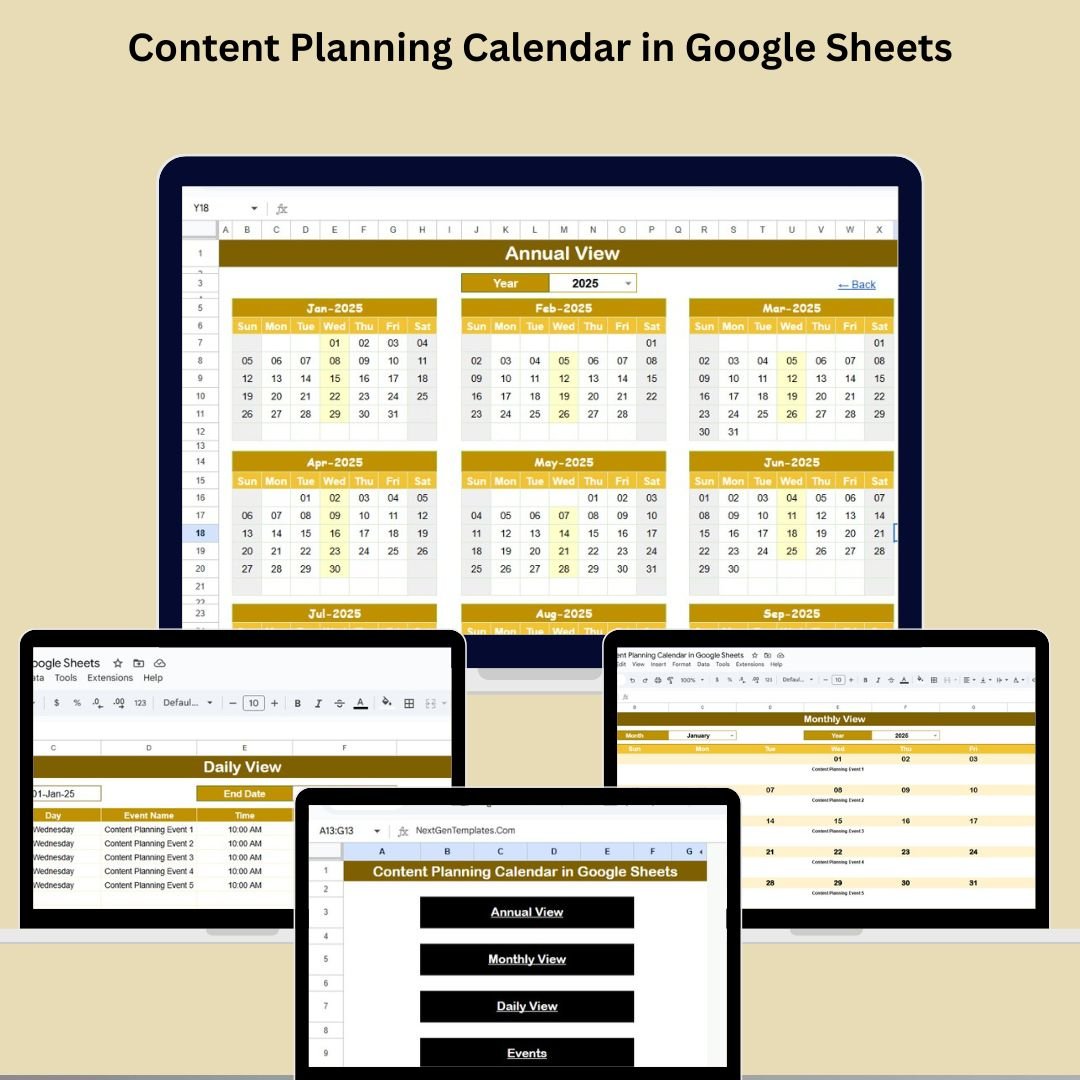
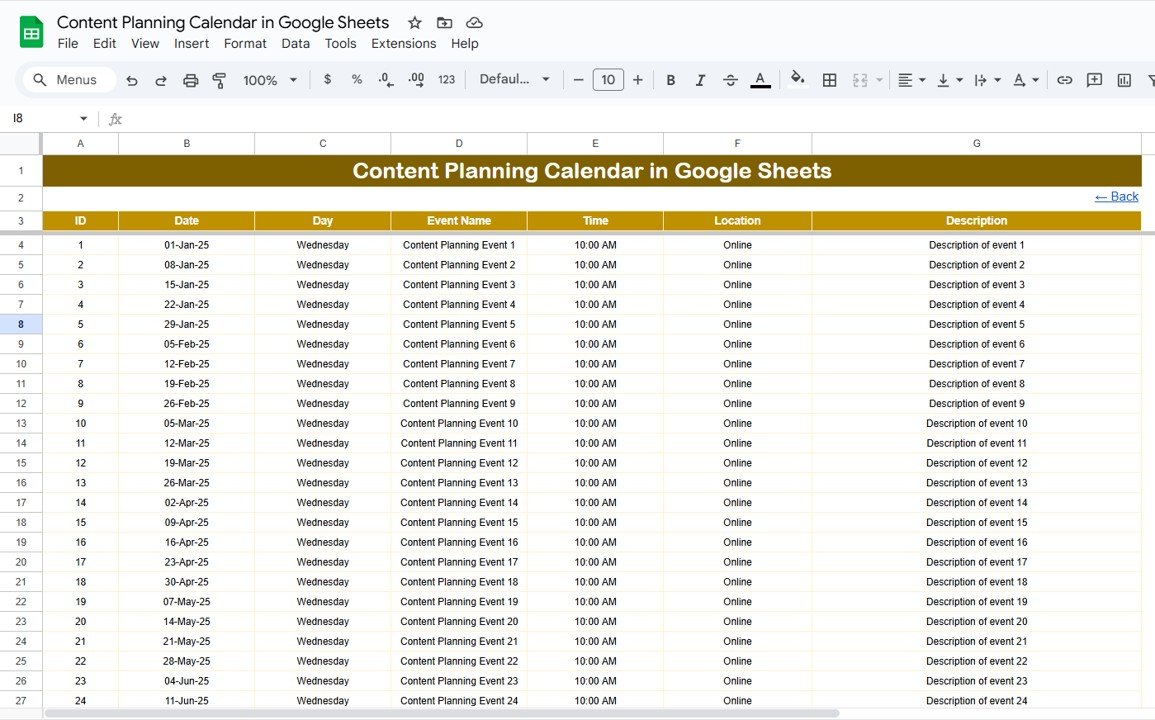
Are you struggling to manage your blog posts, social media campaigns, email newsletters, or video content? The Content Planning Calendar in Google Sheets is your ultimate solution! ✅ This all-in-one, ready-to-use planner gives you annual, monthly, and daily views of your content schedule so you never miss a deadline again.
Designed for content creators, marketing teams, and agencies, this tool helps you plan, organize, and track your content efforts with ease and collaboration in mind. 🎯
✨ Key Features of the Content Planning Calendar
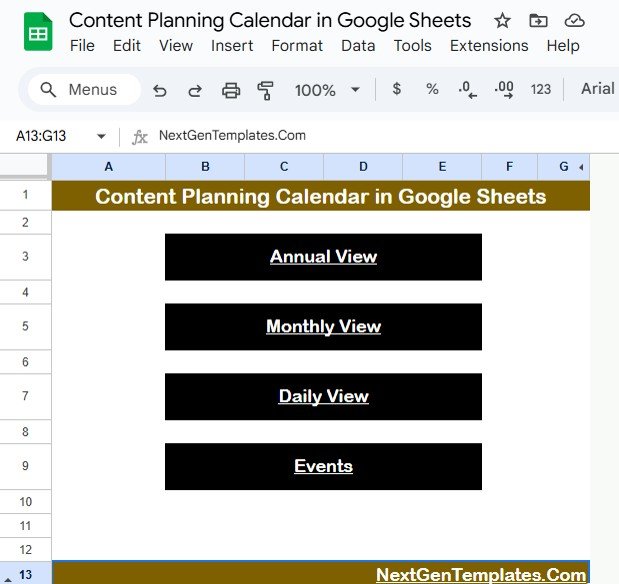
🏠 Home Sheet Tab: Easy Navigation Hub
Navigate between calendar views effortlessly with clickable buttons:
📆 Annual View
📅 Monthly View
🗓️ Daily View
📝 Events Sheet (Content Database)
You’re always just one click away from the section you need.
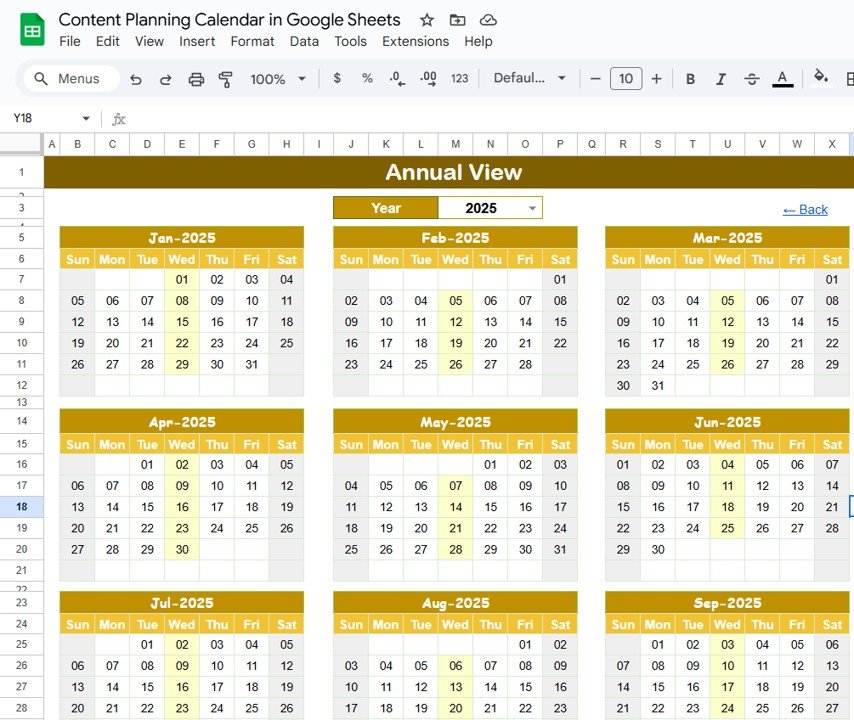
📆 Annual View Sheet Tab: Big Picture Planning
Visualize your entire year’s content roadmap at a glance:
🎯 Customizable Start Month
🗓️ Changeable Start Day of the Week
📅 Dynamic Year Selector
Ideal for long-term content strategizing and campaign alignment.
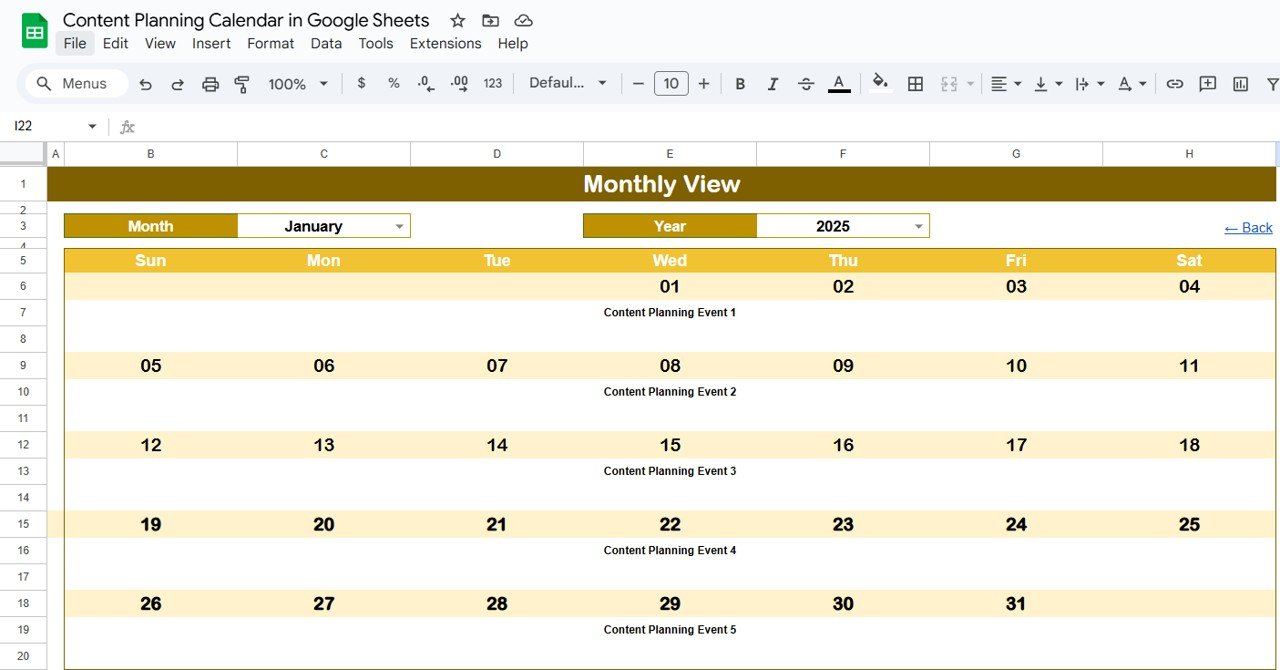
📅 Monthly View Sheet Tab: Zoom Into Your Month
Focus on month-specific planning with features like:
🔎 Display of individual events by day
🔁 “More than 1…” tag for multiple posts per day
Great for managing high-volume content schedules.
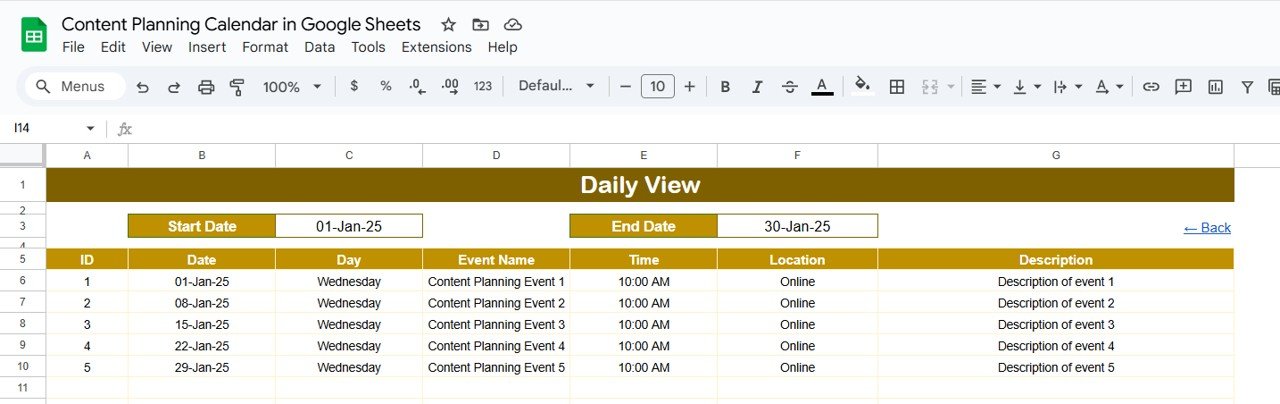
🗓️ Daily View Sheet Tab: Precision Task Tracking
Plan content tasks day-by-day within a chosen range:
📍 Start & End Date Selection
📊 Detailed Daily Event Table
This view is perfect for micro-managing content production.
📝 Events Sheet Tab: Your Content Command Center
Track every content task in one clean database:
📌 Fields: ID, Date, Day, Event Name, Time, Location, Description
📍 Use for blog posts, campaigns, video drops, webinars & more
Keep your entire team aligned with transparent tracking.
📦 What’s Inside the Content Planning Calendar
✅ 5 Preformatted Sheets: Home, Annual, Monthly, Daily, Events
📊 Automated Date Filters & Views
🖱️ Clickable Navigation Buttons
💬 Editable Event Details for All Content Types
👥 Shareable with Team Members for Real-Time Collaboration
🛠️ How to Use the Content Planning Calendar
🎯 Add Events in the Events Sheet – Include all relevant content details like title, platform, and time.
🔄 Views Auto-Update – Watch content appear in monthly and daily views instantly.
✅ Mark Completion – Track task progress and deadlines in real time.
🔗 Collaborate Live – Share with team members to plan and update together.
👥 Who Can Benefit from This Template?
🧑💻 Content Creators & Bloggers
💼 Marketing Teams & Agencies
📱 Social Media Managers
📧 Email Campaign Specialists
🎥 YouTubers, Podcasters, and Influencers
🛍️ Ecommerce & Product Marketing Teams
Whether you’re managing 10 posts a month or 100+ across platforms, this calendar has you covered.


























Reviews
There are no reviews yet.