



The Corporate Meetings Calendar in Excel is a powerful tool designed to streamline the planning, scheduling, and tracking of corporate meetings, ensuring that your business operations run smoothly. Whether you’re coordinating weekly team meetings, quarterly board reviews, or annual corporate events, this Excel-based calendar helps businesses organize meetings with ease and stay on top of key discussions, deadlines, and action items.
This customizable calendar is ideal for executives, managers, and office administrators who need to plan, track, and communicate corporate meetings efficiently. It integrates meeting schedules, key stakeholders, agendas, and notes in one place, improving organization and communication throughout the company.
Key Features of the Corporate Meetings Calendar in Excel
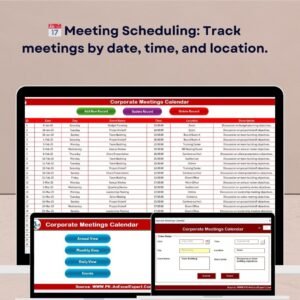
📅 Meeting Scheduling & Tracking
Easily schedule and track all corporate meetings, including recurring events, team meetings, or one-time sessions. Each meeting entry includes a time, date, agenda, and location.
📝 Agenda Management
Create detailed agendas for each meeting, outlining topics of discussion, goals, and key deliverables. Ensure that all participants are prepared and aligned before the meeting starts.
📢 Stakeholder & Attendee Management
Track attendees and key stakeholders for each meeting. Ensure that the right people are present by including a list of attendees and their roles within the organization.
⚙️ Action Item Tracking
Assign action items and deadlines for follow-up tasks after each meeting. Track their progress and ensure that decisions made in meetings are carried out effectively.
📈 Meeting Notes & Outcomes
Document meeting outcomes, decisions, and next steps in the same calendar, keeping everyone informed and aligned on what was discussed and decided.
🔑 Customizable & Scalable
Tailor the calendar to meet your business’s unique needs. Adjust meeting types, add custom columns, or modify agendas to fit different departments or teams.
Why You’ll Love the Corporate Meetings Calendar in Excel

✅ Centralized Meeting Management
Track all corporate meetings, including agendas, dates, locations, and attendees, in one organized location. This makes it easier to access and stay on top of important business events.
✅ Efficient Meeting Preparation
Plan meetings in advance with clear agendas and action items, ensuring that meetings are productive and time efficient.
✅ Action Item Follow-Up
Easily track post-meeting action items, deadlines, and responsible individuals, ensuring accountability and effective implementation of decisions made during meetings.
✅ Improved Communication
Share the meeting calendar with team members, managers, and stakeholders to improve communication and ensure everyone is on the same page regarding upcoming meetings and agendas.
✅ Customizable for Any Organization
Whether you’re managing small internal team meetings or large corporate events, this calendar can be customized to suit your organization’s needs. Add meeting types, modify columns, and scale it for different departments.
What’s Inside the Corporate Meetings Calendar in Excel?
Meeting Scheduling & Tracking: Schedule and track all corporate meetings.
Agenda Management: Create detailed agendas for each meeting.
Stakeholder & Attendee Management: Manage attendees and key stakeholders.
Action Item Tracking: Assign and track action items from meetings.
Meeting Notes & Outcomes: Record meeting outcomes and next steps.
Customizable Fields: Modify meeting types, add custom columns, and scale for your team’s needs.
How to Use the Corporate Meetings Calendar in Excel
1️⃣ Download the Template: Instantly access the Corporate Meetings Calendar in Excel.
2️⃣ Schedule Meetings: Enter meeting dates, times, and locations into the calendar.
3️⃣ Create Agendas: Prepare detailed agendas for each meeting, including topics and goals.
4️⃣ Track Action Items: Assign action items during the meeting and track progress afterward.
5️⃣ Review Notes & Outcomes: Document the decisions and outcomes of each meeting for future reference.
Who Can Benefit from the Corporate Meetings Calendar in Excel?
🔹 Executive Assistants & Office Administrators
🔹 Business Executives & Managers
🔹 Project Managers & Team Leaders
🔹 HR Teams & Department Heads
🔹 Event Coordinators
🔹 Large Corporations & Small Businesses
Ensure that your meetings are well-organized and productive with the Corporate Meetings Calendar in Excel. From scheduling and tracking meetings to following up on action items, this tool ensures smooth and effective business operations.
Click here to read the Detailed blog post
Visit our YouTube channel to learn step-by-step video tutorials
Youtube.com/@PKAnExcelExpert
Compatibility and Requirements
- Works in Microsoft Excel desktop (Excel 2016 or later, or Microsoft 365).
- Want a fixed list of meeting types or locations? Microsoft’s guide to creating a drop-down list shows how to add one to any column.
Frequently Asked Questions
What does each meeting entry hold?
The date, time, location and agenda, plus the attendees and their roles, the action items with deadlines and the notes and outcomes of the meeting.
Can I track follow-up tasks after a meeting?
Yes. Assign each action item to a responsible person with a deadline, then update its progress after the meeting.
Does it handle recurring meetings?
Yes. Enter recurring team meetings, quarterly board reviews or one-time sessions in the same calendar.
Can I add my own meeting types or columns?
Yes. Meeting types, columns and agendas are all editable, so you can set the calendar up for different departments or teams.
Who uses the Corporate Meetings Calendar?
Executive assistants, office administrators, managers, project leads and HR teams who plan meetings and follow up on decisions.
Related Meeting and Calendar Templates
- Board Meetings Calendar in Excel: plan board meetings and their agendas.
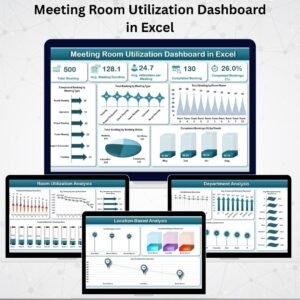
- Meeting Room Booking Tracker in Excel: book rooms for the meetings you schedule.
- Attendance Tracking System for Events and Meetings in Excel: record who attended.
- Team Meeting Minutes Tracker in Google Sheets: keep minutes in a shared sheet.
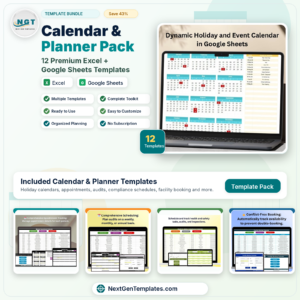
- Calendar & Planner Pack: 12 calendar and planner templates in Excel and Google Sheets.
Browse all Excel calendar templates or the Excel planners.





Reviews
There are no reviews yet.