



The Cargo Security KPI Dashboard in Excel is an essential tool designed to help logistics companies, supply chain managers, and security personnel track and monitor the performance of cargo security measures. This Excel-based dashboard offers a centralized platform to manage key performance indicators (KPIs) such as cargo theft rates, damage reports, security breach incidents, and overall cargo security performance. By utilizing this dashboard, you can identify areas for improvement, reduce security risks, and ensure the safe delivery of goods.
The dashboard integrates real-time data, providing comprehensive insights into cargo security across various stages of the transportation and storage process. With user-friendly features and customizable options, this tool allows businesses to enhance their cargo security strategies, minimize loss, and improve operational efficiency.
Key Features of the Cargo Security KPI Dashboard in Excel
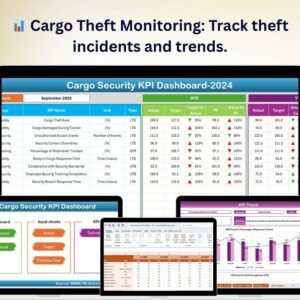
📊 Cargo Theft Monitoring
Track cargo theft incidents in real-time, analyze theft trends, and identify high-risk areas. This KPI helps to monitor security breaches and reduce theft-related losses.
📈 Incident & Damage Reporting
Monitor reported incidents of cargo damage or theft across different locations and transportation methods. Use this data to assess risk factors and improve preventative measures.
🛡 Security Breach Alerts
Track security breach incidents, whether internal or external, to monitor and mitigate potential risks to cargo security. This feature ensures proactive management of security threats.
📅 Time-Based Performance Analysis
Analyze cargo security performance over different periods, such as daily, weekly, or monthly. Use time-based analysis to identify patterns, assess effectiveness, and make informed decisions.
🔑 Customizable KPIs & Metrics
Customize the dashboard to track additional KPIs based on your specific security needs. Whether it’s monitoring warehouse security, transportation risks, or security protocols, this dashboard can be adjusted to suit your requirements.
⚙️ Real-Time Data Integration
Integrate data from your cargo tracking systems and other security platforms to get real-time updates on the performance of your cargo security strategies. Use the most up-to-date data for decision-making.
Why You’ll Love the Cargo Security KPI Dashboard in Excel

✅ Proactive Cargo Security Management
Track and mitigate risks associated with cargo theft, damage, and security breaches with real-time performance monitoring.
✅ Improve Operational Efficiency
Identify weak spots in your cargo security strategy and streamline security measures to prevent loss or damage, improving operational effectiveness.
✅ Data-Driven Decision Making
Use insights from the dashboard to make informed decisions that enhance cargo security and reduce risks across the supply chain.
✅ Enhance Safety Across Operations
Monitor the safety of cargo from the warehouse to transportation, ensuring that security protocols are followed and minimizing potential threats.
✅ Customizable for Your Needs
Tailor the dashboard to match your organization’s specific cargo security requirements. Track additional metrics as needed to improve the security process.
What’s Inside the Cargo Security KPI Dashboard in Excel?
Cargo Theft Monitoring: Track incidents of theft and analyze trends.
Incident & Damage Reporting: Report and track damage incidents and theft risks.
Security Breach Tracking: Monitor internal and external security breaches.
Time-Based Analysis: Track cargo security performance over various time periods.
Customizable KPIs: Adjust the dashboard to track metrics that are important to your organization.
Real-Time Data Integration: Integrate data from multiple systems for up-to-date reporting.
How to Use the Cargo Security KPI Dashboard in Excel
1️⃣ Download the Template: Access the Cargo Security KPI Dashboard in Excel immediately.
2️⃣ Integrate Your Data: Connect your cargo tracking and security systems to the dashboard for real-time updates.
3️⃣ Track Security Incidents: Monitor theft, damage, and breach incidents across different stages.
4️⃣ Analyze Trends: Use time-based analysis to assess the effectiveness of your security measures.
5️⃣ Enhance Your Security Protocols: Use the insights to improve your cargo security strategy and reduce risks.
Who Can Benefit from the Cargo Security KPI Dashboard in Excel?
🔹 Logistics & Supply Chain Managers
🔹 Cargo & Freight Companies
🔹 Warehouse & Distribution Center Managers
🔹 Security Teams & Risk Management Professionals
🔹 Transportation & Shipping Companies
🔹 International Trade & Import/Export Companies
🔹 Business Owners & Operations Managers
Ensure the safety of your cargo with the Cargo Security KPI Dashboard in Excel. Track incidents, monitor security performance, and optimize your security protocols for more effective operations.
Click here to read the Detailed blog post
Visit our YouTube channel to learn step-by-step video tutorials
Youtube.com/@PKAnExcelExpert
Compatibility and Requirements
- Works in Microsoft Excel desktop (Excel 2016 or later, or Microsoft 365).
- The dashboard shows charts for theft, damage and security breach incidents. Microsoft explains how they work in Create a chart from start to finish.
Frequently Asked Questions
What does the Cargo Security KPI Dashboard track?
It tracks cargo theft incidents, incident and damage reports, and internal or external security breaches. You can view the results over different time periods.
Can I look at cargo security by day, week or month?
Yes. The time-based analysis covers daily, weekly and monthly periods, so you can spot patterns and check whether your security measures work.
Can I add my own KPIs?
Yes. The dashboard is customizable, so you can track extra metrics such as warehouse security, transportation risks or your own security protocols.
Can I connect it to my cargo tracking data?
Yes. You can bring in data from your cargo tracking and security systems, so the dashboard reflects current figures.
Is there a Power BI version of a shipping and cargo dashboard?
Yes. See the Shipping & Cargo KPI Dashboard in Power BI.
Related Security and Cargo Templates
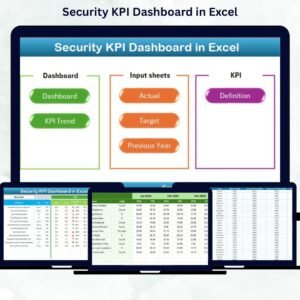
- Security KPI Dashboard in Excel: KPIs for a broader security program
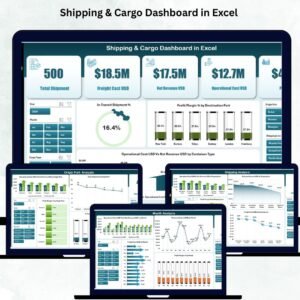
- Shipping & Cargo Dashboard in Excel: a dashboard for shipping and cargo operations
- Shipping & Cargo KPI Dashboard in Power BI: the shipping and cargo KPIs in Power BI
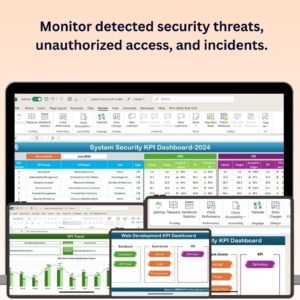
- Office Security Incident Dashboard in Excel: incident tracking for office security
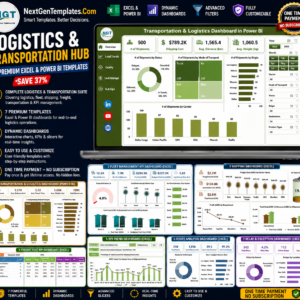
- Logistics and Transportation Hub: 7 logistics templates in one bundle
Browse all Excel KPI dashboards or the Excel logistics templates.






























Reviews
There are no reviews yet.