


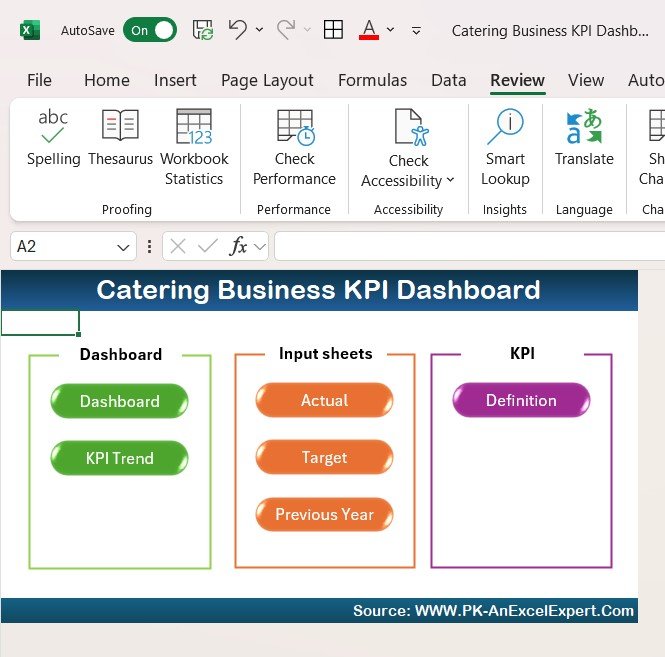



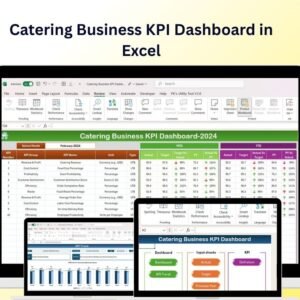
The Catering Business KPI Dashboard in Excel is a comprehensive tool designed for catering business owners, managers, and financial analysts. This Excel-based dashboard helps you track essential key performance indicators (KPIs) related to your catering operations, including sales performance, customer satisfaction, food inventory management, and event performance. With real-time tracking and customizable features, this dashboard provides critical insights into your business, helping you make data-driven decisions to optimize operations and drive growth.
Whether you run a small catering service or a large-scale event catering company, this dashboard allows you to manage and monitor every aspect of your catering business efficiently, ensuring your events run smoothly and profitably.

Key Features of the Catering Business KPI Dashboard in Excel:
🍽️ Sales and Revenue Tracking
Track the performance of your catering services, including total sales, revenue by event type, and average order value, to assess financial performance.
🍴 Inventory Management
Monitor food stock levels, ingredient usage, and supplier orders to ensure you maintain optimal inventory levels and reduce waste.
🎉 Event and Customer Tracking
Monitor key metrics related to customer events, including the number of events served, customer satisfaction ratings, and repeat customer rates.
📊 Profitability and Cost Tracking
Track the costs associated with each event, including food, labor, and overhead, and calculate profit margins to ensure your business remains profitable.
🚀 Why You’ll Love the Catering Business KPI Dashboard in Excel:
✅ Track Sales Performance – Monitor revenue by event type and average order value to ensure your catering business is growing.
✅ Optimize Inventory – Track food stock and ingredient usage to minimize waste and avoid stockouts during events.
✅ Monitor Event Success – Track customer feedback, event ratings, and repeat business to measure the success of your catering services.
✅ Track Profitability – Monitor food, labor, and overhead costs to maintain healthy profit margins and ensure business sustainability.
✅ Fully Customizable and Interactive – Customizable to fit your catering business needs, with interactive charts and real-time tracking for smarter decision-making.
What’s Inside the Catering Business KPI Dashboard in Excel:
Sales Performance Monitoring: Track total sales, revenue by event type, and average order value to monitor the financial health of your catering business.
Inventory Management: Monitor food stock levels, ingredient usage, and supplier orders to ensure smooth operations and prevent waste.
Event and Customer Metrics: Track the number of events served, customer satisfaction ratings, and repeat customer rates to measure business success.
Profitability and Cost Tracking: Monitor the costs of each event, including food, labor, and overhead, to calculate profit margins and optimize business profitability.
Custom Reports: Generate customized reports summarizing sales, inventory, event performance, and customer feedback to make informed business decisions.
How to Use the Catering Business KPI Dashboard in Excel:
1️⃣ Download the Template – Instantly access your Excel file upon purchase.
2️⃣ Input Sales and Event Data – Enter your sales data, event details, and customer satisfaction metrics to start tracking your KPIs.
3️⃣ Monitor Inventory – Track stock levels, ingredient usage, and supplier orders to ensure efficient inventory management.
4️⃣ Track Profitability – Monitor food costs, labor expenses, and overhead to ensure you’re maintaining healthy profit margins.
5️⃣ Generate Reports – Create customized reports summarizing your business performance, sales, event success, and customer satisfaction to inform your strategies.
Who Can Benefit from the Catering Business KPI Dashboard in Excel:
Catering Business Owners
Catering Managers and Event Coordinators
Financial Analysts for Catering Businesses
Inventory Managers
Marketing and Sales Teams
Customer Service Teams
Event Planners and Coordinators
Suppliers and Vendors for Catering Services
The Catering Business KPI Dashboard in Excel is a powerful tool for managing and optimizing your catering operations. With features that allow you to track sales, inventory, customer satisfaction, and profitability, this dashboard ensures you have all the data you need to grow your business.
Click here to read the Detailed blog post
https://www.pk-anexcelexpert.com/catering-business-kpi-dashboard-in-excel/
Visit our YouTube channel to learn step-by-step video tutorials
Youtube.com/@PKAnExcelExpert
Compatibility and Requirements
- Works in Microsoft Excel desktop (Excel 2016 or later, or Microsoft 365).
- Sales, event, inventory and cost data are entered in the workbook; no add-ins are needed.
- New to Excel charts? Microsoft explains the basics in Create a chart from start to finish.
Frequently Asked Questions
Which KPIs does the Catering Business KPI Dashboard track?
Total sales, revenue by event type, average order value, stock levels, ingredient usage, supplier orders, events served, customer satisfaction, repeat customers and profit margin.
Can it track event costs?
Yes. You record food, labor and overhead costs for each event, and the dashboard works out profit margins.
Can I create reports?
Yes. It includes custom reports that summarize sales, inventory, event performance and customer feedback.
Is it only for large caterers?
No. The template covers small catering services as well as large event catering companies.
Related Catering Templates
- Catering Business KPI Dashboard in Google Sheets: the Google Sheets edition
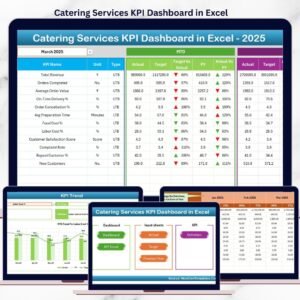
- Catering Services KPI Dashboard in Excel: service-focused catering KPIs
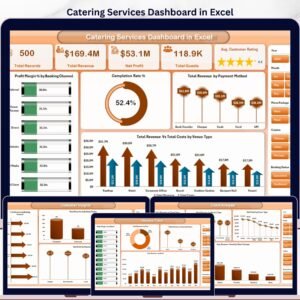
- Catering Services Dashboard in Excel: a full dashboard view
- Catering Service Management System V1.0 in Excel VBA: manage orders and customers
- Hospitality & Restaurant Bundle: 7 hospitality templates in one bundle
Browse all Excel KPI dashboards or the Excel dashboards.

Reviews
There are no reviews yet.