



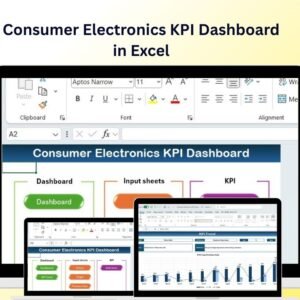
The Consumer Electronics KPI Dashboard in Excel is a must-have tool for product managers, marketers, and business analysts in the consumer electronics industry. This Excel-based dashboard enables you to track key performance indicators (KPIs) related to product sales, customer engagement, inventory management, market trends, and customer feedback. With real-time data tracking and customizable features, this dashboard helps you optimize product performance and make informed decisions to stay ahead of competitors in the ever-evolving consumer electronics market.
Whether you are monitoring sales data, user engagement, or product performance, this dashboard offers all the essential insights needed to enhance your strategy and ensure your products succeed in the market.

Key Features of the Consumer Electronics KPI Dashboard in Excel:
📈 Sales Performance Monitoring
Track the sales performance of your consumer electronics products across different regions, monitor revenue, and identify growth trends over time.
📱 Customer Engagement Tracking
Monitor user engagement metrics, such as active users, session length, and in-app purchases, to evaluate customer satisfaction and product success.
⚙️ Product Performance Tracking
Track product performance, including returns, warranty claims, and customer satisfaction, to ensure optimal product quality and reliability.
📊 Market Trends and Competitor Analysis
Stay updated on market trends, new product launches, and competitor performance, giving you the insights you need to adapt your product strategy accordingly.
💬 Customer Feedback and Reviews
Track customer feedback, ratings, and reviews from various platforms to identify product strengths and areas for improvement.
🚀 Why You’ll Love the Consumer Electronics KPI Dashboard in Excel:
✅ Track Sales and Revenue – Monitor sales performance, revenue trends, and product demand to assess business growth and profitability.
✅ Enhance Customer Engagement – Monitor active users, session length, and in-app purchases to improve customer retention and satisfaction.
✅ Optimize Product Performance – Track key metrics such as returns, warranty claims, and satisfaction ratings to ensure product reliability and quality.
✅ Analyze Market Trends – Stay ahead of market shifts and consumer preferences to make strategic product and marketing decisions.
✅ Leverage Customer Feedback – Track customer reviews and feedback to continuously improve your consumer electronics products.
✅ Fully Customizable and Interactive – Fully customizable to fit your consumer electronics product needs, with interactive charts and real-time tracking for smarter decision-making.
What’s Inside the Consumer Electronics KPI Dashboard in Excel:
Sales Performance Monitoring: Track sales revenue, units sold, and market growth across various regions, providing a clear picture of your product’s success.
Customer Engagement Metrics: Monitor user activity, such as active users, session length, and in-app purchases, to assess customer engagement and satisfaction.
Product Performance Tracking: Track returns, warranty claims, and product quality to ensure your products meet customer expectations.
Market and Competitor Analysis: Stay informed about the latest trends in consumer electronics, including new product launches and competitor activities.
Customer Feedback: Track ratings, reviews, and feedback from customers to continually improve your product offerings.
Custom Reports: Generate tailored reports summarizing sales performance, customer engagement, product performance, and feedback to inform business strategies.
How to Use the Consumer Electronics KPI Dashboard in Excel:
1️⃣ Download the Template – Instantly access your Excel file upon purchase.
2️⃣ Input Sales and Product Data – Add data on product sales, customer engagement, and performance metrics to start tracking KPIs.
3️⃣ Monitor Key Metrics – Use the dashboard to track sales, customer activity, and product performance in real-time.
4️⃣ Analyze Market Trends – Stay updated on industry trends and competitor activities to adjust your product and marketing strategies accordingly.
5️⃣ Generate Reports – Create customized reports summarizing key metrics such as sales, customer satisfaction, and product performance to guide decision-making.
Who Can Benefit from the Consumer Electronics KPI Dashboard in Excel:
Consumer Electronics Product Managers
Marketing and Sales Teams
Customer Experience Teams
Business Analysts
Retailers and E-commerce Teams
Product Developers
Market Analysts and Researchers
Consumer Electronics Manufacturers
The Consumer Electronics KPI Dashboard in Excel is the perfect tool for tracking and optimizing the performance of your consumer electronics products. With features that help you monitor sales, customer engagement, product quality, and market trends, this dashboard provides all the insights needed to ensure the success of your product line in the competitive consumer electronics industry.
Click here to read the Detailed blog post
https://www.pk-anexcelexpert.com/consumer-electronics-kpi-dashboard-in-excel/
Visit our YouTube channel to learn step-by-step video tutorials
Youtube.com/@PKAnExcelExpert
Compatibility and Requirements
- Works in Microsoft Excel desktop (Excel 2016 or later, or Microsoft 365).
- The KPIs are shown in interactive charts. Microsoft explains Excel charts in Create a chart from start to finish.
Frequently Asked Questions
What does the Consumer Electronics KPI Dashboard track?
It tracks sales revenue and units sold, customer engagement, product returns and warranty claims, market and competitor trends, and customer feedback.
How do I add my own data?
Enter your data on product sales, customer engagement and performance metrics. Then use the dashboard to monitor the KPIs.
Can I create reports from it?
Yes. It includes custom reports that summarize sales, customer engagement, product performance and feedback.
Can I change it to fit my business?
Yes. The template is fully customizable, so you can adjust it to the KPIs and data you use.
Is there a Google Sheets version?
Yes. The Consumer Electronics KPI Dashboard in Google Sheets covers the same KPIs in a browser.
Related Electronics Templates
- Consumer Electronics KPI Dashboard in Google Sheets: the same dashboard in Google Sheets
- Consumer Electronics Service KPI Dashboard in Excel: KPIs for electronics repair and service
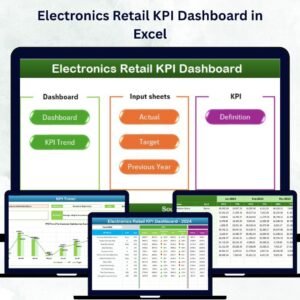
- Electronics Retail KPI Dashboard in Excel: KPIs for an electronics store
- Electronics KPI Dashboard in Excel: KPIs for an electronics business
- KPI Dashboard Library (Excel): 15 Excel KPI dashboards in one download
Browse all Excel KPI dashboards or the Excel sales and marketing templates.































Reviews
There are no reviews yet.