



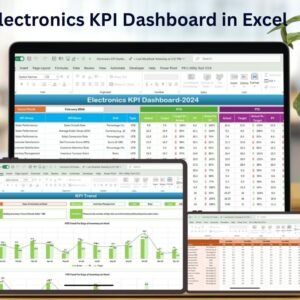
The Electronics KPI Dashboard in Excel is an essential tool designed for businesses in the electronics industry to track, analyze, and optimize key performance indicators (KPIs) that are critical to manufacturing, sales, and inventory management. Whether you’re managing an electronics production line, retail store, or distribution network, this dashboard provides a clear, real-time view of important metrics such as product sales, inventory turnover, production efficiency, and customer satisfaction.
This Excel-based dashboard empowers businesses to improve decision-making, streamline operations, and enhance customer satisfaction by tracking real-time data on essential KPIs. With visually intuitive charts, easy-to-read graphs, and customizable fields, this tool is perfect for manufacturers, retailers, and managers looking to boost operational efficiency in the electronics industry.

Key Features of the Electronics KPI Dashboard in Excel:
📊 Comprehensive KPI Tracking
Track a variety of KPIs including product sales, inventory levels, manufacturing efficiency, and customer satisfaction—all in one place.
📈 Real-Time Performance Monitoring
Monitor your business’s performance in real time, ensuring that you stay on top of sales trends, stock levels, and production progress.
📅 Month-to-Date (MTD) and Year-to-Date (YTD) Performance
Track your business’s performance over time, comparing current data to previous months and years for trends and growth opportunities.
🎯 Goal Setting and Performance Comparison
Set specific targets for your KPIs and compare actual performance against these targets to ensure that your business is on track to meet its goals.
🛠 Customizable Inputs
Easily input your own data, including product sales, production figures, and customer feedback, while customizing the dashboard to meet your business’s needs.
🔔 Conditional Formatting Alerts
Receive visual alerts to highlight underperforming areas, such as low sales, high inventory, or production delays, using color-coded indicators.
🔧 Production and Inventory Insights
Track production efficiency, inventory turnover, and product availability, helping you optimize production and avoid stock-outs or overstocking.
🚀 Why You’ll Love the Electronics KPI Dashboard in Excel:
✅ Improve Manufacturing Efficiency – Monitor production performance, reduce downtime, and ensure optimal resource utilization in the manufacturing process.
✅ Optimize Sales and Inventory – Track product sales, monitor inventory levels, and ensure efficient stock management to meet demand.
✅ Enhance Customer Satisfaction – Keep track of customer feedback and satisfaction scores to improve product quality and service.
✅ User-Friendly Interface – Designed to be intuitive, even for users with no technical background, ensuring easy data entry and analysis.
✅ Fully Customizable – Tailor the dashboard to fit your business’s specific needs, whether you’re in retail, wholesale, or manufacturing in the electronics sector.
What’s Inside the Electronics KPI Dashboard in Excel:
- Product Sales KPI: Track sales by product category, region, or sales representative.
- Inventory Turnover KPI: Monitor how quickly inventory is sold and replaced, ensuring efficient stock management.
- Production Efficiency KPI: Measure production efficiency by tracking units produced, production time, and defect rates.
- Customer Satisfaction KPI: Measure customer satisfaction levels using feedback, survey results, and Net Promoter Scores (NPS).
- Order Fulfillment KPI: Track how quickly and accurately customer orders are processed and shipped.
- Profitability KPI: Monitor profit margins, cost of goods sold (COGS), and net profit for each product or category.
How to Use the Electronics KPI Dashboard in Excel:
1️⃣ Download the Template – Gain immediate access to your Excel file upon purchase.
2️⃣ Input Your Data – Enter your product sales, inventory, and production data into the pre-designed fields.
3️⃣ Set Targets – Define your targets for each KPI, including sales goals, production efficiency, and customer satisfaction.
4️⃣ Track Your Performance – Monitor real-time progress and adjust strategies as necessary to stay on track.
5️⃣ Generate Reports – Use the dashboard to create detailed performance reports for analysis, meetings, or client reviews.
Who Can Benefit from the Electronics KPI Dashboard in Excel:
- Electronics Manufacturers
- Retail and Wholesale Managers
- Inventory Managers
- Sales Managers
- Operations Managers
- Customer Service Managers
- Business Owners in the Electronics Industry
The Electronics KPI Dashboard in Excel is the ultimate solution for any electronics business looking to optimize operations, monitor performance, and increase customer satisfaction.
Click here to read the Detailed blog post
https://www.pk-anexcelexpert.com/electronics-kpi-dashboard-in-excel/
Visit our YouTube channel to learn step-by-step video tutorials
Youtube.com/@PKAnExcelExpert
Compatibility and Requirements
- Works in Microsoft Excel desktop (Excel 2016 or later, or Microsoft 365).
- Status colors use conditional formatting. Microsoft explains it in Use conditional formatting to highlight information.
Frequently Asked Questions
Which KPIs does the Electronics KPI Dashboard track?
It tracks product sales, inventory levels and turnover, production efficiency, defect rates and customer satisfaction.
Can I break sales down?
Yes. Product sales can be tracked by product category, region or sales representative.
Can I compare against targets and past periods?
Yes. You can set KPI targets and compare them with actual results, with Month-to-Date (MTD) and Year-to-Date (YTD) views.
Is there a Power BI or Google Sheets version?
Yes. The Electronics KPI Dashboard in Power BI and the Google Sheets edition cover the same topic.
Related Electronics Industry Templates
- Electronics KPI Dashboard in Power BI: the same topic in Power BI
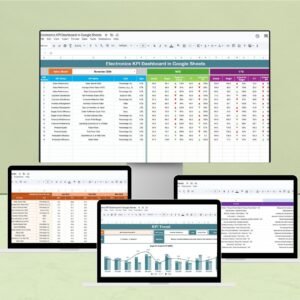
- Electronics KPI Dashboard in Google Sheets: the same topic in Google Sheets
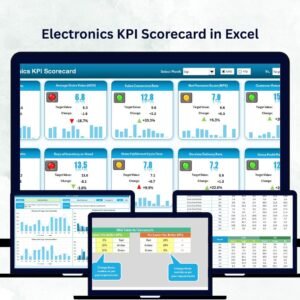
- Electronics KPI Scorecard in Excel: an electronics KPI scorecard in Excel
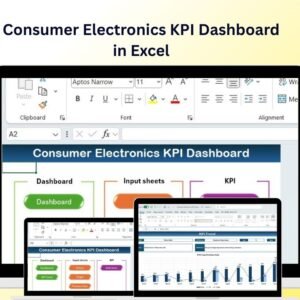
- Consumer Electronics KPI Dashboard in Excel: KPIs for consumer electronics in Excel
- Electronics Retail Dashboard in Excel: a full electronics retail dashboard in Excel
Browse all Excel KPI dashboards.





























Reviews
There are no reviews yet.