


🔑 Key Features of YouTube Channel Analytics Dashboard in Google Sheets
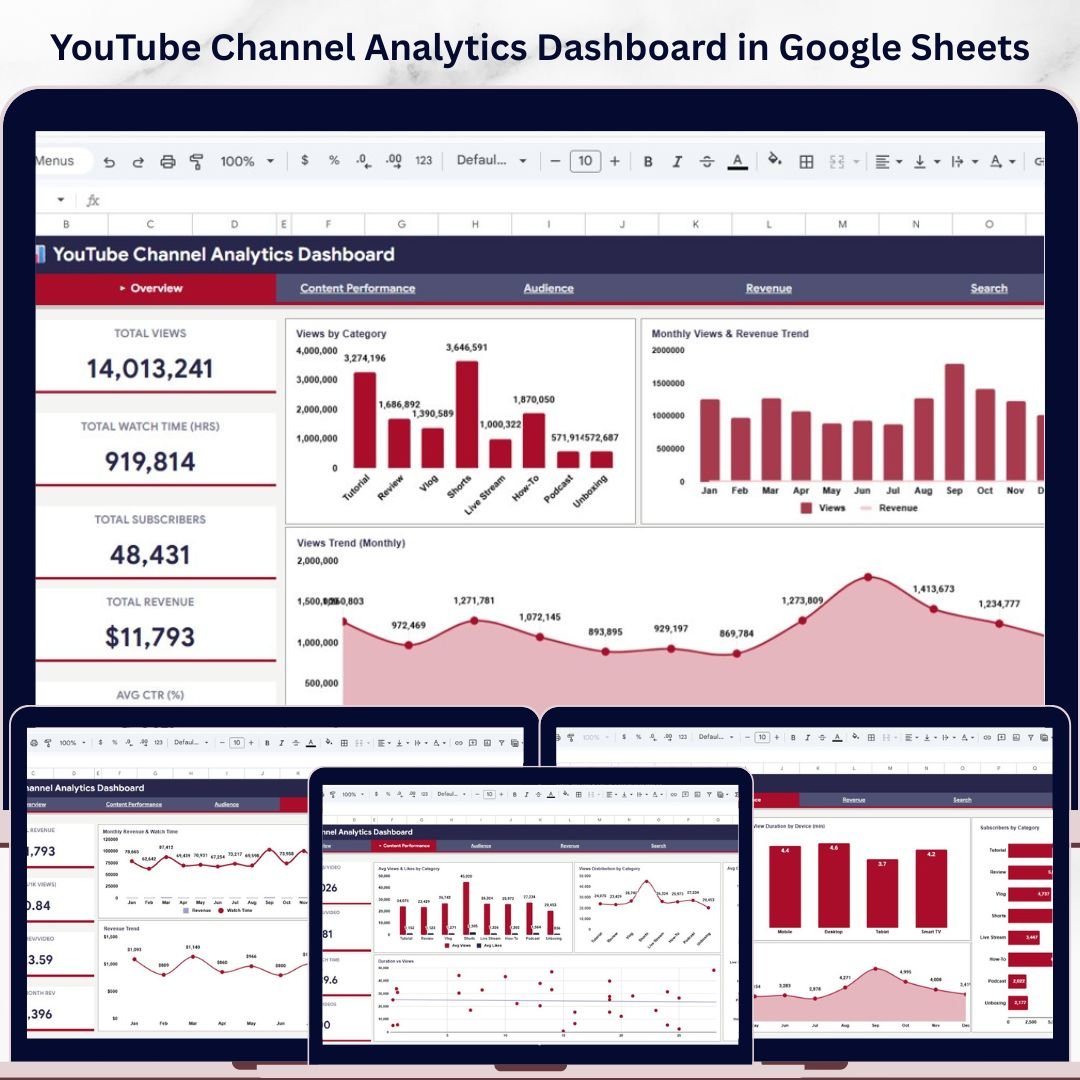
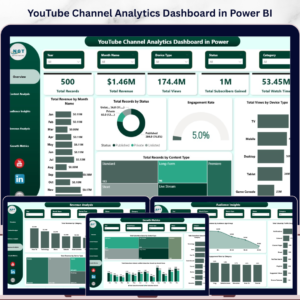
YouTube Channel Analytics Dashboard in Google Sheets is a powerful, ready-to-use template designed for content creators, marketers, and channel managers who want to track and analyze their YouTube performance without any complicated tools. This dashboard includes 5 interactive pages — Overview, Content Performance, Audience, Revenue, and Search — plus a dedicated Data sheet where you simply paste your YouTube data and the entire dashboard updates automatically. It tracks key metrics such as Total Views, Watch Time, Subscribers, Revenue, Average CTR, RPM, and more across multiple dimensions including video category, traffic source, device type, and monthly trends. Whether you are managing a single channel or analyzing content strategy for a brand, this Google Sheets dashboard gives you a complete picture of your YouTube channel’s health in one place.
If you are looking for more Google Sheets Dashboard Templates, explore our full collection of professionally designed templates for every business need.
📦 What’s Inside the YouTube Channel Analytics Dashboard
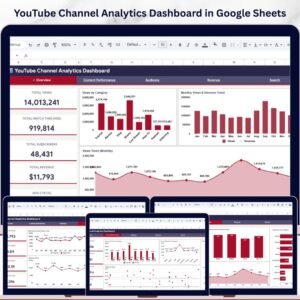
1 — Overview Page: The Overview page presents high-level KPI cards for Total Views, Total Watch Time (Hrs), Total Subscribers, Total Revenue, and Avg CTR (%). Below the cards, you will find charts showing Views by Category, Monthly Views and Revenue Trend, Views Trend (Monthly), and Traffic Sources. Multiple slicer filters are available so you can quickly slice and filter the dashboard by category, date range, and other dimensions.
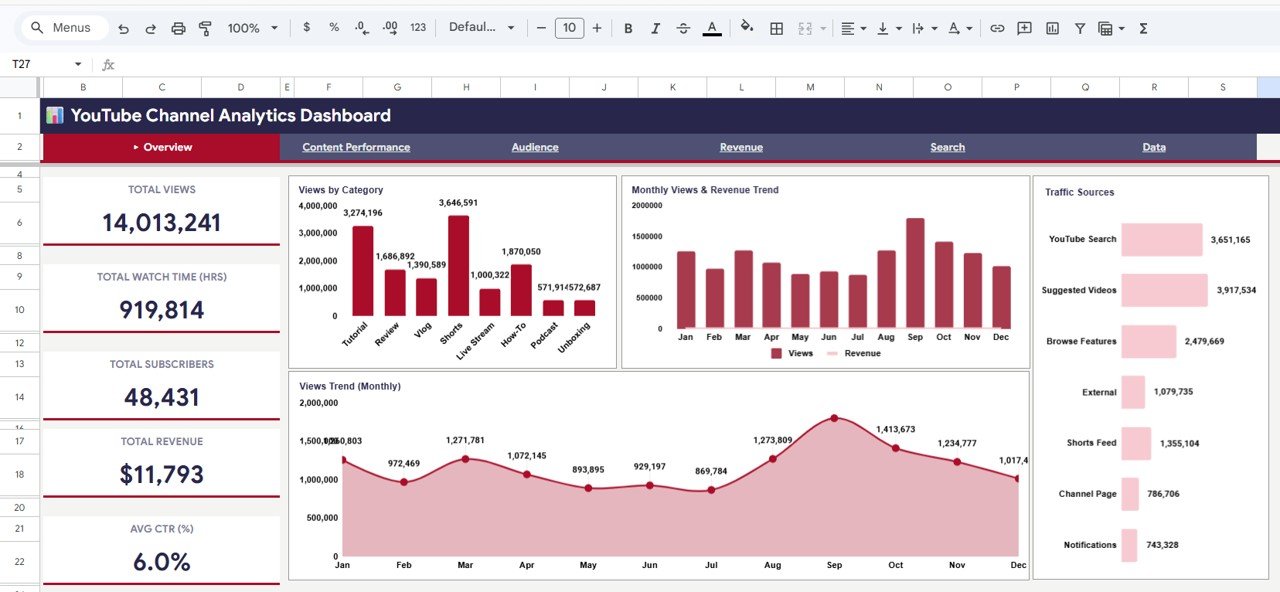 YouTube Channel Analytics Dashboard in Google Sheets
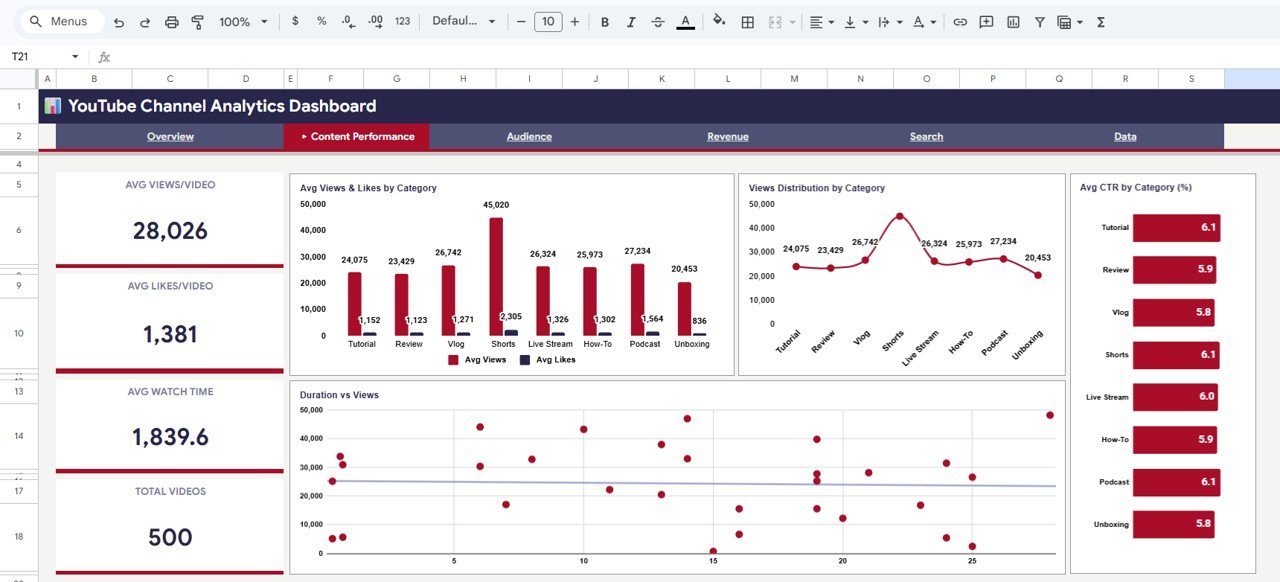
2 — Content Performance Page: This page dives deep into video-level metrics with KPI cards for Avg Views/Video, Avg Likes/Video, Avg Watch Time, and Total Videos. Charts include Avg Views and Likes by Category, Views Distribution by Category, Avg CTR (%) by Category, and Duration vs Views analysis so you can identify which content types perform best.
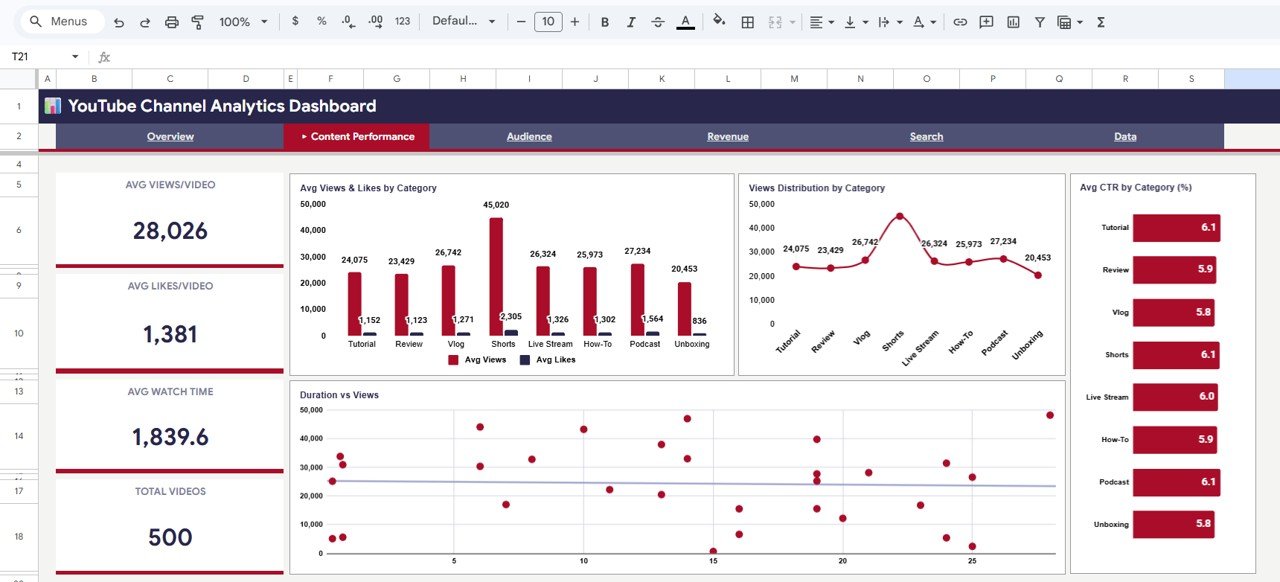 Content Performance Page
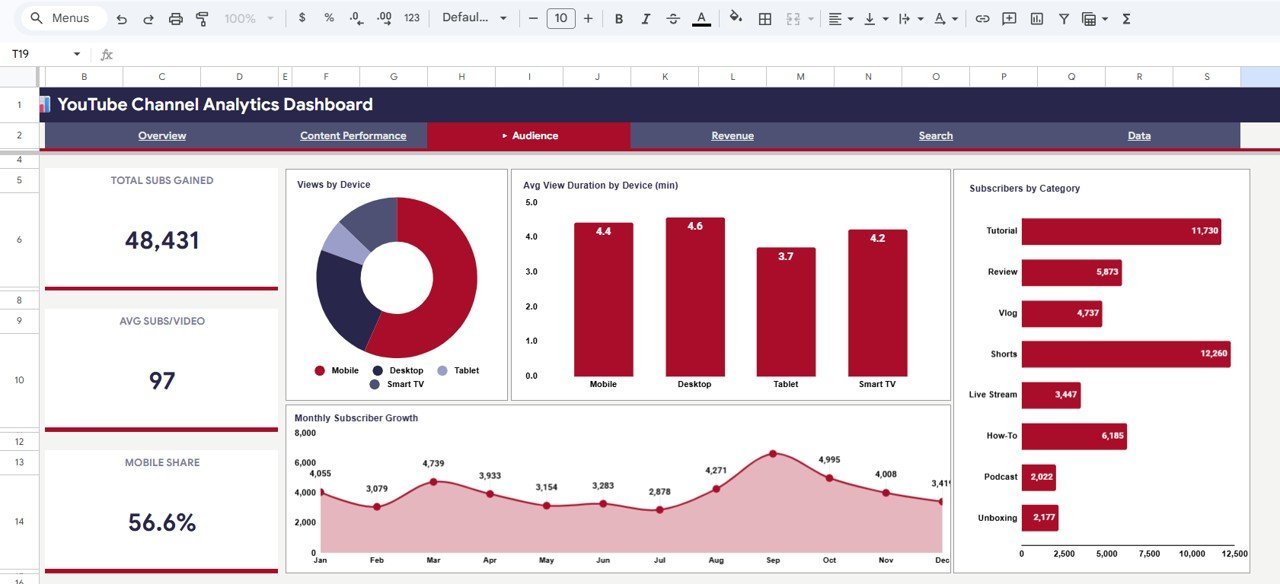
3 — Audience Page: Understand your audience with metrics like Total Subs Gained, Avg Subs/Video, and Mobile Share. Charts visualize Views by Device, Avg View Duration by Device (min), Subscribers by Category, and Monthly Subscriber Growth to help you optimize content for your viewers’ preferred devices and interests.
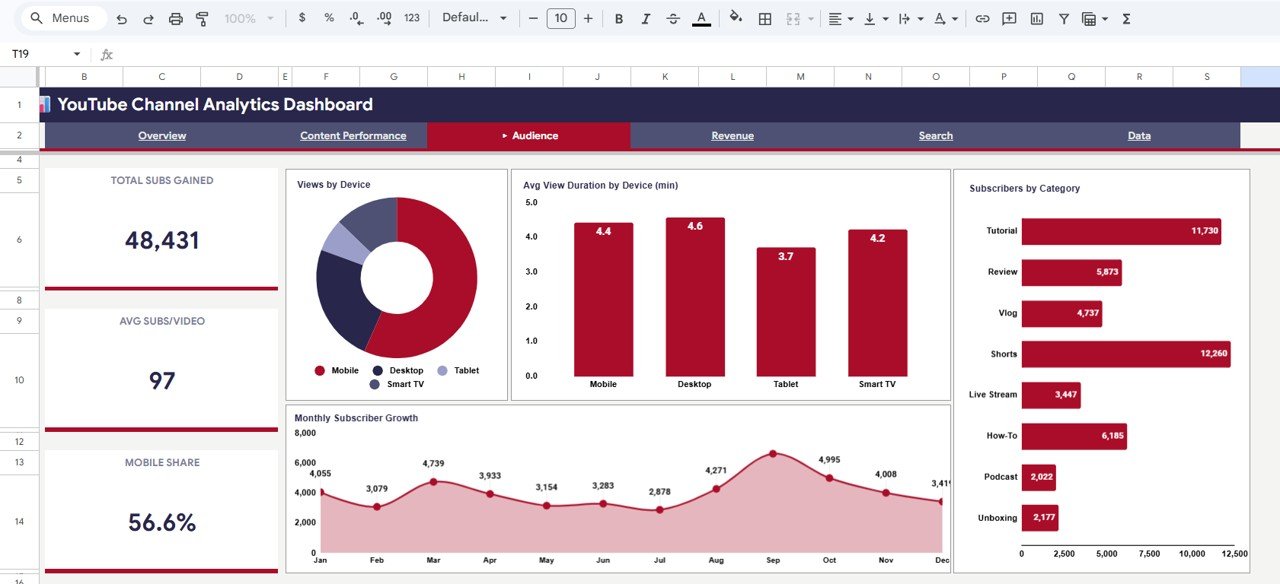 Audience Page
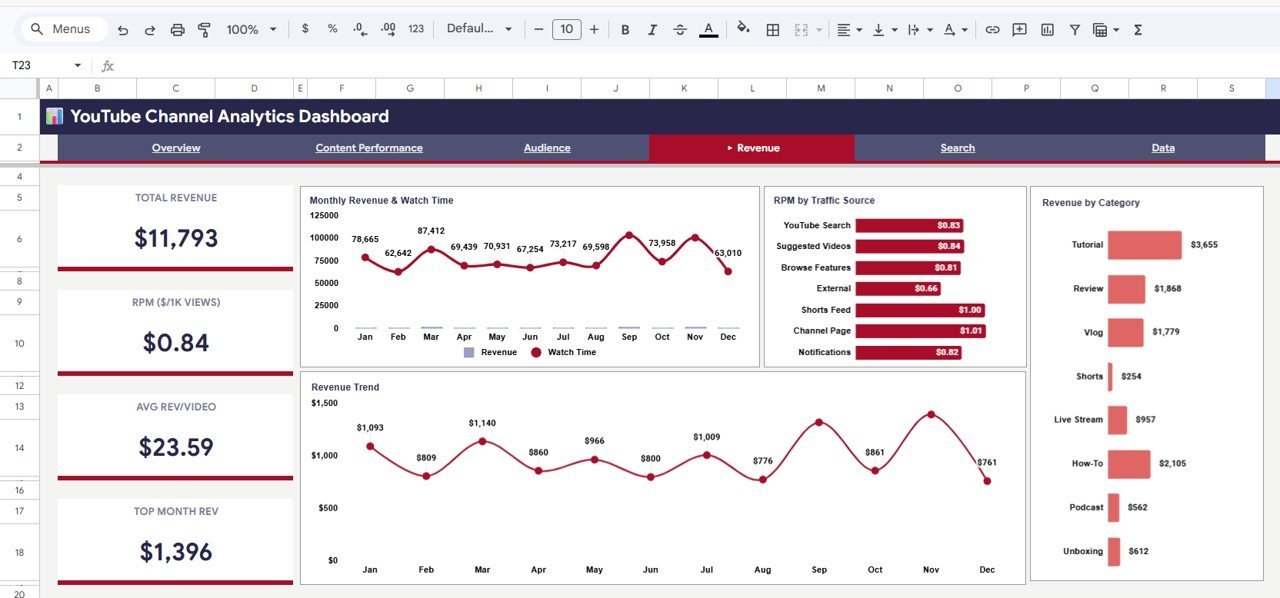
4 — Revenue Page: The Revenue page tracks Total Revenue, RPM ($/1K Views), Avg Rev/Video, and Top Month Rev. It includes charts for Monthly Revenue and Watch Time, RPM by Traffic Source, Revenue by Category, and Revenue Trend so you can pinpoint exactly where your earnings are coming from and how they trend over time.
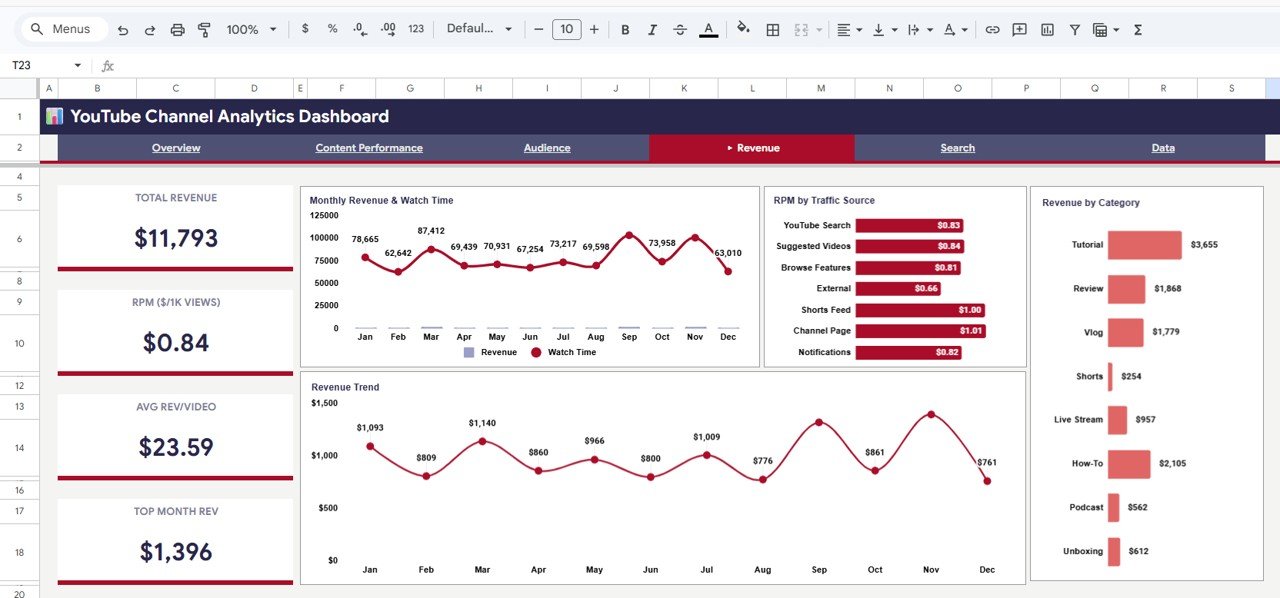 Revenue Page
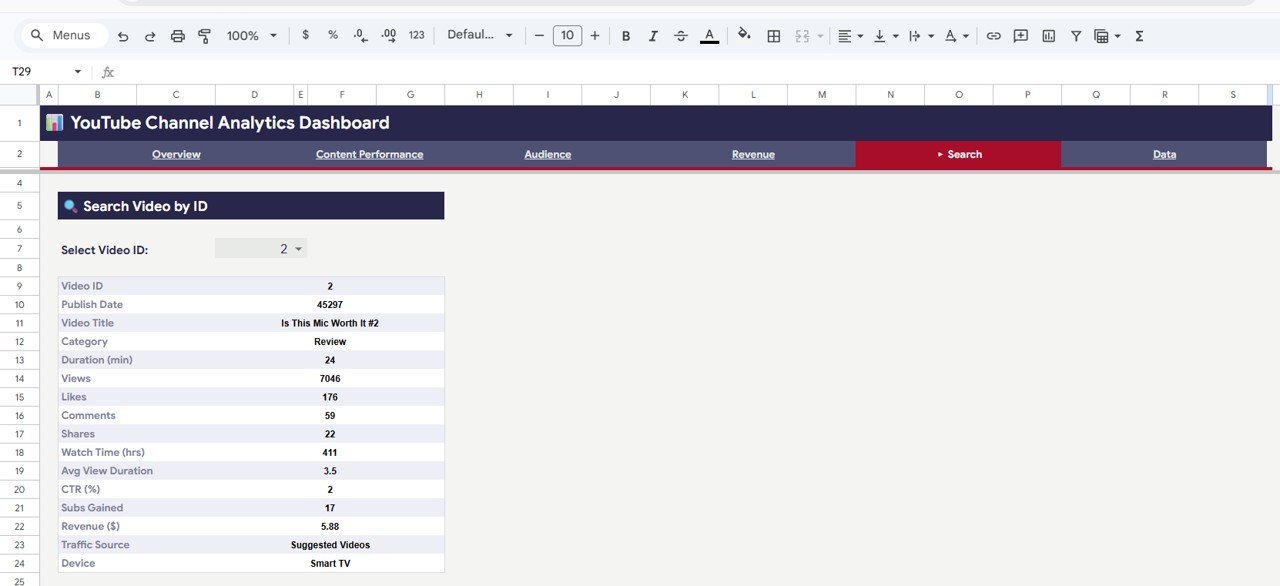
5 — Search Sheet: Select any Video ID from the dropdown and instantly view complete details including Publish Date, Video Title, Category, Duration, Views, Likes, Comments, Shares, Watch Time, Avg View Duration, CTR, Subs Gained, Revenue, Traffic Source, and Device. A quick way to look up individual video performance without scrolling through raw data.
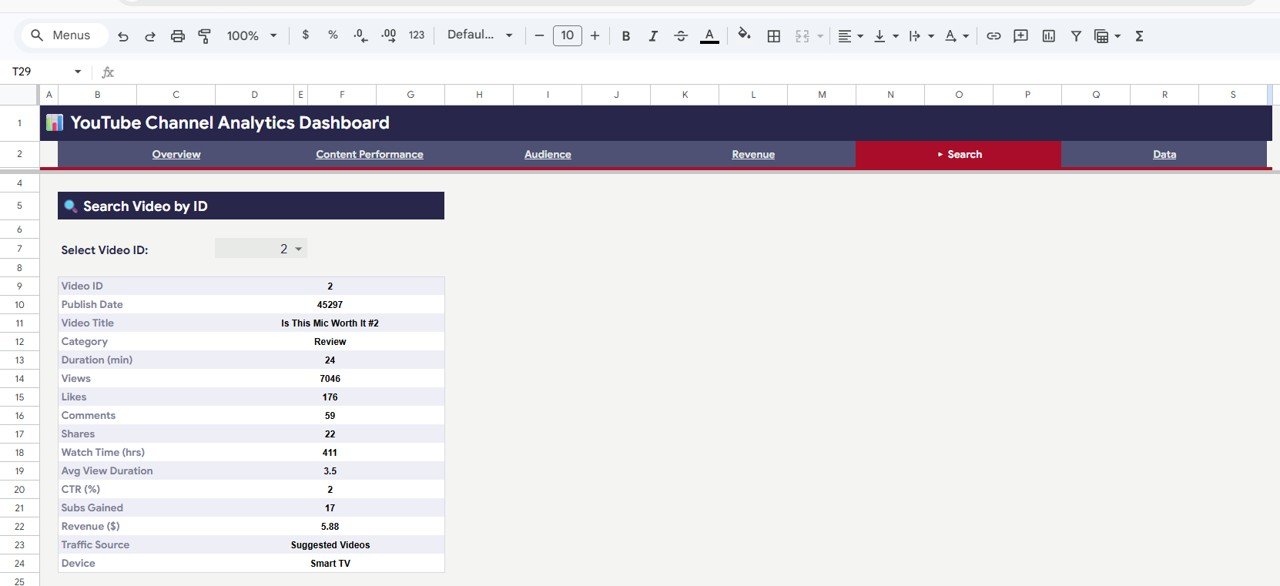 Search Sheet
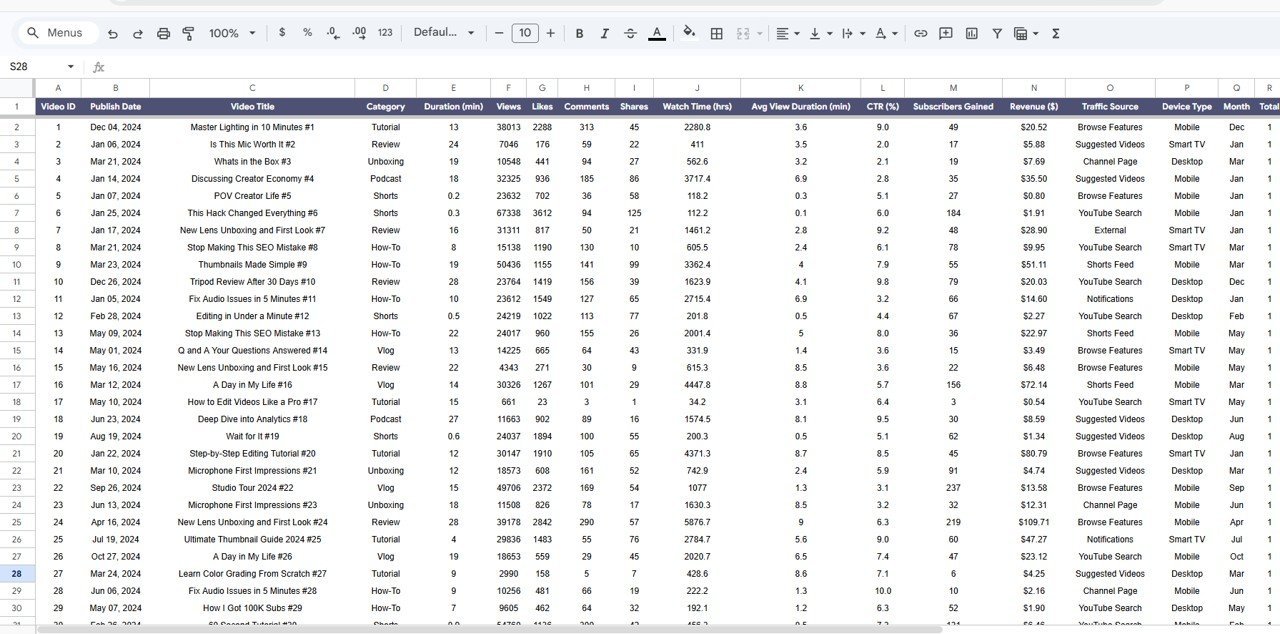
6 — Data Sheet: This is where you add your YouTube data. Simply paste your data in the same format and all dashboard pages update automatically — no formulas to edit, no macros to run.
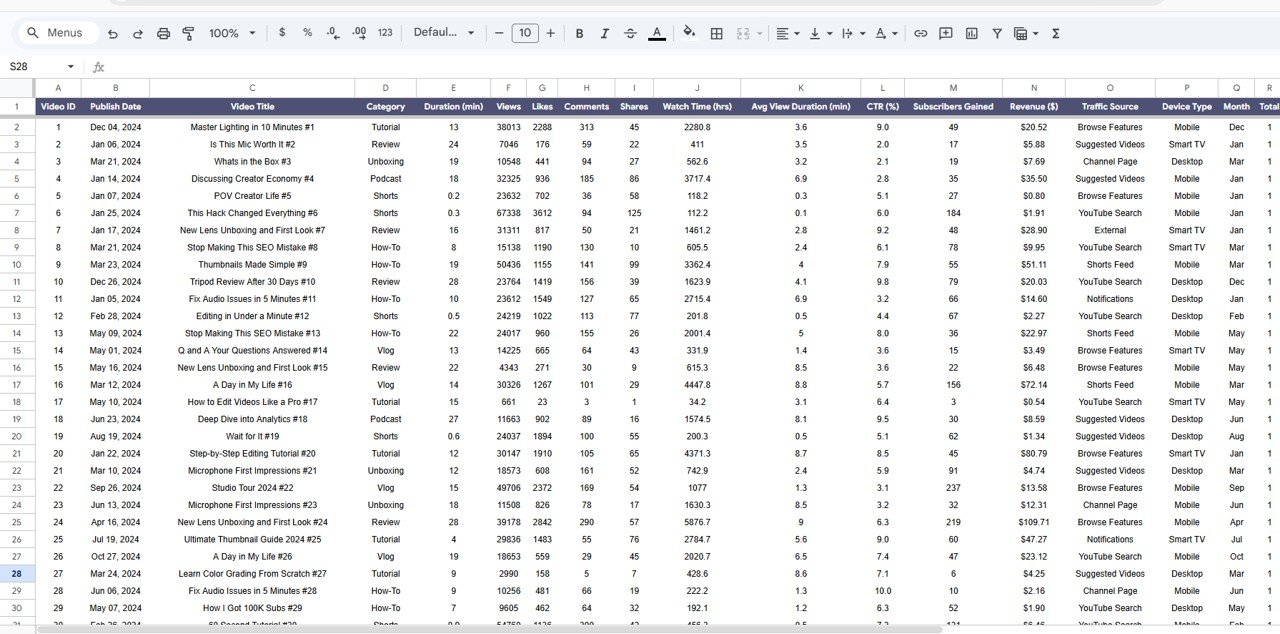 Data Sheet
Also check out the YouTube Channel Analytics Dashboard in HTML and the YouTube Channel Analytics Dashboard in Excel for alternative platform options.
⚙️ How to Use the YouTube Channel Analytics Dashboard
1️⃣ Open the PDF guide included in your download — it contains the Google Sheets copy link
2️⃣ Click the link to create your own editable copy in Google Drive
3️⃣ Go to the Data sheet and replace the sample data with your own YouTube analytics data
4️⃣ Navigate through the Overview, Content Performance, Audience, and Revenue pages to explore your insights
5️⃣ Use the slicer filters on the Overview page to quickly drill down by category, date, or other dimensions
6️⃣ Use the Search sheet to look up any individual video’s complete performance details
👥 Who Can Benefit from This YouTube Channel Analytics Dashboard
📌 YouTube content creators who want to understand which videos drive the most views, subscribers, and revenue
📌 Digital marketing managers tracking YouTube campaign performance and content ROI
📌 Social media teams analyzing audience behavior, device usage, and traffic sources
📌 Freelancers and agencies managing multiple YouTube channels for clients
📌 Small business owners using YouTube as a marketing channel and wanting clear performance data
📌 Students and educators studying digital media analytics
Explore more analytics dashboards like the Digital Marketing Campaign Dashboard in Google Sheets and the Etsy Seller Analytics Dashboard in Google Sheets for related tracking needs.
❓ Frequently Asked Questions
What KPIs does the YouTube Channel Analytics Dashboard in Google Sheets track?
This dashboard tracks over 15 key performance indicators including Total Views, Watch Time (Hours), Subscribers, Revenue, Average CTR, RPM, Average Views per Video, Average Likes per Video, Subscribers Gained, Mobile Share, and more across 5 interactive pages.
Do I need any coding or advanced Google Sheets skills to use this template?
No. Simply paste your YouTube data into the Data sheet in the provided format and all charts, KPI cards, and analysis pages update automatically. No formulas to edit and no scripts to run.
Can I filter the dashboard by video category or date range?
Yes. The Overview page includes multiple slicer filters that let you quickly filter the entire dashboard by category, date, and other dimensions to see focused insights.
How do I look up performance for a specific video?
Go to the Search sheet, select a Video ID from the dropdown, and instantly see complete details including Publish Date, Title, Views, Likes, Comments, Shares, Watch Time, CTR, Revenue, Traffic Source, and Device.
What is the best YouTube analytics dashboard template for Google Sheets?
The YouTube Channel Analytics Dashboard in Google Sheets from NextGenTemplates is one of the most comprehensive options available. It includes 5 dashboard pages covering overview metrics, content performance, audience insights, revenue tracking, and a video search feature — all in a single plug-and-play Google Sheets file.
Can I use this dashboard to track multiple YouTube channels?
The template is designed for one channel at a time. However, you can create multiple copies of the Google Sheet — one per channel — and manage each separately in Google Drive.
🔗 Explore Related Templates
📌 YouTube Channel Analytics Dashboard in HTML — Interactive browser-based version with the same analytics power
📌 Digital Marketing Campaign Dashboard in Google Sheets — Track your entire digital marketing funnel
📌 Etsy Seller Analytics Dashboard in Google Sheets — E-commerce seller analytics for Etsy shops
📖 Click here to read the Detailed Blog Post about YouTube Channel Analytics Dashboard in Google Sheets
Watch the step-by-step video tutorial:
🎥 Visit our YouTube channel to learn step-by-step video tutorials
👉 YouTube.com/@NextGenTemplates
Compatibility and Requirements
- Works in Google Sheets with a free Google account and a web browser. Nothing to install.
- Make a copy in your own Google Drive before you add your channel data. Google explains charts in Add & edit a chart or graph.
















Reviews
There are no reviews yet.