



The Volunteer Program KPI Dashboard in Excel is an essential tool for nonprofit organizations, community groups, and businesses managing volunteer programs. This Excel-based dashboard allows you to track key performance indicators (KPIs) related to volunteer engagement, recruitment, retention, and performance. Whether you’re managing a small team of volunteers or a large volunteer network, this dashboard provides the insights you need to optimize your program’s efficiency and impact.
The dashboard includes powerful features for tracking volunteer hours, monitoring attendance, and evaluating the success of various volunteer activities. By using this dashboard, you can enhance volunteer satisfaction, improve retention rates, and ensure that your volunteer program is running smoothly.
Key Features of the Volunteer Program KPI Dashboard in Excel
📊 Volunteer Hours Tracking
Track the total number of hours contributed by volunteers. Monitor individual and team contributions, ensuring that all volunteer hours are accurately recorded.
📝 Volunteer Recruitment Metrics
Analyze the success of your recruitment efforts. Track how many volunteers have signed up and evaluate the effectiveness of various recruitment campaigns.
📅 Volunteer Attendance Monitoring
Monitor volunteer attendance and participation rates. Use this data to identify trends and adjust schedules to maximize volunteer engagement.
📈 Performance & Engagement Metrics
Measure the impact of volunteer activities by tracking key performance indicators such as task completion rates, volunteer satisfaction, and overall program success.
⚙️ Volunteer Retention Analysis
Evaluate retention rates by tracking how many volunteers return for multiple events or activities. Use this data to improve volunteer engagement strategies.
🔄 Real-Time Data & Customizable Dashboard
Access real-time data for up-to-date insights. Customize the dashboard to track additional KPIs that are important to your organization or volunteer program.
Why You’ll Love the Volunteer Program KPI Dashboard in Excel

✅ Track Volunteer Impact
Keep a close eye on the contributions of your volunteers, from total hours worked to engagement and performance metrics. Understand how volunteers are impacting your programs.
✅ Enhance Volunteer Engagement
Monitor attendance, participation, and satisfaction to identify opportunities to improve engagement and retention. Ensure volunteers feel valued and appreciated.
✅ Optimize Recruitment Efforts
Track the success of your recruitment campaigns and identify which strategies yield the best results. Improve your volunteer recruitment process based on data-driven insights.
✅ Improve Program Efficiency
With real-time data, make informed decisions to enhance the efficiency and success of your volunteer programs. Adjust schedules, optimize recruitment, and maximize engagement.
✅ Customizable & Scalable
Easily tailor the dashboard to meet your specific needs. Whether you’re managing a small local program or a large-scale national initiative, this dashboard can scale to suit your requirements.
What’s Inside the Volunteer Program KPI Dashboard in Excel?
- Volunteer Hours Tracking: Track total volunteer hours for individuals and teams.
- Recruitment Metrics: Measure the effectiveness of your volunteer recruitment efforts.
- Attendance Monitoring: Track volunteer attendance and participation rates.
- Performance & Engagement Metrics: Measure task completion, volunteer satisfaction, and program success.
- Retention Analysis: Analyze retention rates and volunteer loyalty.
- Customizable Features: Tailor the dashboard to reflect the specific KPIs important to your program.
How to Use the Volunteer Program KPI Dashboard in Excel
1️⃣ Download the Template: Instantly access the Volunteer Program KPI Dashboard in Excel.
2️⃣ Input Volunteer Data: Add information such as volunteer names, hours, tasks, and attendance.
3️⃣ Track KPIs & Performance: Monitor key performance metrics such as volunteer hours, attendance, and engagement.
4️⃣ Analyze Recruitment & Retention: Use the dashboard to evaluate the success of recruitment efforts and measure volunteer retention.
5️⃣ Optimize Volunteer Engagement: Adjust strategies based on data-driven insights to improve volunteer satisfaction and program outcomes.
Who Can Benefit from the Volunteer Program KPI Dashboard in Excel?
🔹 Nonprofit Organizations
🔹 Community Groups & Charitable Organizations
🔹 Volunteer Coordinators & Managers
🔹 Social Impact Organizations
🔹 Event Organizers & Activity Coordinators
🔹 Corporate Volunteer Programs
🔹 Large-scale Volunteer Networks
Maximize the impact of your volunteer program with the Volunteer Program KPI Dashboard in Excel. Track volunteer hours, monitor performance, and ensure your program is efficient and effective.
Click here to read the Detailed blog post
Visit our YouTube channel to learn step-by-step video tutorials
Youtube.com/@PKAnExcelExpert
Compatibility and Requirements
- Works in Microsoft Excel desktop (Excel 2016 or later, or Microsoft 365).
- Results are shown in charts. Microsoft explains Excel charts in Create a chart from start to finish.
Frequently Asked Questions
Which KPIs does the Volunteer Program KPI Dashboard track?
It tracks volunteer hours, recruitment, attendance and participation, task completion rates, volunteer satisfaction and retention.
Can I see individual and team hours?
Yes. You can record hours for each volunteer and for teams.
Can I measure retention?
Yes. It shows how many volunteers return for more events or activities.
Is there a Power BI or Google Sheets version?
Yes. The Volunteer Program KPI Dashboard in Power BI and the Google Sheets edition cover the same topic.
Related Volunteer and Nonprofit Templates
- Volunteer Program KPI Dashboard in Power BI: the same topic in Power BI
- Volunteer Program KPI Dashboard in Google Sheets: the same topic in Google Sheets
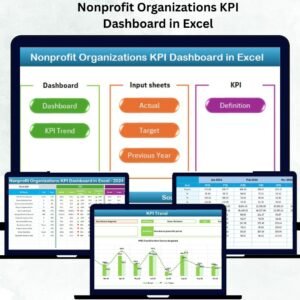
- Nonprofit Organizations KPI Dashboard in Excel: track nonprofit KPIs in Excel
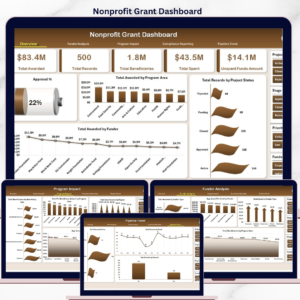
- Nonprofit Grant Dashboard in Excel: manage grants in an Excel dashboard
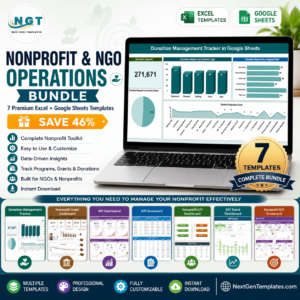
- Nonprofit & NGO Operations Bundle: 7 nonprofit and NGO templates in one download
Browse all Excel KPI dashboards.































Reviews
There are no reviews yet.