


Managing vacation rentals is no longer just about welcoming guests—it’s about balancing occupancy, maximizing revenue, and ensuring guest satisfaction in a highly competitive travel market. The Vacation Rental KPI Dashboard in Power BI is the ultimate solution for property managers, agencies, and individual hosts who want to track performance with accuracy and ease.
Powered by a structured Excel input and designed in Power BI, this ready-to-use dashboard consolidates all the key KPIs—occupancy rate, ADR, cancellations, repeat guests, and more—into a single interactive platform. Instead of working with static spreadsheets, you’ll gain real-time insights and visual clarity to make data-driven decisions that boost profitability and enhance guest experience.
✨ Key Features of the Vacation Rental KPI Dashboard
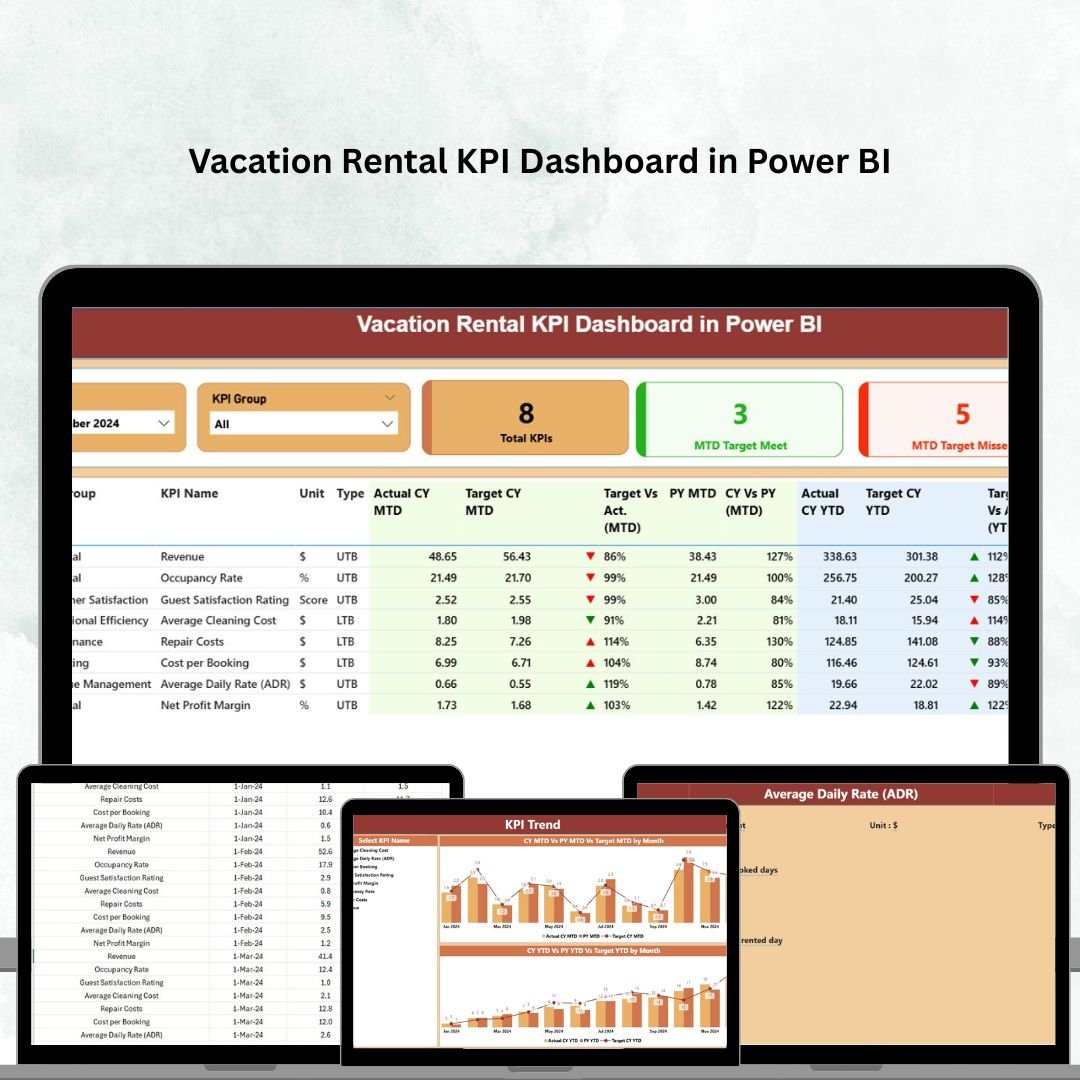
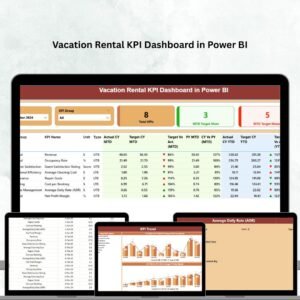
✅ Summary Page – Quick snapshot of your business with KPI Group slicers, highlight cards, and a detailed KPI table.
✅ Interactive Cards – Track total KPIs, MTD target met, and MTD target missed at a glance.
✅ Detailed KPI Table – Includes KPI Number, Name, Unit, Type (UTB/LTB), Actual vs Target values, performance %, and ▲ ▼ indicators.
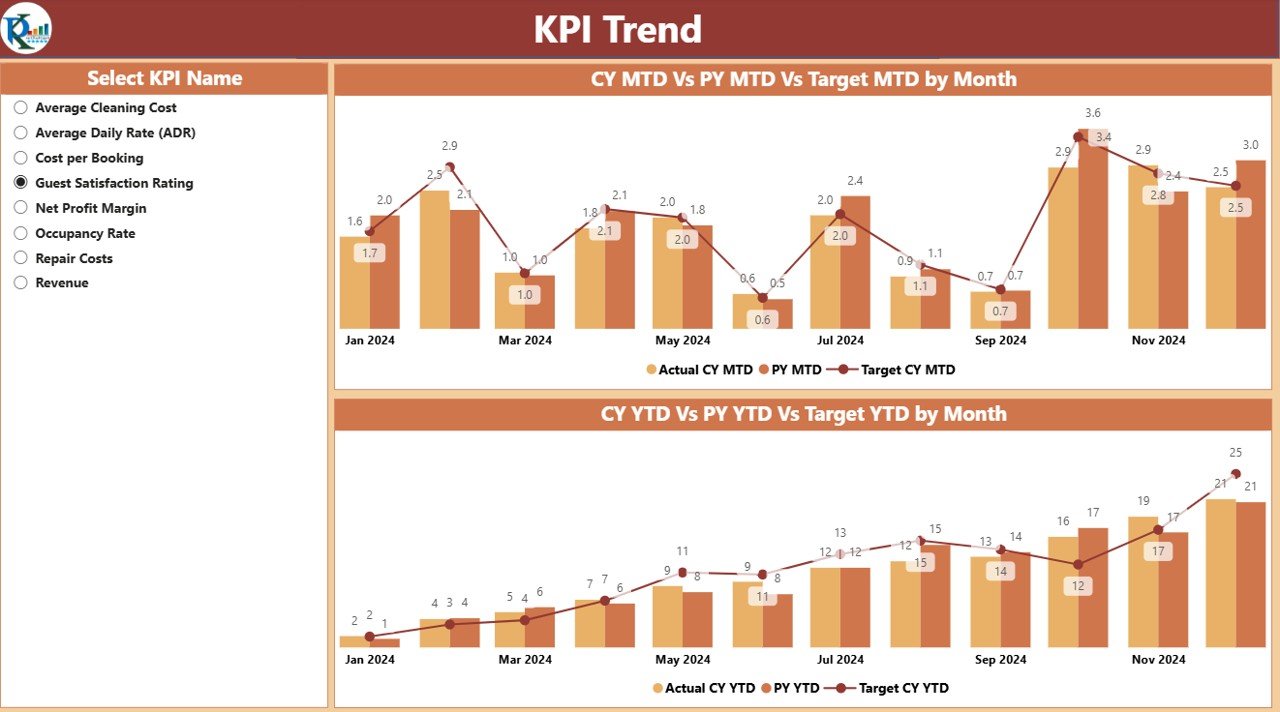
✅ KPI Trend Page – Combo charts for MTD and YTD trends, comparing Current Year, Previous Year, and Target.
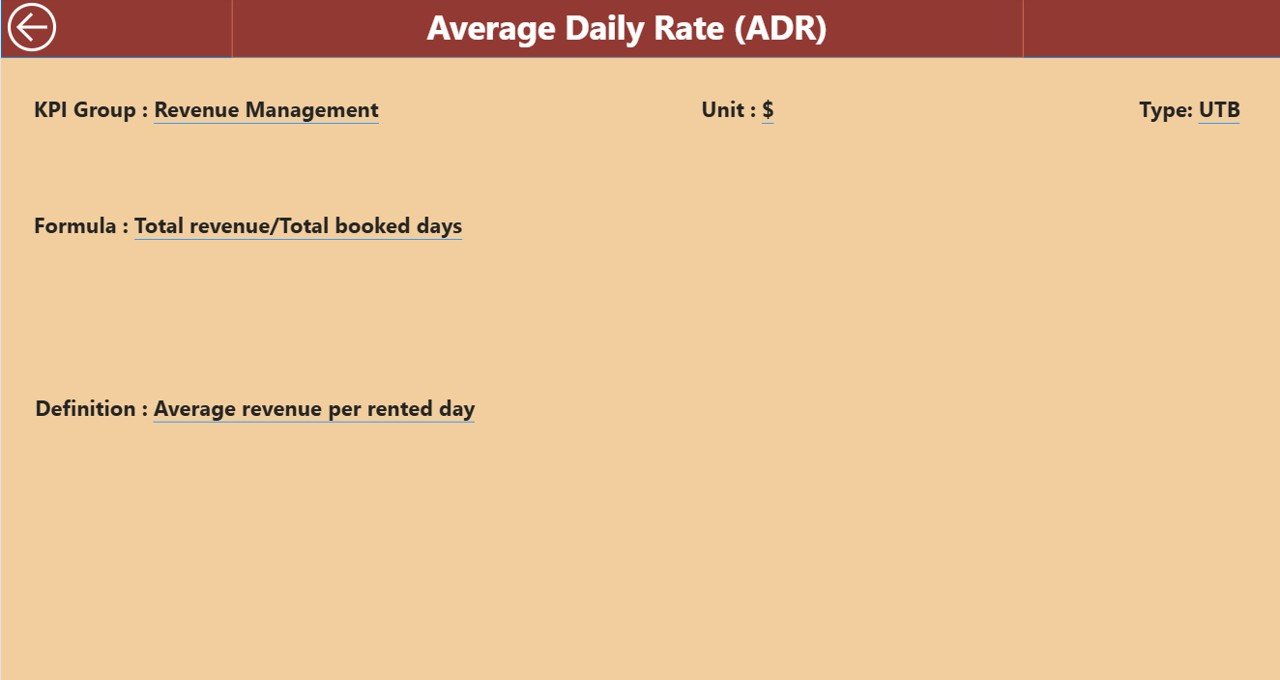
✅ KPI Definition Page – Built-in glossary with KPI formulas, definitions, and units for transparency.
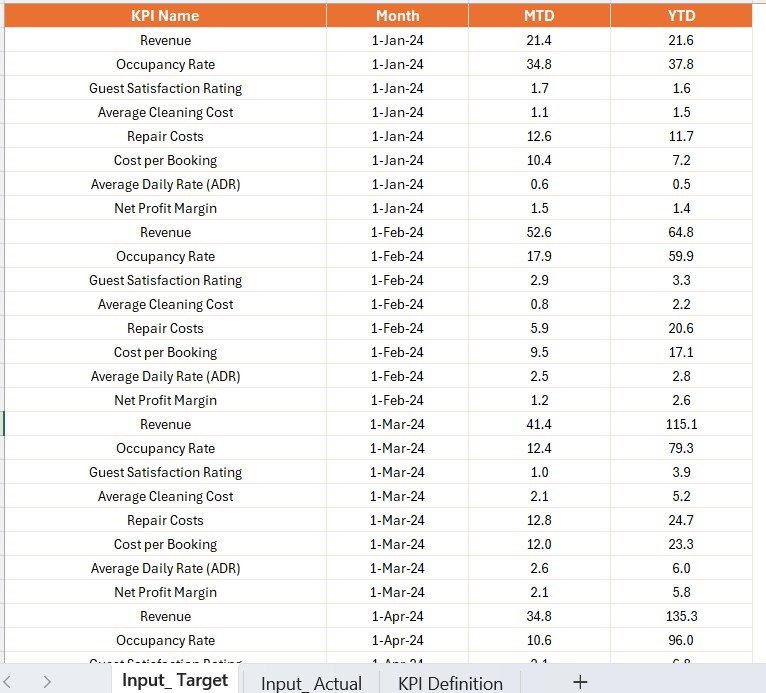
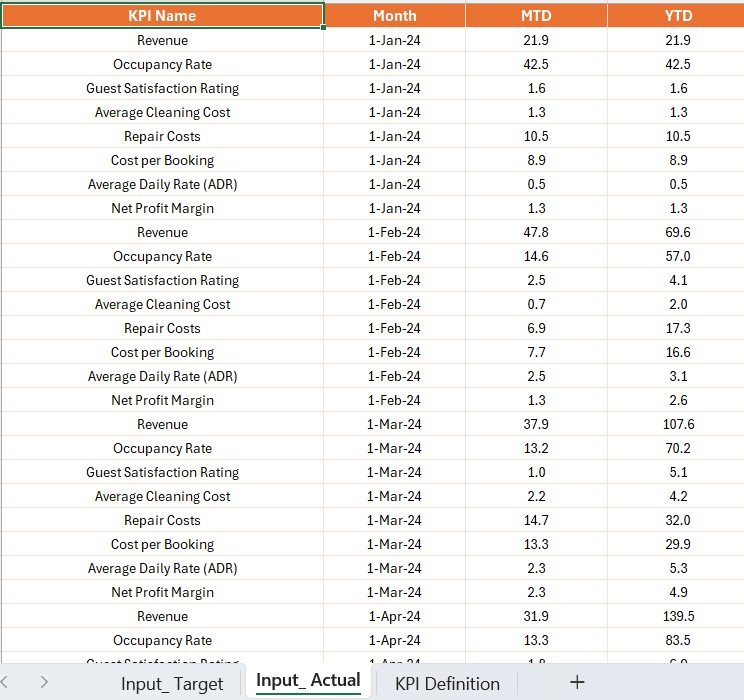
✅ Excel Data Source Integration – Structured sheets (Input_Actual, Input_Target, KPI Definition) make updating simple.
✅ Scalable & Flexible – Perfect for managing 5 rentals or scaling up to 500 properties.
✅ Real-Time Insights – Refresh Power BI with updated Excel data for instant performance monitoring.
📂 What’s Inside the Dashboard
This professional solution is designed with three core Power BI pages:
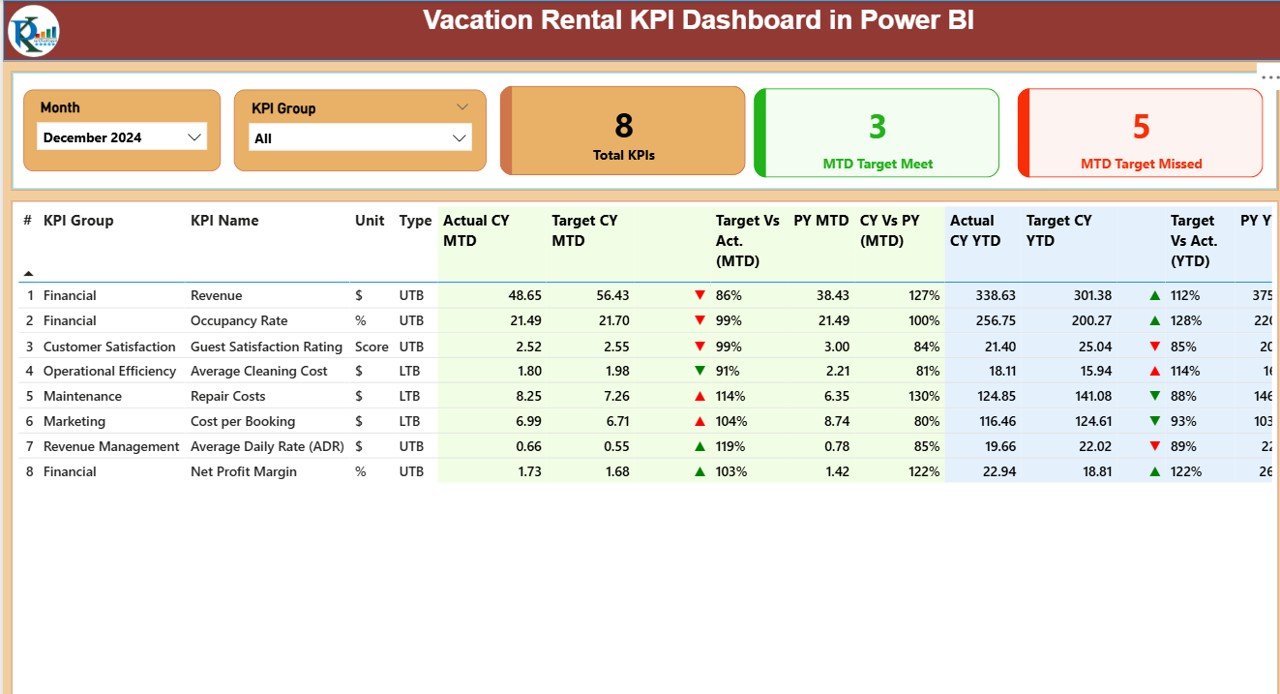
Summary Page 📊 – KPI slicers, highlight cards, detailed KPI table with targets vs actuals, and YoY comparisons.
KPI Trend Page 📈 – Visualize trends over time with combo charts for MTD and YTD numbers. Spot seasonal highs, lows, and booking cycles.
KPI Definition Page 📖 – Ensure consistency and clarity with formulas and definitions. Drill-through from the summary and return easily.
Behind the scenes, the dashboard is powered by an Excel file with three structured worksheets:
Input_Actual: Actual KPI values by month.
Input_Target: Target KPI values by month.
KPI Definition: Complete reference for all KPIs.
🛠️ How to Use the Vacation Rental KPI Dashboard
Update Excel Data – Enter monthly Actual and Target values.
Refresh Power BI – Import Excel and update visuals instantly.
Review Summary Page – Track performance vs target with color-coded indicators.
Analyze Trends – Use combo charts to spot seasonality and long-term growth.
Check KPI Definitions – Ensure consistent understanding across the team.
Take Action – Adjust pricing, optimize occupancy, or improve guest satisfaction based on data.
👥 Who Can Benefit from This Dashboard?
🏠 Individual Hosts – Manage performance across a few properties.
🏢 Property Management Companies – Track occupancy, revenue, and guest satisfaction across multiple clients.
🌍 Vacation Rental Agencies – Monitor listings on Airbnb, Vrbo, or Booking.com.
🏖️ Resort Managers – Oversee multiple units with one consolidated view.
🏘️ Corporate Housing Providers – Manage occupancy, cancellations, and repeat guests.
📌 Click here to read the Detailed Blog Post
📺 Visit our YouTube channel to learn step-by-step video tutorials
Watch the step-by-step video tutorial:
Compatibility and Requirements
- Open the report in Power BI Desktop, which is free. Microsoft explains how to install it in Get Power BI Desktop.
- The KPI data lives in an Excel file with three sheets (Input_Actual, Input_Target and KPI Definition), so you also need Excel or another app that edits .xlsx files.
Frequently Asked Questions
What pages are in the Vacation Rental KPI Dashboard?
Three: Summary, KPI Trend and KPI Definition. You can drill through from the Summary page to the definitions and back.
How do I update the dashboard?
Enter monthly actual and target values in the Excel file, then refresh Power BI.
What does the Summary page show?
KPI group slicers, cards for total KPIs, MTD target met and MTD target missed, and a KPI table with actual against target values, performance % and up or down indicators.
Which KPIs does it cover?
Examples include occupancy rate, ADR, cancellations and repeat guests. The KPI Definition sheet lists the formula and unit for each one.
Is there an Excel or Google Sheets version?
Yes. See the Vacation Rental KPI Dashboard in Excel and the Vacation Rental KPI Dashboard in Google Sheets.
Related Vacation Rental Templates
- Vacation Rental KPI Dashboard in Excel: the Excel edition.
- Vacation Rental KPI Dashboard in Google Sheets: the Google Sheets edition.
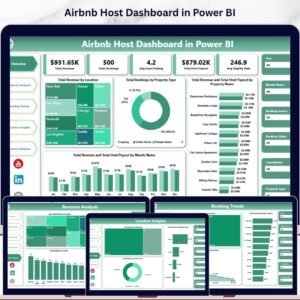
- Airbnb Host Dashboard in Power BI: bookings and revenue for hosts.
- Airbnb-style Rentals Dashboard in Power BI: charts for short-stay rentals.
- Real Estate & Property Bundle: 7 Excel, Power BI and Google Sheets property templates.
Browse all Power BI KPI dashboards or the Power BI dashboards.





























Reviews
There are no reviews yet.