



Telehealth has reshaped healthcare delivery by making consultations faster, more accessible, and more convenient for patients. Telehealth KPI Scorecard in Excel However, managing telehealth operations without structured performance tracking often leads to missed insights, declining service quality, and inefficient use of clinical resources. Many healthcare organizations still rely on disconnected reports and manual tracking, which makes decision-making reactive instead of proactive.
That is exactly why the Telehealth KPI Scorecard in Excel becomes a powerful and practical management solution 📊💻.
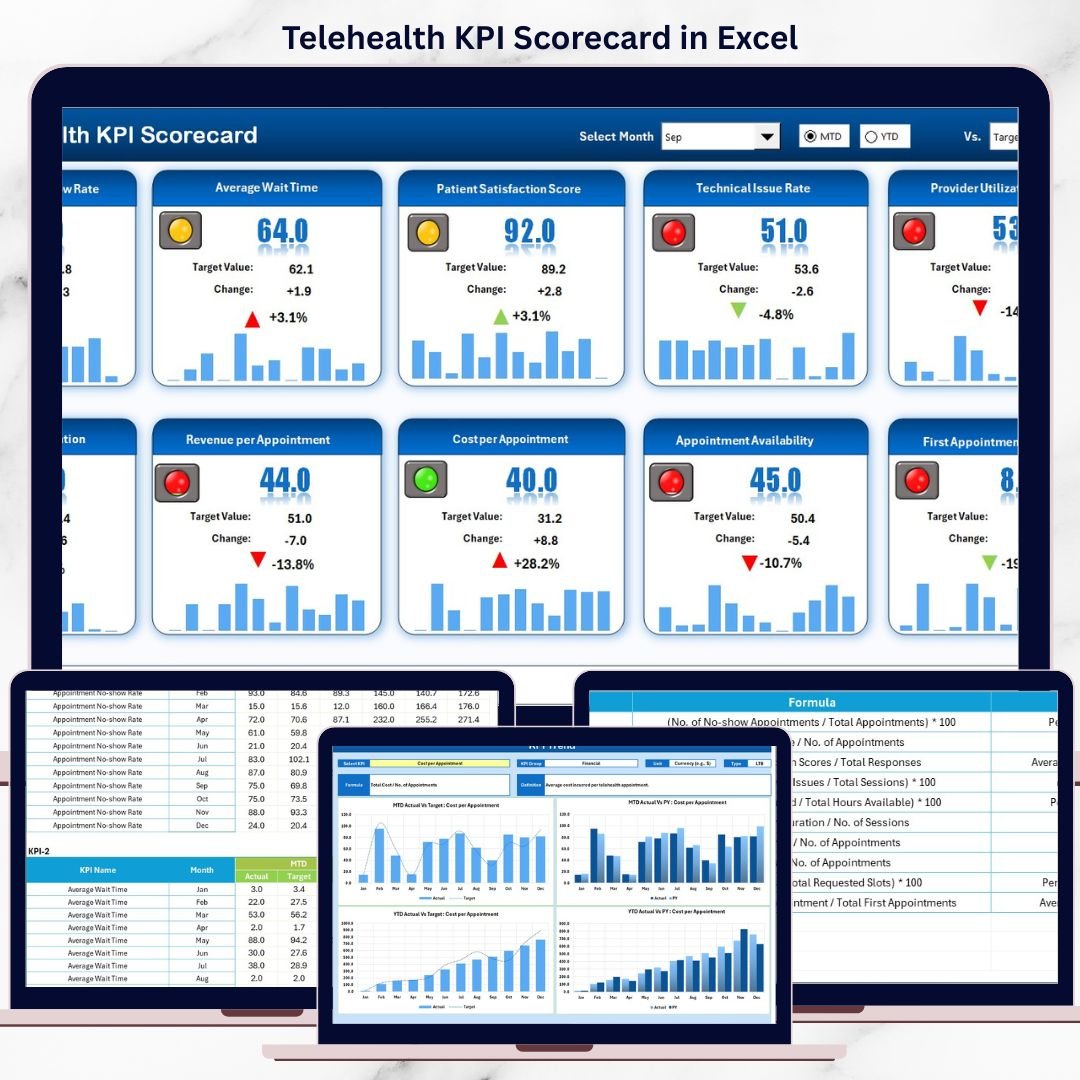
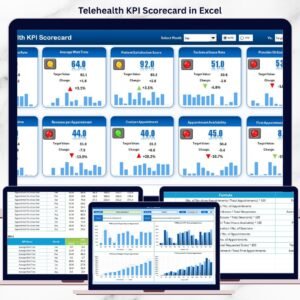
Telehealth KPI Scorecard in Excel This ready-to-use Excel scorecard transforms raw telehealth data into clear, visual, and actionable insights. Instead of reviewing multiple reports, healthcare leaders can track Month-to-Date (MTD) and Year-to-Date (YTD) performance from one centralized scorecard. Because the solution is built entirely in Microsoft Excel, it remains easy to use, flexible, and cost-effective—without requiring complex systems or advanced technical skills.
Designed for clinics, hospitals, and telehealth providers, this scorecard helps organizations move from reactive issue handling to proactive performance management.
⭐ Key Features of Telehealth KPI Scorecard in Excel
📊 Centralized KPI Monitoring
Track all telehealth performance metrics in one structured scorecard.
📅 MTD & YTD Performance Views
Analyze short-term activity and long-term performance side by side.
🎯 Actual vs Target Comparison
Instantly see whether telehealth KPIs meet expectations.
📈 Trend Analysis with Charts
Visualize performance patterns and detect issues early.
🧭 User-Friendly Excel Design
No advanced Excel skills required—simple and intuitive layout.
🧩 Customizable KPI Structure
Easily add, remove, or modify KPIs as telehealth services evolve.
📦 What’s Inside the Telehealth KPI Scorecard in Excel
This professionally designed Excel workbook includes four well-organized worksheets, each serving a specific purpose:
📊 Scorecard Sheet
The main performance view that displays:
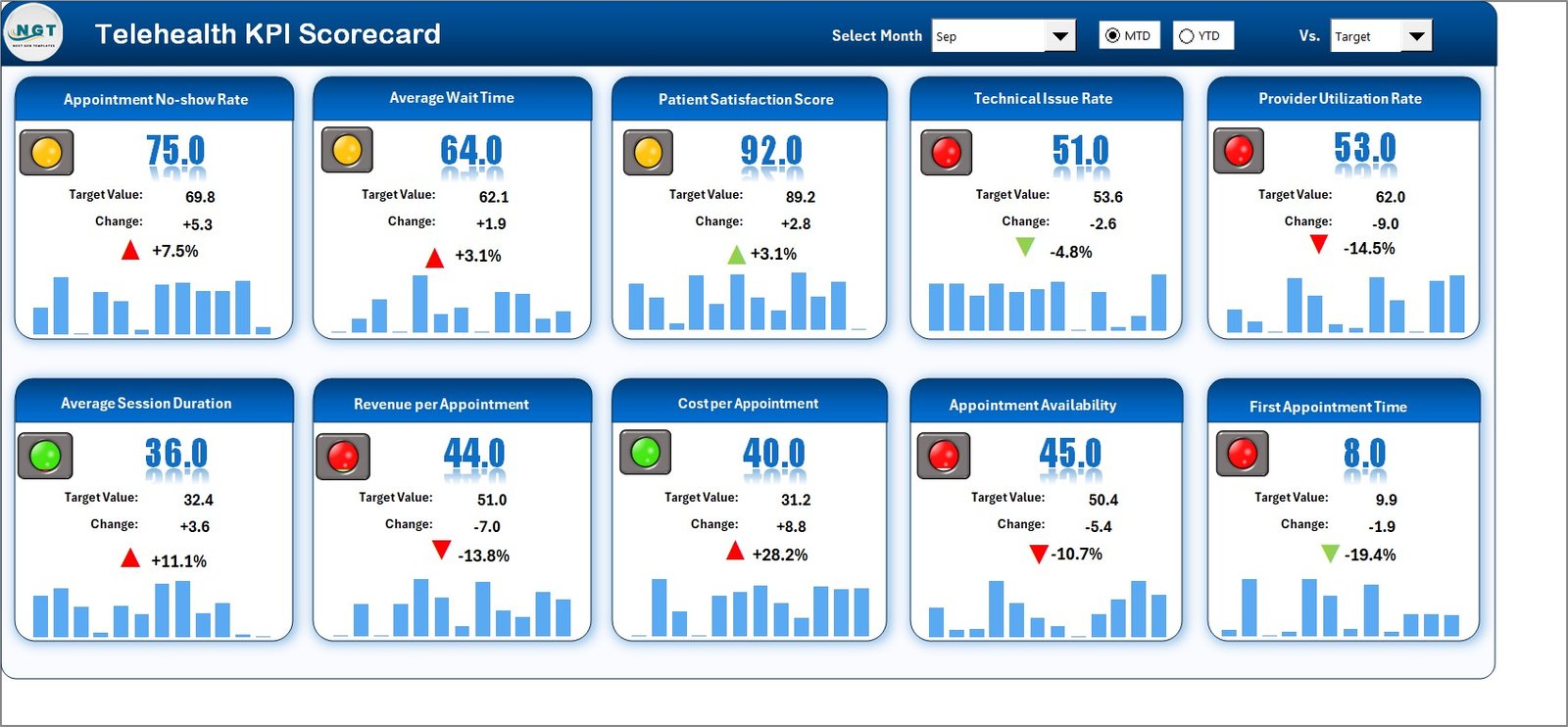
Month selection option
Toggle between MTD and YTD views
Actual vs Target KPI values
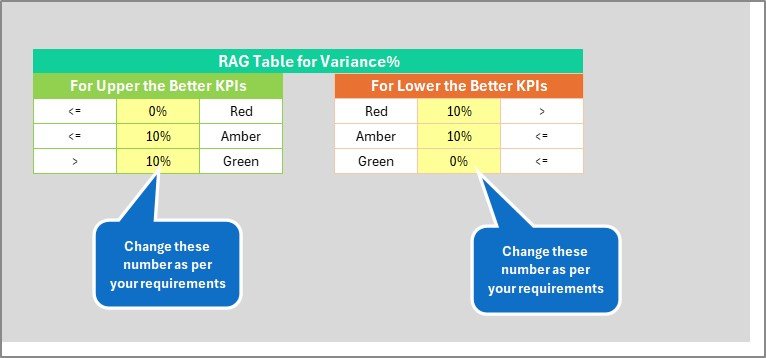
Color-coded indicators and conditional formatting for quick interpretation
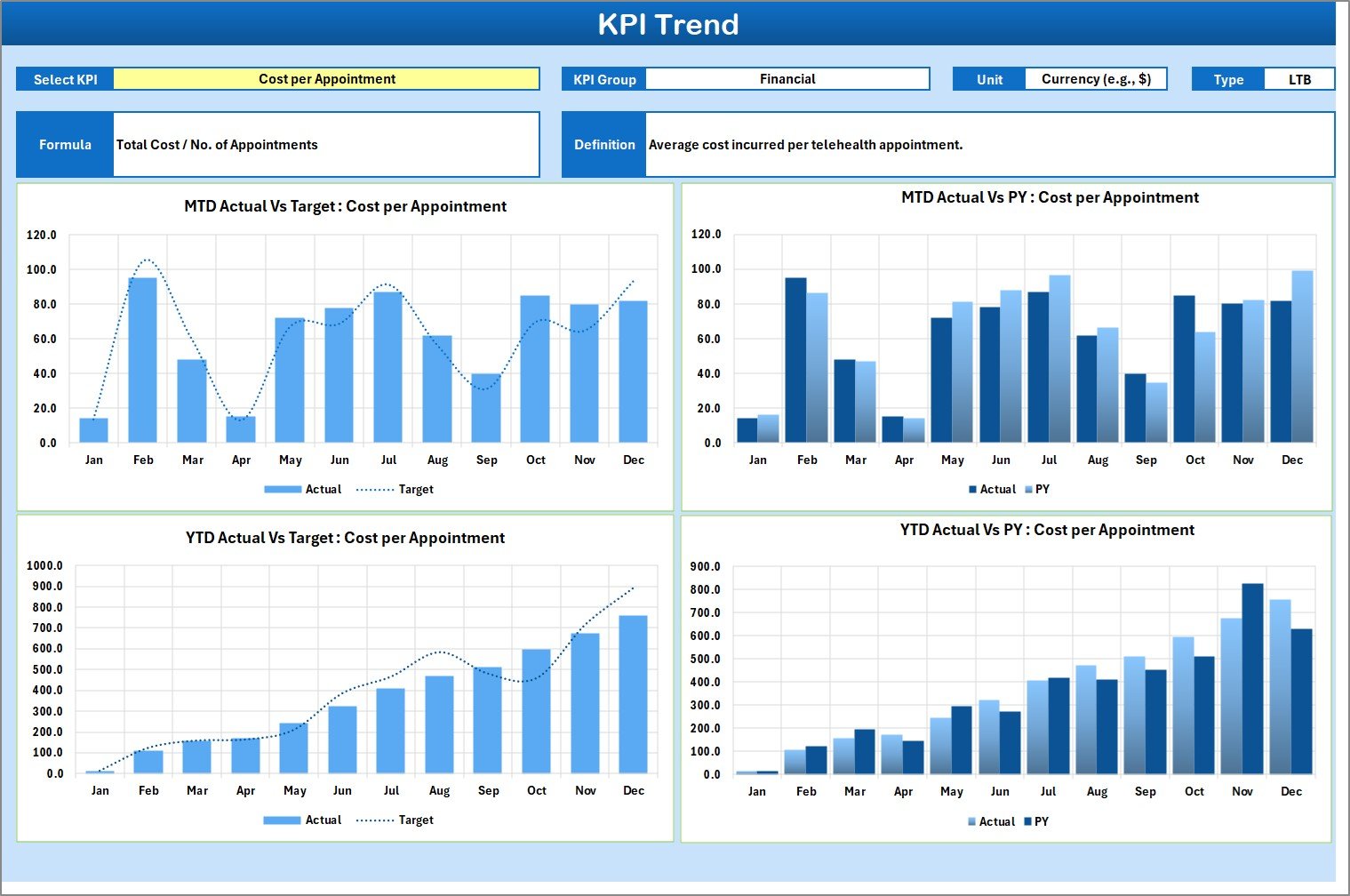
📈 KPI Trend Sheet
Supports deep KPI analysis with:
KPI selection drop-down
KPI group, unit, type (LTB/UTB), formula, and definition
MTD and YTD trend charts comparing Actual, Target, and Previous Year values
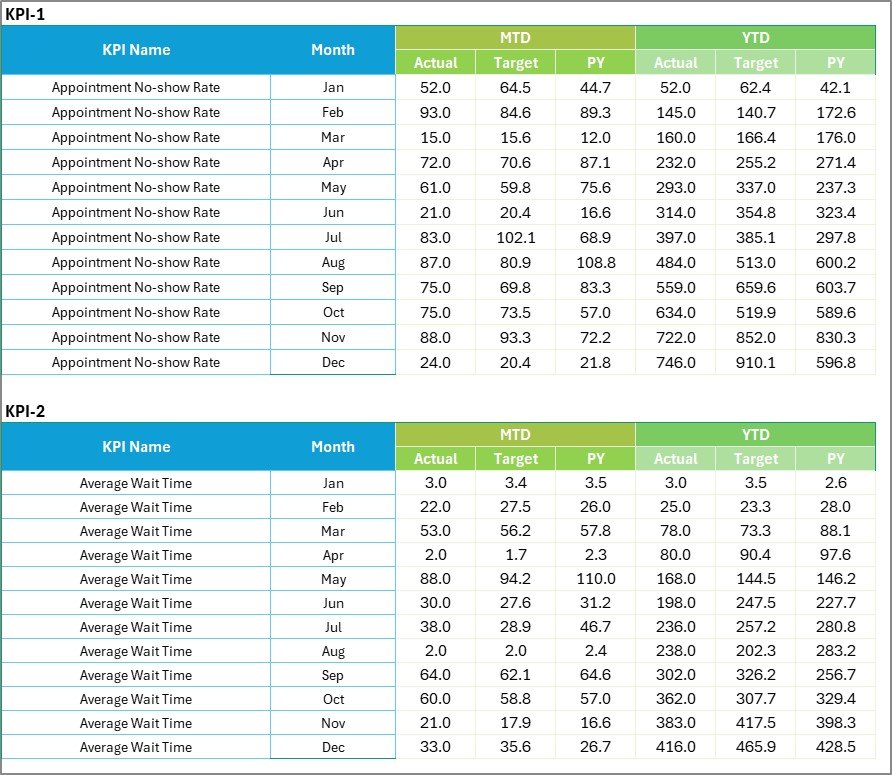
📝 Input Data Sheet
The central data entry point where users input:
Monthly Actual values
Monthly Target values
Structured KPI data for accurate calculations
📘 KPI Definition Sheet
Acts as a reference guide containing:
KPI Name
KPI Group
Unit of measurement
KPI Formula
KPI Definition
This structure ensures clarity, consistency, and transparency across teams.
🛠️ How to Use the Telehealth KPI Scorecard in Excel
Using the scorecard is simple and efficient:
1️⃣ Enter telehealth Actual and Target data in the Input Data sheet
2️⃣ Select the reporting month
3️⃣ Choose MTD or YTD view
4️⃣ Review KPI performance and visual indicators
5️⃣ Analyze trends and take action
Because calculations and visuals update automatically, teams save time and reduce reporting errors.
👥 Who Can Benefit from This Telehealth KPI Scorecard in Excel
This scorecard is ideal for:
🩺 Telehealth Program Managers
🏥 Healthcare Administrators
📋 Clinical Operations Teams
📊 Quality & Compliance Teams
🧠 Hospital Leadership
📈 Healthcare Analysts
Whether managing a small clinic or a large healthcare network, this scorecard adapts to your operational needs.
📖 Click here to read the Detailed blog post
▶️ Visit our YouTube channel to learn step-by-step video tutorials
Watch the step-by-step video tutorial:
Compatibility and Requirements
- Works in Microsoft Excel desktop (Excel 2016 or later, or Microsoft 365).
- You pick the month and the KPI from dropdown lists, and the scorecard uses color-coded indicators. Microsoft explains the setup in Create a drop-down list.
Frequently Asked Questions
Which sheets are included?
Four sheets: Scorecard, KPI Trend, Input Data and KPI Definition.
How do I update the scorecard?
Enter the monthly Actual and Target values in the Input Data sheet. Then choose the reporting month and the MTD or YTD view on the Scorecard sheet, and it updates.
Can I see MTD and YTD results?
Yes. The Scorecard sheet lets you switch between MTD and YTD views and shows Actual against Target for each KPI, with color-coded indicators.
How do I look at the trend for one KPI?
Open the KPI Trend sheet and select the KPI from the dropdown. It shows the KPI group, unit, type (LTB/UTB), formula and definition, plus MTD and YTD charts comparing Actual, Target and Previous Year values.
Can I change the KPIs?
Yes. You can add, remove or modify KPIs as your telehealth services change. The KPI Definition sheet holds the name, group, unit, formula and definition of each one.
Is there another version of this template?
Yes. See the Telehealth KPI Dashboard in Excel and the Telehealth Dashboard in Power BI.
Related Healthcare KPI Templates
- Telehealth KPI Dashboard in Excel: a dashboard view of telehealth KPIs
- Telehealth KPI Dashboard in Power BI: the Power BI edition
- Healthcare KPI Scorecard in Excel: a scorecard for wider healthcare metrics
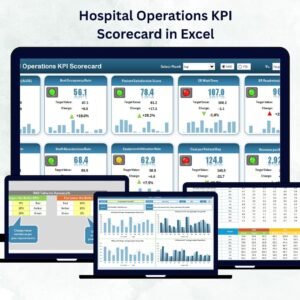
- Hospital Operations KPI Scorecard in Excel: a scorecard for hospital operations
- Healthcare & Hospital Management Bundle: 8 templates for healthcare teams in one download
Browse all Excel KPI dashboards.





























Reviews
There are no reviews yet.