

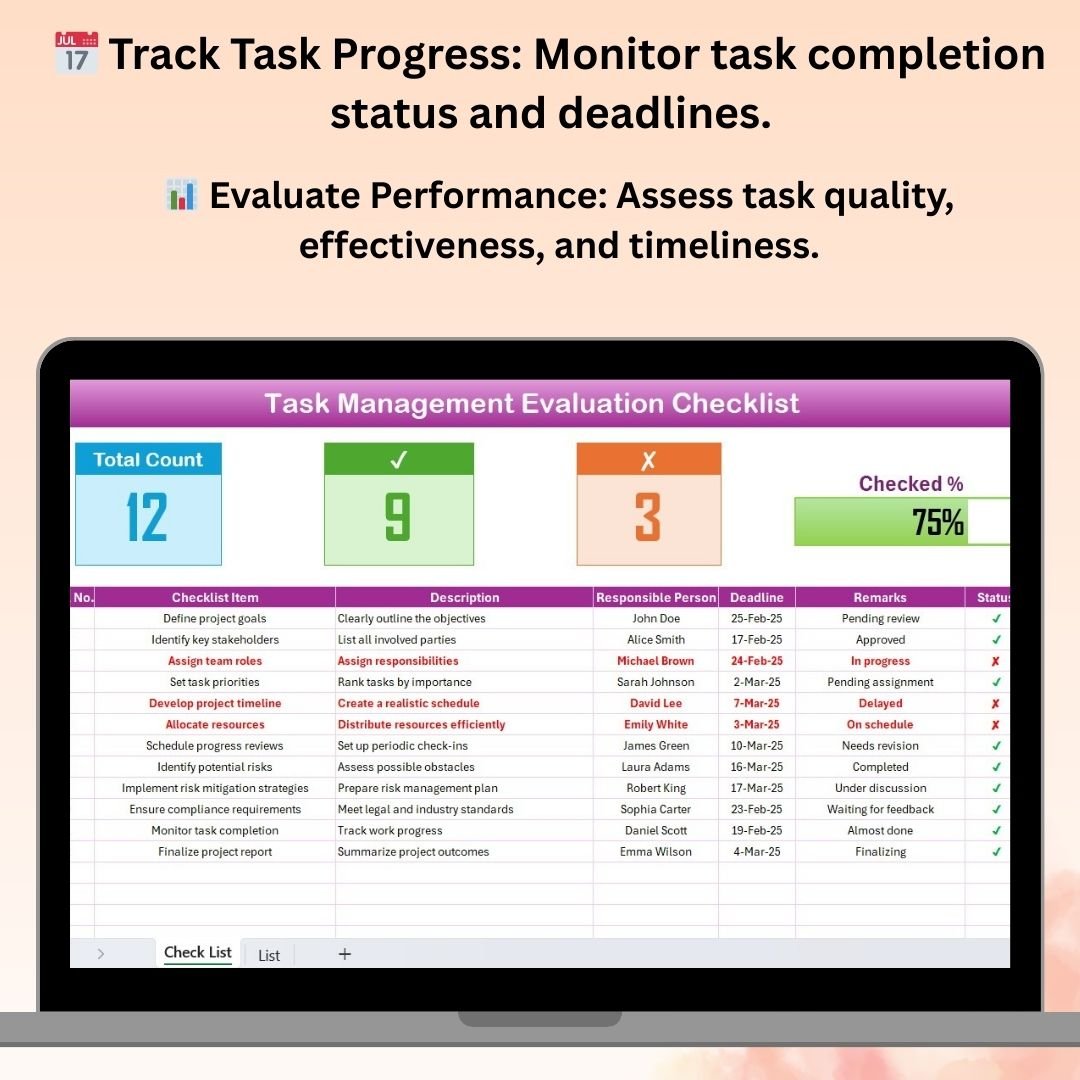

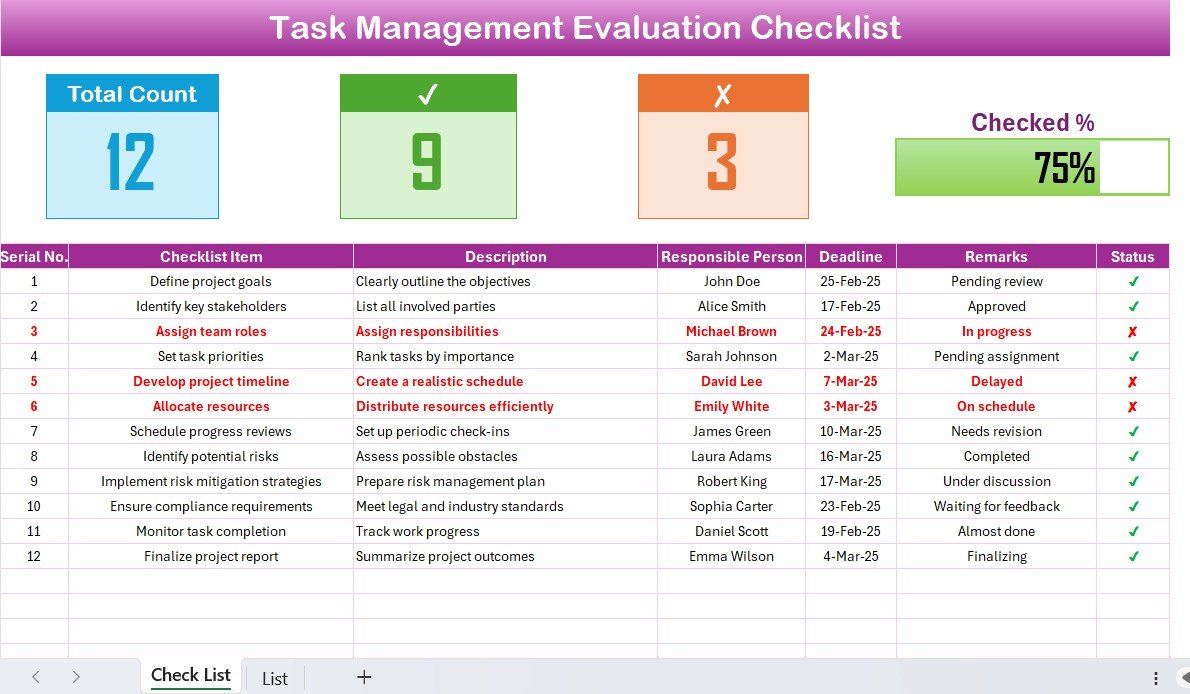
The Task Management Evaluation Checklist in Excel is an essential tool designed for project managers, team leaders, and organizations looking to efficiently track, evaluate, and optimize their task management processes. This customizable checklist provides an organized way to monitor task progress, assess performance, and ensure that tasks are completed on time and to the required standards.
With this Excel-based checklist, you can evaluate key aspects of task management, such as completion status, deadlines, resource allocation, and overall task effectiveness. It allows teams to quickly assess which tasks are on track, which need attention, and which have been completed successfully, making it an invaluable tool for improving team productivity and meeting project goals.
Key Features of the Task Management Evaluation Checklist in Excel
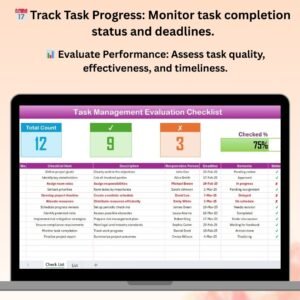
📅 Task Progress & Completion Tracking
Easily track the status of each task, from “Not Started” to “Completed.” Monitor task progress to ensure deadlines are met and that no tasks fall behind schedule.
📊 Performance Evaluation
Evaluate the effectiveness of task completion by tracking task completion rates, quality of work, and whether they align with the initial objectives. Assess individual and team performance based on predefined criteria.
🔄 Resource Allocation Tracking
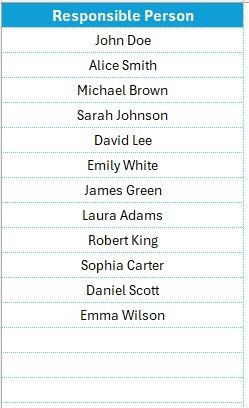
Monitor resource allocation for each task. Ensure that tasks have the required resources and personnel assigned to them and assess whether the resource allocation is efficient and effective.
⏰ Deadline & Milestone Tracking
Keep track of key deadlines and milestones for each task. Set up reminders and alerts to ensure that important deadlines are met and that the team stays on track.
📈 Customizable Criteria & KPIs
This checklist is fully customizable, allowing you to set your own evaluation criteria and KPIs to track specific aspects of task performance. Tailor the checklist to your project management needs.
📊 Visual Reports & Data Insights
Use charts and graphs to visualize task progress, performance metrics, and resource allocation. Analyze data over time to spot trends and make informed decisions for future tasks.
Why You’ll Love the Task Management Evaluation Checklist in Excel
✅ Improve Task Efficiency
By tracking and evaluating task progress, you can identify bottlenecks, optimize workflows, and ensure that tasks are completed on time and to the desired quality.
✅ Track Resource Allocation
Ensure that your team has the necessary resources and personnel for each task. Proper resource allocation is key to meeting deadlines and achieving high-quality outcomes.
✅ Evaluate Task Performance
Monitor individual and team performance based on specific KPIs. Gain insights into areas for improvement and take proactive steps to enhance productivity.
✅ Streamline Task Management
With a clear structure and customizable criteria, this checklist helps streamline task management and improve overall team efficiency. No more disorganized task tracking or missed deadlines.
✅ Customizable for Any Project
This checklist is adaptable for any project or team, allowing you to tailor the metrics, criteria, and tasks to suit your specific needs and goals.
What’s Inside the Task Management Evaluation Checklist in Excel?
- Task Progress Tracker: Monitor the status of each task, from initiation to completion.
- Performance Evaluation Metrics: Track the effectiveness of each task completion, including quality and timeliness.
- Resource Allocation Tracker: Ensure tasks have the necessary resources and personnel assigned to them.
- Deadline & Milestone Tracker: Stay on top of deadlines and key milestones for each task.
- Customizable Evaluation Criteria: Modify the checklist to track the specific performance metrics important to your project.
- Visual Performance Dashboards: Use charts and graphs to analyze performance and task progress.
How to Use the Task Management Evaluation Checklist in Excel
1️⃣ Download the Template: Access the Task Management Evaluation Checklist in Excel instantly.
2️⃣ Set Evaluation Criteria & KPIs: Customize the checklist to align with your project goals and criteria for task performance.
3️⃣ Track Task Progress: Monitor each task’s status, milestones, and deadlines to ensure smooth project execution.
4️⃣ Evaluate Task Performance: Use the provided metrics and KPIs to evaluate the effectiveness of task completion.
5️⃣ Generate Reports & Insights: Visualize task performance with graphs and charts, and make data-driven decisions for future tasks.
Who Can Benefit from the Task Management Evaluation Checklist in Excel?
🔹 Project Managers & Team Leaders
🔹 Operations Managers & Coordinators
🔹 HR Managers & Teams
🔹 Small & Medium Enterprises (SMEs)
🔹 Large Organizations & Enterprises
🔹 Freelancers & Consultants Managing Multiple Tasks
Optimize your task management and ensure that tasks are completed on time and to the required standards with the Task Management Evaluation Checklist in Excel. Track progress, evaluate performance, and enhance team productivity with this easy-to-use, customizable tool.
Click here to read the Detailed blog post
Visit our YouTube channel to learn step-by-step video tutorials
Youtube.com/@PKAnExcelExpert
Compatibility and Requirements
- Works in Microsoft Excel desktop (Excel 2016 or later, or Microsoft 365).
- No add-ins are needed.
- For help with Excel charts, see Microsoft’s guide Create a chart from start to finish.
Frequently Asked Questions
What does the checklist evaluate?
Task completion status, deadlines, resource allocation and overall task effectiveness, including quality and timeliness.
How is task status tracked?
Each task moves through statuses from Not Started to Completed, so you can see which tasks are on track and which need attention.
Can I set my own evaluation criteria?
Yes. You can set your own criteria and KPIs and change the tasks to fit your project.
Does it include charts?
Yes. Charts and graphs show task progress, performance metrics and resource allocation over time.
Related Task Management Templates
- Task Management Documentation Checklist in Excel: a checklist with owners, deadlines and a progress bar
- Task Management Checklist in Excel: a general task checklist
- Task Management Dashboard in Excel: charts and KPIs for your tasks
- Task Management Tracker in Google Sheets: a shared tracker in Google Sheets
- Checklist & SOP Pack: 12 checklist templates in one bundle
Browse all Excel checklists or the Excel project management templates.
































Reviews
There are no reviews yet.