



The Substance Abuse Center KPI Dashboard in Excel is an essential tool for managing and optimizing the performance of substance abuse treatment centers. This Excel-based dashboard helps center administrators, case managers, and treatment coordinators track key performance indicators (KPIs) that ensure the effective treatment of clients and the operational efficiency of the center. From patient progress and treatment effectiveness to financial health and staff performance, this dashboard provides comprehensive insights into the most critical aspects of your substance abuse treatment facility.
With its user-friendly and customizable layout, this dashboard enables you to make data-driven decisions, improve patient outcomes, and ensure that your treatment center is running smoothly and efficiently.

Key Features of the Substance Abuse Center KPI Dashboard in Excel:
💊 Patient Progress and Treatment Tracking
Monitor patient progress, track treatment completion rates, and evaluate the effectiveness of individual treatment plans to ensure optimal recovery.
👩⚕️ Staff Performance and Case Management
Track staff performance, including caseloads, client feedback, and task completion, to ensure that your team is providing the highest standard of care and support.
💰 Financial Performance Monitoring
Track revenue from patient fees, insurance, and government funding, and monitor operational expenses to ensure that your center remains financially stable.
📈 Service Delivery Efficiency
Monitor the number of patients served, average treatment durations, and the timeliness of service delivery to improve operational efficiency and resource allocation.
📊 Client Satisfaction and Retention
Track patient satisfaction surveys and retention rates to assess the quality of care and identify areas for improvement in treatment services.
🚀 Why You’ll Love the Substance Abuse Center KPI Dashboard in Excel:
✅ Track Patient Progress – Monitor patient recovery progress, treatment plans, and completion rates to ensure high-quality, effective care.
✅ Evaluate Staff Performance – Track staff caseloads, feedback, and task completion to ensure that your team is providing the best support to clients.
✅ Monitor Financial Health – Track revenue and operational expenses to ensure your center’s financial sustainability.
✅ Improve Service Delivery – Track service efficiency by monitoring the number of patients, treatment durations, and timely service delivery.
✅ Enhance Client Satisfaction – Monitor client satisfaction and retention to assess care quality and address areas for improvement.
✅ Fully Customizable and Interactive – Tailor the dashboard to meet your center’s specific needs with real-time tracking and reporting of key performance metrics.
What’s Inside the Substance Abuse Center KPI Dashboard in Excel:
Patient Progress Tracking: Monitor patient progress, treatment completion rates, and individual treatment plan effectiveness to ensure that clients receive optimal care.
Staff Performance and Case Management: Track staff caseloads, monitor performance, and gather feedback from clients to ensure that your team is meeting the needs of patients.
Revenue and Expense Monitoring: Track revenue from patient fees, insurance, and government funding, and monitor operational costs to ensure financial health.
Service Delivery Metrics: Monitor key service delivery metrics, including the number of patients treated, treatment duration, and timely service delivery.
Client Satisfaction and Retention: Track client satisfaction and retention rates to assess care quality and make improvements to the patient experience.
Customizable Reports: Generate custom reports on treatment effectiveness, financials, staff performance, and client feedback to inform decision-making.
How to Use the Substance Abuse Center KPI Dashboard in Excel:
1️⃣ Download the Template – Instantly access your Excel file upon purchase.
2️⃣ Input Data – Enter data on patient progress, staff performance, revenue, and client satisfaction to start tracking key metrics.
3️⃣ Monitor Treatment Progress – Use the dashboard to monitor treatment effectiveness, patient progress, and completion rates in real-time.
4️⃣ Track Financial Health – Monitor income and expenses to ensure your treatment center remains financially stable.
5️⃣ Generate Custom Reports – Create detailed reports summarizing patient progress, financials, staff performance, and client satisfaction to make informed business decisions.
Who Can Benefit from the Substance Abuse Center KPI Dashboard in Excel:
Substance Abuse Treatment Center Administrators
Case Managers and Treatment Coordinators
Healthcare Managers in Addiction Services
Financial Analysts in Healthcare
Operational Managers in Healthcare Facilities
HR Managers in Healthcare
Substance Abuse Counselors
Government Agencies Supporting Addiction Treatment
Non-Profit Organizations Providing Addiction Recovery Services
Healthcare Consultants in Addiction Services
The Substance Abuse Center KPI Dashboard in Excel is the perfect tool for tracking and optimizing the operations of your treatment center. By monitoring key performance indicators such as patient progress, staff performance, revenue, and service efficiency, this dashboard ensures that your center operates at its highest potential and provides the best possible care for your patients.
Click here to read the Detailed blog post
https://www.pk-anexcelexpert.com/substance-abuse-center-kpi-dashboard-in-excel/
Visit our YouTube channel to learn step-by-step video tutorials
Youtube.com/@PKAnExcelExpert
Compatibility and Requirements
- Works in Microsoft Excel desktop (Excel 2016 or later, or Microsoft 365).
- The KPIs are shown in interactive charts. Microsoft explains Excel charts in Create a chart from start to finish.
Frequently Asked Questions
What does the Substance Abuse Center KPI Dashboard track?
It tracks patient progress and treatment completion, staff caseloads and performance, revenue from patient fees, insurance and funding, operating costs, service delivery such as patients treated and treatment duration, and client satisfaction and retention.
How do I add my own data?
Enter data on patient progress, staff performance, revenue and client satisfaction. Then use the dashboard to monitor the KPIs.
Can I create reports from it?
Yes. It includes custom reports on treatment effectiveness, financials, staff performance and client feedback.
Can I change it to fit my business?
Yes. The template is fully customizable, so you can adjust it to the KPIs and data you use.
Is there a Google Sheets version?
Yes. The Substance Abuse Center KPI Dashboard in Google Sheets covers the same KPIs on that platform.
Related Treatment Center Templates
- Substance Abuse Center KPI Dashboard in Google Sheets: the same dashboard in Google Sheets
- Substance Abuse Center KPI Scorecard in Excel: score center KPIs against targets
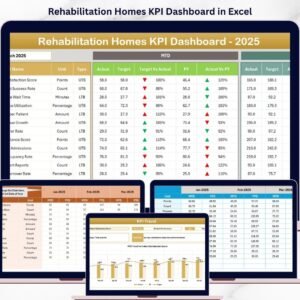
- Rehabilitation Homes KPI Dashboard in Excel: KPIs for rehabilitation homes
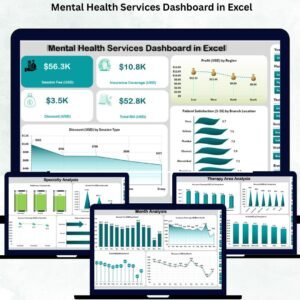
- Mental Health Services Dashboard in Excel: a dashboard for mental health services
- Healthcare & Hospital Management Bundle: 8 healthcare templates in one download
Browse all Excel KPI dashboards or the Excel health and safety templates.

































Reviews
There are no reviews yet.