



The Risk Management Calendar in Excel is an essential tool for businesses, risk managers, and compliance officers who need to effectively track, monitor, and mitigate risks. This Excel-based calendar is designed to help you schedule, document, and assess risk management activities, ensuring that your organization is always prepared for potential threats or disruptions. Whether you’re managing financial risks, operational risks, or project-specific risks, this tool allows you to stay on top of your risk management efforts and implement proactive measures.
The calendar provides an organized view of your scheduled risk assessments, mitigation activities, and deadlines. With an intuitive interface and easy-to-use features, you can efficiently track and manage risks, create action plans, and ensure compliance with industry regulations and internal policies.
Key Features of the Risk Management Calendar in Excel
📅 Risk Assessment Scheduling
Plan and schedule regular risk assessments to identify potential risks across various business functions. Track when assessments are due, in progress, or completed.
📝 Mitigation Plan Tracker
Record and track the mitigation strategies for identified risks. Monitor progress to ensure that necessary actions are taken to minimize risk exposure.
⏰ Timeline-Based Tracking
Organize risk management tasks with clear deadlines and timelines. Stay on track with risk mitigation activities by knowing exactly when each task is due.
⚠️ Risk Priority Categorization
Categorize risks based on their severity and potential impact. Prioritize mitigation efforts accordingly to ensure that high-impact risks are addressed first.
🔄 Automated Reminders & Alerts
Set automated reminders for key risk management activities, such as assessments, meetings, and deadlines, so that no important task is overlooked.
📈 Progress Monitoring & Reporting
Track the progress of your risk mitigation plans and generate reports to evaluate the effectiveness of your strategies. Visual indicators allow you to see the status of each risk management task at a glance.
Why You’ll Love the Risk Management Calendar in Excel

✅ Stay Organized & On Track
Keep all your risk management tasks organized in one place. The calendar ensures that no risk assessment or mitigation activity is missed.
✅ Proactive Risk Mitigation
With scheduled assessments and action plans, you can proactively identify and mitigate risks before they escalate into larger issues.
✅ Ensure Compliance & Safety
Monitor and manage risks to stay compliant with regulatory requirements and internal policies. Track compliance activities and ensure safety across your business operations.
✅ Customizable for Your Business Needs
The calendar is customizable to suit your specific business operations. Whether you’re tracking financial, operational, or project risks, you can adjust the calendar to fit your needs.
✅ Improve Decision Making
With clear, organized risk data and progress tracking, you can make informed, data-driven decisions to protect your business and minimize potential losses.
What’s Inside the Risk Management Calendar in Excel?
Risk Assessment Scheduling: Plan regular risk assessments and monitor due dates.
Mitigation Plan Tracker: Track the progress of risk mitigation strategies.
Timeline-Based Tracking: Organize tasks by deadline and manage progress over time.
Risk Priority Categorization: Categorize risks based on severity and potential impact.
Automated Reminders & Alerts: Get reminders for key activities and deadlines.
Progress Monitoring & Reporting: Track mitigation progress and generate reports.
How to Use the Risk Management Calendar in Excel
1️⃣ Download the Template: Access the Risk Management Calendar in Excel instantly.
2️⃣ Schedule Risk Assessments: Plan regular risk assessments across various business functions.
3️⃣ Track Mitigation Strategies: Record and monitor mitigation strategies for each identified risk.
4️⃣ Categorize & Prioritize Risks: Assign severity levels to each risk and prioritize mitigation activities.
5️⃣ Monitor Progress: Track the status of each risk mitigation task and generate reports to assess the effectiveness of your strategies.
Who Can Benefit from the Risk Management Calendar in Excel?
🔹 Risk Managers & Compliance Officers
🔹 Business Owners & Executives
🔹 Project Managers & Team Leaders
🔹 Health & Safety Teams
🔹 Financial Analysts & Risk Assessment Teams
🔹 Small & Medium Businesses (SMBs)
🔹 Large Enterprises with Complex Risk Management Needs
Ensure that your organization is always prepared for potential risks with the Risk Management Calendar in Excel. Stay organized, track progress, and implement effective strategies to protect your business from unexpected disruptions.
Click here to read the Detailed blog post
Visit our YouTube channel to learn step-by-step video tutorials
Youtube.com/@PKAnExcelExpert
Compatibility and Requirements
- Works in Microsoft Excel desktop (Excel 2016 or later, or Microsoft 365).
- New to Excel? Microsoft’s Excel for Windows training covers the basics.
Frequently Asked Questions
What can I schedule in the Risk Management Calendar?
Risk assessments, mitigation tasks, meetings and deadlines, each with a date so you can see what is due, in progress or completed.
Can I rank risks by severity?
Yes. Each risk can be categorized by severity and potential impact, so high-impact risks get handled first.
Can I follow the progress of mitigation plans?
Yes. The mitigation plan tracker records each strategy and its status, and you can report on how the plans are working.
Does it suit different types of risk?
Yes. You can adjust it for financial, operational or project risks.
Related Risk Management Templates
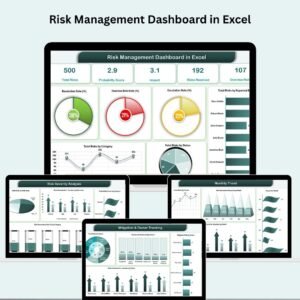
- Risk Management Dashboard in Excel: a risk management dashboard in Excel
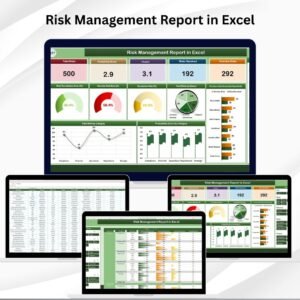
- Risk Management Report in Excel: a risk management report in Excel
- Risk Management Action Plan Checklist in Excel: a checklist for risk action plans
- Risk Management Dashboard In Google Sheets: the risk dashboard in Google Sheets
- Calendar & Planner Pack: 12 calendar and planner templates in one bundle
Browse all Excel calendars or the Excel project management templates.
































Reviews
There are no reviews yet.