



The Task Management Preparation Guide Checklist in Excel is an essential tool for project managers, team leaders, and business owners who need a structured and efficient way to prepare for and manage tasks. This Excel-based checklist ensures that tasks are properly planned, organized, and tracked to meet deadlines, prioritize responsibilities, and maximize productivity.
With this checklist, you can create a clear roadmap for task preparation, ensuring that all necessary steps are taken before starting a task. From identifying key priorities to allocating resources and setting realistic deadlines, this tool helps you streamline task management and optimize team performance.
Key Features of the Task Management Preparation Guide Checklist in Excel
📅 Organized Task Planning
Create a comprehensive task list and define the required steps for task completion. Organize tasks by priority, deadlines, and resources to ensure smooth execution.
⚙️ Resource Allocation Tracker
Track the resources (time, personnel, materials) needed for each task. Ensure that the right resources are available and allocated to the appropriate tasks.
📝 Task Deadlines & Milestones
Set clear deadlines and milestones for each task to keep everything on track. Track the progress of each task and ensure timely completion by monitoring milestone achievements.
📊 Priority & Importance Tracking
Assign priorities to tasks based on urgency and importance. Ensure that critical tasks are completed first while managing less urgent ones effectively.
📈 Progress Monitoring & Reporting
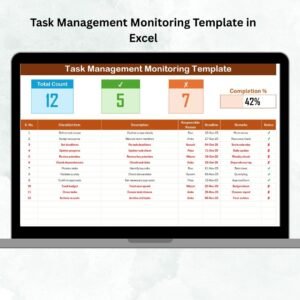
Track task progress in real-time, from the preparation stage to task completion. Use visual reports and charts to assess overall task completion and identify potential bottlenecks.
⚙️ Customizable Task Categories & Fields
Customize the checklist to include your specific task categories, evaluation criteria, and additional fields to suit your project management needs.
Why You’ll Love the Task Management Preparation Guide Checklist in Excel

✅ Streamline Task Preparation
Stay organized and efficient by following a structured guide for task preparation. Ensure that no important detail is overlooked before you start any task.
✅ Track Resource Allocation
Easily allocate resources for each task and track their usage throughout the process. Prevent resource bottlenecks and keep your project running smoothly.
✅ Prioritize & Manage Deadlines
Set clear deadlines and milestones, and prioritize tasks based on importance. Stay focused on critical tasks to avoid delays and maximize team productivity.
✅ Visualize Task Progress
Visualize progress with real-time tracking and reports. Use data-driven insights to stay on top of each task and monitor its completion status.
✅ Fully Customizable
Tailor the checklist to suit your project and team. Add or remove task categories, set custom evaluation criteria, and adjust fields to fit your needs.
What’s Inside the Task Management Preparation Guide Checklist in Excel?
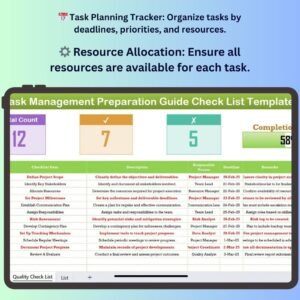
- Task Planning Tracker: Organize tasks by deadlines, priorities, and resources.
- Resource Allocation Tracker: Ensure the right resources are available for each task.
- Priority & Deadline Management: Assign task priorities and set deadlines.
- Progress Monitoring: Track progress toward task completion with real-time updates.
- Customizable Fields: Modify the checklist to match your project’s specific needs.
- Visual Reports & Charts: Use graphs and reports to analyze task progress and identify bottlenecks.
How to Use the Task Management Preparation Guide Checklist in Excel
1️⃣ Download the Template: Access the Task Management Preparation Guide Checklist in Excel immediately.
2️⃣ Set Up Your Task Categories: Customize the checklist with your project’s task categories, priorities, and deadlines.
3️⃣ Allocate Resources: Assign necessary resources to each task and track their usage.
4️⃣ Monitor Task Progress: Keep track of milestones, deadlines, and progress as tasks are completed.
5️⃣ Generate Reports & Analyze: Use visual reports to assess task completion and address any challenges in real-time.
Who Can Benefit from the Task Management Preparation Guide Checklist in Excel?
🔹 Project Managers & Team Leaders
🔹 Operations Managers & Coordinators
🔹 Small & Medium Enterprises (SMEs)
🔹 Large Enterprises & Corporations
🔹 Freelancers & Consultants managing multiple tasks
🔹 HR & Training Managers
Ensure that every task is properly planned and executed with the Task Management Preparation Guide Checklist in Excel. Stay organized, prioritize effectively, and streamline your workflow to achieve project success.
Click here to read the Detailed blog post
Visit our YouTube channel to learn step-by-step video tutorials
Youtube.com/@PKAnExcelExpert
Compatibility and Requirements
- Works in Microsoft Excel desktop (Excel 2016 or later, or Microsoft 365).
- The template includes charts for task progress. Microsoft explains charts in Create a chart from start to finish.
Frequently Asked Questions
What does the Task Management Preparation Guide Checklist track?
It tracks tasks by priority and deadline, the resources assigned to each task, milestones and task progress.
Can I change the task categories and fields?
Yes. You can add or remove task categories, set your own evaluation criteria and adjust the fields to fit your project.
How do I see how far along my tasks are?
Update progress as tasks move forward. The visual reports and charts show overall completion and point out bottlenecks.
Can I track the resources for each task?
Yes. The Resource Allocation Tracker records the time, personnel and materials needed for each task, so you can check that the right resources are assigned.
Is there a Google Sheets version?
This product is an Excel template. For Google Sheets, see the Task Completion Checklist in Google Sheets.
Related Task Management Templates
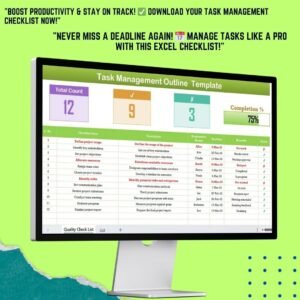
- Task Management Outline Checklist in Excel: an outline for structuring your task list
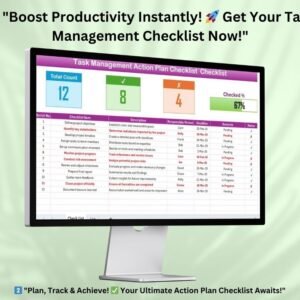
- Task Management Action Plan Checklist in Excel: an action plan for the tasks you have prepared
- Task Completion Checklist in Excel: confirm each task is finished
- Task Completion Checklist in Google Sheets: the same idea in Google Sheets
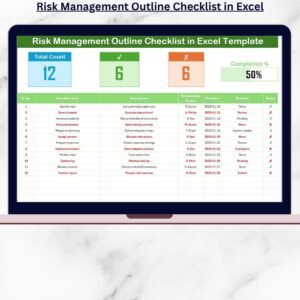
- Risk Management Preparation Guide Checklist in Excel: a preparation guide for risk work
Browse all Excel checklists and Excel project management templates.




























Reviews
There are no reviews yet.