



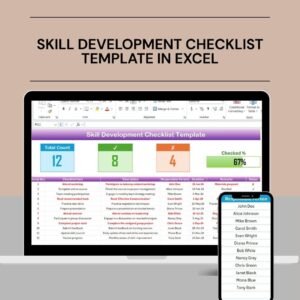
The Skill Development Checklist Template in Excel is a practical and organized tool designed to help individuals, managers, and organizations track and improve skills development over time. Whether you’re looking to enhance your own professional growth, manage employee development, or create a structured learning path, this template helps you set clear goals, monitor progress, and ensure skill enhancement.
This Excel-based template provides a simple interface to track the development of various skills, identify areas for improvement, and ensure that necessary resources and support are provided for continuous learning. With its easy-to-use features, the Skill Development Checklist is perfect for professionals, HR teams, and managers looking to create structured, measurable skill development plans.

Key Features of the Skill Development Checklist Template in Excel
📊 Comprehensive Skill Tracking
Monitor the development of multiple skills, including technical, soft, and leadership skills. Track progress for each skill to ensure continuous improvement.
🎯 Clear Skill Goals & Milestones
Set measurable goals for each skill and track progress through predefined milestones. Ensure that each skill is developed in a structured and timely manner.
📅 Time-Based Progress Monitoring
Monitor skill development over time, track the completion of tasks and activities, and ensure goals are met within set deadlines.
📝 Action Plan for Skill Enhancement
Create an action plan for each skill to help focus efforts on areas that require improvement. Track the completion of each action step and ensure systematic growth.
⚙️ Customizable Skill Categories
Customize the checklist based on your specific skill development needs. Whether you’re focused on technical abilities, leadership skills, or other competencies, the template can be tailored to meet your requirements.
📈 Skill Progress Analytics
Use the built-in data visualization features to analyze your progress and see areas that need improvement. Make informed decisions based on skill development data.
Why You’ll Love the Skill Development Checklist Template in Excel
✅ Track Skill Development Progress
Monitor the progress of skill acquisition over time, ensuring that key competencies are developed effectively.
✅ Structured Learning Path
Create a clear and actionable path for skill development with measurable goals and deadlines.
✅ Boost Employee Development
HR teams and managers can use this template to track and support employee skill enhancement and ensure long-term professional growth.
✅ Increase Personal Growth
Use the checklist to track your personal skills development. Whether you are looking to improve communication, technical, or management skills, the template will guide your growth.
✅ Customizable & Flexible
Tailor the checklist to focus on specific skills, industries, or learning outcomes. The template is designed to be scalable and customizable to meet various needs.
What’s Inside the Skill Development Checklist Template in Excel?
Comprehensive Skill Tracking: Track a wide range of skills from technical to soft skills.
Skill Goal Setting: Set clear and actionable goals for each skill.
Time-Based Progress Monitoring: Track progress over different periods to ensure steady improvement.
Action Plan Creation: Plan and implement steps for skill enhancement.
Customizable Categories: Adjust categories and skills based on your specific needs.
Analytics & Reporting: Use data visualization to assess skill development progress.
How to Use the Skill Development Checklist Template in Excel
1️⃣ Download the Template: Get instant access to the Skill Development Checklist in Excel.
2️⃣ Set Skill Development Goals: Define clear goals for each skill you wish to develop.
3️⃣ Monitor Progress: Track skill development progress through various milestones and deadlines.
4️⃣ Create Action Plans: Set actionable steps to improve each skill and monitor your progress.
5️⃣ Analyze Results: Use data analysis tools to track trends, growth, and areas for improvement.
Who Can Benefit from the Skill Development Checklist Template in Excel?
🔹 HR Teams & Managers
🔹 Employees Seeking Personal Growth
🔹 Freelancers & Contractors
🔹 Small & Medium Enterprises (SMBs)
🔹 Large Corporations Focused on Employee Development
🔹 Coaches & Mentors in Skill Development
🔹 Educational Institutions Offering Skill Enhancement Programs
Ensure steady and measurable skill development with the Skill Development Checklist Template in Excel. Track goals, monitor progress, and create effective learning paths for both individuals and teams.
Click here to read the Detailed blog post
Visit our YouTube channel to learn step-by-step video tutorials
Youtube.com/@PKAnExcelExpert
Compatibility and Requirements
- Works in Microsoft Excel desktop (Excel 2016 or later, or Microsoft 365).
- The template uses a checklist layout with goals, milestones, action plans and charts for progress. Microsoft explains how to build charts in Create a chart from start to finish.
Frequently Asked Questions
What kinds of skills can I track?
You can track technical, soft and leadership skills. The categories can be adjusted to match the skills you want to develop.
Can I set goals and deadlines for each skill?
Yes. You set a measurable goal for each skill, add milestones, and track progress against your deadlines.
Does the template include an action plan?
Yes. You list the steps needed to improve each skill and mark each step as you complete it.
Can I use it for a team as well as for myself?
Yes. HR teams and managers can track employee skill development, and individuals can use it for their own growth.
Is there a Google Sheets version?
Yes. See the Skill Development Checklist in Google Sheets.
Related Skill and Development Templates
- Skill Development Checklist in Google Sheets: the same checklist for Google Sheets
- Personal Development Checklist in Excel: a checklist for personal growth goals
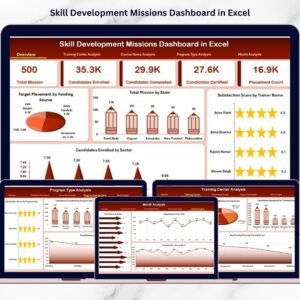
- Skill Development Missions Dashboard in Excel: a dashboard view of skill development missions
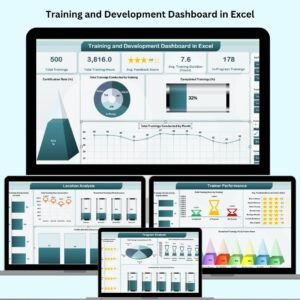
- Training and Development Dashboard in Excel: track training across a team
- Employee Onboarding Checklist Template in Excel: a checklist for new hires
Browse all Excel checklist templates.





























Reviews
There are no reviews yet.