


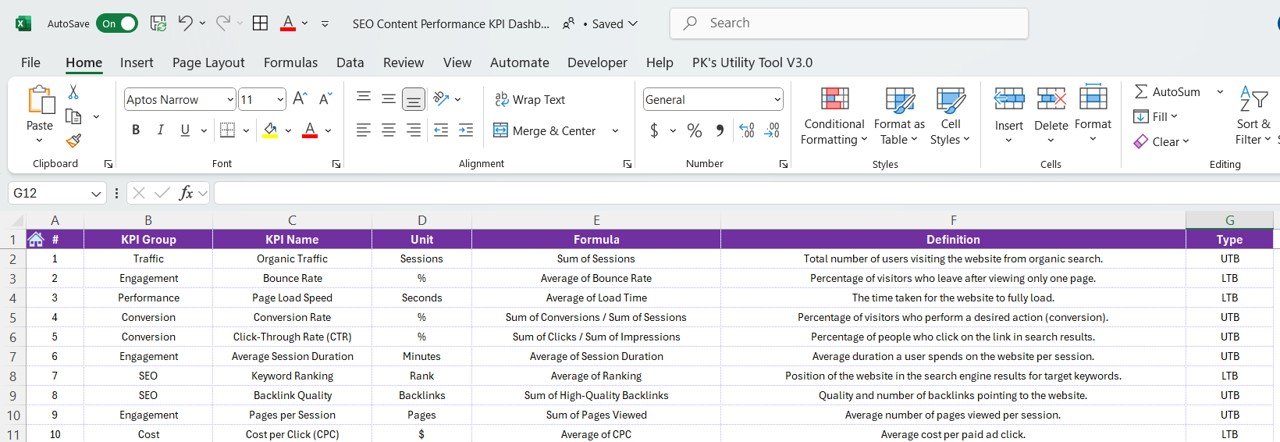

The SEO Content Performance KPI Dashboard in Excel is an essential tool for digital marketers, SEO specialists, and content managers who want to track, measure, and optimize their SEO performance. This powerful Excel-based dashboard provides a comprehensive overview of key metrics that help you understand the effectiveness of your content strategy. With real-time tracking and customizable features, this dashboard allows you to monitor content performance, identify optimization opportunities, and enhance your overall SEO efforts.
By leveraging this dashboard, you can assess how well your content is performing on search engines, track organic traffic, analyze keyword rankings, and measure engagement metrics like bounce rate and session duration. Use data-driven insights to make informed decisions and continuously improve your SEO strategies to drive higher visibility and traffic.
Key Features of the SEO Content Performance KPI Dashboard in Excel
📊 Keyword Performance Tracking
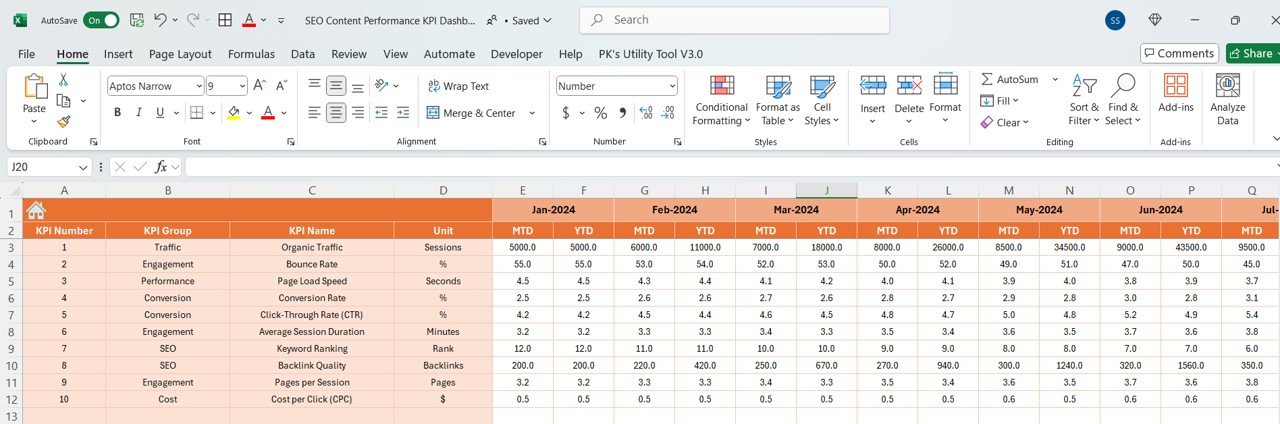
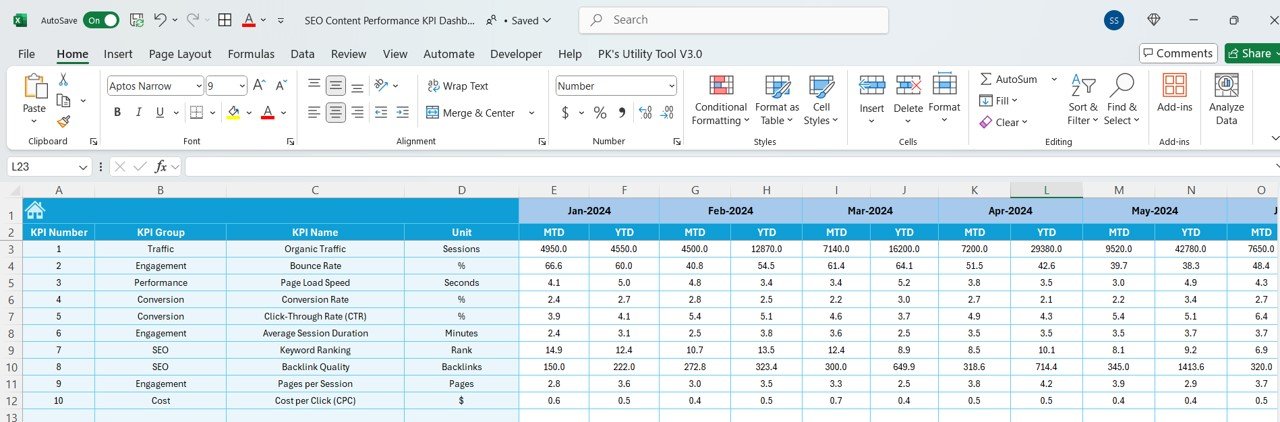
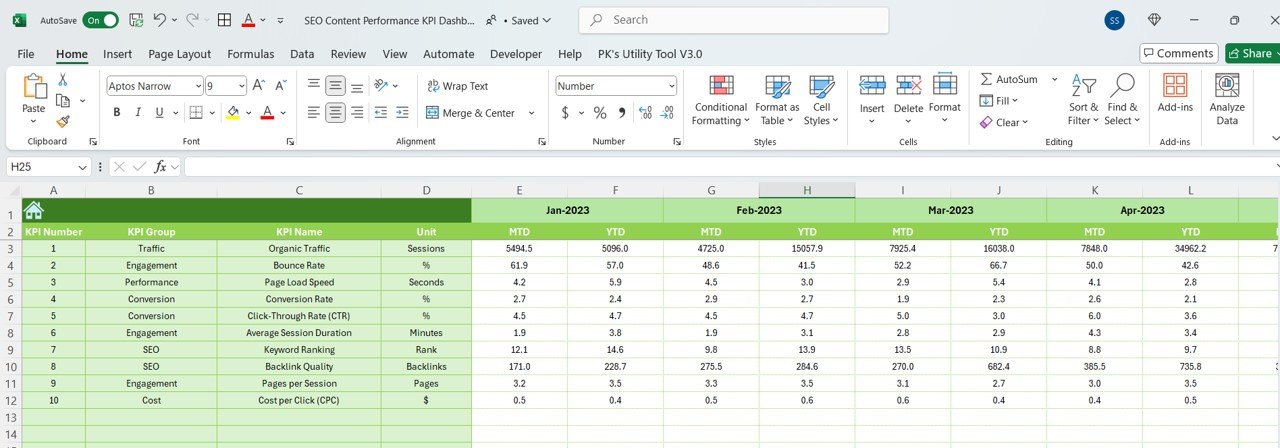
Track the rankings of your target keywords across different search engines. Monitor their performance over time and identify keywords that need optimization.
📈 Organic Traffic Analysis
Monitor the volume of organic traffic coming to your site. Assess trends and understand how your content contributes to driving more visitors through search engines.
📅 Content Engagement Metrics
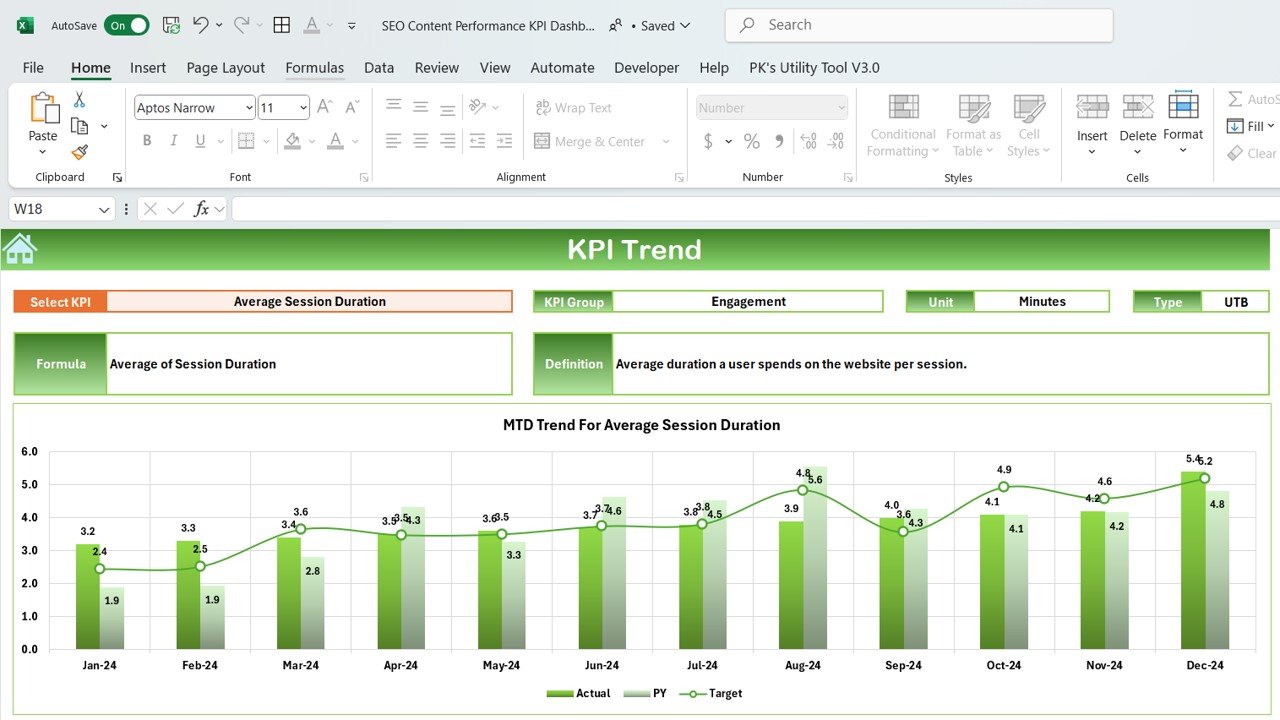
Analyze key engagement metrics such as bounce rate, average session duration, and pages per session. These insights help assess how well visitors interact with your content.
💡 On-Page SEO Metrics
Track essential on-page SEO factors like meta tags, headings, and image optimization to ensure your content is fully optimized for search engines.
🔄 Customizable KPIs & Metrics
Tailor the dashboard to track the SEO KPIs that matter most to your business. Customize your content tracking to focus on metrics that align with your goals.
⚙️ Real-Time Data Integration
Integrate your website’s SEO data from platforms like Google Analytics and Google Search Console to get up-to-date performance insights directly in your dashboard.
Why You’ll Love the SEO Content Performance KPI Dashboard in Excel

✅ Track Keyword Rankings & Traffic
Easily monitor keyword rankings and organic traffic, ensuring that you’re targeting the right terms to drive more visitors to your website.
✅ Improve Content Strategy
By tracking content engagement metrics, you can identify high-performing pages and determine which content types need improvement, helping you refine your content strategy.
✅ Optimize On-Page SEO
Ensure your content is fully optimized for search engines by tracking key on-page SEO factors like meta tags, headings, and image descriptions.
✅ Data-Driven Decision Making
Use real-time data to make informed decisions about content improvements, keyword targeting, and overall SEO strategy to enhance your website’s search engine ranking.
✅ Customizable & Scalable
The dashboard is fully customizable to suit your specific SEO tracking needs. Whether you’re a small business or a large corporation, it’s scalable to fit any organization.
What’s Inside the SEO Content Performance KPI Dashboard in Excel?
Keyword Performance Tracking: Track and analyze keyword rankings.
Organic Traffic Monitoring: Track traffic trends and the impact of your content.
Content Engagement Metrics: Measure engagement metrics like bounce rate and session duration.
On-Page SEO Metrics: Monitor and optimize on-page SEO factors.
Real-Time Data Integration: Get the latest SEO data from Google Analytics and Google Search Console.
Customizable KPIs: Tailor the dashboard to your unique content strategy.
How to Use the SEO Content Performance KPI Dashboard in Excel
1️⃣ Download the Template: Instantly get access to the SEO Content Performance KPI Dashboard in Excel.
2️⃣ Integrate Your Data Sources: Connect your website data from Google Analytics or Google Search Console.
3️⃣ Track Keyword Performance & Traffic: Monitor keyword rankings and organic traffic over time.
4️⃣ Analyze Engagement Metrics: Assess how users interact with your content through metrics like bounce rate and session duration.
5️⃣ Optimize Your SEO Strategy: Use the insights to improve your keyword targeting and content optimization.
Who Can Benefit from the SEO Content Performance KPI Dashboard in Excel?
🔹 SEO Specialists & Digital Marketers
🔹 Content Managers & Writers
🔹 Website Owners & Bloggers
🔹 Marketing Teams
🔹 E-commerce & Retail Businesses
🔹 Marketing Agencies
🔹 Analytics and Data Teams
Take control of your SEO strategy and improve content performance with the SEO Content Performance KPI Dashboard in Excel. Monitor key metrics like keyword rankings, organic traffic, and content engagement to make data-driven decisions and boost your website’s visibility.
Click here to read the Detailed blog post
Visit our YouTube channel to learn step-by-step video tutorials
Youtube.com/@PKAnExcelExpert
Compatibility and Requirements
- Works in Microsoft Excel desktop (Excel 2016 or later, or Microsoft 365).
- New to Excel? Start with Microsoft’s Excel for Windows training.
Frequently Asked Questions
Which SEO KPIs does it track?
Keyword rankings, organic traffic, engagement (bounce rate, average session duration, pages per session) and on-page SEO factors such as meta tags, headings and image optimization.
Where does the data come from?
From your own SEO tools, such as Google Analytics and Google Search Console.
Can I add my own KPIs?
Yes. Customize the dashboard to track the SEO metrics that matter to your content strategy.
Is there a Google Sheets version?
Yes. See the SEO Content Performance KPI Dashboard in Google Sheets.
Related SEO Templates
- SEO Content Performance KPI Dashboard in Google Sheets: the Google Sheets edition
- SEO Performance KPI Dashboard in Excel: site-wide SEO KPIs
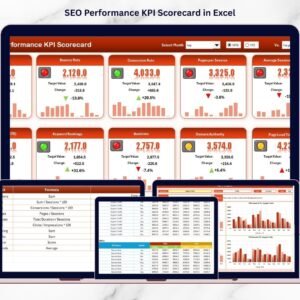
- SEO Performance KPI Scorecard in Excel: a scorecard view of SEO KPIs
- SEO Audit Checklist in Excel: audit pages step by step
- Blog Editorial and SEO Calendar in Excel: plan SEO content
Browse all Excel KPI dashboards or the Excel sales and marketing templates.



























Reviews
There are no reviews yet.