

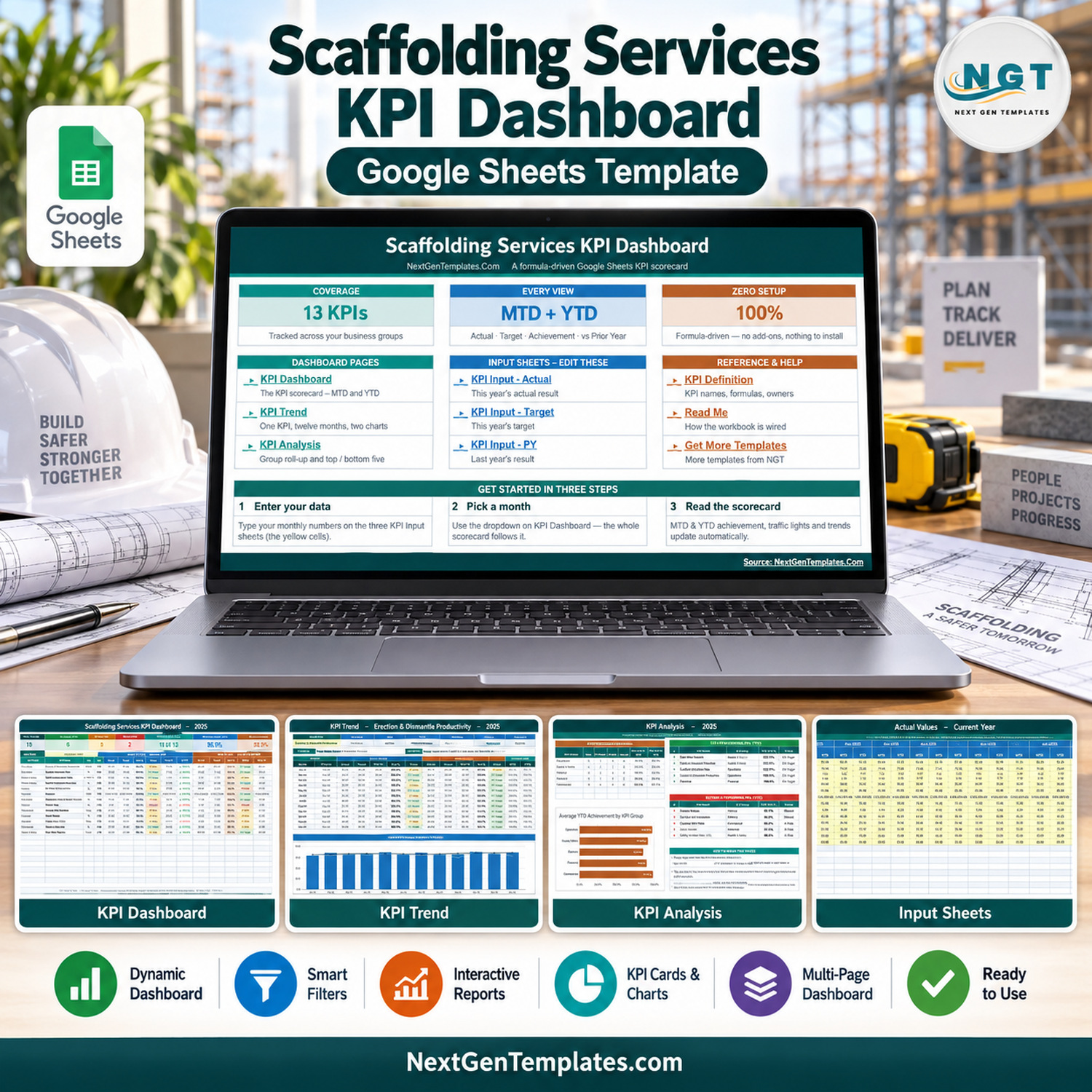

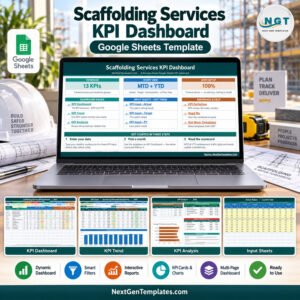
The Scaffolding Services KPI Dashboard in Google Sheets is a formula-driven monthly KPI scorecard for scaffolding contractors and scaffold hire businesses. It tracks 13 KPIs in five groups – Operations, Health & Safety, Delivery, Financial and Commercial – and shows Month-to-Date and Year-to-Date actual, target, achievement and prior-year comparison for every one of them, with On Target / At Risk / Missed traffic lights. One month dropdown drives the whole workbook. No add-ons, no Apps Script, nothing to install.
This is the KPI Dashboard edition: a month-picker MTD/YTD scorecard with a KPI Trend page and a KPI Analysis page. It is a different product from the Scaffolding Services KPI Scorecard in Google Sheets and from our analytical Google Sheets dashboards. It ships loaded with twelve months of 2025 sample data (September 2025 selected) so you can see how it behaves before you type a single number of your own.
Key Features of the Scaffolding Services KPI Dashboard in Google Sheets
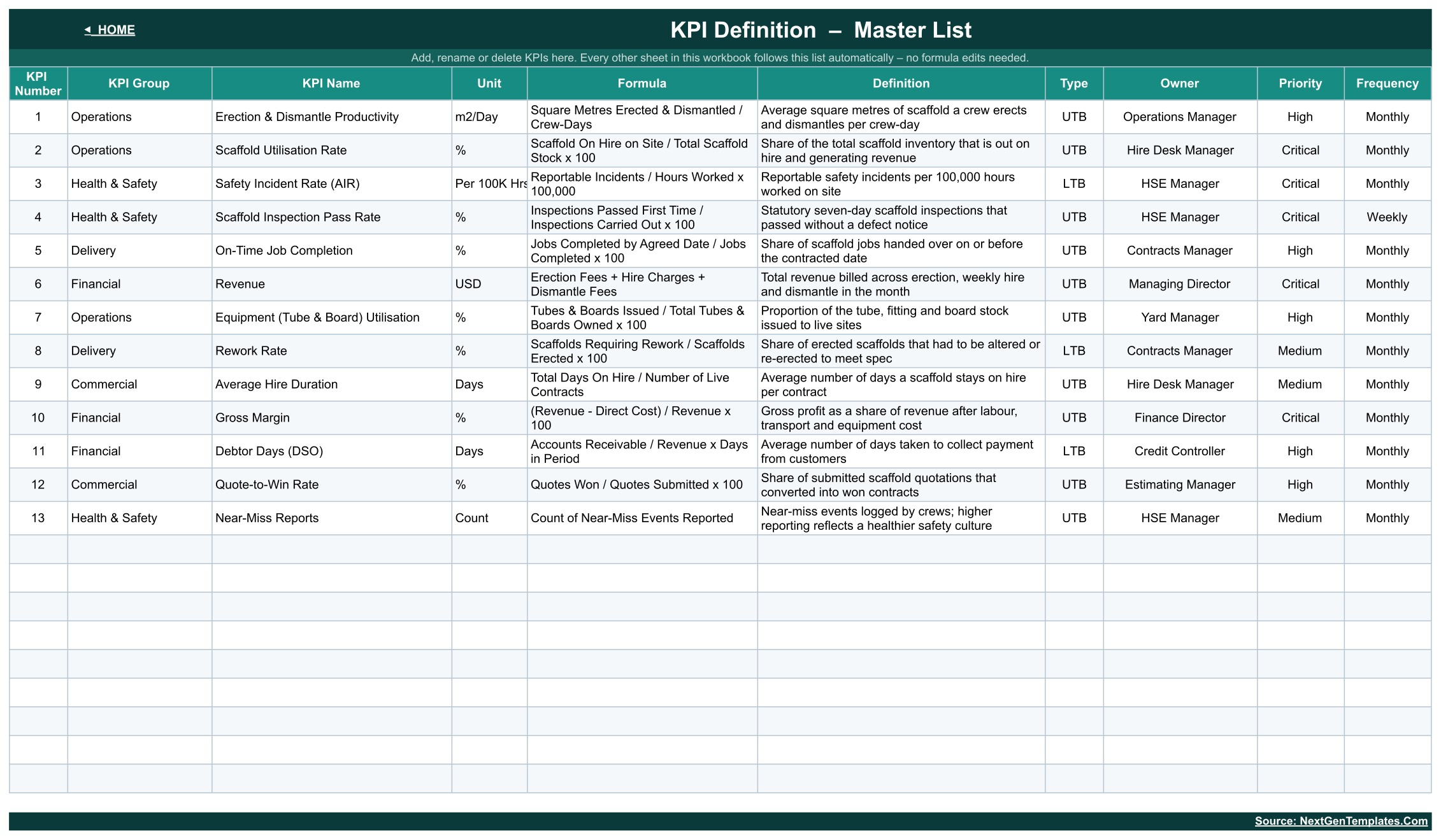
- 13 scaffolding KPIs, ready to edit – Erection & Dismantle Productivity, Scaffold Utilisation Rate, Safety Incident Rate (AIR), Scaffold Inspection Pass Rate, On-Time Job Completion, Revenue, Equipment (Tube & Board) Utilisation, Rework Rate, Average Hire Duration, Gross Margin, Debtor Days (DSO), Quote-to-Win Rate and Near-Miss Reports.
- Month-to-Date and Year-to-Date side by side – actual, target, achievement %, status, prior year and vs PY for both periods on one row per KPI.
- Seven header cards – Total KPIs Tracked, On Target (YTD), At Risk (YTD), Missed (YTD), Improving vs PY (MTD), Avg Achievement (MTD) and Avg Achievement (YTD).
- Direction-aware scoring – each KPI is UTB (upper the better) or LTB (lower the better). The sample build has 10 UTB and 3 LTB KPIs, and a lower-is-better KPI that beats its target scores above 100%.
- Traffic lights with clear thresholds – On Target from 100%, At Risk 95% to 99%, Missed below 95%.
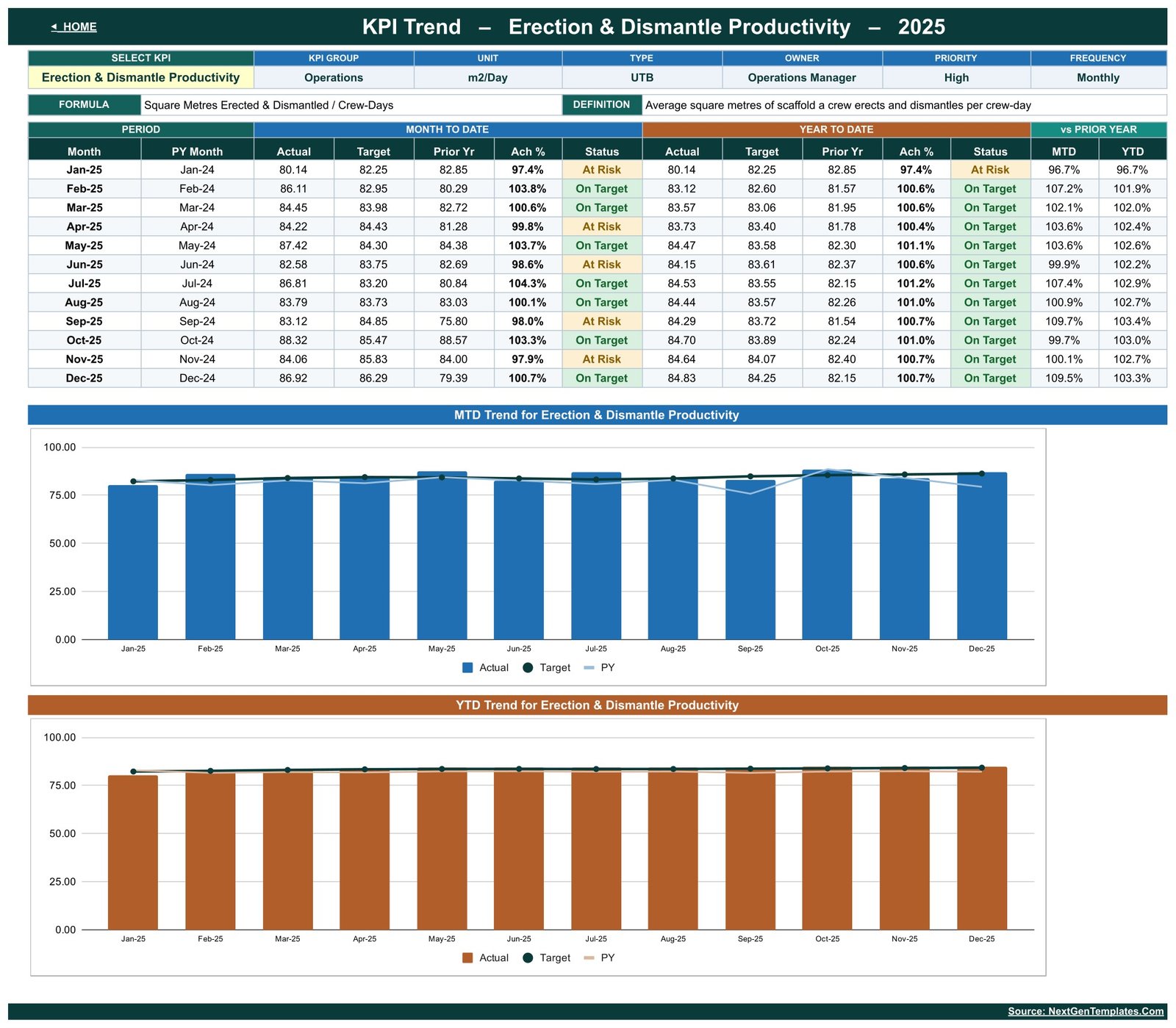
- KPI Trend page – pick one KPI and see its group, unit, type, owner, priority, frequency, formula and definition, a twelve-month MTD/YTD table and two charts.
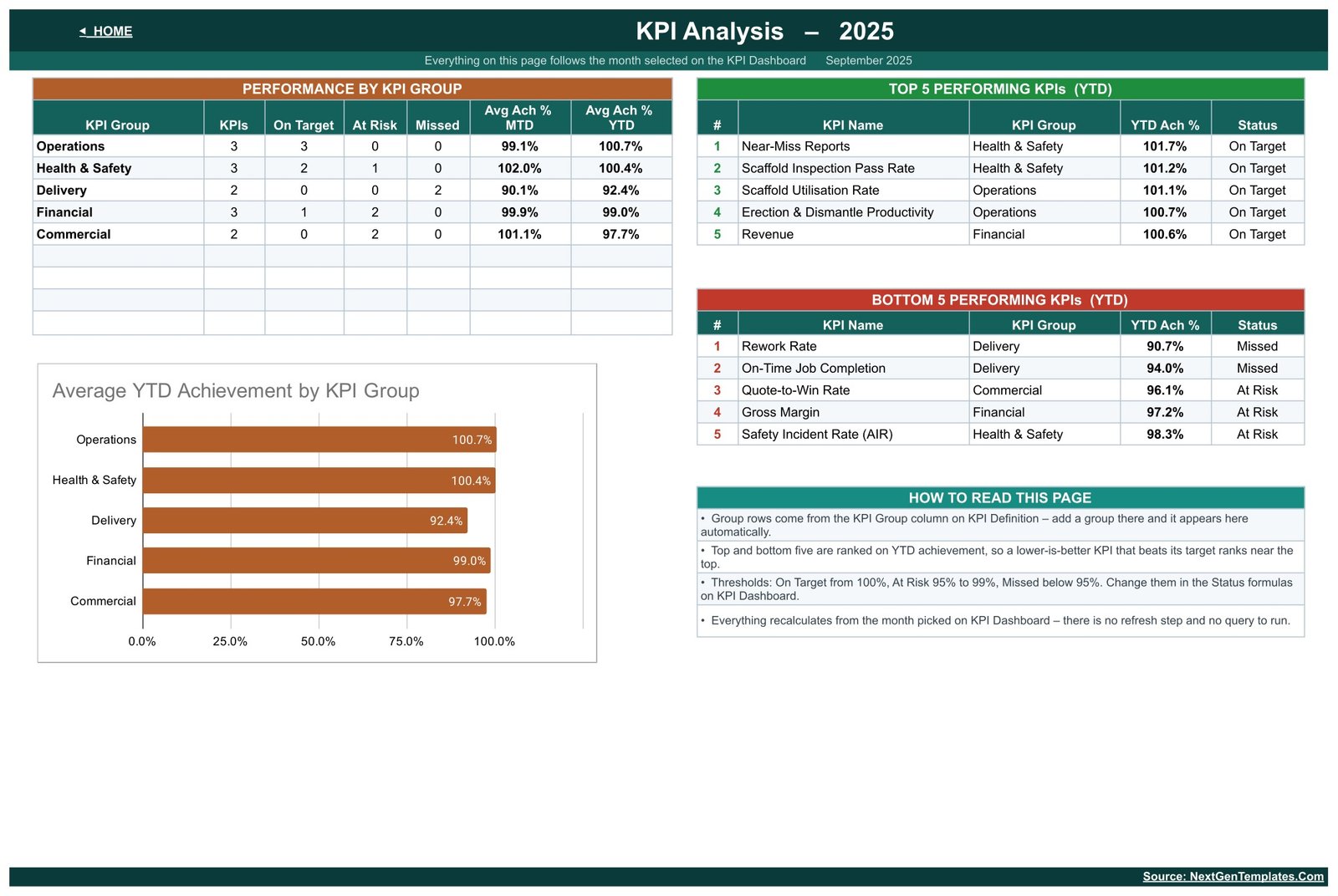
- KPI Analysis page – a group roll-up, an Average YTD Achievement by KPI Group chart and top five / bottom five KPI rankings.
- KPI Definition master list – add, rename or delete KPIs in one place and every other sheet follows.
What’s Inside the Scaffolding Services KPI Dashboard
Home
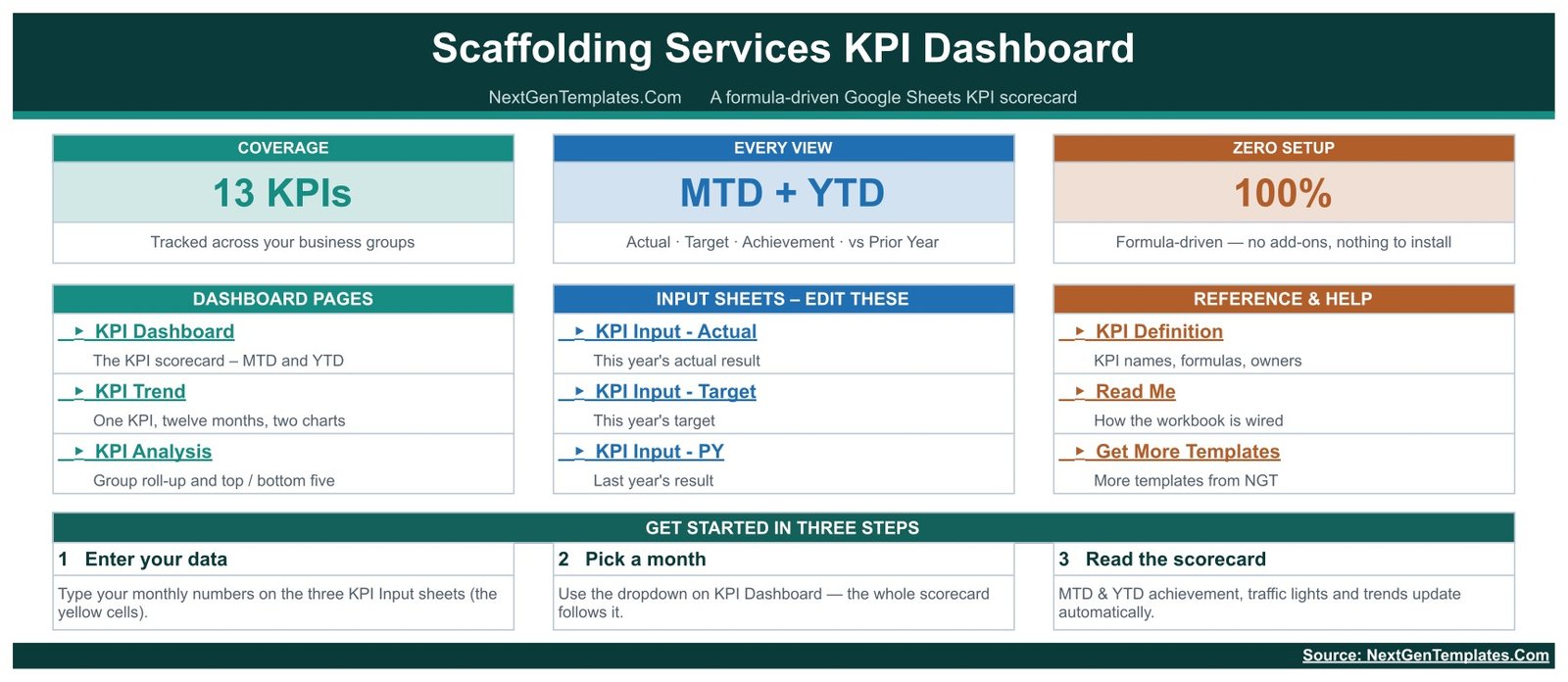
A start page with links to the three dashboard pages, the three input sheets and the reference sheets (KPI Definition, Read Me, Get More Templates), plus a three-step getting-started panel: enter your data, pick a month, read the scorecard.
KPI Dashboard – the scorecard
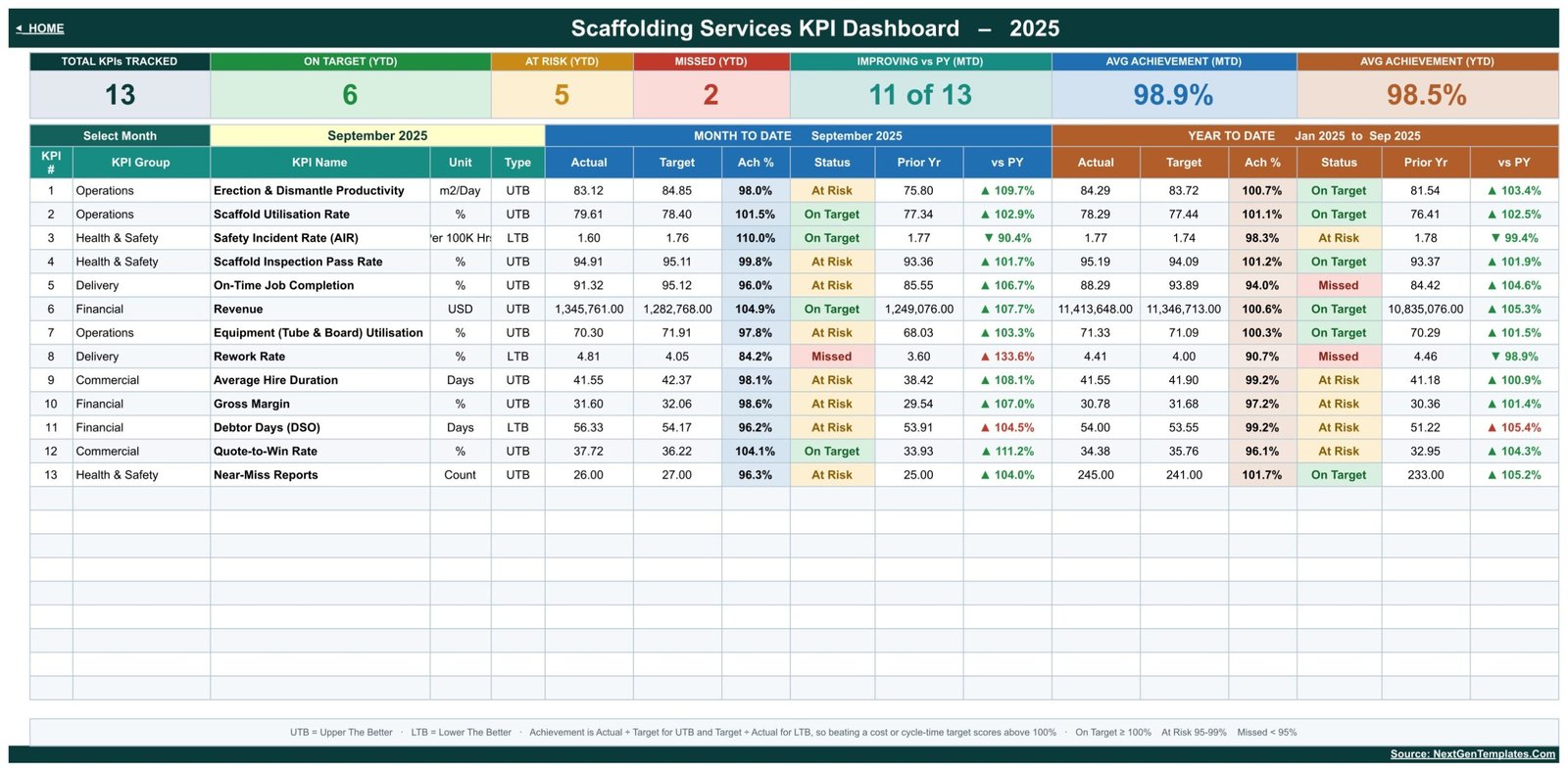
The main page. In the sample month (September 2025) the header cards read 13 KPIs tracked, 6 On Target, 5 At Risk and 2 Missed year to date, 11 of 13 improving against the prior year, and 98.9% average achievement MTD against 98.5% YTD.
KPI Trend – one KPI, twelve months, two charts
Choose a KPI from the dropdown. The page lists every month with MTD and YTD actual, target, prior year, achievement and status, then plots MTD Actual vs Target and PY by Month and YTD Actual vs Target and PY by Month.
KPI Analysis – group roll-up and rankings
Performance by KPI Group counts On Target, At Risk and Missed KPIs per group with average MTD and YTD achievement. Beside it sit the Top 5 and Bottom 5 Performing KPIs (YTD). In the sample, Near-Miss Reports leads at 101.7% and Rework Rate trails at 90.7%.
Three input sheets and the KPI Definition list
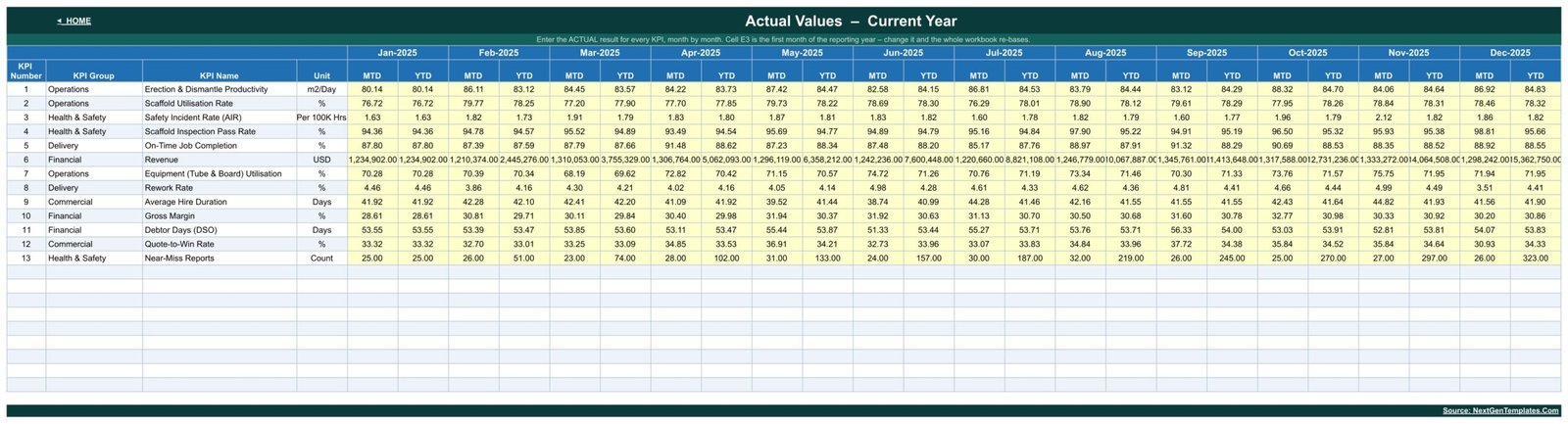
KPI Input – Actual, KPI Input – Target and KPI Input – PY hold one row per KPI with MTD and YTD columns for each month. You only type in the yellow cells. Cell E3 sets the first month of the reporting year, so a non-calendar year re-bases the workbook.
Scaffolding Services KPI Dashboard vs. Excel KPI Workbook vs. Paid Contractor Software – Where This Fits
| Criteria | This Google Sheets template | Excel KPI workbook | Paid contractor / hire software |
|---|---|---|---|
| Cost | One-time purchase | One-time purchase plus an Excel licence | Recurring subscription |
| Platform | Google Sheets in a browser | Microsoft Excel desktop | Vendor web app |
| Setup time | Make a copy and start typing | Download and open | Onboarding and configuration |
| Real-time team collaboration | Yes, Google Sheets sharing | Limited without OneDrive | Yes |
| Mobile access | Google Sheets app | Excel app | Vendor app |
| Customisable KPIs | Yes, on KPI Definition | Yes | Within vendor limits |
| Share with a link | Yes | Via cloud storage | User seats |
| MTD and YTD scorecard with prior year | Built in | Depends on the workbook | Often needs custom reports |
| Job scheduling, hire tickets, inspections | Not included | Not included | Usually the core feature |
Who This Template Is For – and Who It’s Not For
A good fit for: owners and managing directors of scaffolding contractors, contracts managers, hire desk and yard managers, and finance leads who want one monthly page that shows productivity, utilisation, delivery, margin and cash collection together.
Not a fit if: you need a scaffold inspection register, design or load calculations, handover certificates, job scheduling, hire ticketing or any regulatory record. This is a management reporting template on sample data. It does not carry out, schedule or certify anything, and the Scaffold Inspection Pass Rate and Safety Incident Rate rows only report numbers you enter.
How to Use the Scaffolding Services KPI Dashboard
- Open the PDF in your download and click the Make a copy link. A private copy lands in your Google Drive.
- Review KPI Definition. Rename, add or delete KPIs, and set each unit, UTB/LTB type, owner and priority.
- Set cell E3 on KPI Input – Actual to your first reporting month.
- Replace the 2025 sample figures on KPI Input – Actual, KPI Input – Target and KPI Input – PY.
- Pick a month on KPI Dashboard. The scorecard, KPI Trend and KPI Analysis all follow it.
Real-World Use Cases
Daniel, managing director of a 40-person scaffolding firm, opens KPI Dashboard before the monthly board meeting. Rework Rate and On-Time Job Completion show red year to date, so the meeting starts there instead of with revenue.
Priya, hire desk manager, uses KPI Trend on Scaffold Utilisation Rate and Average Hire Duration to see which months stock sat idle in the yard compared with the same month last year.
Tom, finance director, watches Gross Margin and Debtor Days (DSO) on KPI Analysis, where the Financial group rolls up to one line with its average MTD and YTD achievement.
Frequently Asked Questions
Is this the KPI Dashboard or the KPI Scorecard?
This is the KPI Dashboard family: 13 KPIs, a month picker, MTD/YTD traffic lights, KPI Trend and KPI Analysis pages. The Scaffolding Services KPI Scorecard is a separate template with a different layout.
Do I need add-ons or Apps Script?
No. Everything runs on native Google Sheets formulas.
Can I change the KPIs?
Yes. Edit the KPI Definition sheet and the other sheets pick up the change.
Does it work for a financial year that does not start in January?
Yes. Change cell E3 on KPI Input – Actual and every month column re-bases.
Is the sample data real?
No. The 2025 figures are illustrative sample data. Replace them before you report anything.
Is it a safety or inspection record?
No. It is a KPI reporting template. Keep inspection records, safety documentation and certificates in the systems your business and regulators require.
Can my team use it at the same time?
Yes. Once the copy is in your Drive, normal Google Sheets sharing applies, person by person.
About the Author
Built by PK – Microsoft Certified Professional with 15+ years of Excel, Google Sheets, and Power BI experience. Founder of NextGenTemplates, reaching 300K+ subscribers across YouTube channels. Every template is hand-built and tested before release.
Explore Related Templates
- Scaffolding Services KPI Scorecard in Google Sheets – the scorecard family for the same trade
- Masonry Contractor KPI Dashboard in Google Sheets
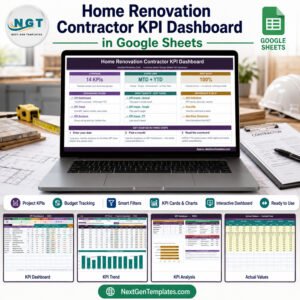
- Home Renovation Contractor KPI Dashboard in Google Sheets
- Window and Door Installation KPI Dashboard in Google Sheets
- Crane Rental KPI Scorecard in Google Sheets
- Browse all Google Sheets dashboards
Read the full walkthrough on our blog: Scaffolding Services KPI Dashboard in Google Sheets – complete guide.
Get the Scaffolding Services KPI Dashboard in Google Sheets today and see your 13 KPIs on one page every month.
Watch the step-by-step video Demo:
Last updated: September 2026
Compatibility and Requirements
- Works in Google Sheets. You need a free Google account and a web browser.
- The download is a PDF with a Make a copy link. The copy opens in your Google Drive and uses native Google Sheets formulas, with no add-ons or Apps Script.
- You pick the month from a dropdown on the KPI Dashboard sheet, and the KPI Trend sheet has its own KPI dropdown. Google explains dropdowns in Create an in-cell dropdown list.

























Reviews
There are no reviews yet.