

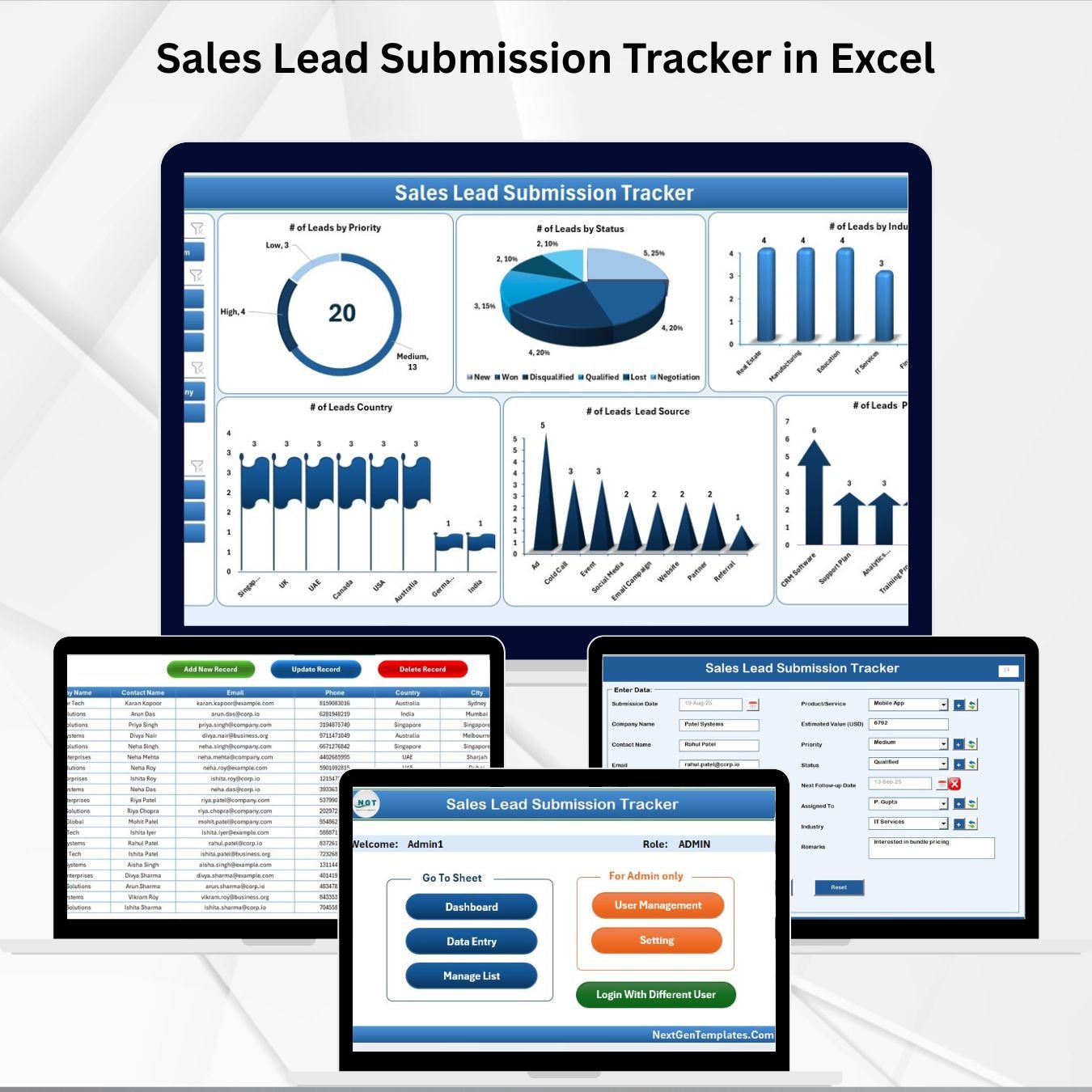

Sales leads are the lifeblood of every business. They represent opportunities for growth, new customers, and increased revenue. But without a proper system, leads can easily get lost in scattered files, missed follow-ups, and unorganized records. That’s why we built the Sales Lead Submission Tracker in Excel—a complete lead management system powered by Excel + VBA automation.
Unlike traditional spreadsheets, this tool is designed as a secure, automated, and interactive system to help sales teams record, track, and analyze leads in real time. With built-in dashboards, user management, and data-entry automation, it ensures every lead is captured, managed, and monitored efficiently.
✨ Key Features of Sales Lead Submission Tracker in Excel
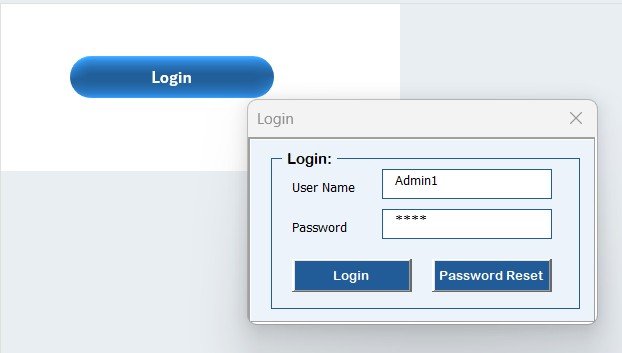
🔐 Secure Login Form – Multi-user login with unique IDs and passwords.
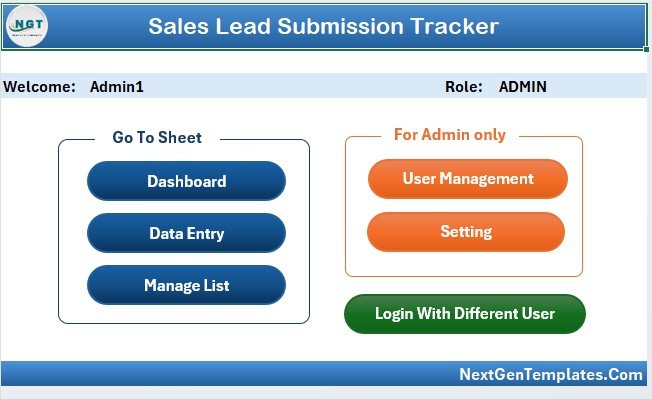
🏠 Main Form Navigation – Access all modules (data entry, dashboard, settings, user management) from one central hub.
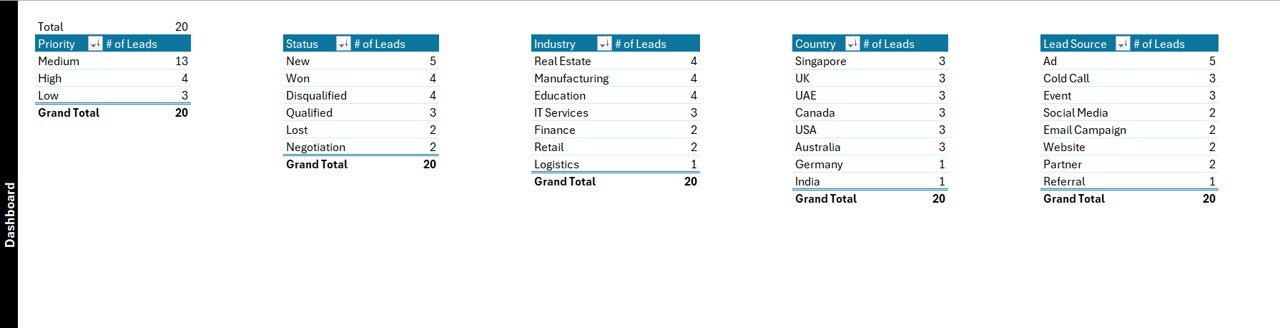
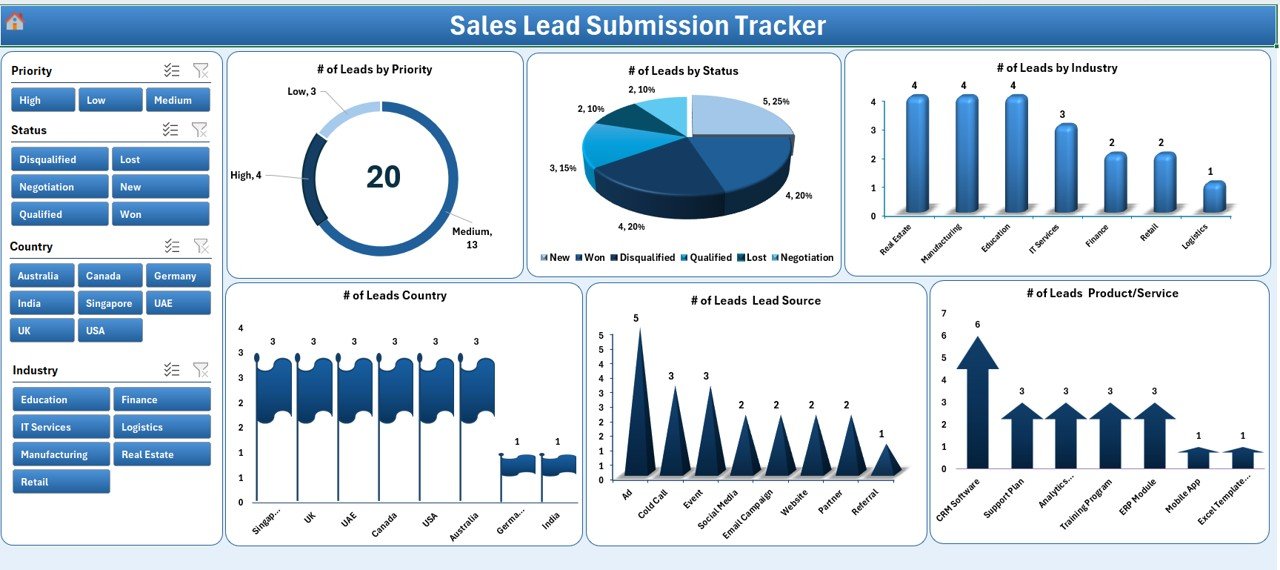
📊 Interactive Dashboard – Slicers and charts for leads by Priority, Status, Industry, Country, Source, and Product/Service.
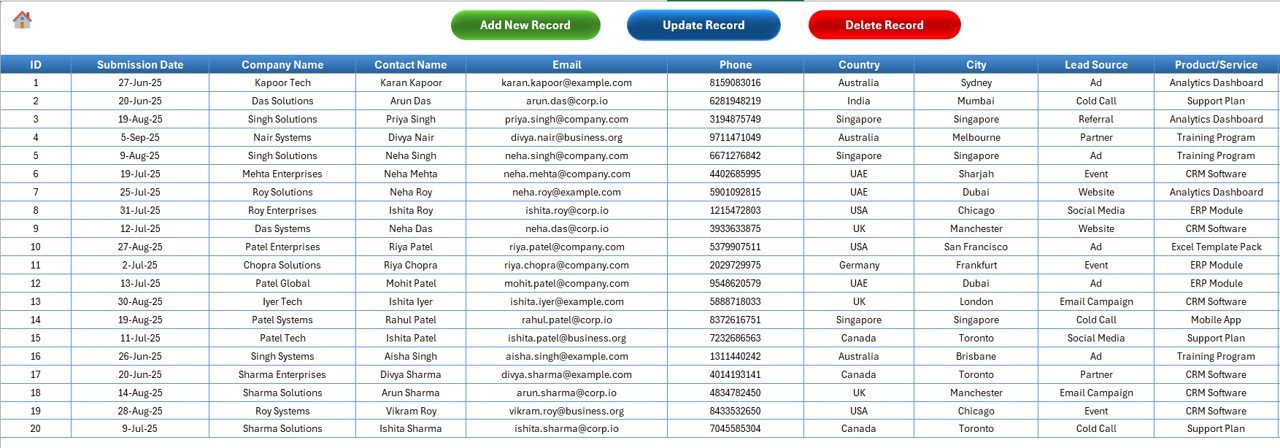
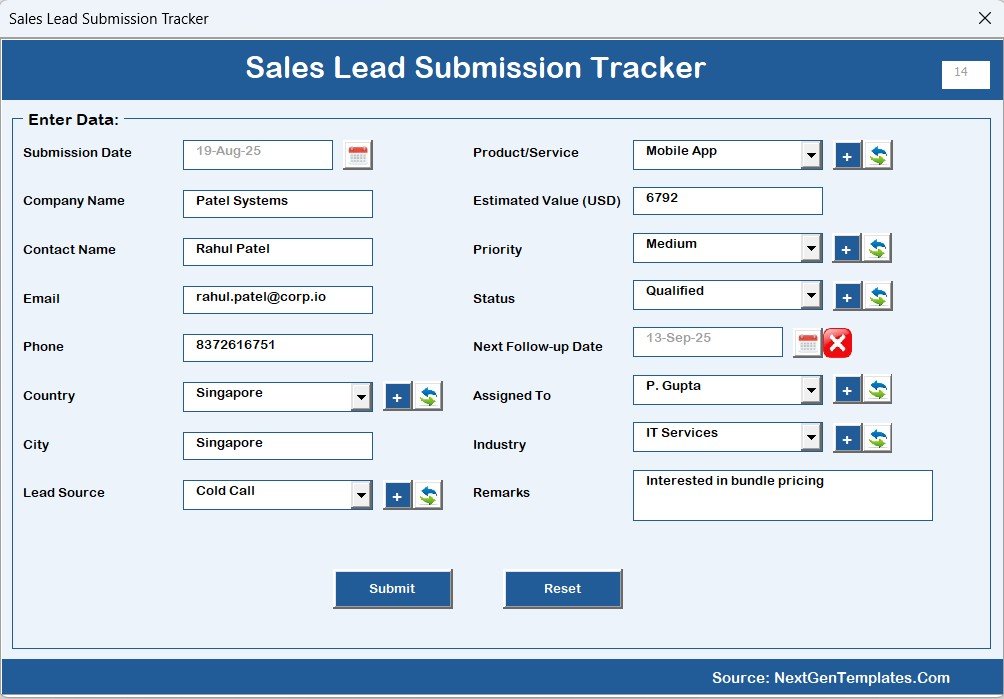
📝 Automated Data Entry – Add, update, or delete lead records using smart forms.
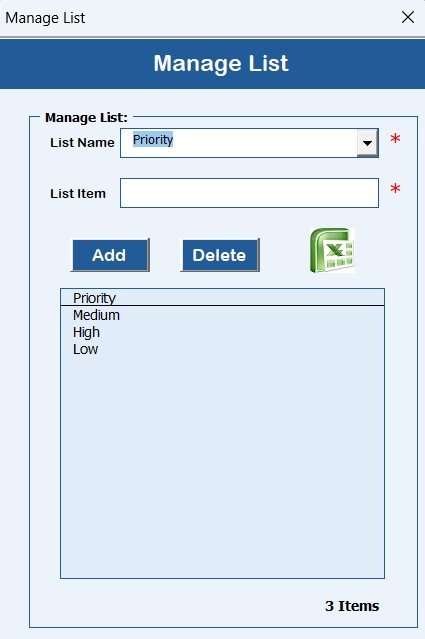
📂 Manage List Sheet – Dropdowns for industries, countries, products, sources—easily customizable.
⚙️ Support Sheet – Backend pivot tables automatically powering charts and analytics.
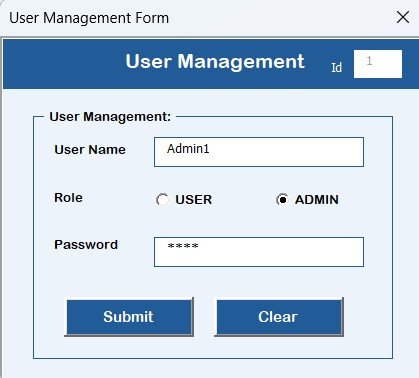
👥 User Management Module – Add, update, or delete users, assign roles, and reset passwords.
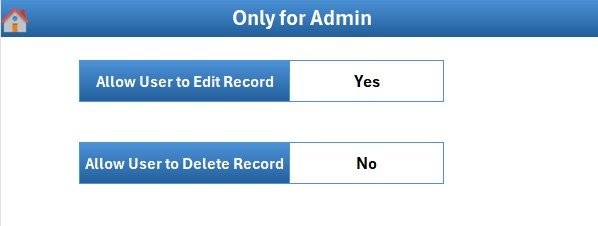
🎨 Settings Sheet – Customize login details, preferences, and system configurations.
👩💼 Multi-User Functionality – Multiple users can manage their own leads; admins can monitor everyone.
📦 What’s Inside the Sales Lead Submission Tracker
This Excel-based system includes seven structured components:
Login Form – Ensures only authorized users can access.
Main Form – One-click access to data entry, dashboards, and settings.
Dashboard Sheet – Real-time KPIs and charts to analyze performance trends.
Data Entry Sheet – Add, update, or delete records seamlessly.
Manage List Sheet – Keep dropdowns consistent and customizable.
Support Sheet – Powers dashboards automatically (no manual edits required).
User Management + Settings – Control access, roles, and system customization.
This structure makes the tracker organized, scalable, and audit-ready.
🛠️ How to Use the Sales Lead Submission Tracker
Log In – Enter your ID and password (default Admin1/abcd).
Add New Leads – Use the Data Entry Form to input details (industry, product, source, etc.).
Track in Dashboard – Instantly view trends by priority, region, or source.
Manage Dropdowns – Update industry types, products, or sources in the Manage List Sheet.
Assign Roles – Add users, assign roles, and manage permissions.
Customize Settings – Change default login, preferences, or design values.
Review Performance – Use slicers to filter dashboards by user, month, or product.
With this workflow, your team gets a 360° view of sales pipeline health.
👥 Who Can Benefit from This Tracker
Sales Managers – Monitor team performance, lead progress, and conversions.
Executives & Business Owners – Gain clarity on sales pipeline health.
Sales Executives – Record and manage individual leads securely.
Startups – Affordable lead management without costly CRM software.
Large Organizations – Track performance across multiple users and teams.
📖 Click here to read the Detailed blog post
🎥 Visit our YouTube channel to learn step-by-step video tutorials
Watch the step-by-step video tutorial:
Compatibility and Requirements
- Works in Microsoft Excel desktop on Windows with macros enabled. It does not run in Excel for the web, Google Sheets or mobile apps.
- The tracker uses a login form, user management and data entry forms, so macros must be turned on. Microsoft explains how in Enable or disable macros in Microsoft 365 files.
Frequently Asked Questions
What is the default login?
The default login is Admin1 with the password abcd. You can add users, assign roles and reset passwords in the User Management module.
Can several people use the tracker?
Yes. Each user logs in with a unique ID and password and manages their own leads. Admins can monitor everyone.
Which fields can I analyze on the dashboard?
The dashboard has slicers and charts for leads by Priority, Status, Industry, Country, Source and Product/Service.
Can I change the dropdown options?
Yes. Edit industries, countries, products and sources in the Manage List sheet, and the data entry form uses your updated lists.
Is there a Google Sheets version?
Yes. See the Sales Lead Submission Tracker in Google Sheets.
Related Sales Templates
- Sales Lead Submission Tracker in Google Sheets: the same lead tracker in Google Sheets
- Sales Funnel Dashboard in Excel: a funnel view of your pipeline
- Sales Tracking Dashboard in Excel: track sales results in Excel
- Sales KPI Dashboard in Excel: sales KPIs on one dashboard
- VBA Management Systems Mega Pack: 5 Excel VBA templates in one download
Browse all Excel trackers and VBA tools.


































Reviews
There are no reviews yet.