



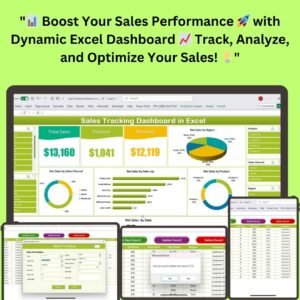
The Sales Tracking Dashboard in Excel is a dynamic, macro-enabled (VBA) tool that streamlines sales data management and gives you a clear overview of performance metrics. It is built for businesses that need to track total sales, discounts and net sales, and analyze results by region, product, sales channel and sales representative. The outcome is faster, more visual reporting with less manual work.
Key Features of the Sales Tracking Dashboard
- Visual dashboard: Interactive charts, including 3D pie charts, bar charts and trend analysis graphs, for quick interpretation of key metrics.
- Net sales tracking: Monitor total sales, discounts and net sales in one place.
- Automated data entry forms: Interactive buttons to add, update or delete sales records.
- Sales by region: See which geographic regions are driving the most sales.
- Sales by product: Track the performance of each product.
- Sales channel analysis: Evaluate performance across online, retail and wholesale sales channels.
- Sales rep performance: Monitor each sales representative based on their total sales.
- Slicers: Filter data by region, product or sales rep for precise, customized reports.
- Pivot table support: Built-in pivot tables generate insights without manual data aggregation.
- Customizable lists and reports: Modify the layout and charts to suit your business needs.
- User-friendly interface: Clean, clearly labeled layout that works even for users with minimal Excel experience.
Visual Dashboard for Quick Insights
The dashboard presents sales data through interactive charts so you can read key numbers at a glance, including:
- Total Sales
- Discounts
- Net Sales by region
- Sales trends over time
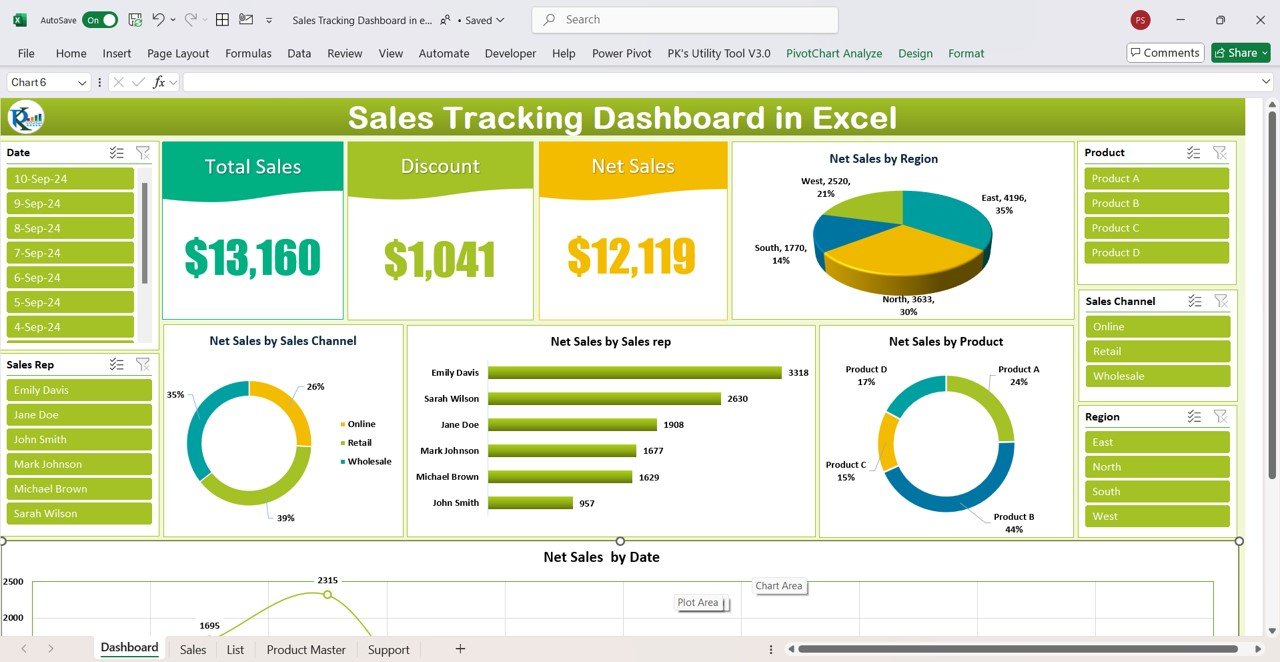
Slicers let you filter data by categories such as regions, products or sales reps, producing precise and customized reports for better decision-making.
What’s Inside the Template
Automated Data Entry Forms
Managing sales data is straightforward with automated data entry forms. Interactive buttons let you:
- Add new records
- Update existing records
- Delete records
These forms help capture sales representatives, products and related information accurately, reduce manual errors, and make it easy to track each record’s update status, saving time.
Comprehensive Data Management Lists
The template organizes the essential master details used across the dashboard:
- Sales Reps
- Products
- Regions
- Sales Channels
Support for online, retail and wholesale channels lets you segment and analyze sales data by transaction type. Everything is organized clearly and is easy to access.
Pivot Tables Working Behind the Scenes
Alongside the dynamic charts, built-in pivot tables generate insights from the data entered into the sales records. They analyze metrics such as:
- Total Sales
- Net Sales by Region
- Sales by Product
Key Metrics You Can Track
| Metric | What it tells you |
|---|---|
| Net Sales | Sales after accounting for discounts, a true reflection of revenue. |
| Discounts | How much discount is given across transactions and its impact on revenue. |
| Sales by Product | Top-performing products and areas for improvement. |
| Sales by Region | Which regions drive the most sales, supporting targeted strategies. |
| Sales Rep Performance | Effectiveness of each rep based on total sales, for better management and accountability. |
Who It’s For
- Sales managers who need to review sales rep performance and accountability.
- Business owners tracking total sales, discounts and net sales.
- Teams selling through online, retail and wholesale channels.
- Analysts who want ready-made pivot tables and charts instead of building reports from scratch.
- Users with minimal Excel experience who need a simple, clearly labeled tool.
How to Use It
- Download and unzip the file.
- Enable macros in Excel before use. Refer to our tutorial for step-by-step instructions: https://www.pk-anexcelexpert.com/4-easy-ways-to-enable-macros-in-excel-vba/
- Set up your lists of sales reps, products, regions and sales channels.
- Use the data entry form buttons to add, update or delete sales records.
- Open the dashboard and use slicers to filter by region, product or sales rep.
- Customize the layout and charts to match your reporting needs.
Click here to read the detailed blog post
Visit our YouTube channel to learn from step-by-step video tutorials.
Watch the step-by-step video tutorial:
Frequently Asked Questions
Does the Sales Tracking Dashboard in Excel use macros?
Yes. It includes VBA-powered data entry forms, so you need to enable macros after downloading and unzipping the file. A step-by-step tutorial link for enabling macros is provided above.
Can I add, edit and delete sales records?
Yes. The automated data entry forms include interactive buttons to add new records, update existing ones and delete records.
Can I analyze sales by region and by sales rep?
Yes. The dashboard shows sales by region, sales by product and sales rep performance, and slicers let you filter by region, product or sales rep.
Which sales channels are supported?
The template supports sales channel analysis across online, retail and wholesale channels.
Can I customize the reports?
Yes. You can modify the layout and charts and adjust the view by sales representative, region or product to suit your business.
Do I need advanced Excel skills?
No. The interface is clean and clearly labeled, so even users with minimal Excel experience can navigate and use it.
Also check our Incentive Dashboard in Excel
Last updated: October 2026
Compatibility and Requirements
- Needs Microsoft Excel desktop on Windows with macros enabled, because the file runs on VBA.
- It does not work in Excel for the web, Google Sheets or the Excel mobile apps. Microsoft explains macro settings in Enable or disable macros in Microsoft 365 files.
- The dashboard also uses pivot tables and slicers. Both work in Excel 2016 or later and Microsoft 365.
Related Sales Dashboard Templates
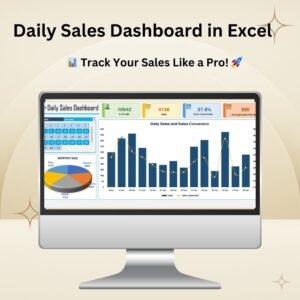
- Daily Sales Dashboard in Excel: day-by-day sales view
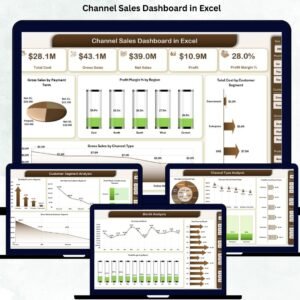
- Channel Sales Dashboard in Excel: deeper channel analysis
- Sales Dashboard in Power BI: the Power BI option
- Weekly Sales Chart in Excel: weekly sales against targets
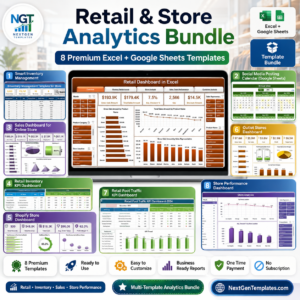
- Retail and Store Analytics Bundle: 8 premium retail templates in one bundle
Browse all Excel dashboards or the Excel sales and marketing templates.


Reviews
There are no reviews yet.