

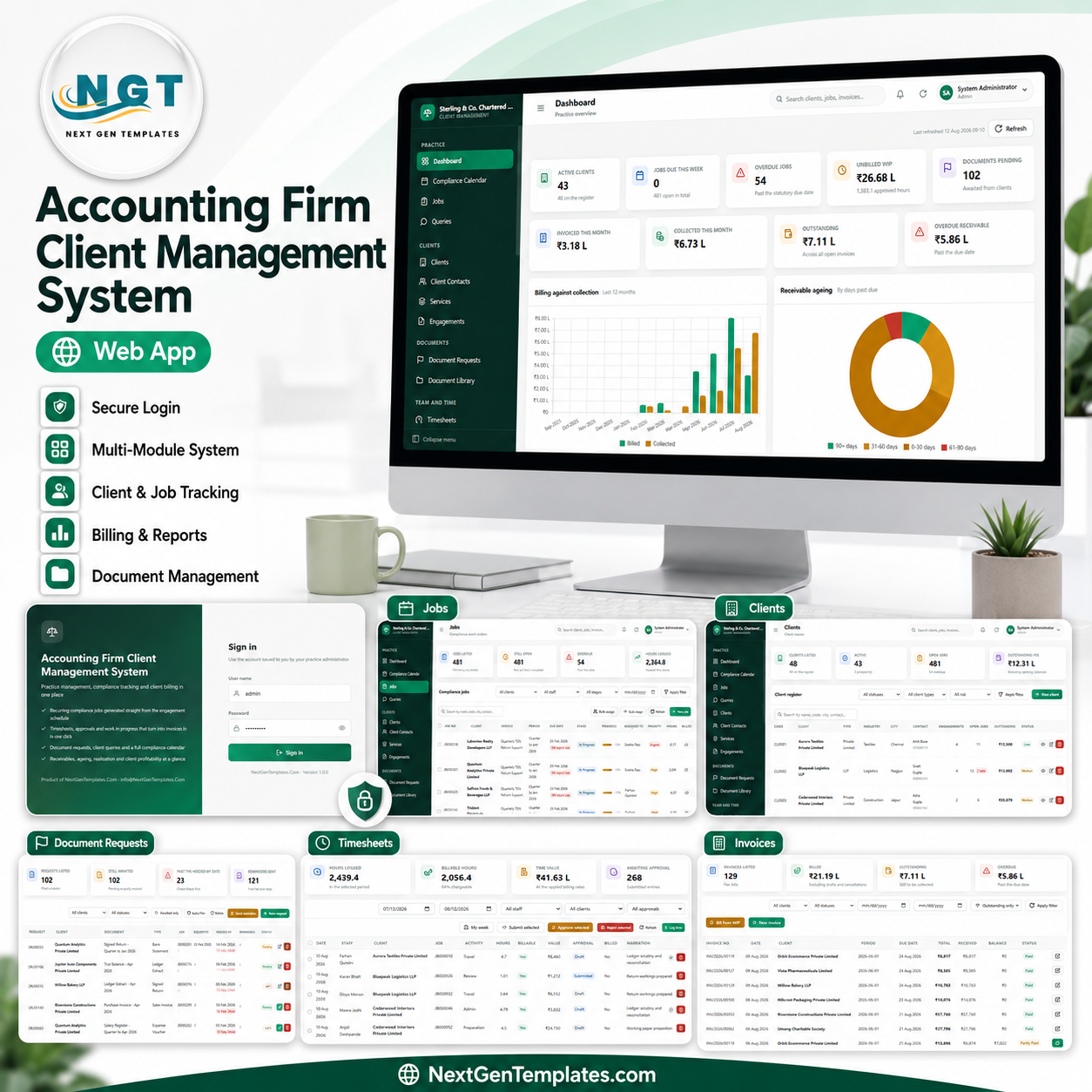
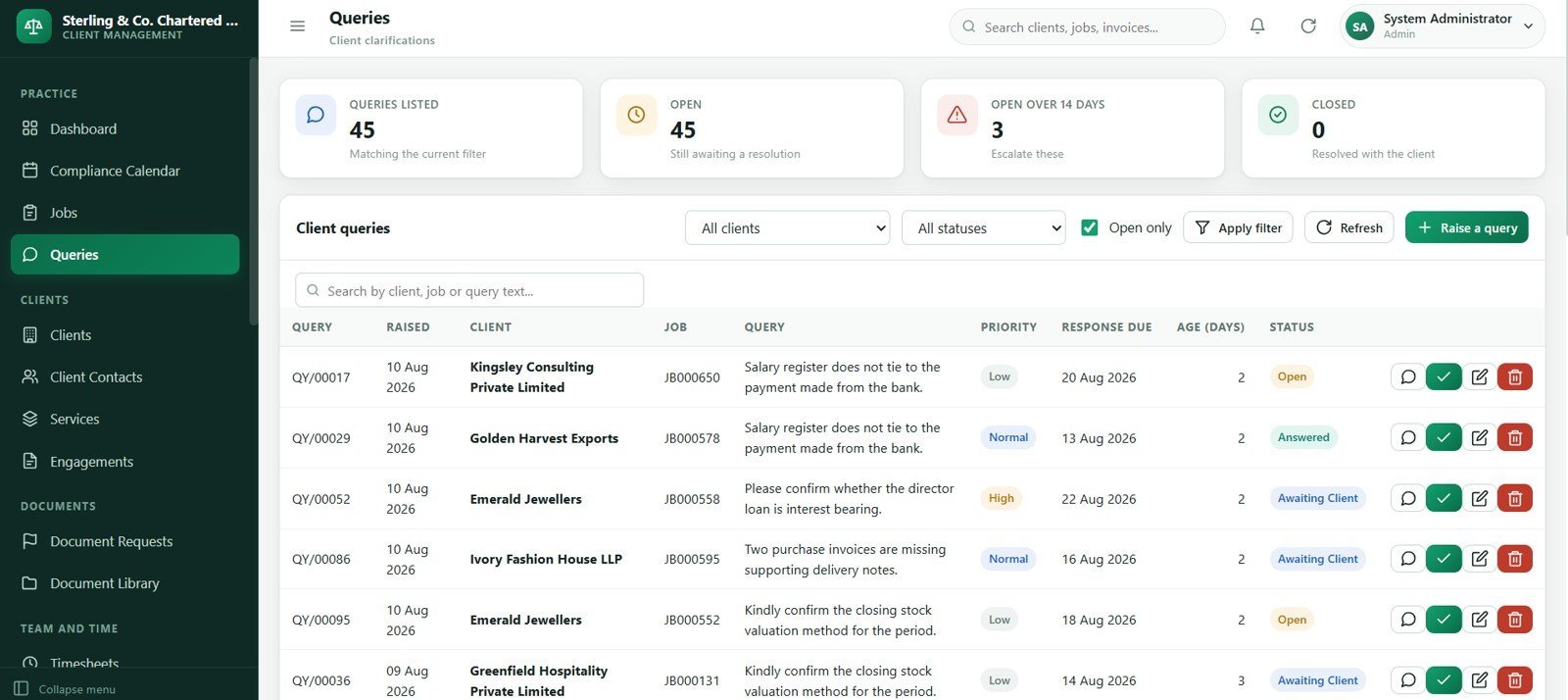
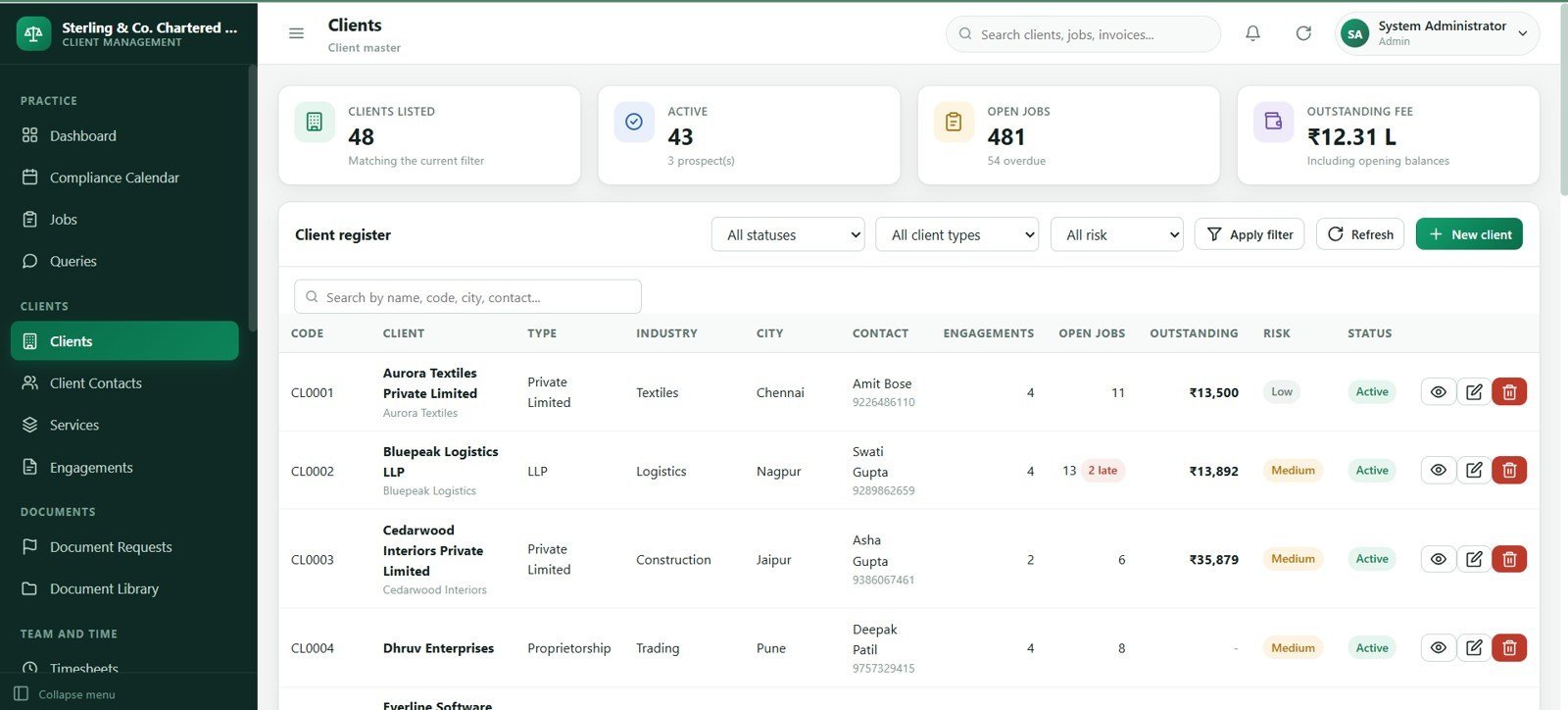
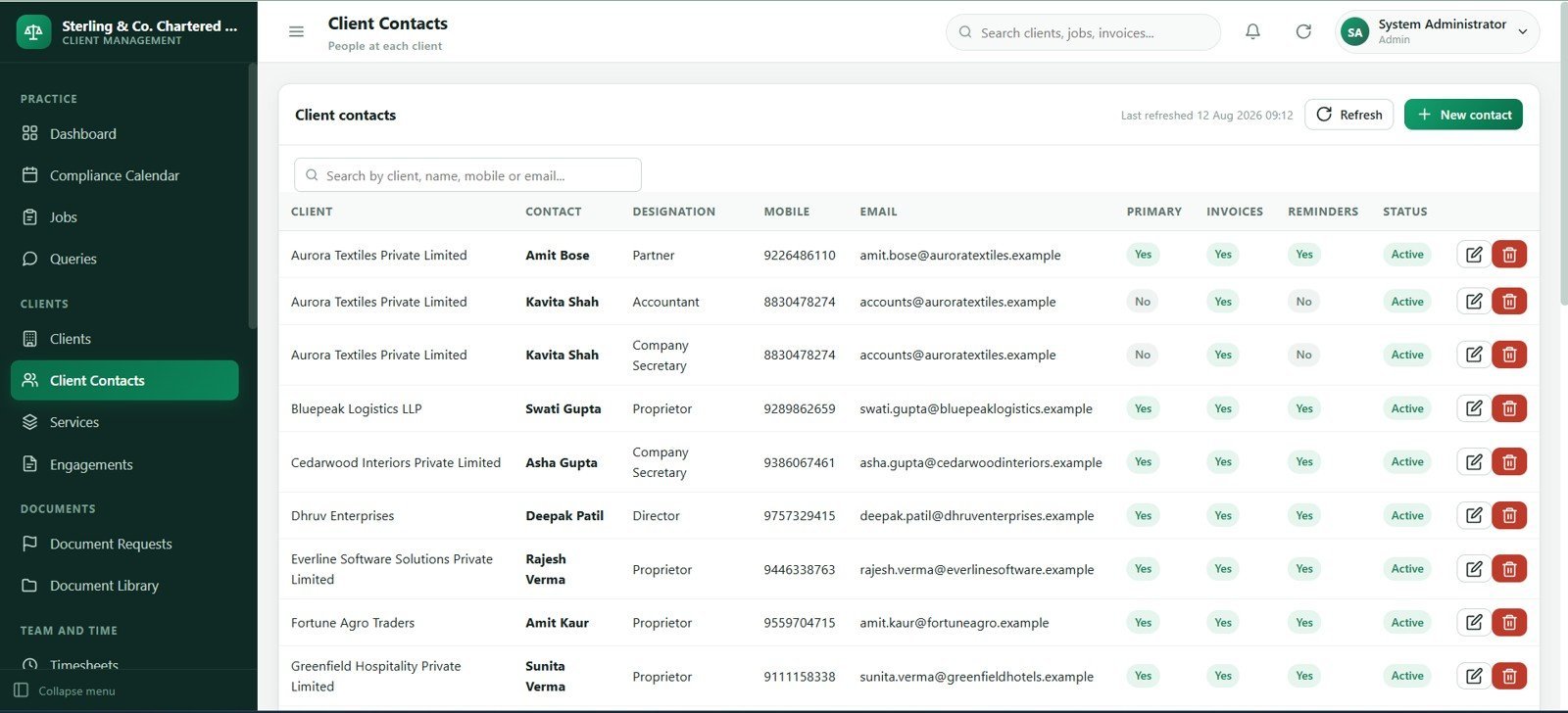
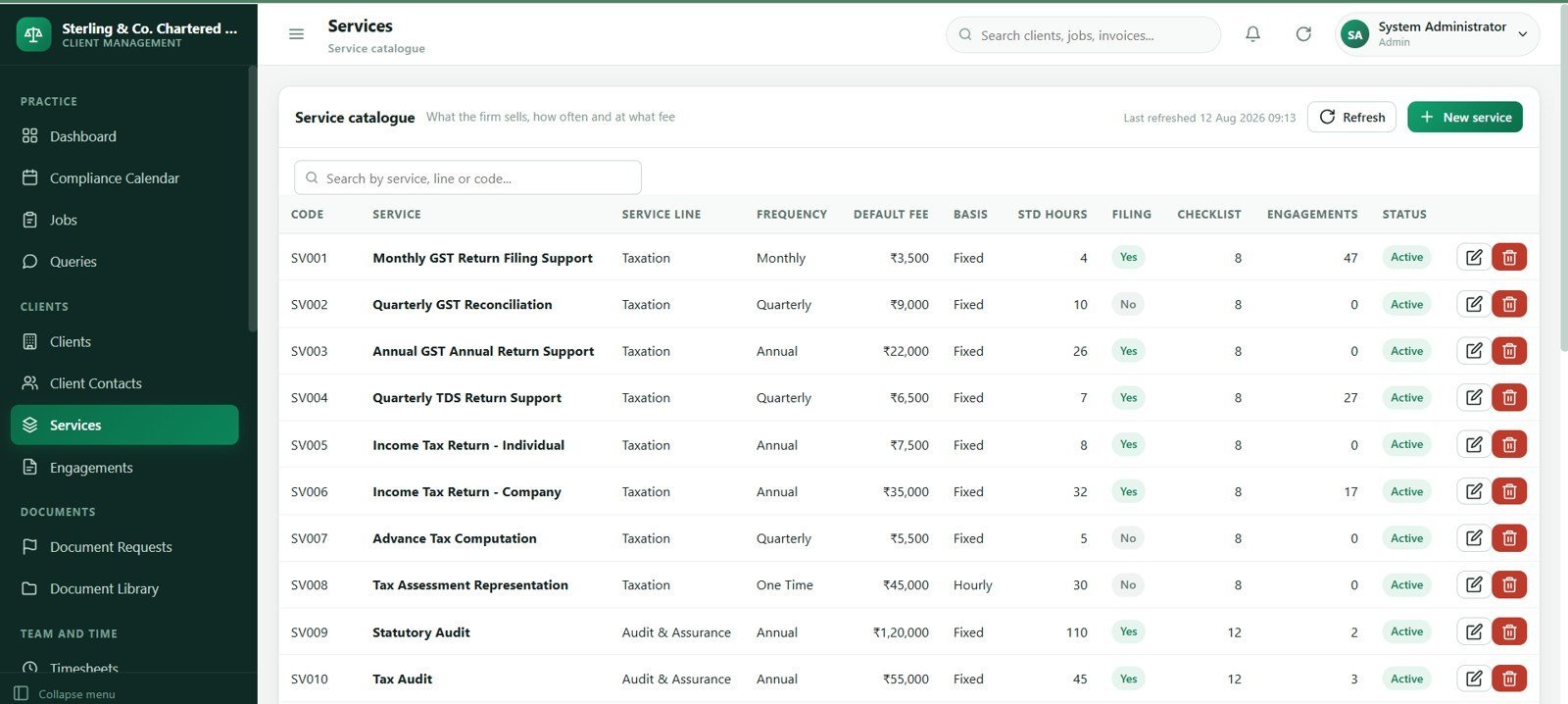
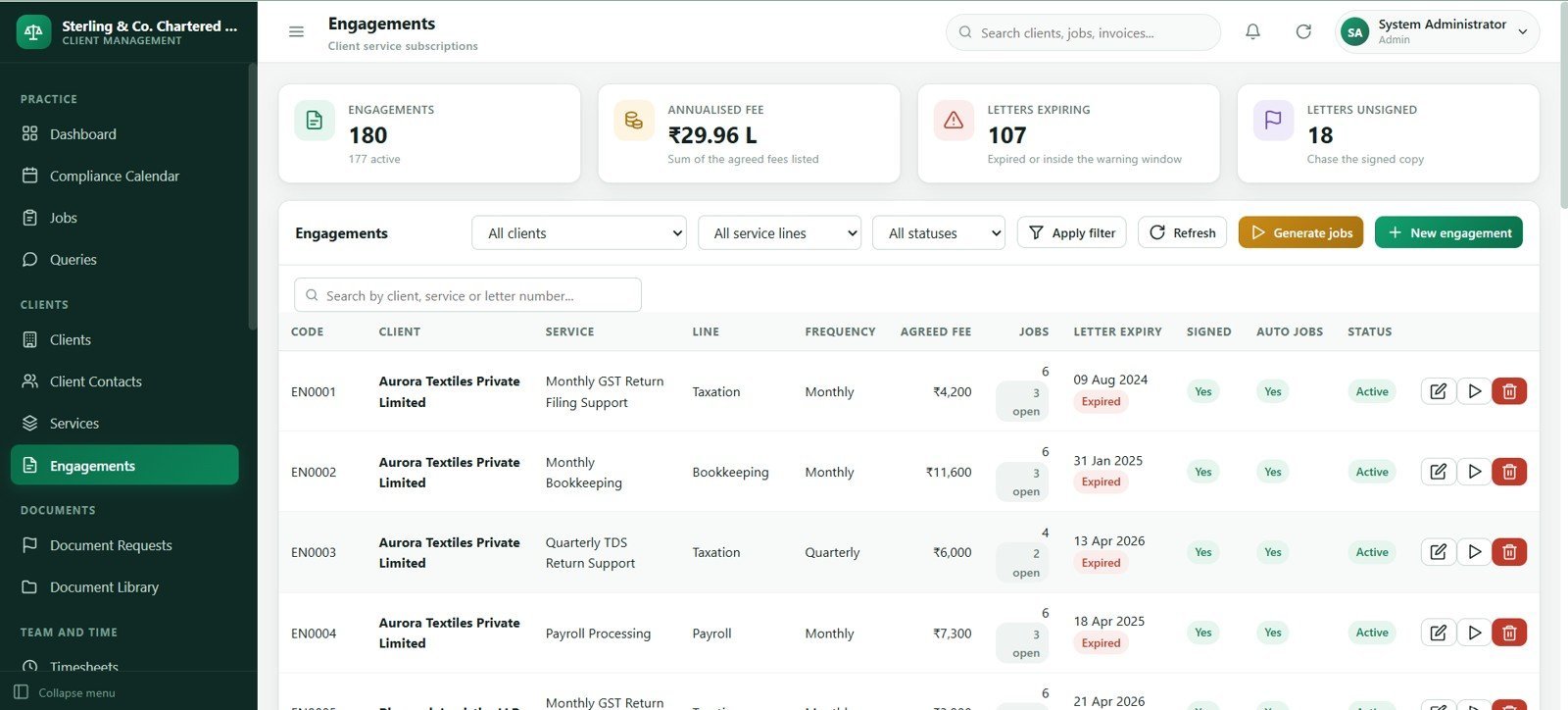
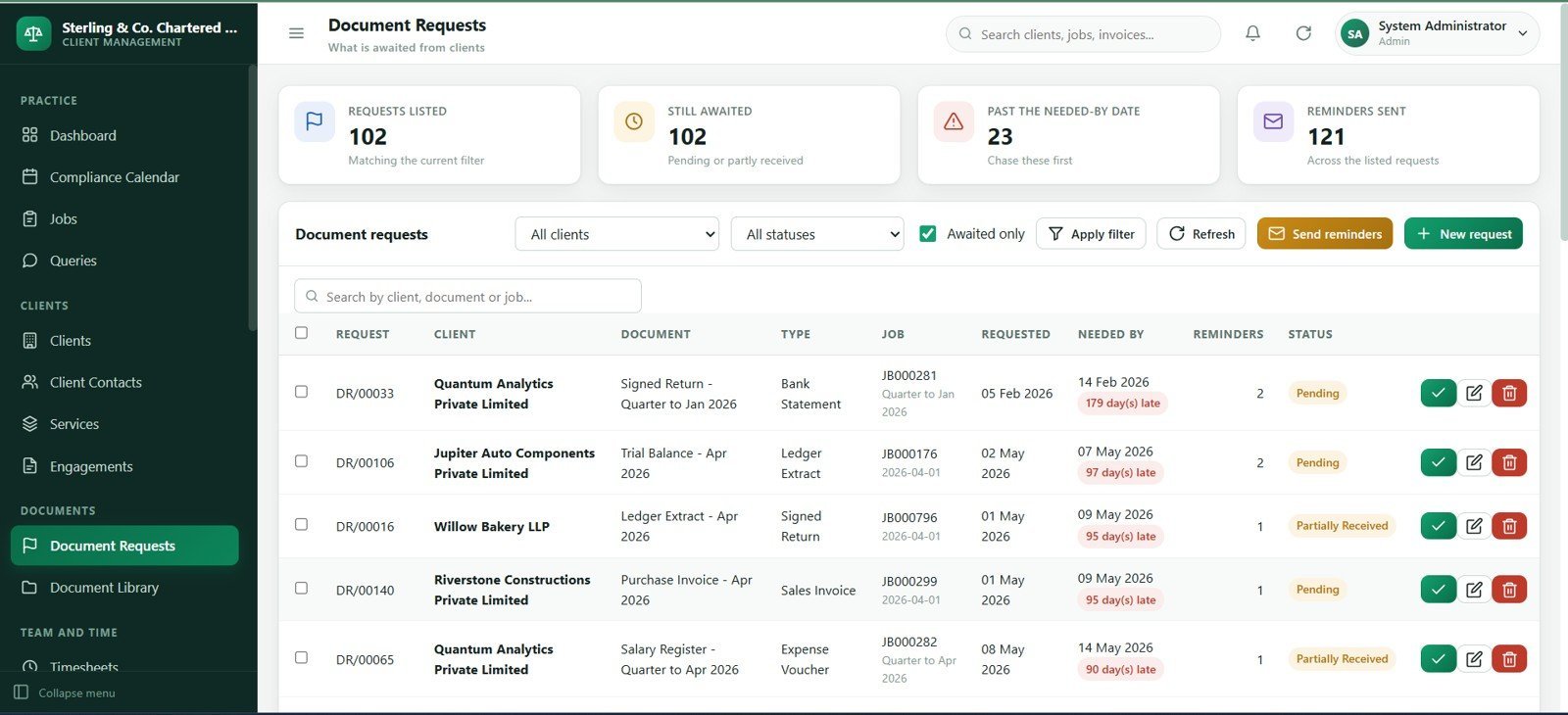
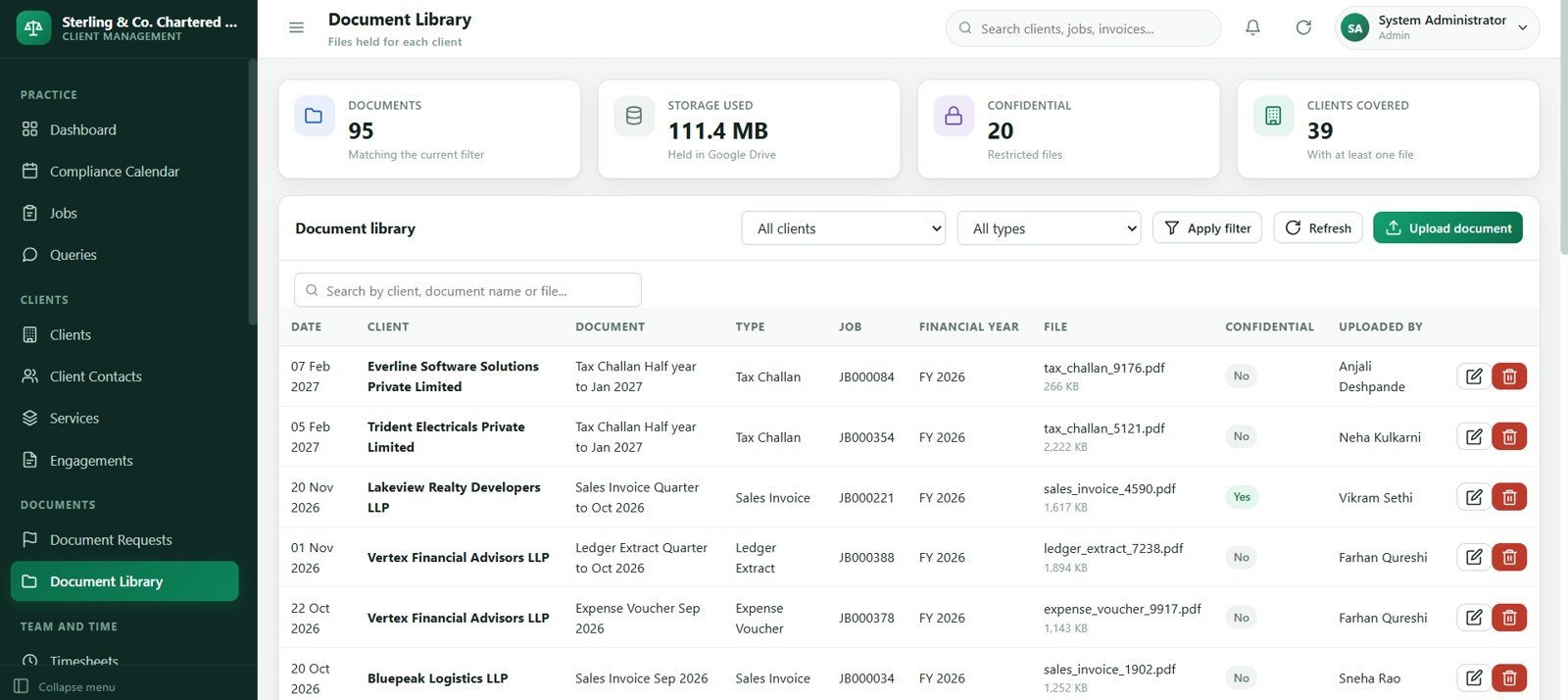
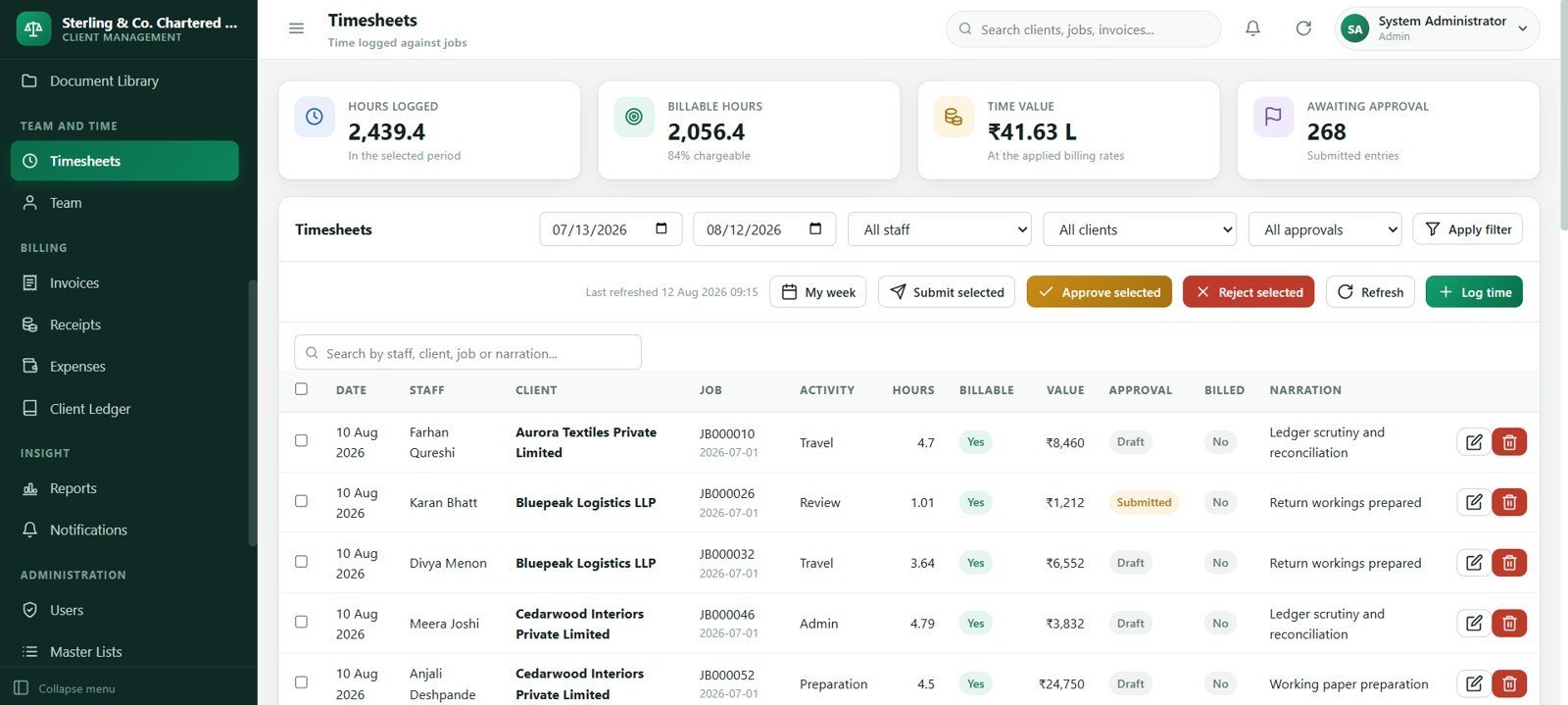
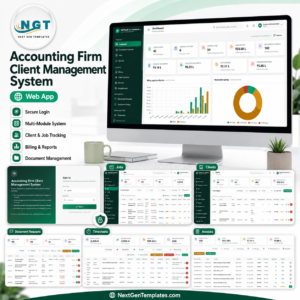
Accounting Firm Client Management System Web App gives accounting practices a 24-screen browser-based workspace for clients, contacts, services, engagements, recurring compliance jobs, document requests, client queries, timesheets, WIP, billing, receipts, expenses, client ledgers, reports and administration. It is built for firms that want a practical internal operating system without starting from a blank spreadsheet or committing immediately to a monthly practice-management SaaS platform.
The download includes a one-time source package for the Accounting Firm Client Management System Web App. It is especially useful for accounting firms, bookkeeping practices, tax offices, outsourced finance teams and consultants who need better control over due dates, missing documents, staff workload, billing status and client balances.
Key Features of Accounting Firm Client Management System Web App
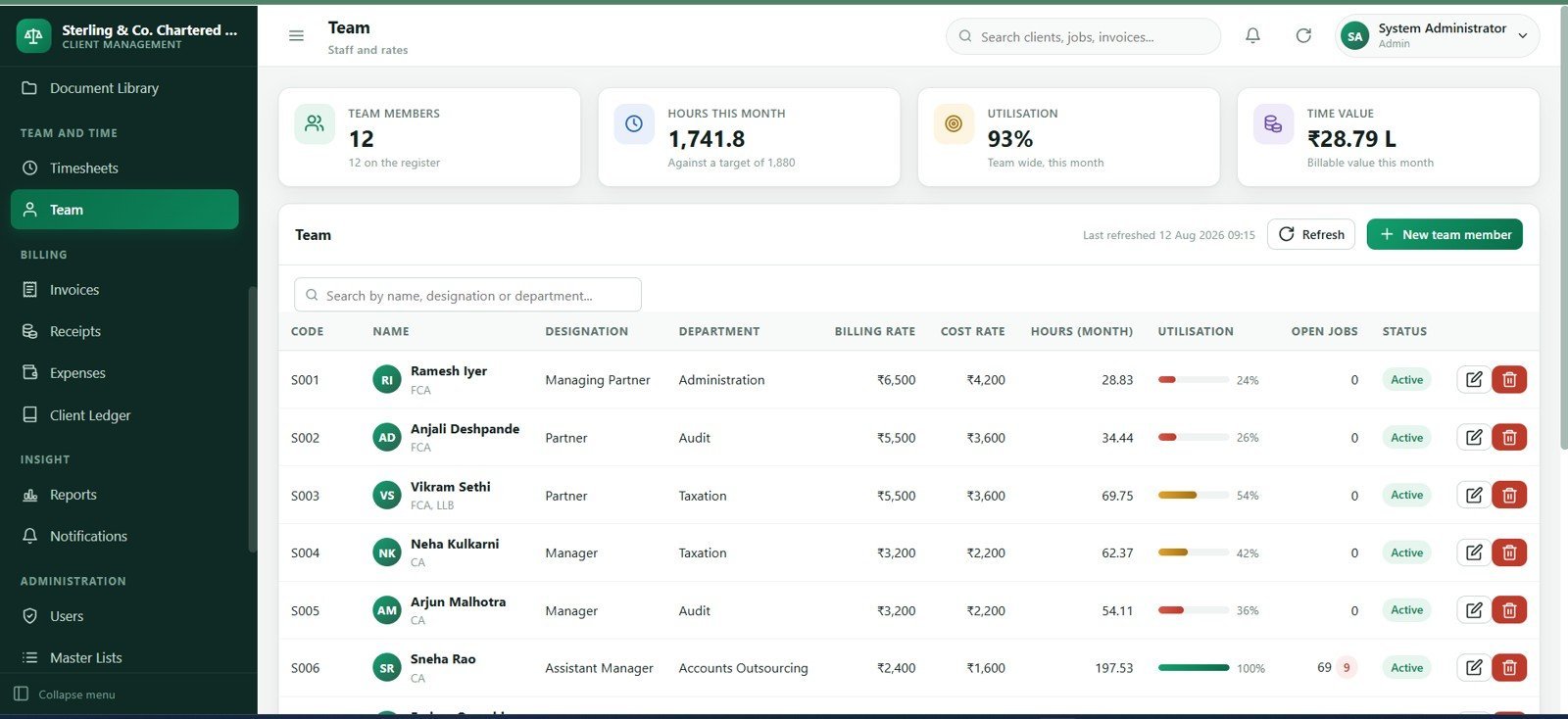
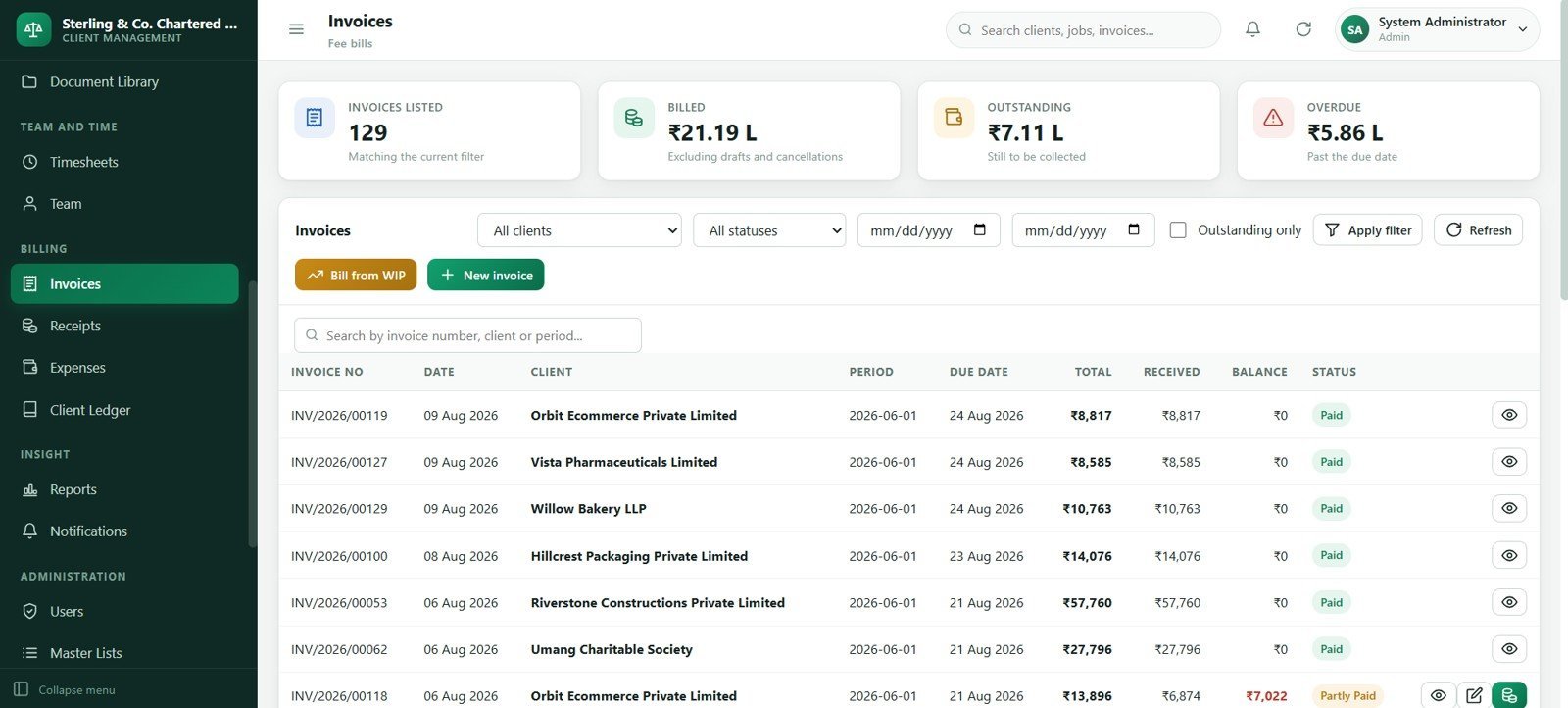
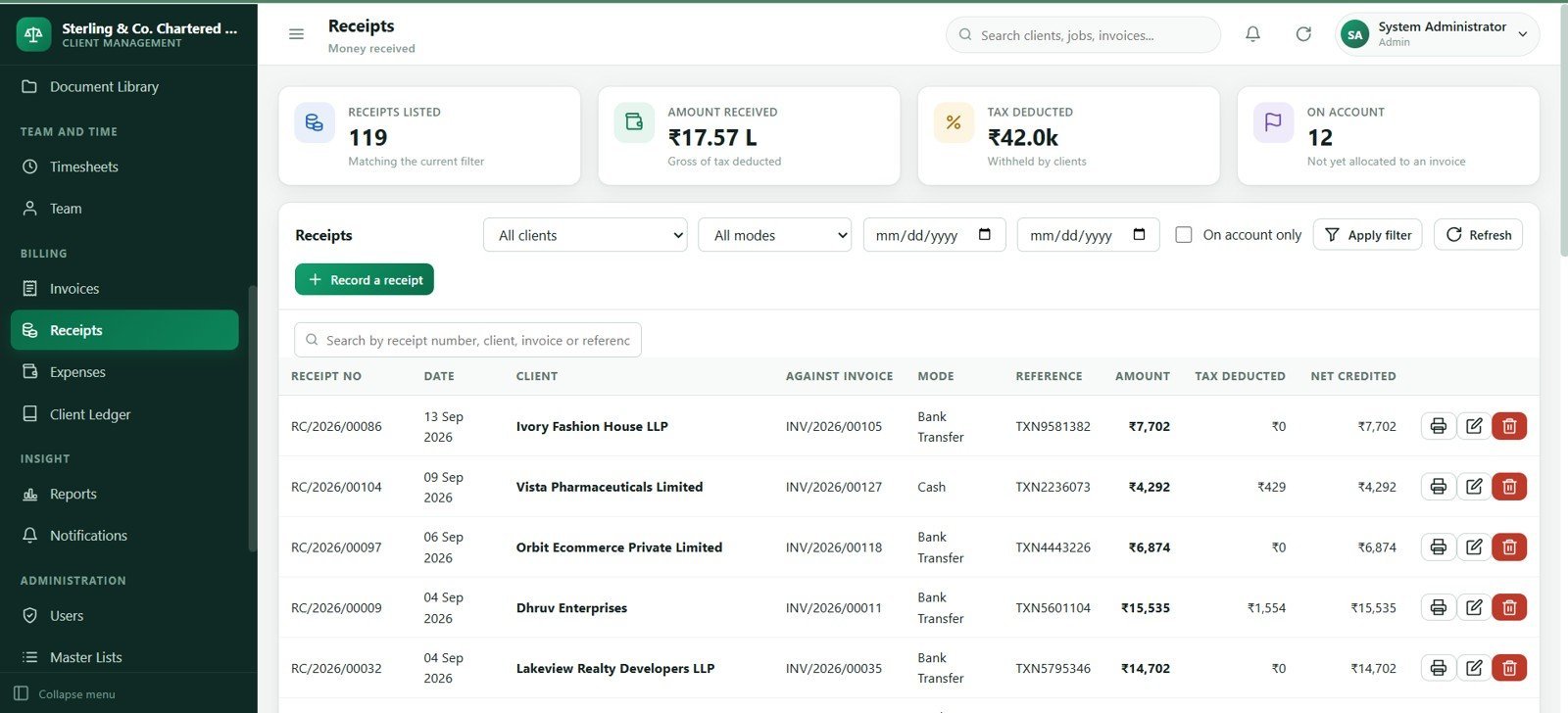
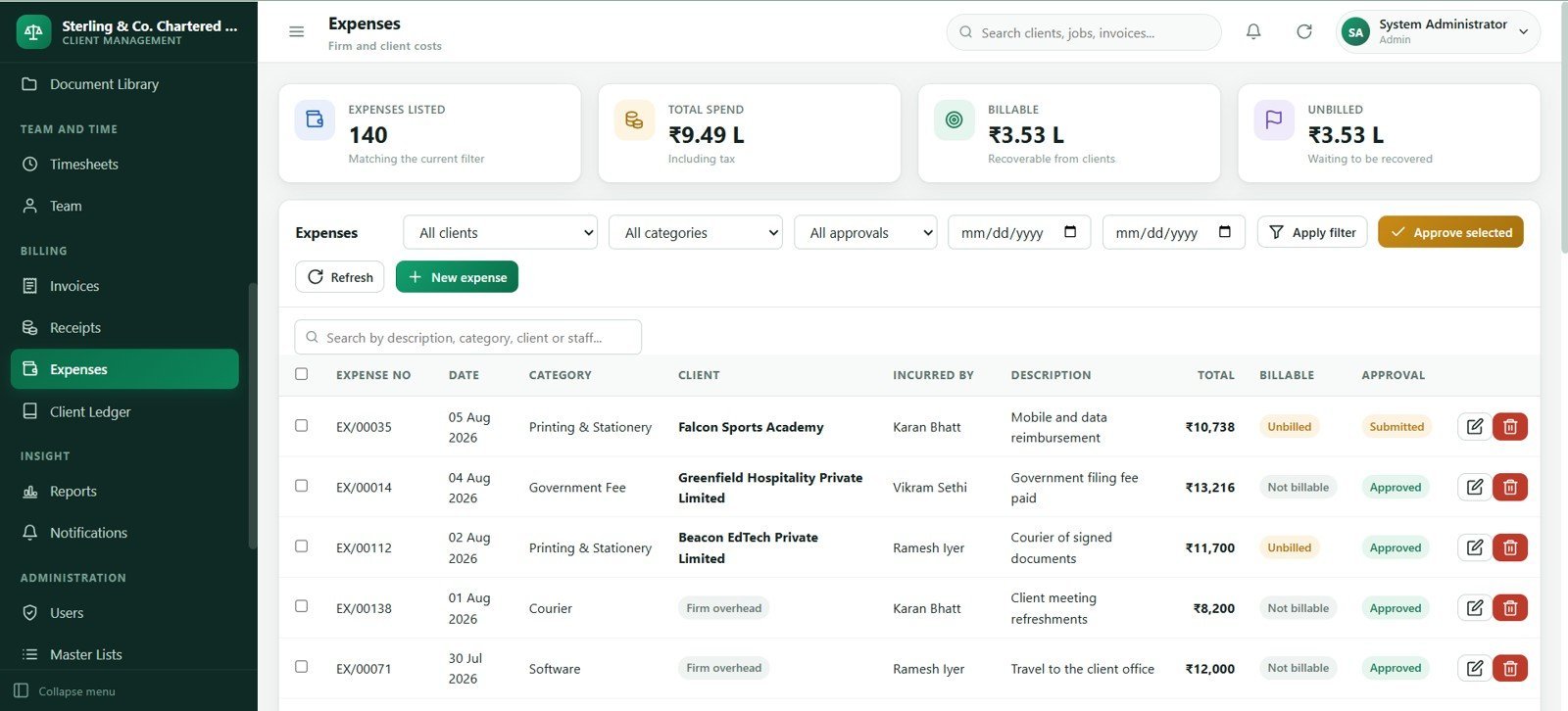
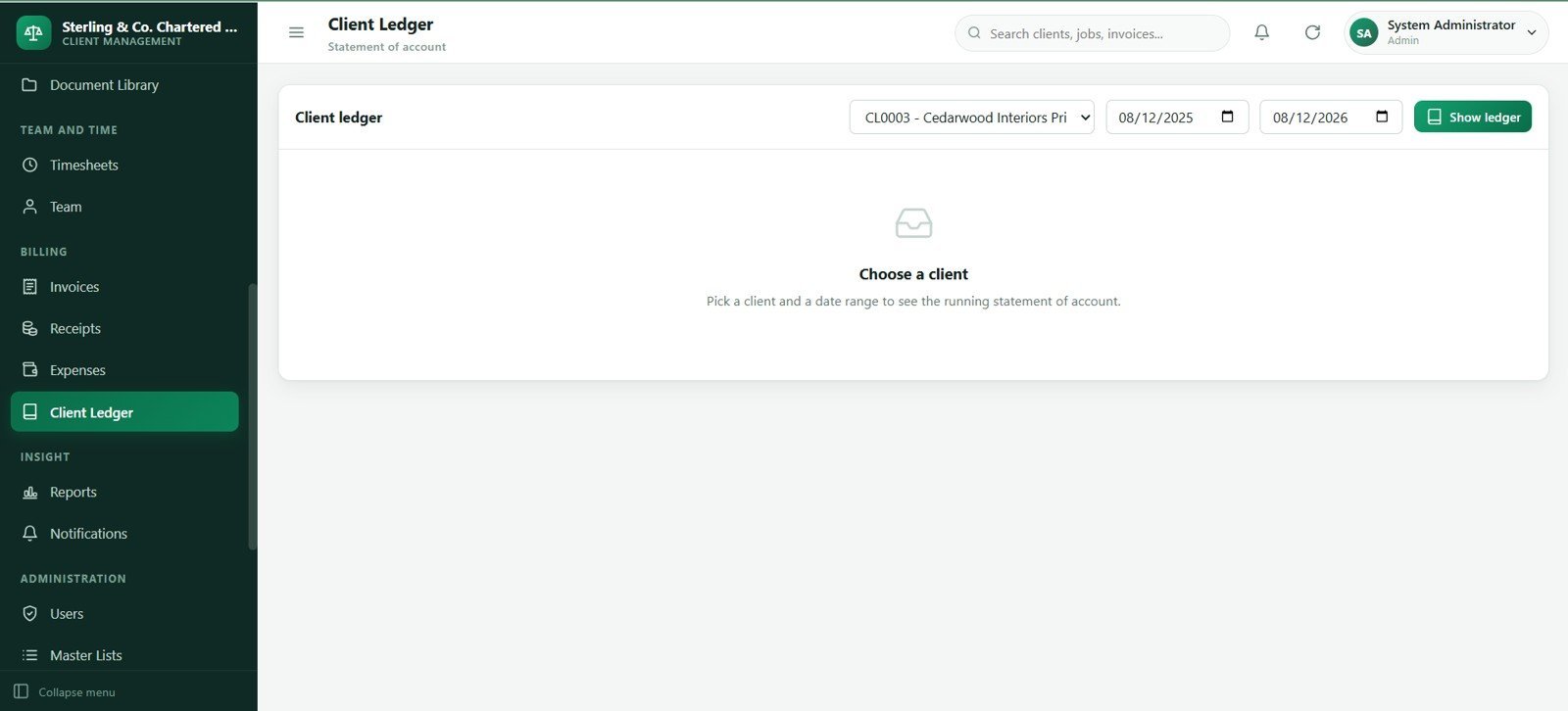
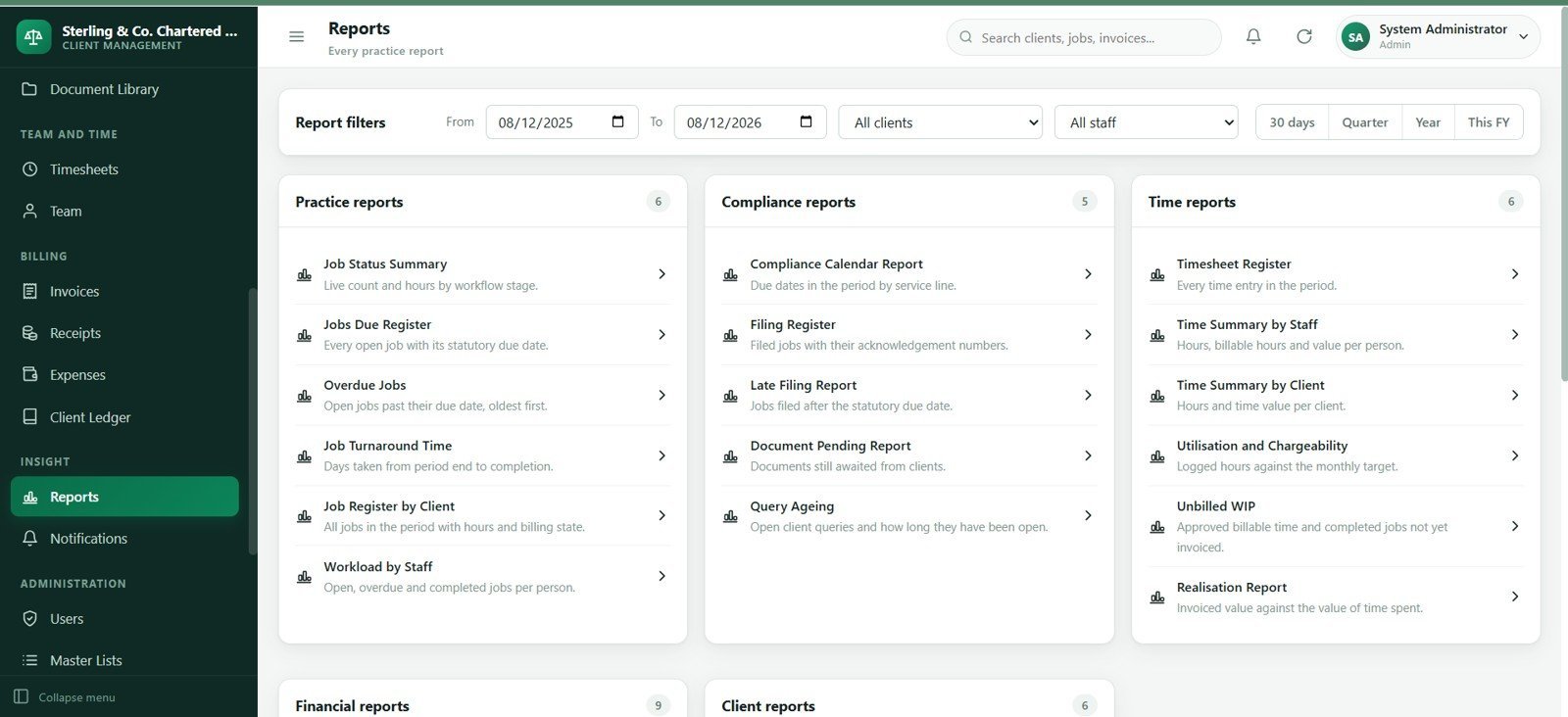
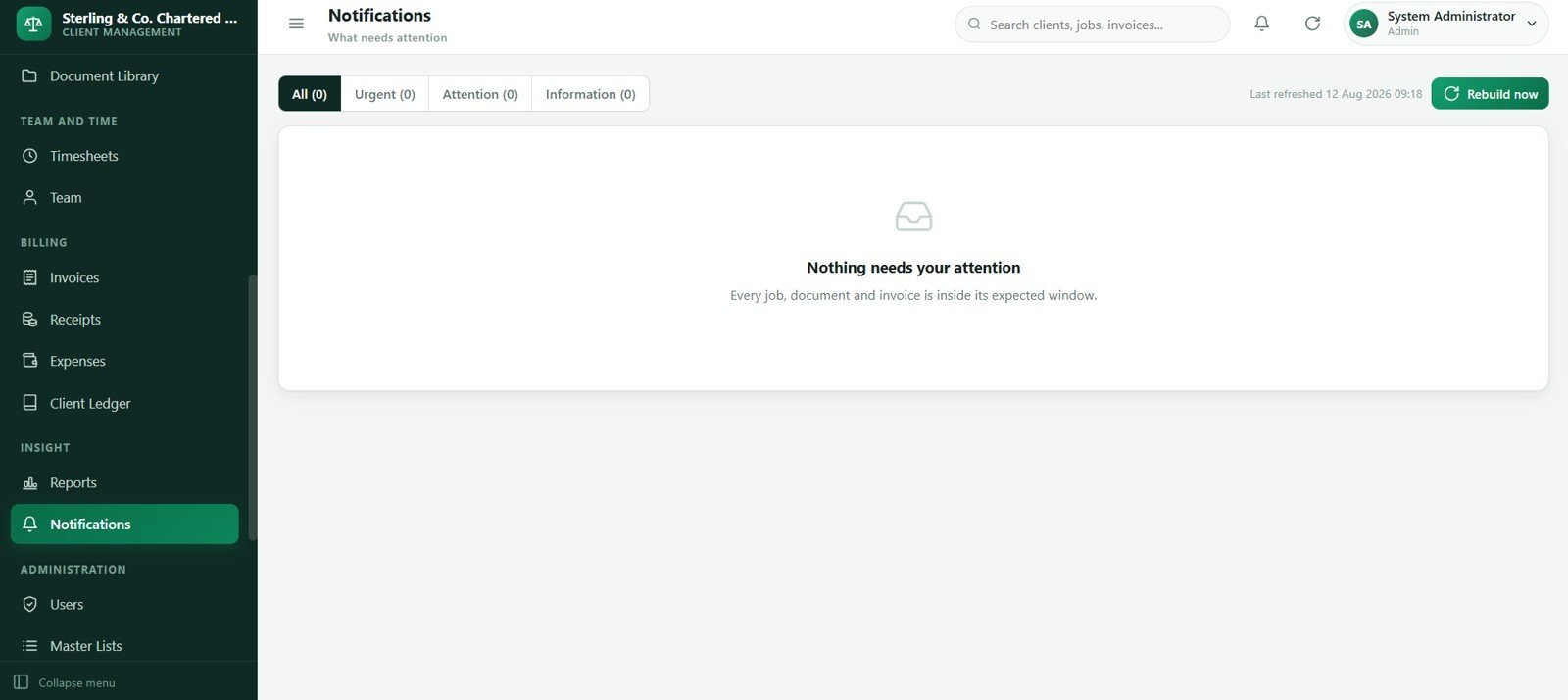
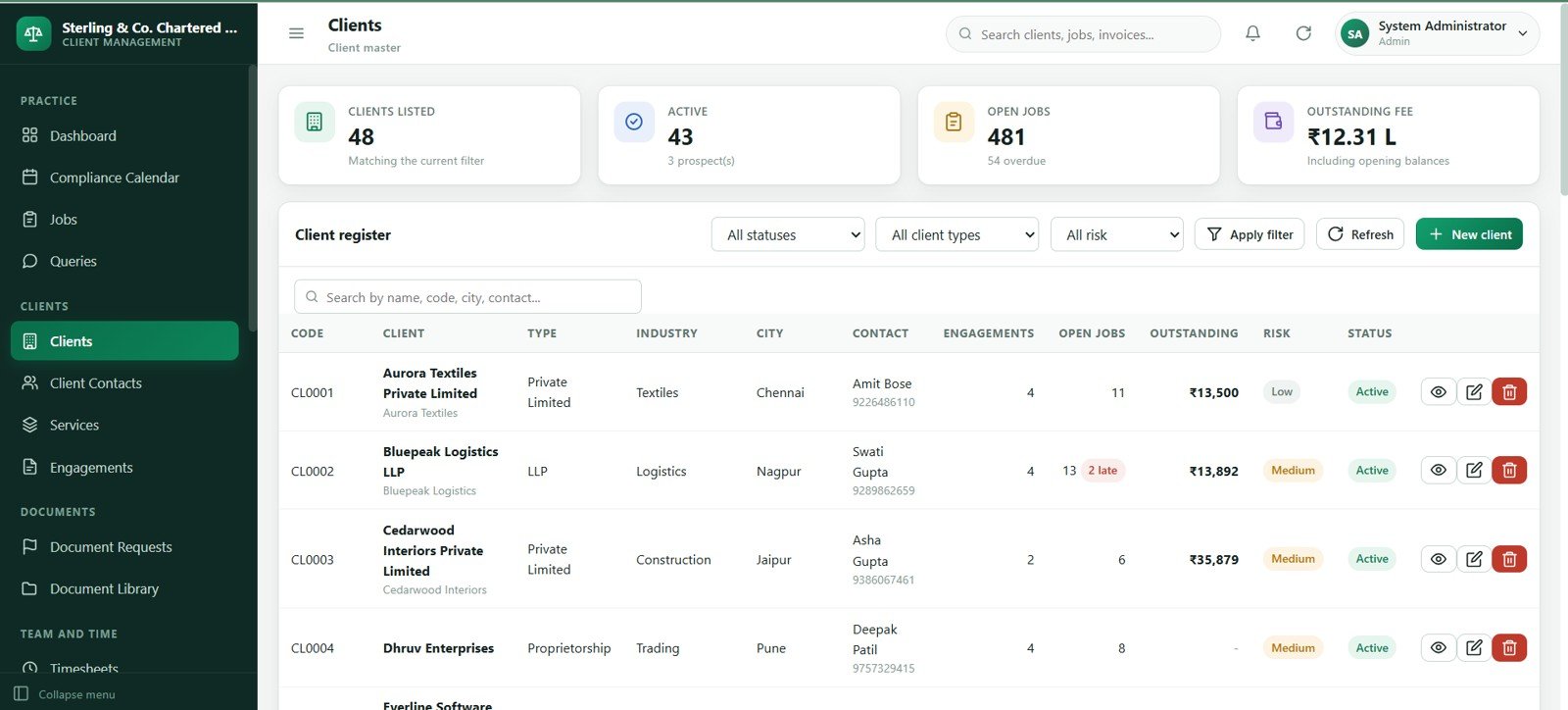
- 24 connected screens: Login, dashboard, compliance calendar, jobs, queries, clients, contacts, services, engagements, document requests, document library, timesheets, team, invoices, receipts, expenses, ledger, reports, notifications, users, master lists, import/export, audit log and settings.
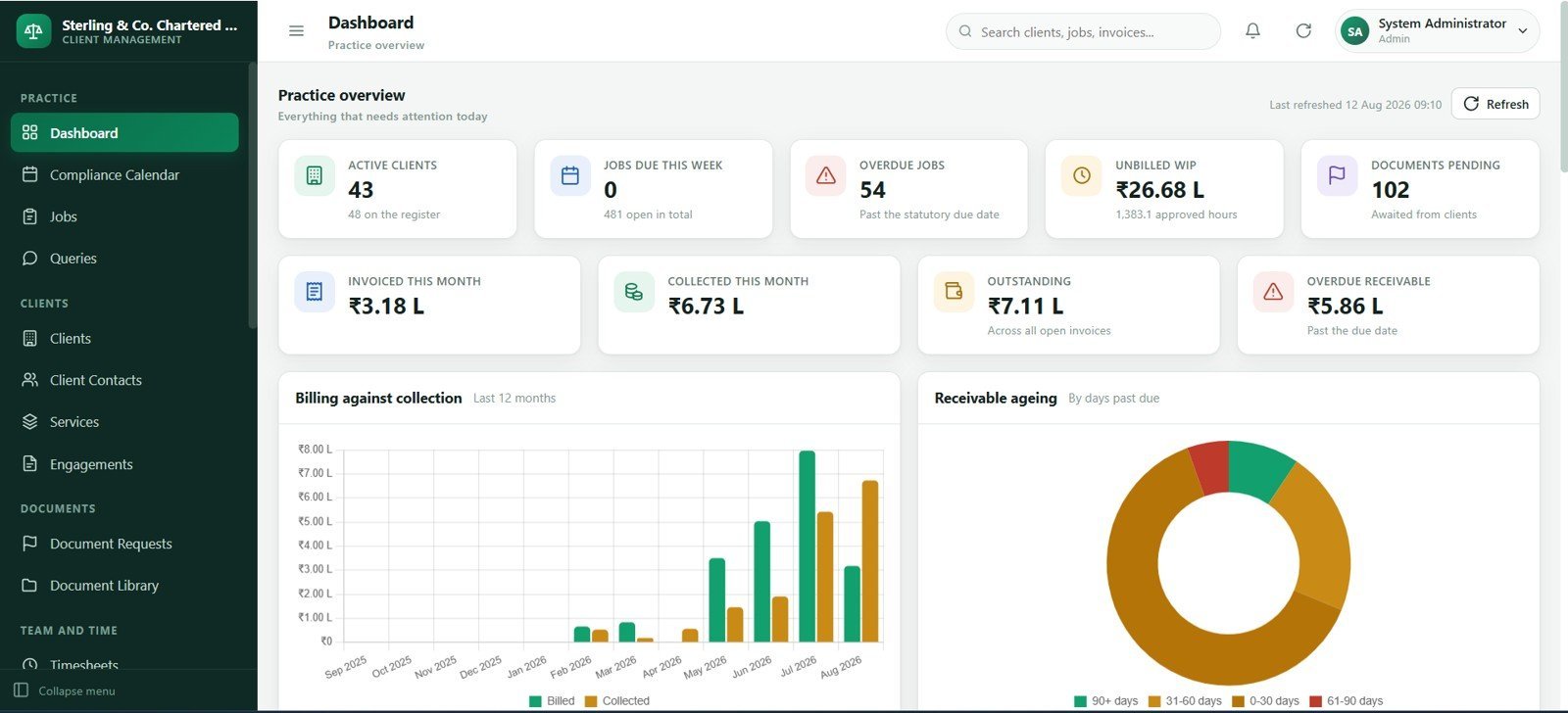
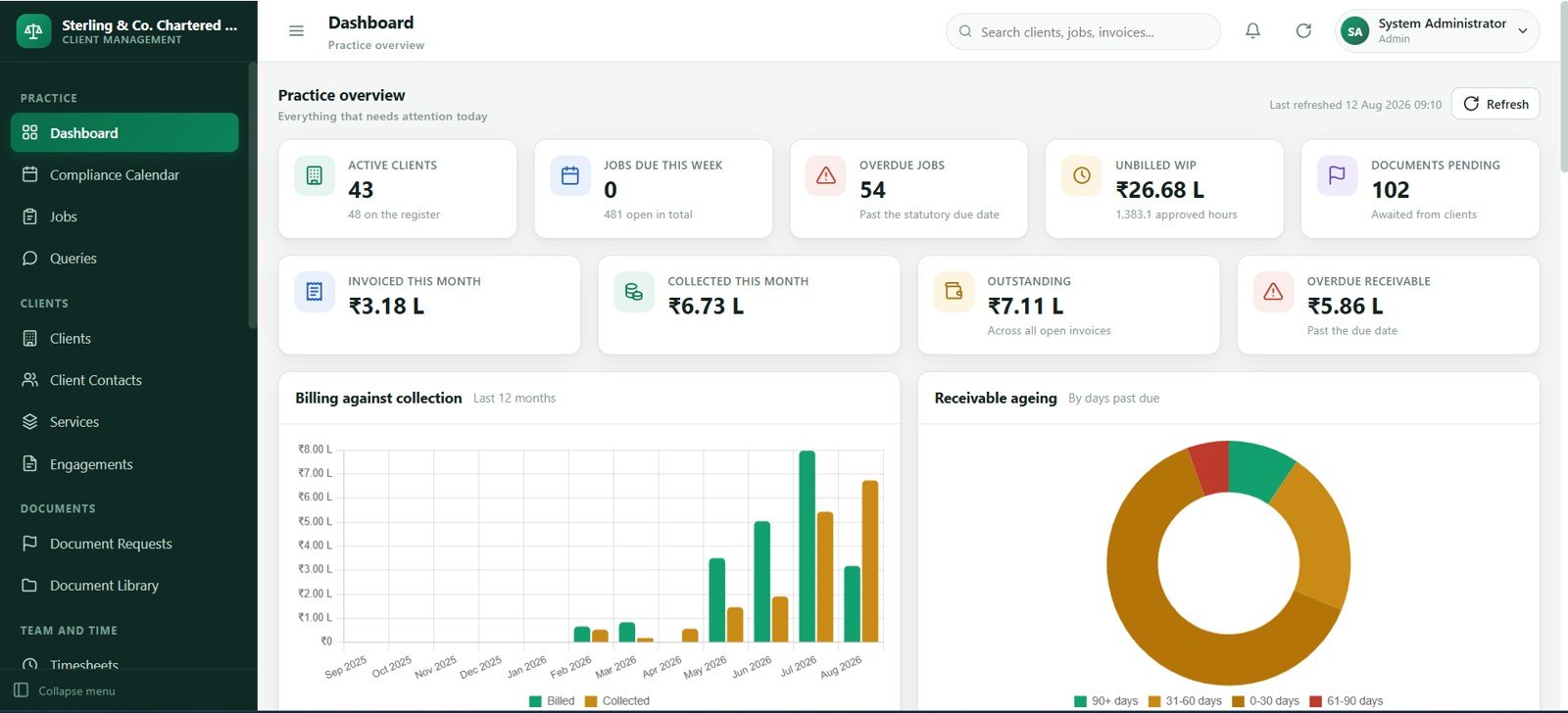
- Practice dashboard: Review active clients, jobs due this week, overdue jobs, unbilled WIP, pending documents, invoiced value, collected value, outstanding value and overdue receivables.
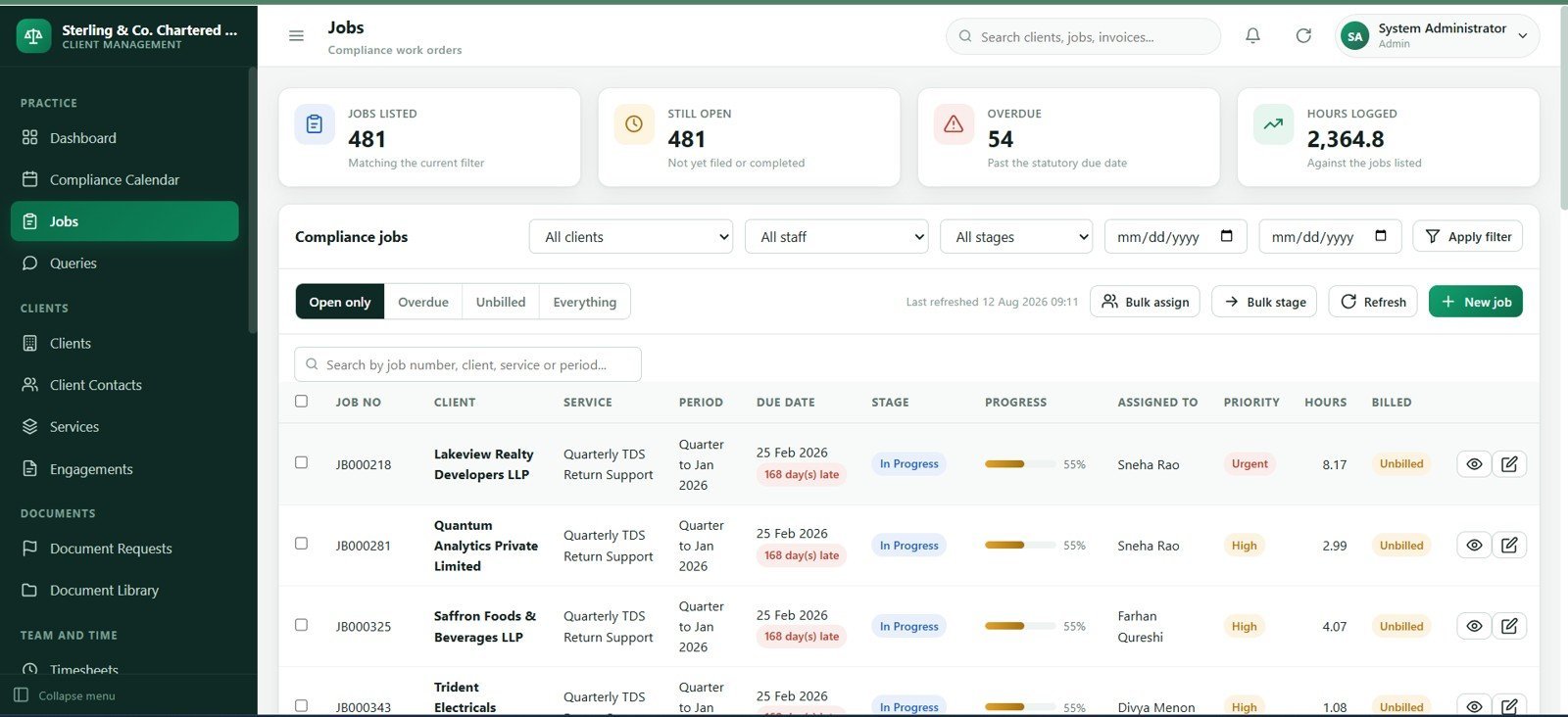
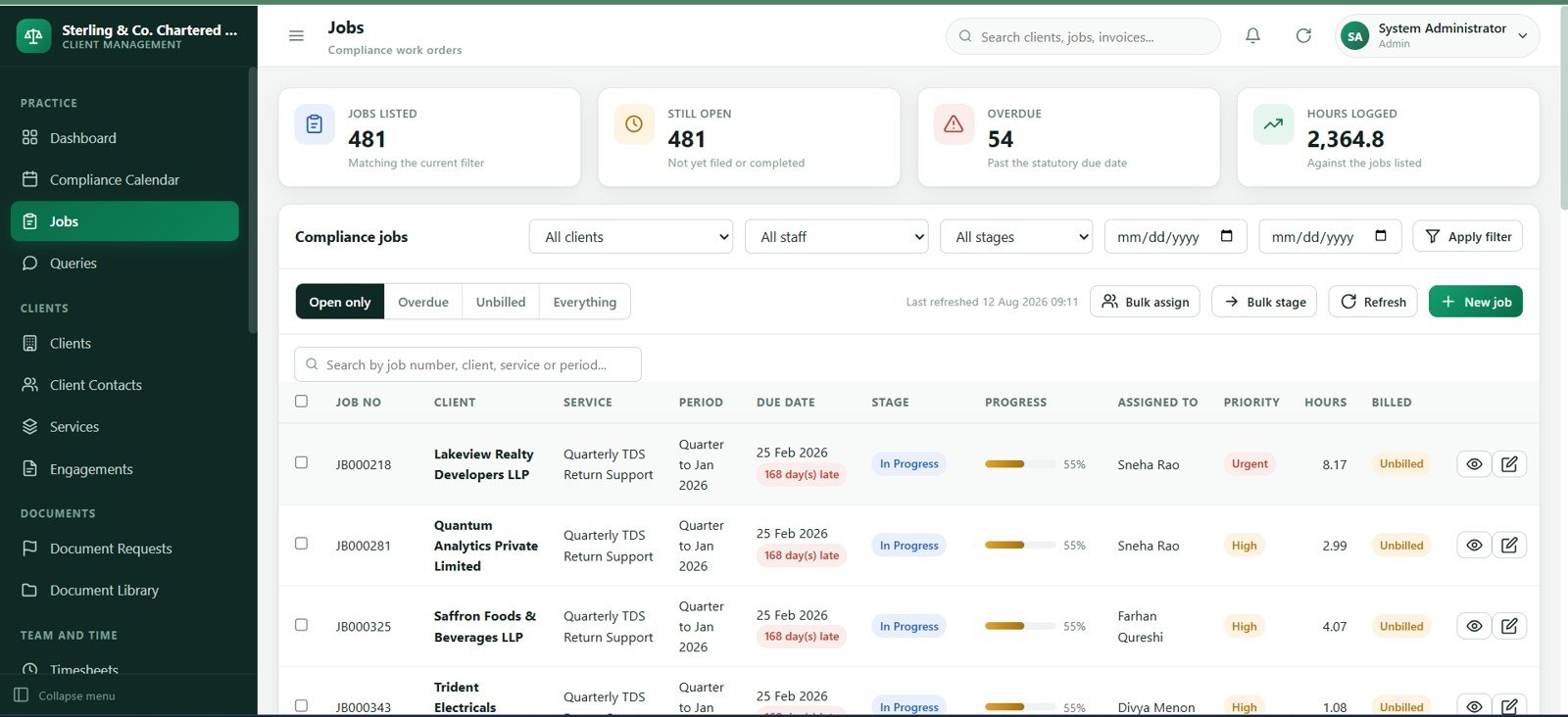
- Compliance and job control: Track service line, filing period, assigned staff, due date, priority, stage, progress, hours and billing status.
- Client follow-up tools: Manage document requests, missing information, client queries, reminder counts and response due dates.
- Timesheet and WIP workflow: Log staff time, billable hours, billing value, approvals and billed/unbilled status.
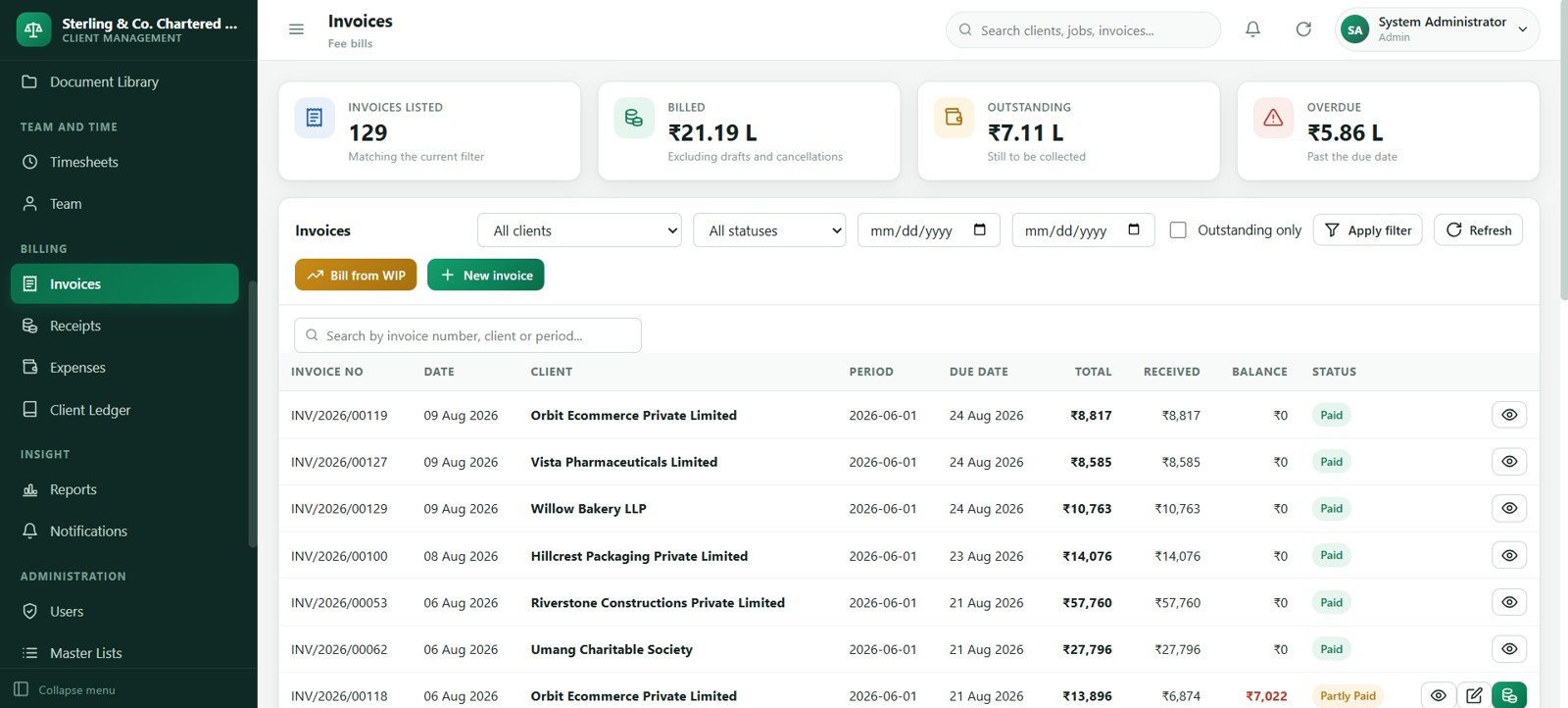
- Billing and collections: Maintain invoices, receipts, expenses, outstanding balances, ageing and client ledger views.
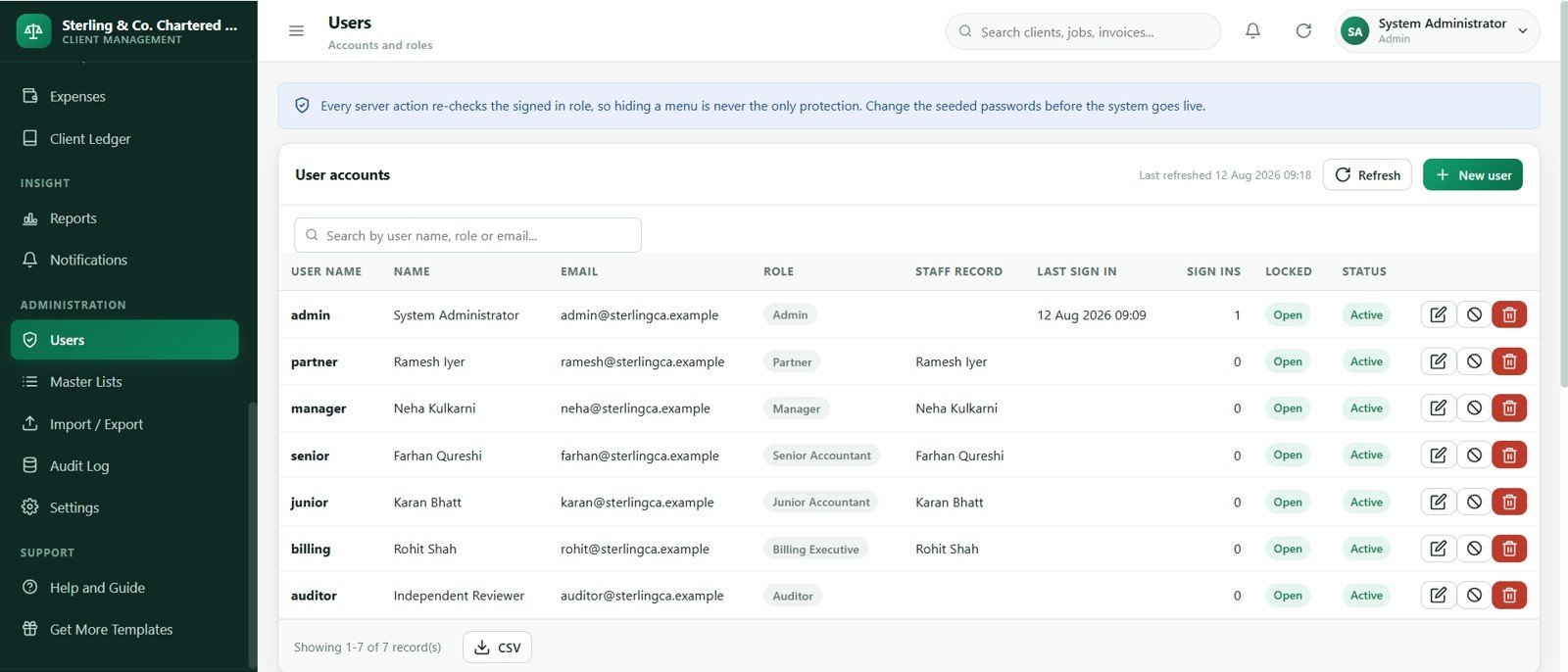
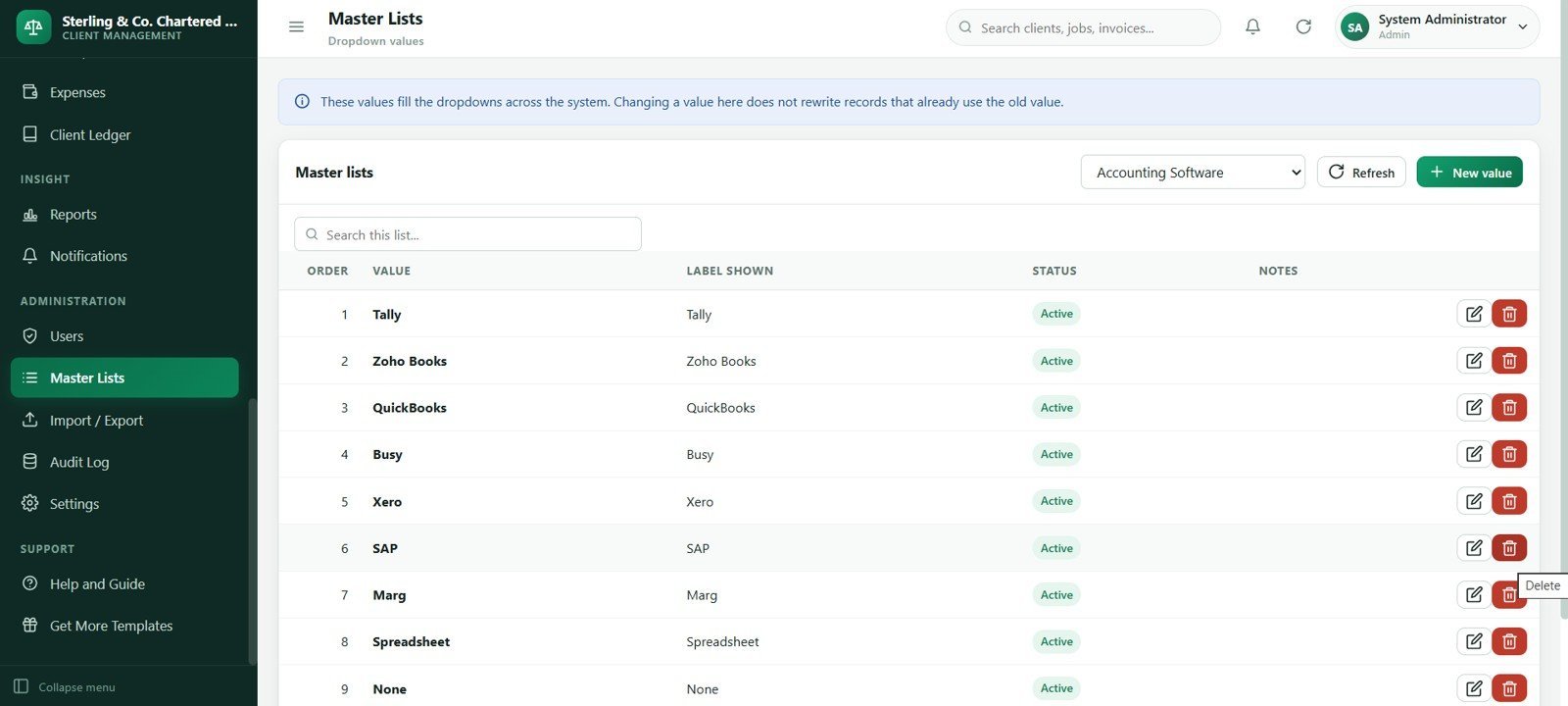
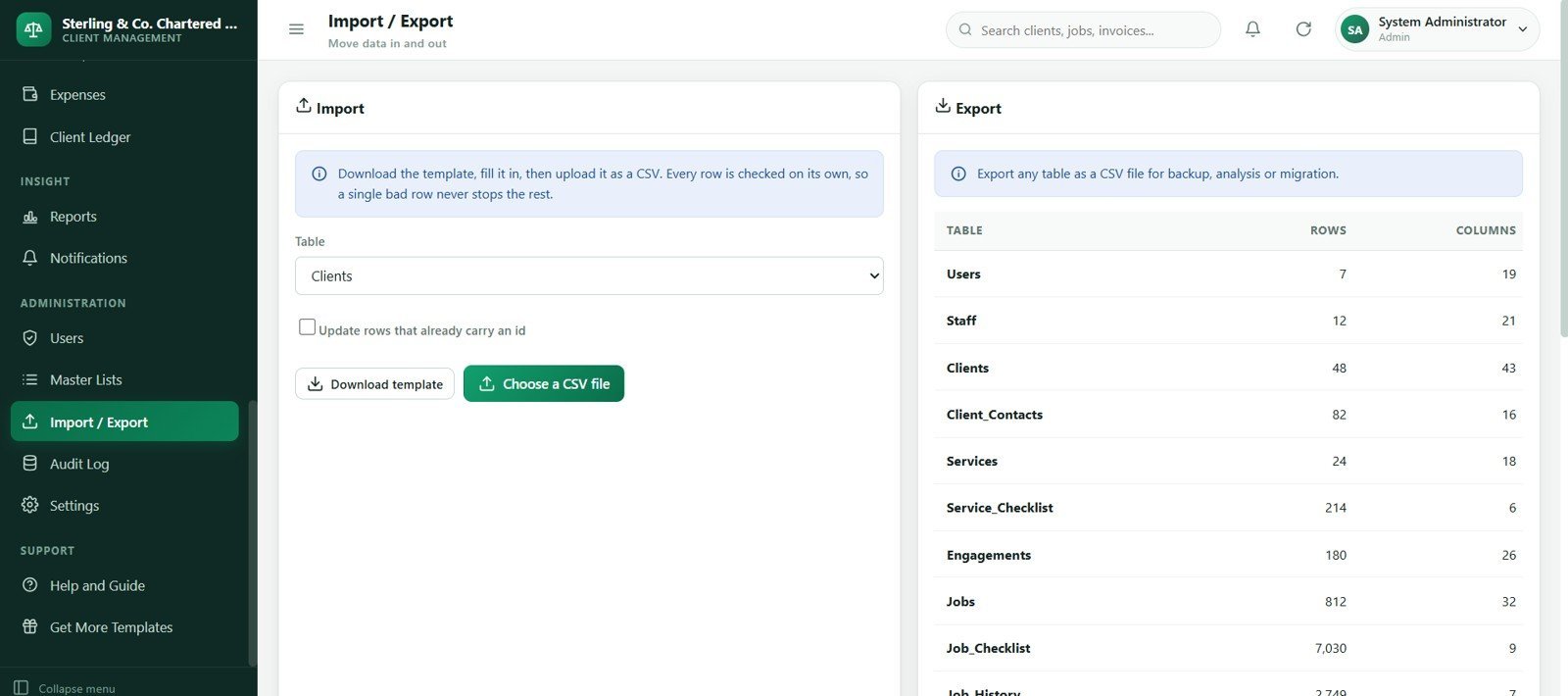
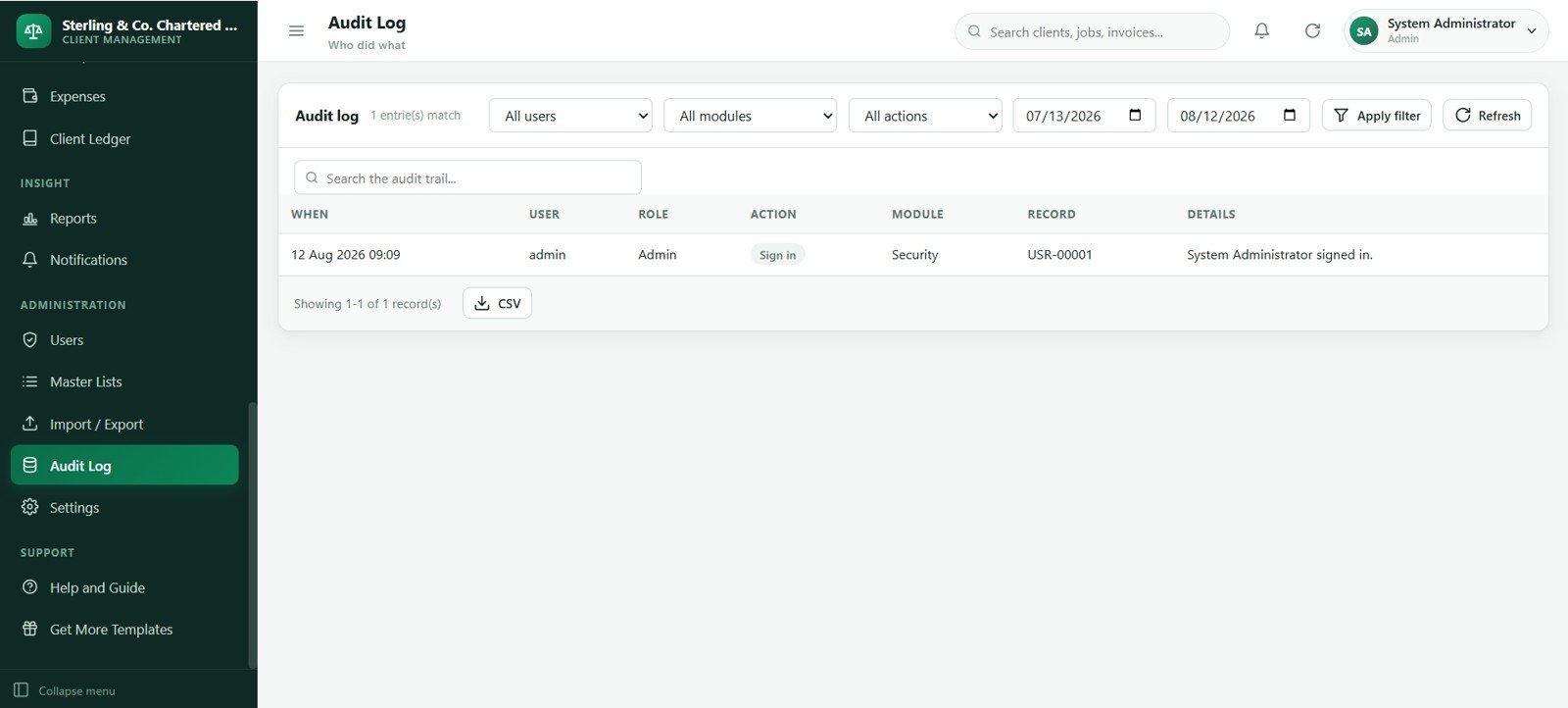
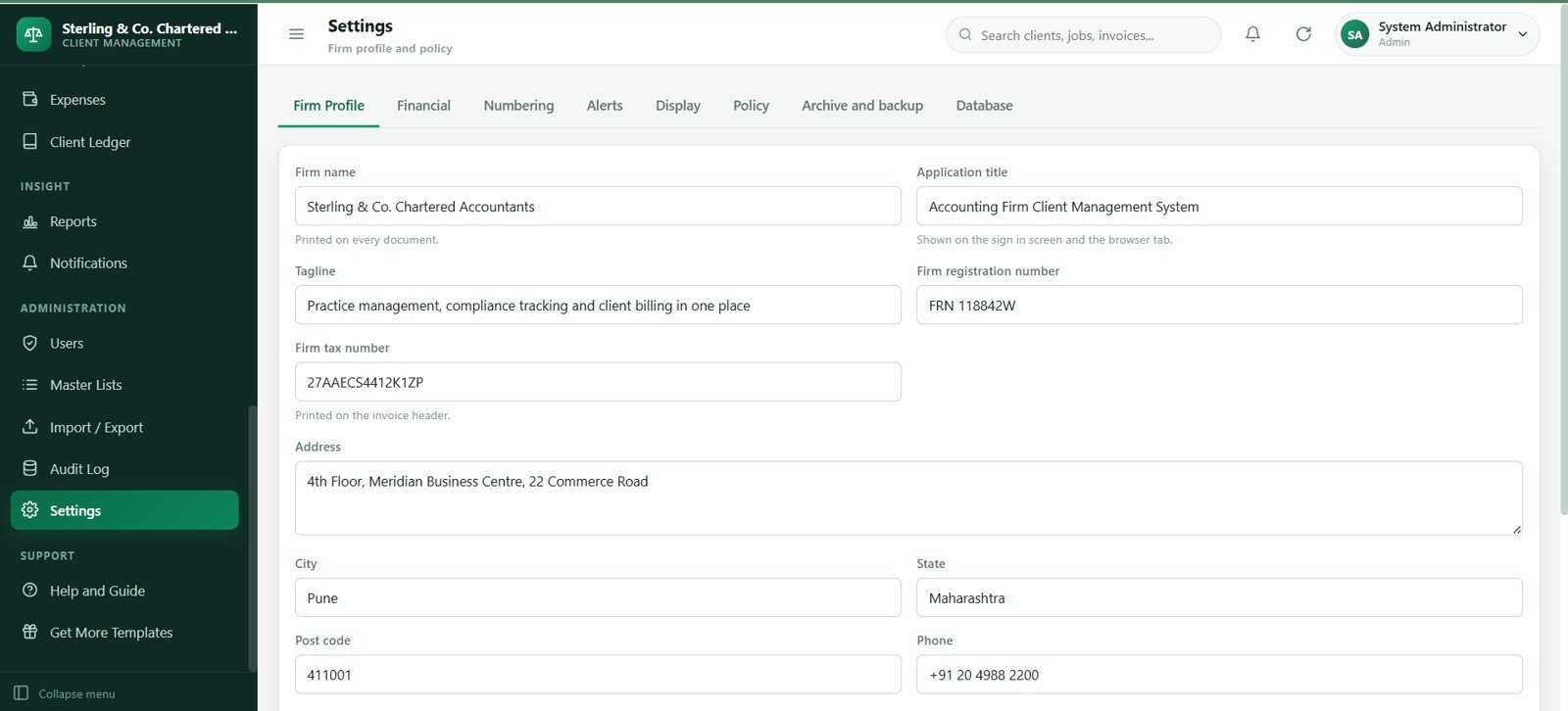
- Admin controls: Maintain users, roles, team members, master lists, import/export tools, settings and audit history.
What’s Inside the Accounting Firm Client Management System Web App
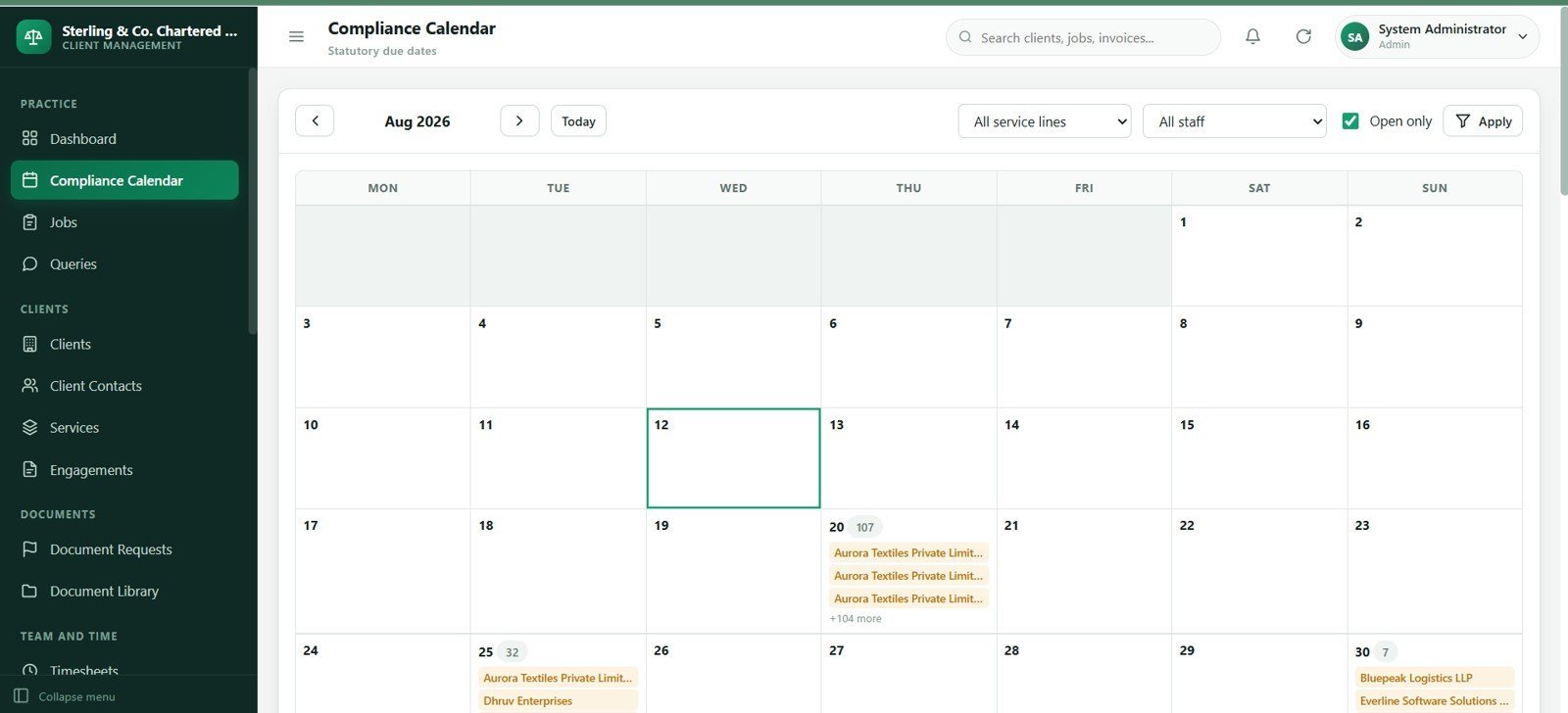
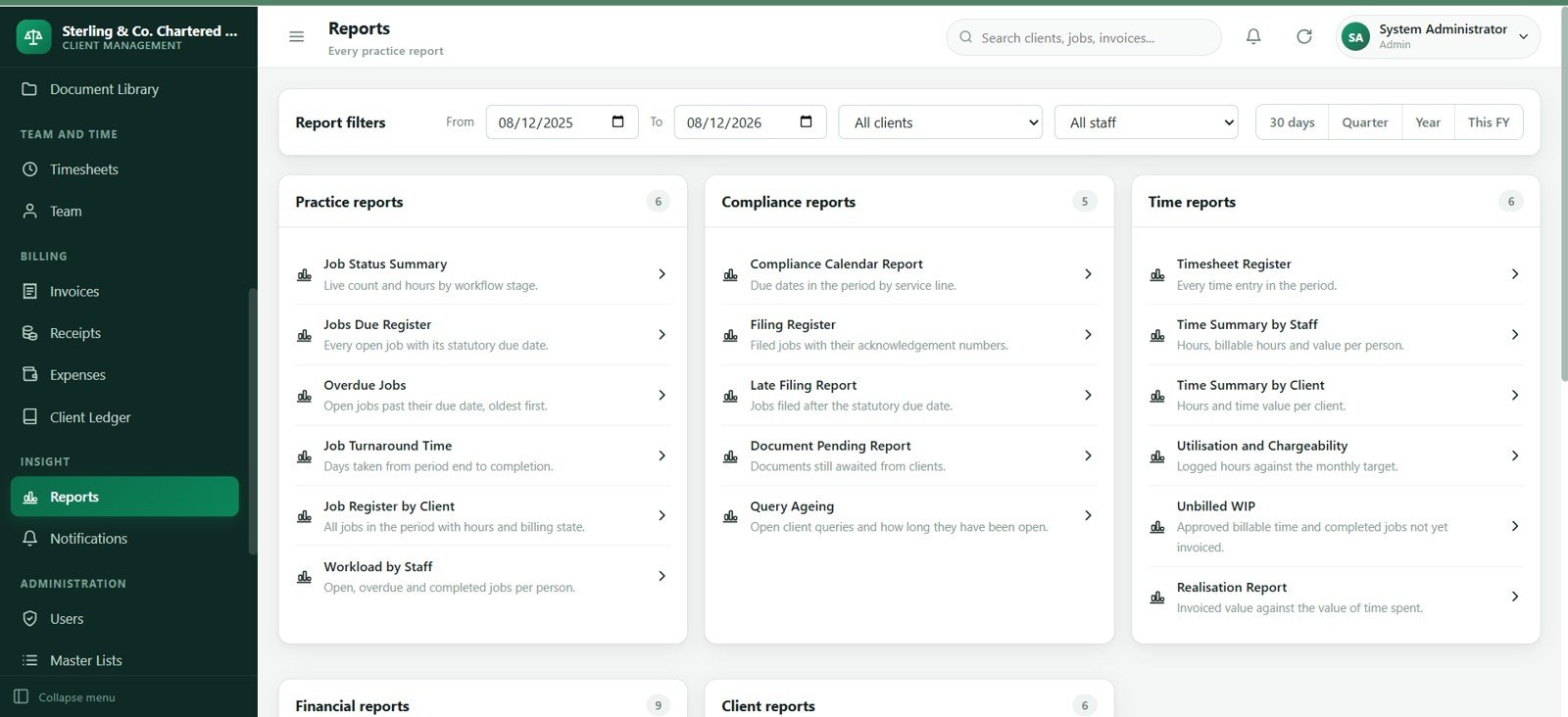
The template follows the everyday rhythm of an accounting practice. The dashboard gives partners an at-a-glance view of work and cash. The compliance calendar and jobs register keep due dates visible. Client, contact, service and engagement screens keep master data organized. Document requests and queries reduce follow-up gaps. Timesheets support WIP review, while invoices, receipts, expenses and the client ledger support billing and collection follow-up.
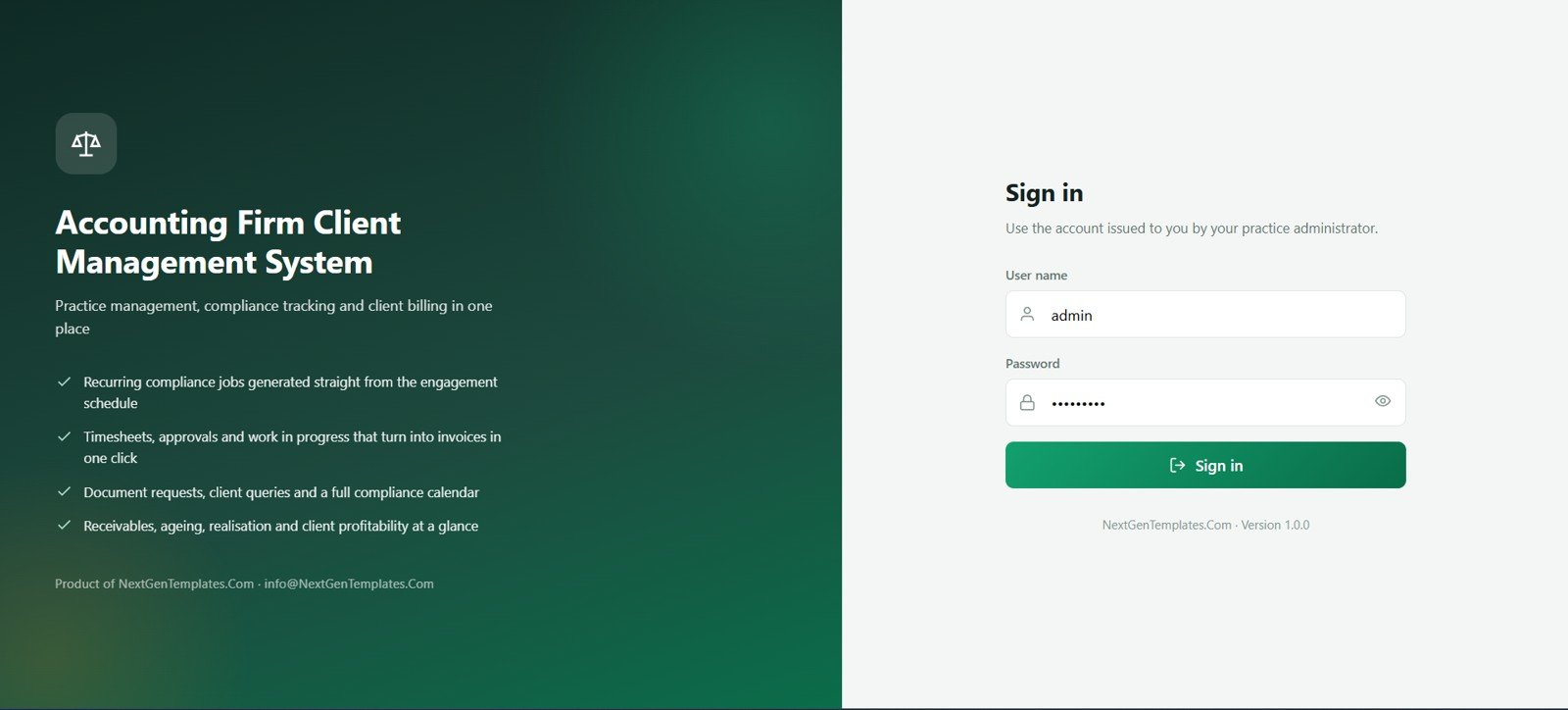
🚀 Try the Live Demo Before You Buy
We have deployed this web app in our own Google account so you can test every screen and every role — with real sample data — before purchasing. No signup, no email required.
🔑 Test Login Credentials
Sign in with any of the 7 roles below to explore the practice dashboard, compliance calendar, jobs, billing and admin screens exactly as your firm’s team would see them.
💡 What you get after purchase: The full source code (Code.gs + Index.html) plus a step-by-step deployment guide so you can deploy your own private instance in your own Google account in under 15 minutes.
Accounting Firm Client Management System Web App vs. Spreadsheet Tracker vs. Paid Practice Management SaaS
| Feature | This web app | Spreadsheet tracker | Paid practice SaaS |
|---|---|---|---|
| Cost | One-time template purchase | Low software cost, higher setup time | Recurring subscription, often per user |
| Workflow depth | Clients, jobs, documents, time, billing and reports in one flow | Often spread across tabs | Strong, but vendor controlled |
| Customization | Editable source package and master lists | Very editable but easier to break | Limited to plan and vendor settings |
| Best fit | Small and mid-sized firms wanting a customizable internal system | Early-stage tracking | Teams needing hosted vendor support |
Who This Template Is For
This product is for accounting firms, bookkeeping practices, tax offices, outsourced finance teams, CPA-style practices and consultants who need a structured way to manage client operations, recurring jobs, document follow-up, staff time, billing and receivables.
It is not meant to replace certified accounting software, tax filing software, a bank-feed accounting package, payroll software, a payment gateway or a fully hosted enterprise practice-management platform.
How to Use the Accounting Firm Client Management System Web App
- Download the ZIP file after purchase.
- Unzip the package and review the setup instructions.
- Deploy the web app source files in your approved Google Apps Script or internal web-app environment.
- Update firm profile, users, roles, services, statuses, billing labels and master lists.
- Add clients, contacts, engagements, jobs, document requests and timesheet records.
- Review invoices, receipts, ledgers, reports, notifications and audit history during weekly operations meetings.
Real-World Use Cases
Practice owner: Review overdue jobs, missing documents, unbilled WIP and overdue receivables before assigning follow-up.
Tax manager: Filter the compliance calendar and jobs register by service line, due period, assigned staff and open-only status.
Billing executive: Use timesheets, invoices, receipts and client ledger views to convert completed work into billing and collection action.
Frequently Asked Questions
What does the Accounting Firm Client Management System Web App include?
It includes 24 screens covering clients, contacts, services, engagements, compliance jobs, queries, documents, timesheets, team, invoices, receipts, expenses, ledgers, reports, users, master lists, import/export, audit log and settings.
Is this a SaaS subscription?
No. It is a downloadable web app template sold as a one-time product. You receive source files that can be deployed and customized for your own workflow.
Does it replace accounting software?
No. It manages practice operations around clients, jobs, documents, time, billing and collections. It does not replace a formal general ledger, tax filing system or accounting package.
Can I customize services and dropdown lists?
Yes. The Services and Master Lists screens are designed so firms can maintain service lines, frequencies, billing basis, statuses and dropdown values.
Does it track unbilled WIP?
Yes. The dashboard, jobs, timesheets and invoicing workflow are built to make unbilled work visible before billing review.
About the Author
Built by PK, a Microsoft Certified Professional with 15+ years of Excel, Google Sheets and Power BI experience. PK is the founder of NextGenTemplates and teaches spreadsheet, dashboard and automation workflows to more than 300K YouTube subscribers.
Explore Related Templates and Guide
- Read the full Accounting Firm Client Management System Web App guide.
- Accounting Firm Revenue Dashboard in Google Sheets.
- Tax Deduction and Receipt Tracker in Google Sheets.
- Bank Account Balance Tracker in Google Sheets.
- Browse more Web App templates.
Download the Accounting Firm Client Management System Web App when you want clients, recurring compliance jobs, document follow-up, queries, time, billing, receipts and reports in one editable practice workspace.
Last updated: August 12, 2026.


























Reviews
There are no reviews yet.