

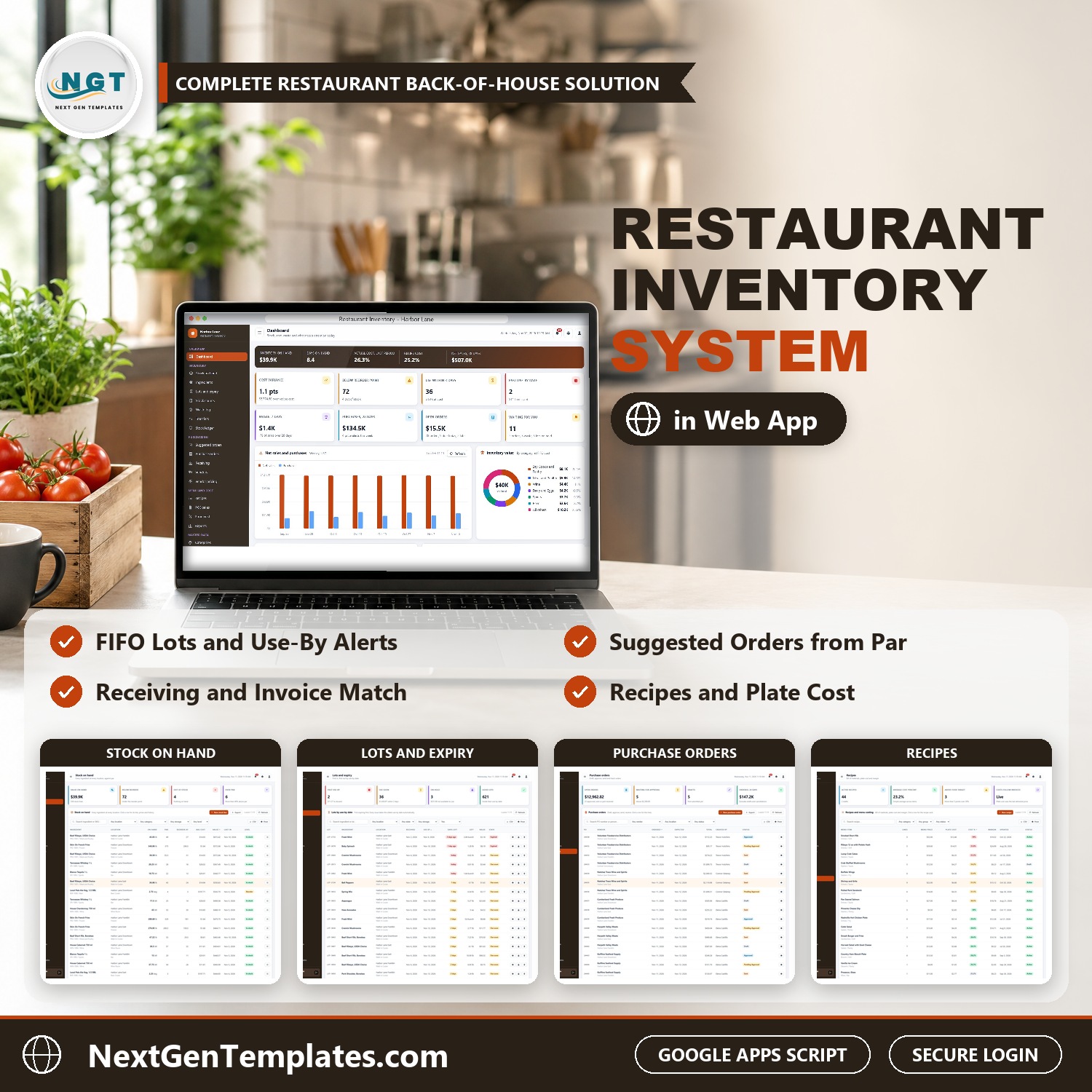

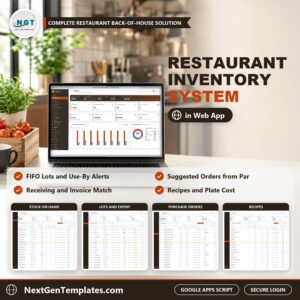
The Restaurant Inventory Management System Web App keeps what is in every walk-in cooler, what it costs and what to order next in one browser application, for a group of restaurants and a central commissary kitchen. It covers stock against par levels, first in, first out lots, counts, waste, transfers, purchase orders, receiving, vendor pricing, recipe costing, POS sales and actual vs recipe food cost, with 7 role-based logins. It is built on Google Apps Script and keeps every record in a Google Sheet in your own Drive, so it works as restaurant inventory software you own outright.
An ingredient is ordered to par, arrives and is checked against the invoice and the cooler temperature, is used by first in, first out lot, shows up in recipe plate cost, is counted, and any gap between actual and recipe food cost is visible by restaurant. Think of it as restaurant inventory software, a food cost calculator and a purchasing system in one download.
✅ Instant download · One-time payment · No subscription · No per-user fees
Watch the Restaurant Inventory Management System Web App walkthrough
🚀 Try the Live Demo: Login Details
Open the working Restaurant Inventory Management System in your browser right now: no download, no sign-up, nothing to install. Sign in as any role below and see exactly which screens that person can and cannot reach.
Demo sign-in details: all 7 roles
| Role | Username | Password | What this role can reach |
|---|---|---|---|
| Administrator | admin | Admin@123 | Everything, including users and roles, settings, the audit log, the archive and backups |
| General Manager | gm | Manager@123 | All operations; approves purchase orders, posts counts and reviews waste |
| Executive Chef | chef | Chef@123 | Recipes, ingredients, par levels, waste review, counts and receiving |
| Purchasing Manager | purchasing | Buyer@123 | Vendors, vendor pricing, purchase orders (create and approve) and receiving |
| Receiving Clerk | receiving | Receive@123 | Receives deliveries, moves transfers, logs waste and enters counts |
| Bar Manager | bar | Bar@123 | Beverage orders, drink recipes, counts and waste at the bar |
| Cost Controller | cost | Cost@123 | Posts POS sales and counts, reviews waste, food cost and reports |
These credentials are public on purpose. The demo is a shared instance seeded with a fictional group of three restaurants and a commissary kitchen in middle Tennessee (Harbor Lane Hospitality Group), and it may be reset at any time. It is not anybody’s live inventory data. Your own copy gets its own database, its own users and its own passwords, and the setup notes ask you to change every seeded password before anyone else signs in.
🔑 Key Features of the Restaurant Inventory Management System
🥕 Ingredient master. Item code, category, inventory and purchase units, pack quantity, last cost, preferred vendor, shelf life, storage area and allergens for every ingredient.
📦 Stock on hand and par levels. Stock for every ingredient at every location, with par level, reorder point and value, rebuilt from the stock ledger every morning when you turn on the daily trigger.
⏳ Lots and expiry. First in, first out by use-by date. Place a lot on hold, release it or discard it, and print day dot labels for the walk-in.
📋 Stock counts. Full inventories and spot counts with a count sheet and a posted variance, so a count updates stock and the ledger in one step.
🗑️ Waste log. Reason, station and cost for every entry, with manager review above a limit you set.
🔁 Transfers. Request, ship and receive between the commissary and each restaurant.
🛒 Suggested orders and purchase orders. Suggested orders from par levels, rounded to whole packs, turned into draft purchase orders with an approval limit, vendor email and print.
🚚 Receiving. Check a delivery against the order: invoice number and total, received and rejected quantity, pack price, use-by date and temperature, with an automatic cold chain hold and an invoice match.
⚖️ Vendors and pricing. Delivery days, terms, spend and on-time rate for each vendor, plus a vendor price comparison for every ingredient.
🍽️ Recipes and POS sales. Recipes with yield, plate cost and margin. POS sales lines deduct ingredients through the recipes, so theoretical usage is always current.
📈 Food cost. Actual against recipe cost by restaurant between full counts.
📑 17 reports. Date range, location filter, print and CSV; documents print in 3 inch, 4 inch or A4.
🔐 Roles, settings and audit. 7 roles and 38 permissions, dropdown lists, settings, an audit log, a database backup and an archive for old records.
🖥️ What’s Inside: Screen by Screen
Sign-in page
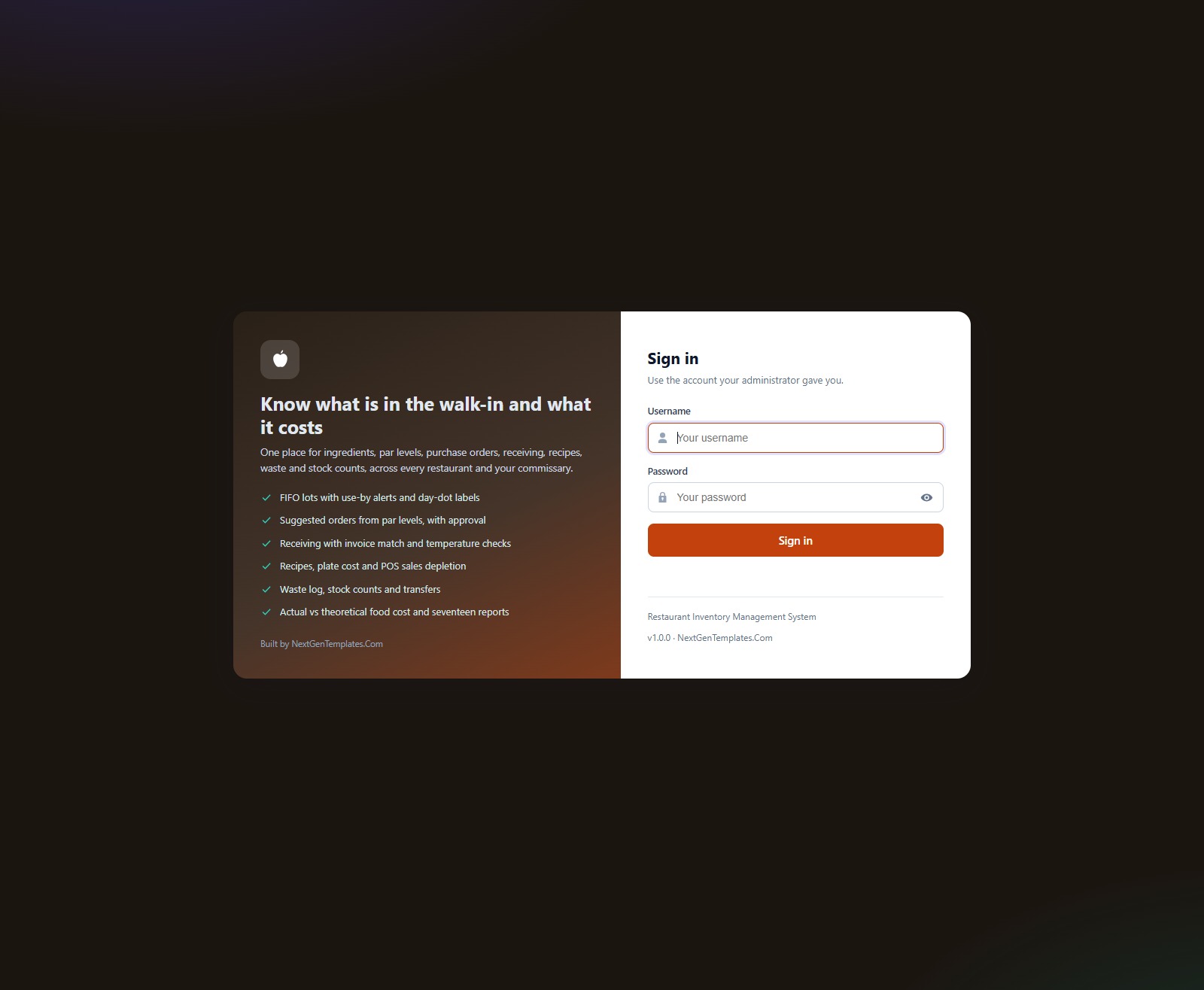
The sign-in card has a First run panel for setup. Default accounts are never shown on screen, and every user gets only the menu items their role allows.
Dashboard
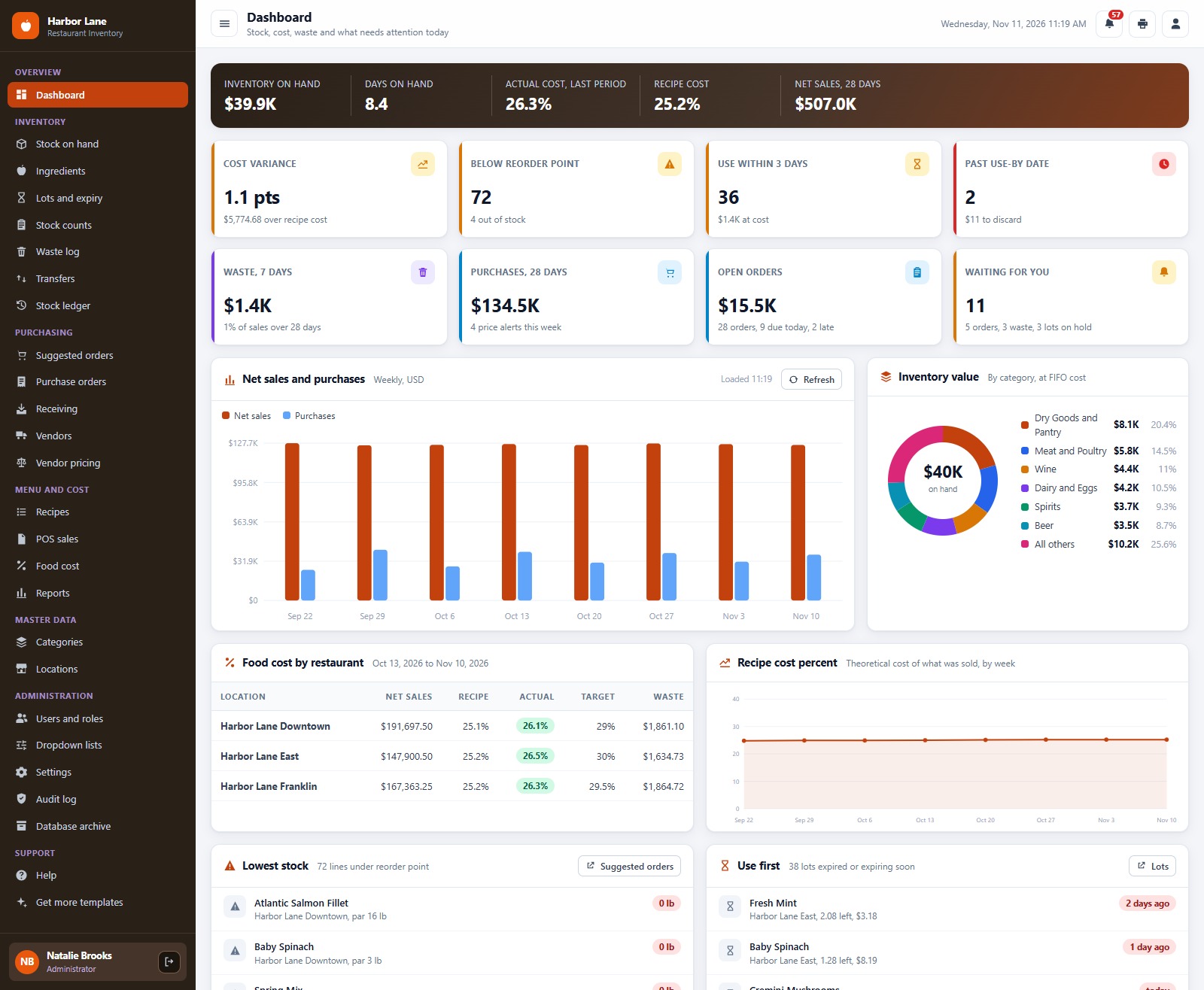
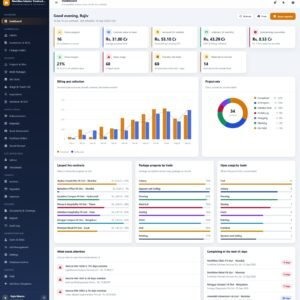
Eight KPI cards for inventory on hand, days on hand, actual and recipe cost percent and net sales, with charts for purchases against sales, inventory value by category, food cost by restaurant and the items that need action.
Stock on hand
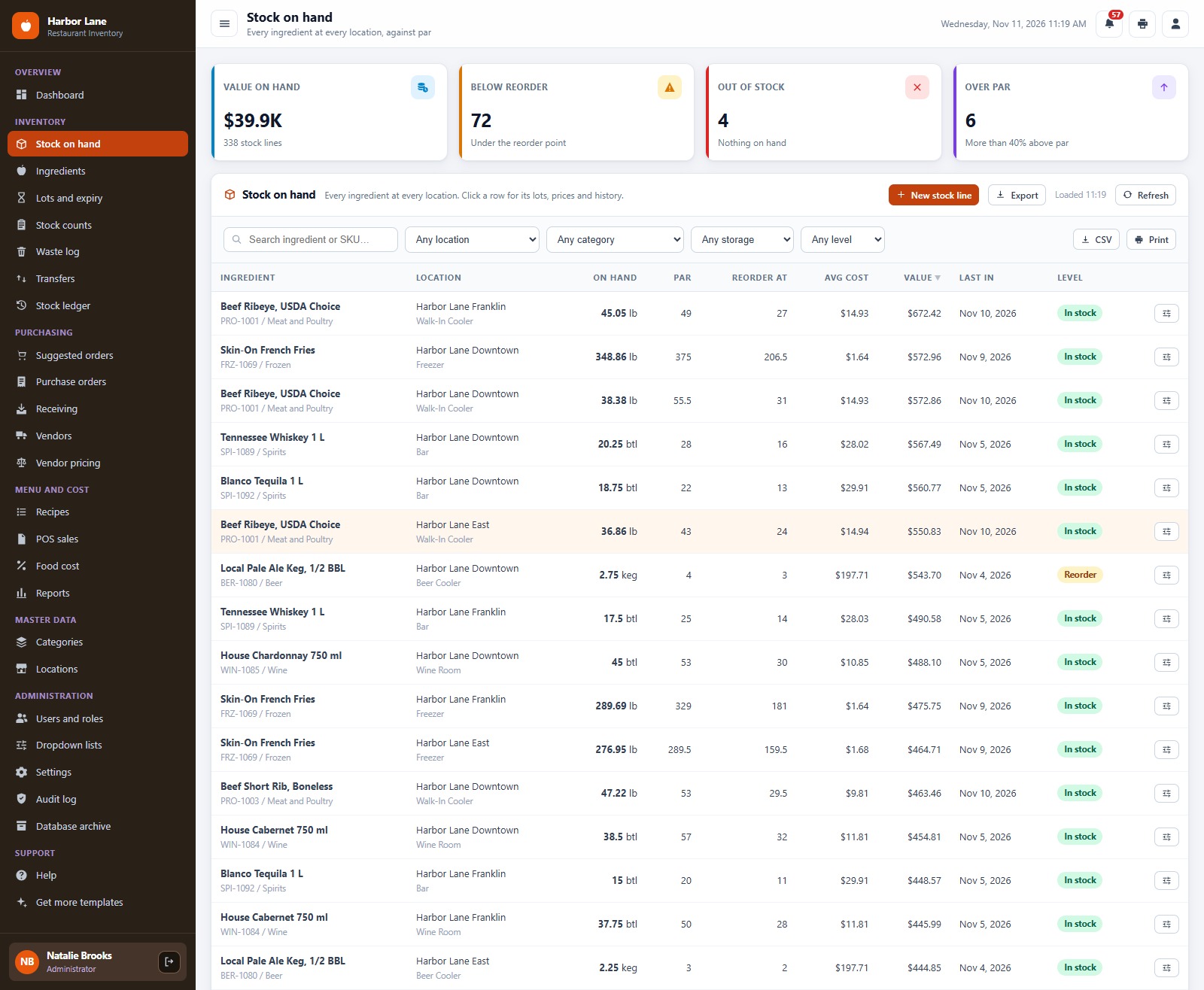
Every ingredient at every location with on-hand quantity, par level, reorder point, value and a status that turns amber below par and red at a stockout.
Lots and expiry
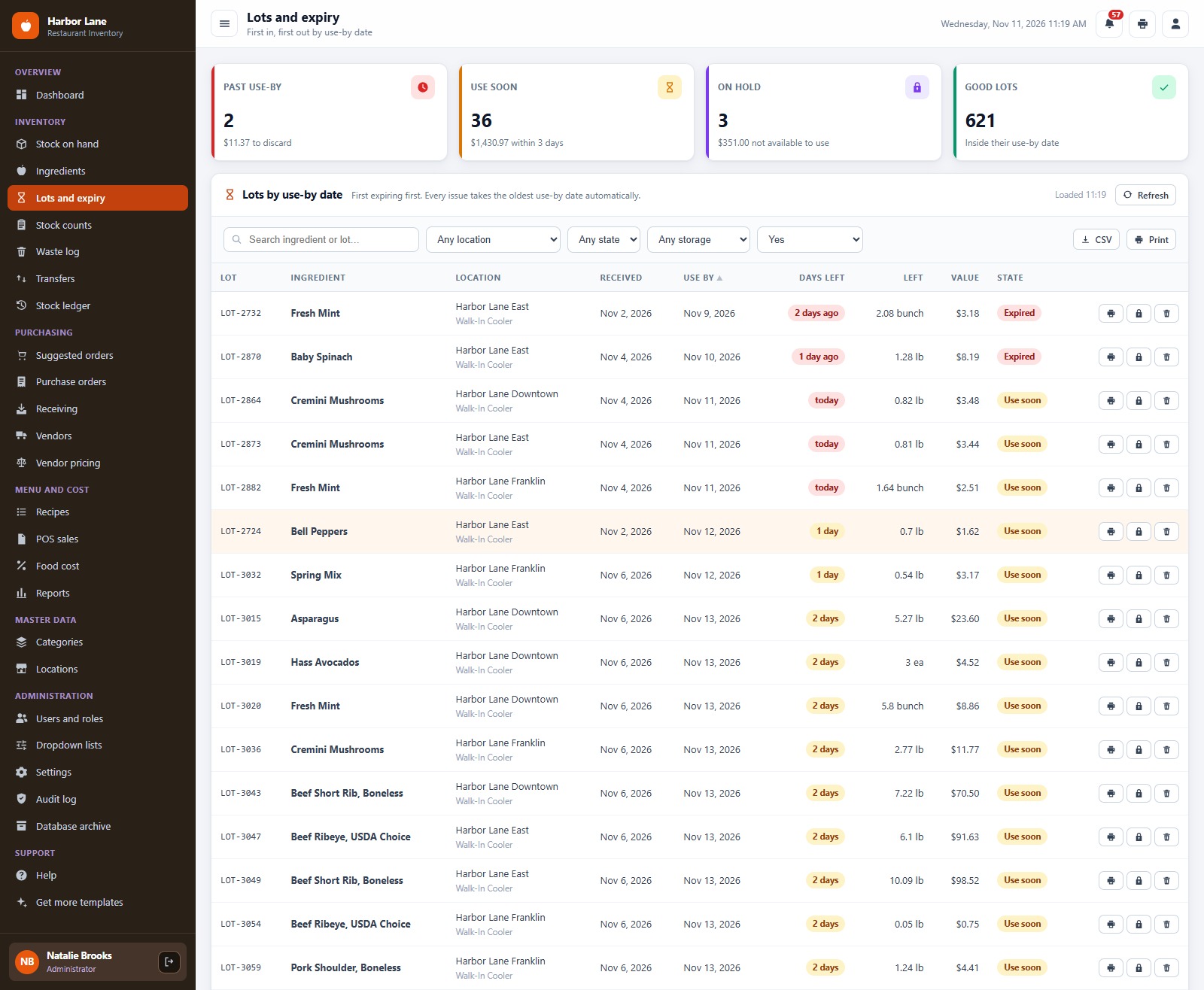
First in, first out lots by use-by date, with hold, release and discard, and day dot labels you can print.
Waste log
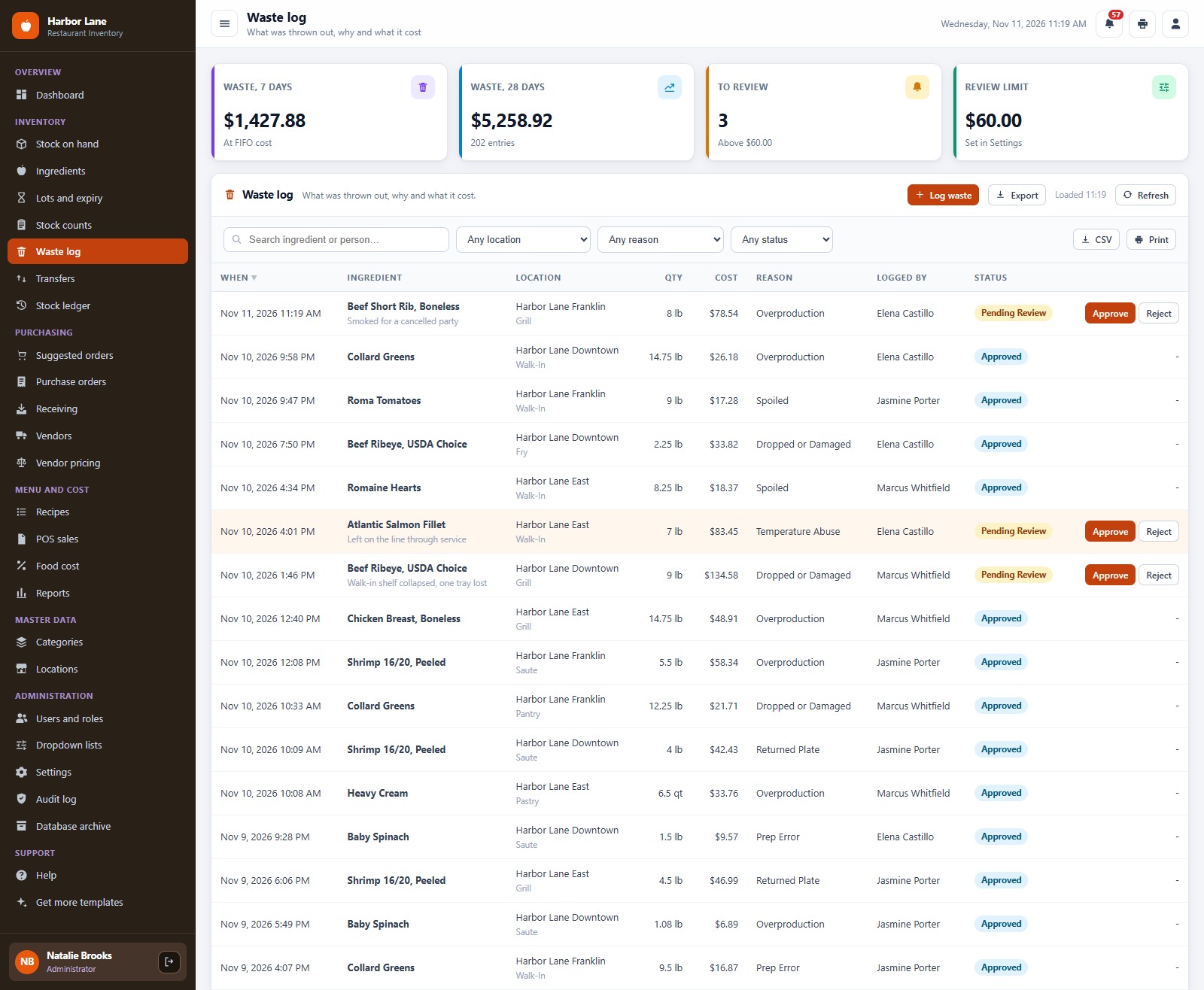
Log waste by reason, station and cost. Anything above the manager review limit waits for approval before it counts.
Suggested orders
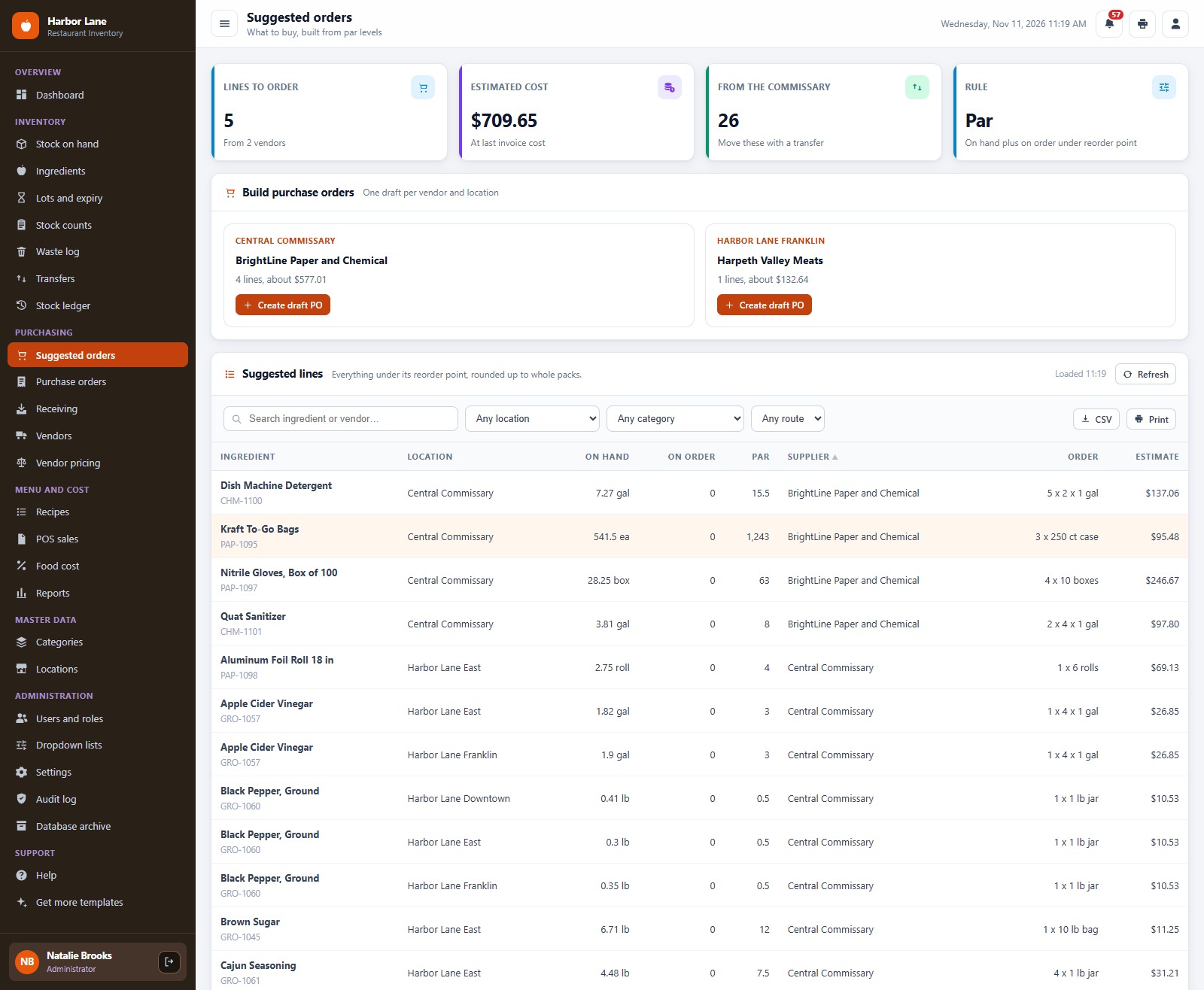
Par levels turn into suggested orders rounded to whole packs, grouped by preferred vendor, then into draft purchase orders in one click.
Purchase orders
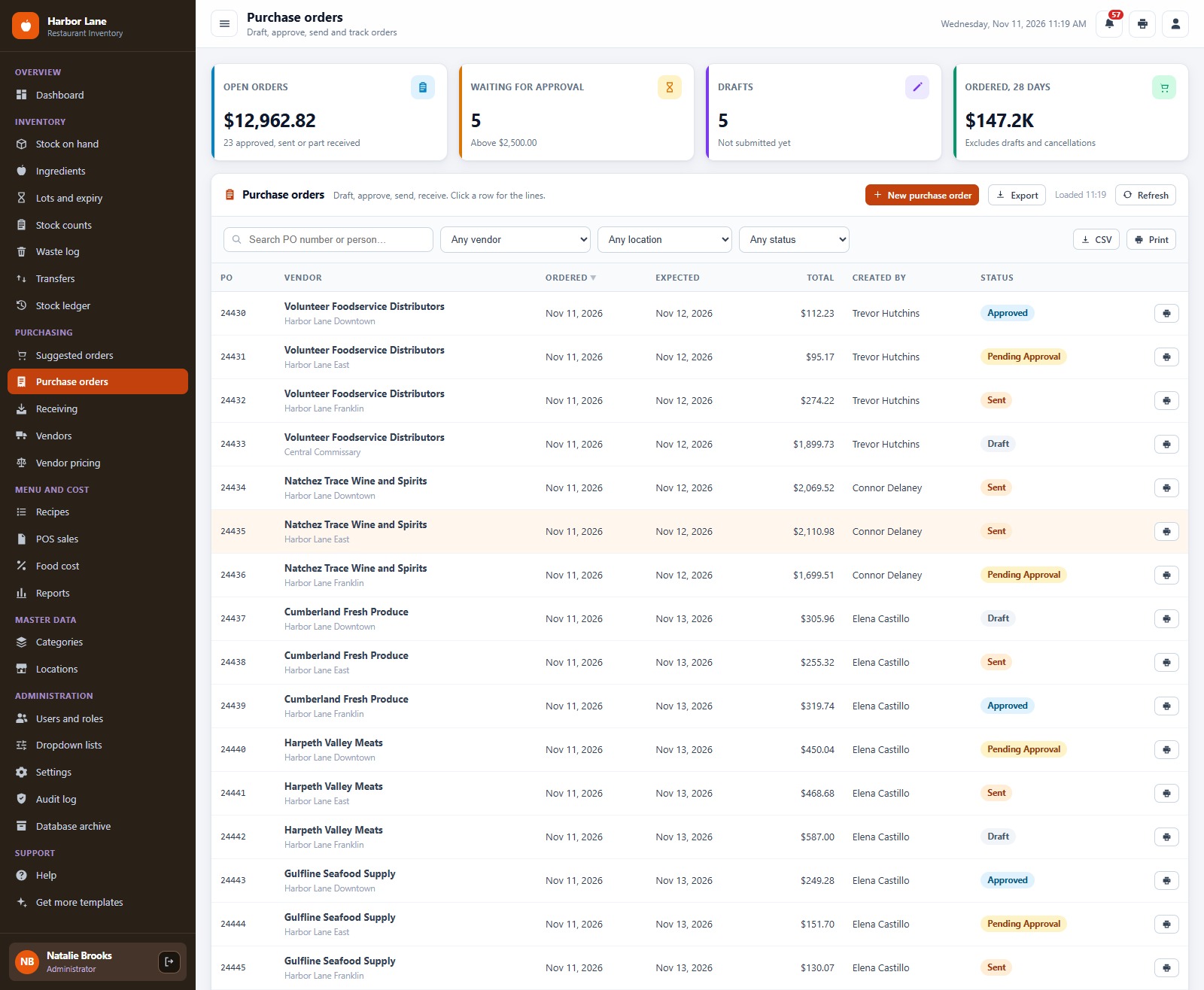
Purchase orders with an approval limit, email to the vendor and a print layout in 3 inch, 4 inch or A4.
Receiving
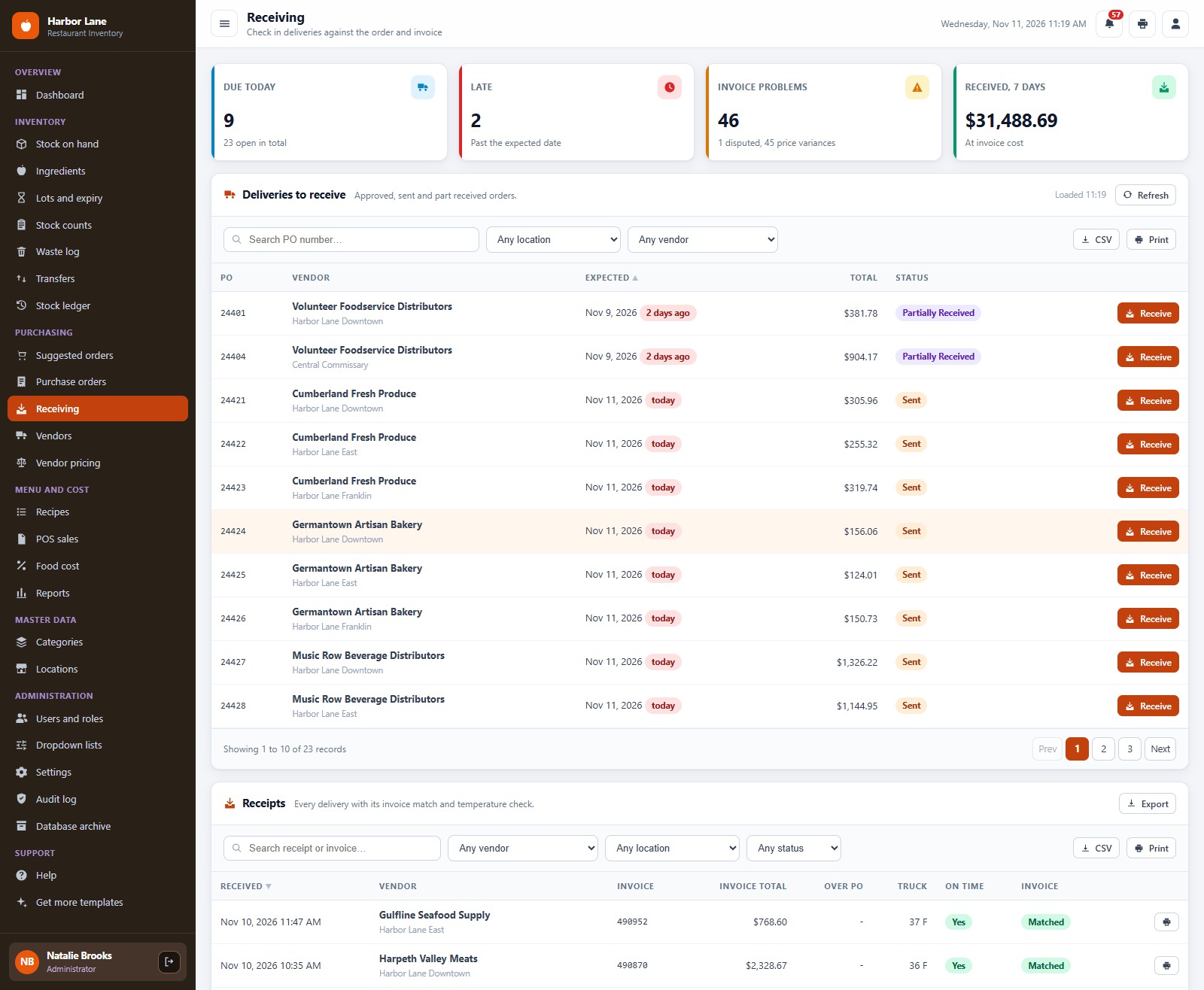
Receive against the order: invoice number and total, received and rejected quantity, pack price, use-by date and delivery temperature, with an automatic cold chain hold and an invoice match.
Recipes and plate cost
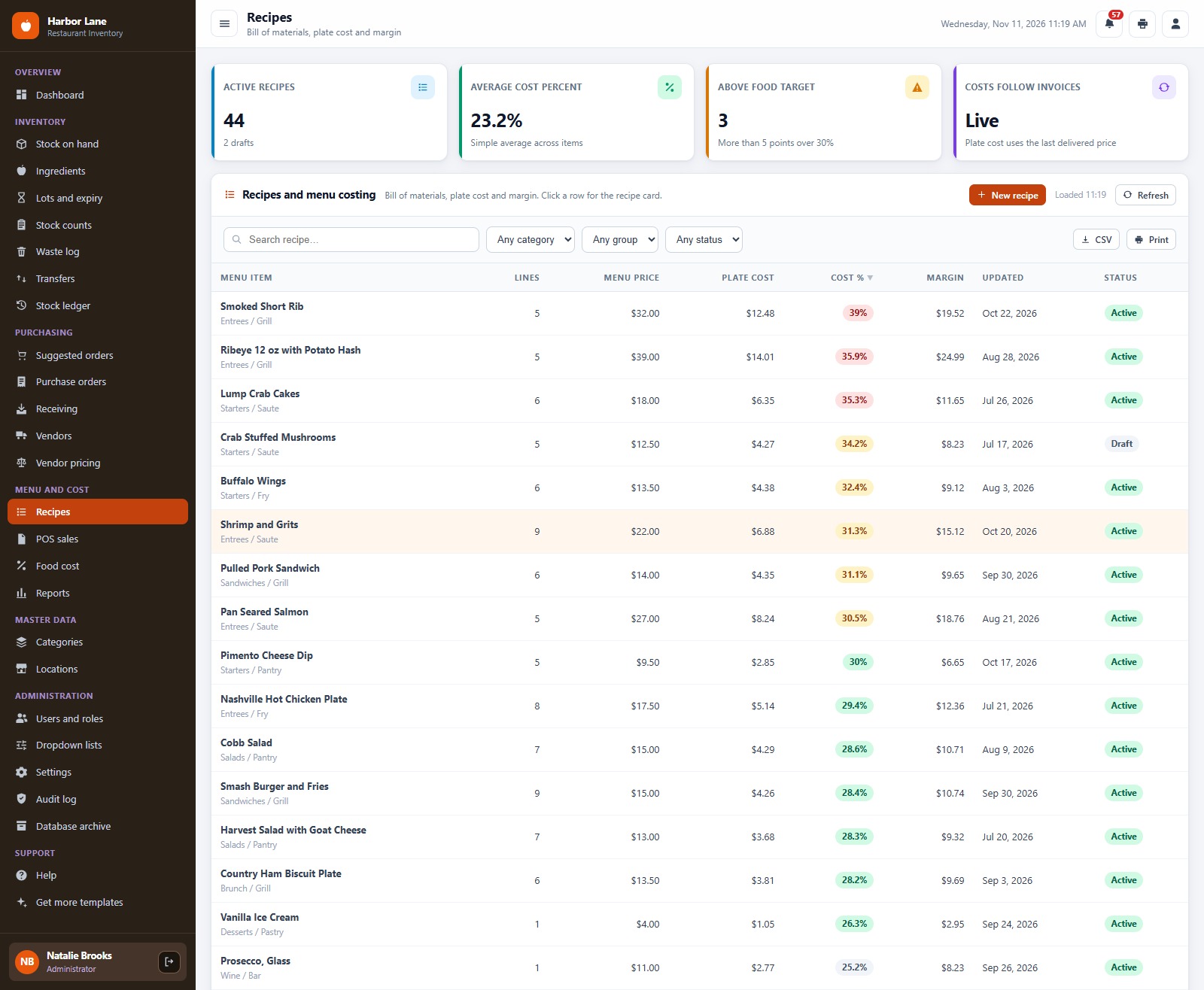
Recipes with ingredients, yield, plate cost, cost percent and margin, so a price change at the vendor shows up in your menu cost.
Food cost
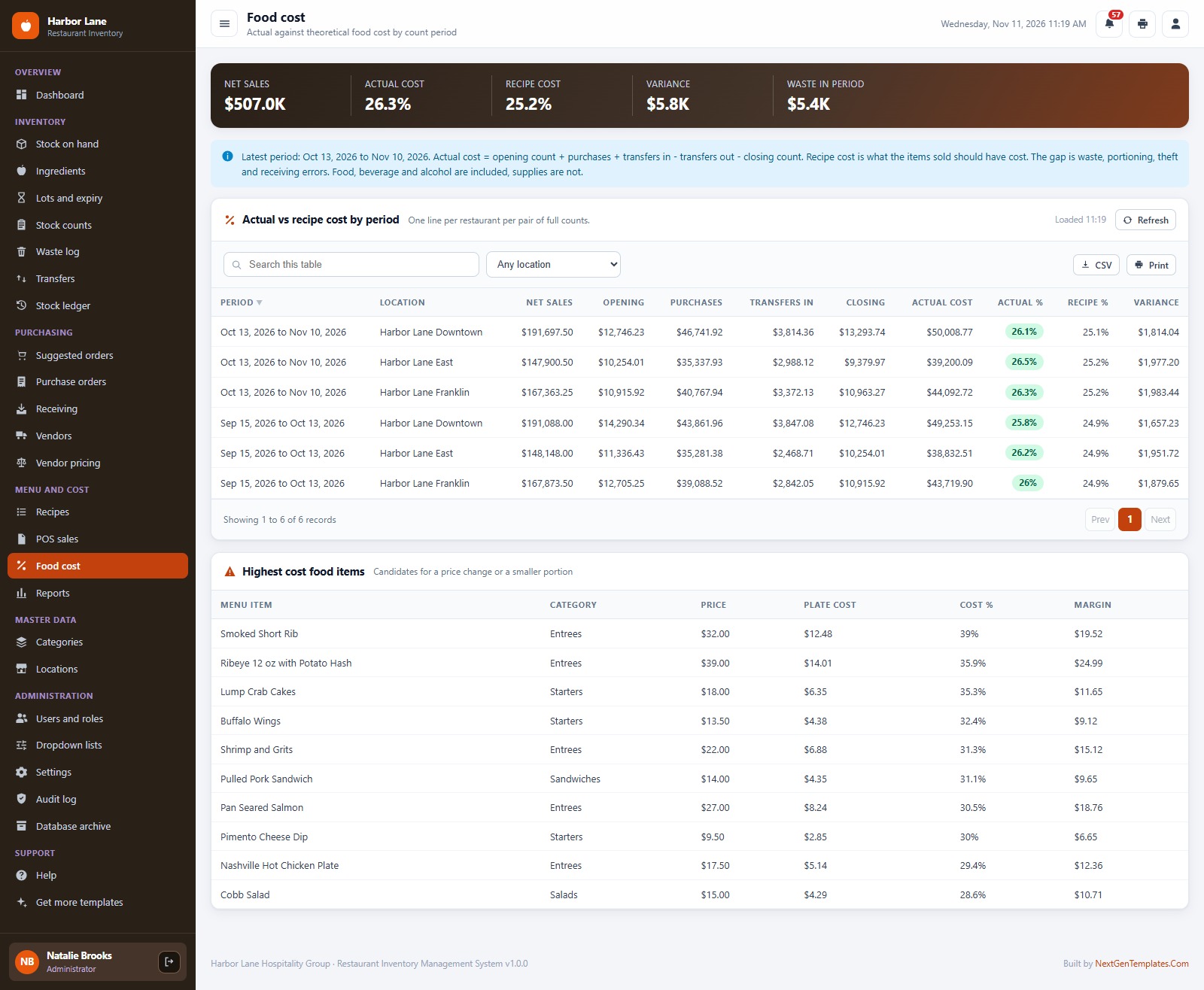
Actual against recipe cost by restaurant between full counts, so you see where the gap between what you used and what you sold is opening up.
Reports
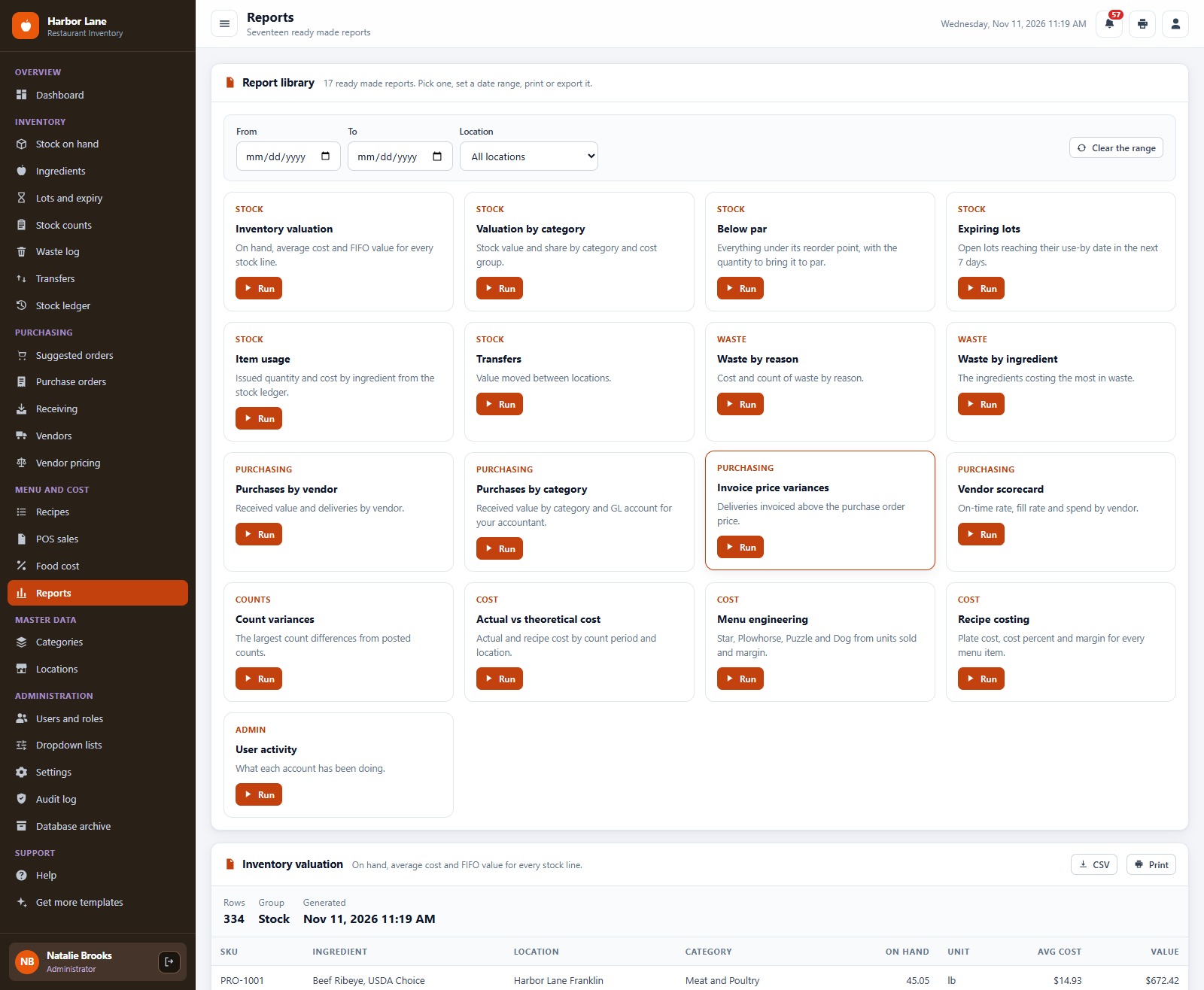
17 reports with a date range, location filter, print and CSV, including inventory valuation, waste by reason, invoice price variance and vendor scorecard.
Users and roles
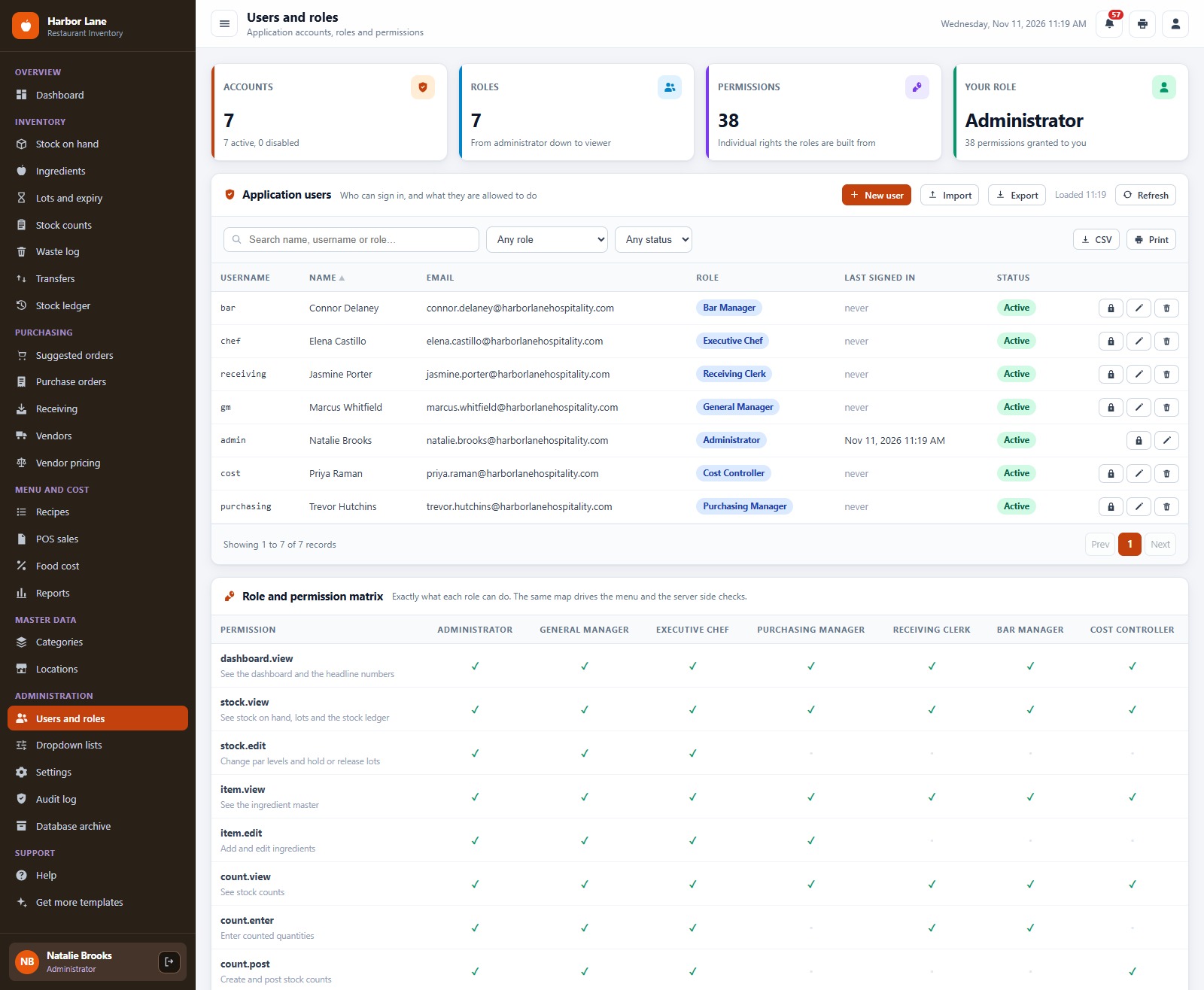
Seven roles and 38 permissions in one matrix. The same map drives the sidebar and the server side checks.
📊 Restaurant Inventory Management System vs. Spreadsheet vs. Paid Restaurant Inventory Software
| Feature | Restaurant Inventory Management System Web App | Spreadsheet | Paid restaurant inventory software |
|---|---|---|---|
| Cost | ✅ One-time purchase | Free to low cost | Monthly or annual subscription, often per location |
| Platform | ✅ Browser, on your own Google account | A file everyone edits | Vendor cloud |
| Par levels and suggested orders | ✅ Rounded to whole packs | Manual formulas | ✅ Yes |
| FIFO lots and use-by dates | ✅ Built in, with day dot labels | Manual | Varies by plan |
| Receiving with temperature check | ✅ Automatic cold chain hold | Manual log | Often an add-on |
| Recipe costing and POS deduction | ✅ Plate cost and actual vs recipe cost | Separate sheets | Often a higher tier |
| Role-based logins | ✅ 7 roles, 38 permissions | No | ✅ Yes |
| Your data stays in your Drive | ✅ A Google Sheet you own | ✅ Yes | No, vendor hosted |
| Source code you can change | ✅ Full Apps Script code | ✅ Yes | No |
👥 Who This Web App Is For, and Who It’s Not For
✅ Built for:
- Independent restaurants, small groups and commissary kitchens that need to know what is in every walk-in and what it costs
- Owners and chefs who want par levels, receiving and recipe costing without a per-location subscription
- Cost controllers who compare actual food cost with recipe cost between counts
❌ Not built for:
- Teams that need a direct two-way link to a POS or accounting system; POS sales are posted into the app and nothing is sent back
- Companies that need barcode scanner hardware integration
- Teams that must work offline; the app runs in the browser and needs an internet connection and a Google account
⚙️ How to Set Up the Restaurant Inventory Management System
- Try the live demo first with the login details above, one role at a time.
- Create a new Google Apps Script project, paste Code.cs.txt into Code.gs, and add an HTML file named exactly
Indexcontaining Index.txt. - Deploy it as a web app (Execute as: Me, access: Anyone) and accept the Google permission prompt.
- Open the web app URL and press Run setup now on the first-run panel, or run
setuponce from the Apps Script editor. It creates the database sheet and a Drive folder in your account and loads the starter data. - Sign in as
admin, change every seeded password, then replace the starter ingredients, vendors, locations and recipes with your own. The optional daily trigger rebuilds stock, alerts and a digest at 6 am.
The ZIP includes Code.cs.txt, Index.txt, Login_Details.txt and a PDF user manual. You need a Google account and an internet connection.
💼 Real-World Use Cases
- A three-restaurant group orders from one commissary and sees each location’s par, transfers and food cost on one screen.
- A chef-owner updates a vendor pack price and watches plate cost and margin change across every recipe that uses it.
- A receiving clerk logs a delivery with temperature, and a warm delivery goes on a cold chain hold instead of into stock.
- A cost controller posts POS sales and counts, then reviews the gap between actual and recipe cost by restaurant.
❓ Frequently Asked Questions
Can I try the Restaurant Inventory Management System before buying?
Yes. Use the live demo above with any of the seven logins. It is a shared demo with a fictional restaurant group, so please do not enter real data.
What do I need to run it?
A Google account and a browser. It runs on Google Apps Script and keeps every record in a Google Sheet in your own Drive, so there are no servers and no per-user fees.
Does it handle more than one restaurant?
Yes. It tracks four locations out of the box, three restaurants and a commissary kitchen, with transfers between them. You can rename, add or remove locations.
How does food cost work?
Recipes carry plate cost from the latest vendor pack prices. POS sales lines deduct ingredients through the recipes, and the Food cost screen compares that recipe cost with the actual usage found by your counts.
Can I use my own ingredients and vendors?
Yes. Edit or delete the starter data, or import your own ingredients, categories, locations, vendors and prices.
👤 About the Author
Built by PK, Microsoft Certified Professional with 15+ years of Excel, Google Sheets, Apps Script and Power BI experience, founder of NextGenTemplates and the YouTube channels @PKAnExcelExpert, @NextGenTemplates and @NeoTechNavigators. Every template is hand-built and tested before release.
🔗 Explore Related Templates
🍽️ Restaurant & Cafe Business Bundle: seven templates for a restaurant or cafe in one download.
☕ Cafe Management System in Excel VBA: orders, billing and daily sales on the desktop.
📦 Warehouse Inventory Management System Web App: the same style of app for a stockroom or warehouse.
🧾 Purchase Order and Vendor Management System Web App: a deeper purchasing workflow for any business.
📘 Prefer a spreadsheet? Try the Kitchen Inventory Log in Excel: a simple daily log for one kitchen. Browse every system in Web Apps.
📖 Click here to read the Detailed Blog Post
🎥 Visit our YouTube channel for step-by-step video tutorials
👉 YouTube.com/@NextGenTemplates
📅 Last updated: November 2026





Reviews
There are no reviews yet.