

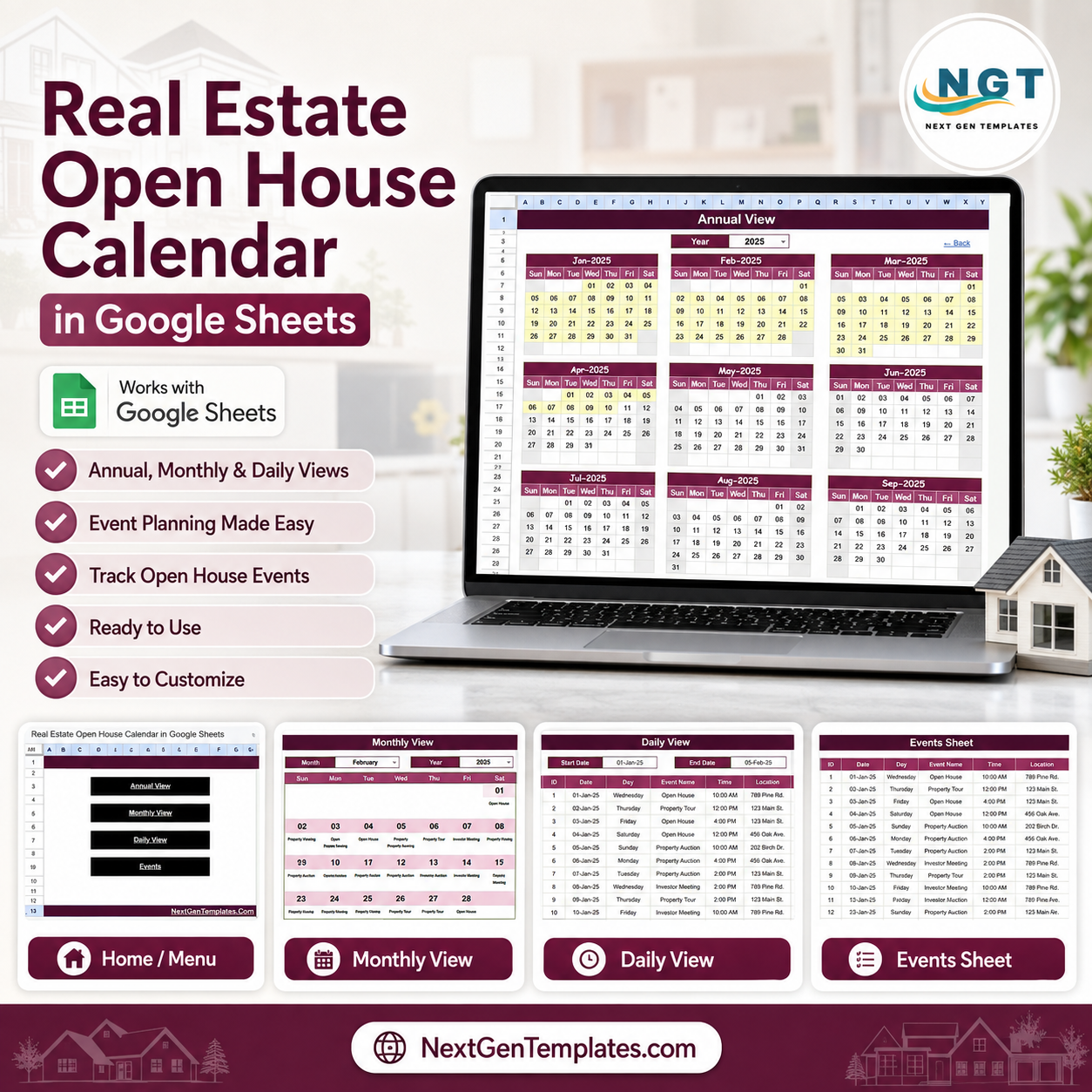
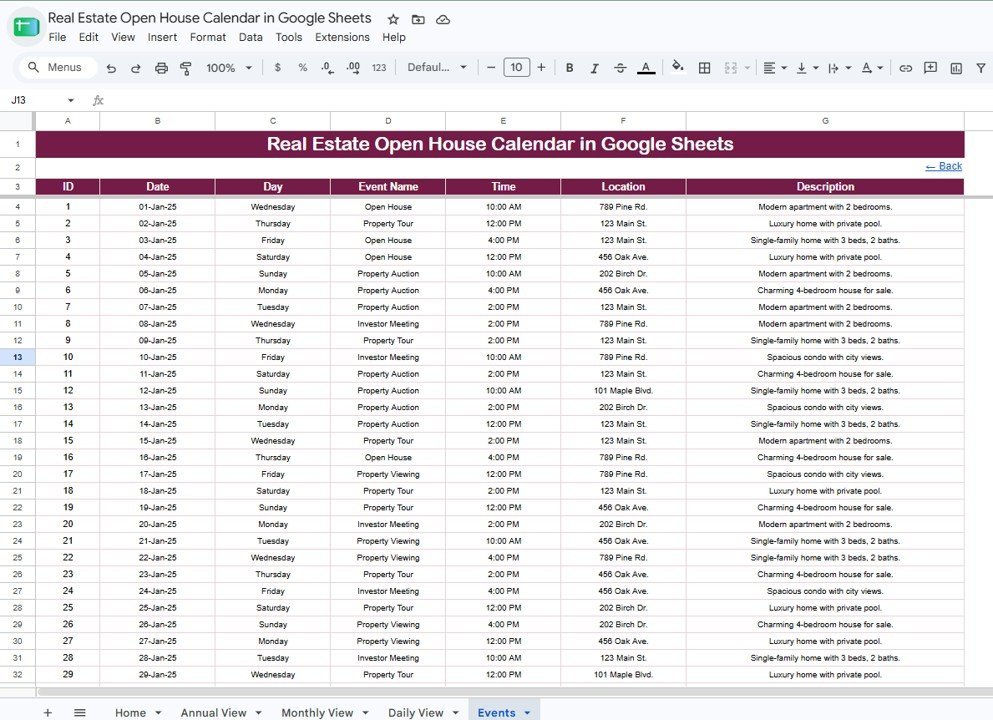

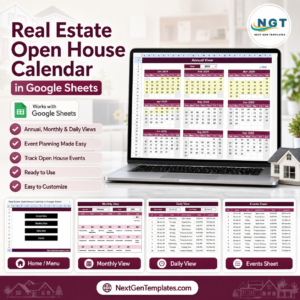
The Real Estate Open House Calendar in Google Sheets gives agents a 5-sheet scheduling system for open houses, property viewings, property tours, auctions, and investor meetings. It includes 4 navigation buttons, a 12-month Annual View, a dropdown Monthly View, a date-range Daily View, and one Events database that feeds every calendar page. NextGenTemplates reaches 300K+ subscribers across YouTube channels, and this template keeps costs simple: $4.99 one time, no per-user template fees, and an editable Google Sheets copy you control.
Real Estate Open House Calendar in Google Sheets
Key Features of Real Estate Open House Calendar in Google Sheets
- 5 connected worksheet tabs: Home, Annual View, Monthly View, Daily View, and Events.
- Real estate event tracking: Plan open houses, property viewings, tours, auctions, and investor meetings.
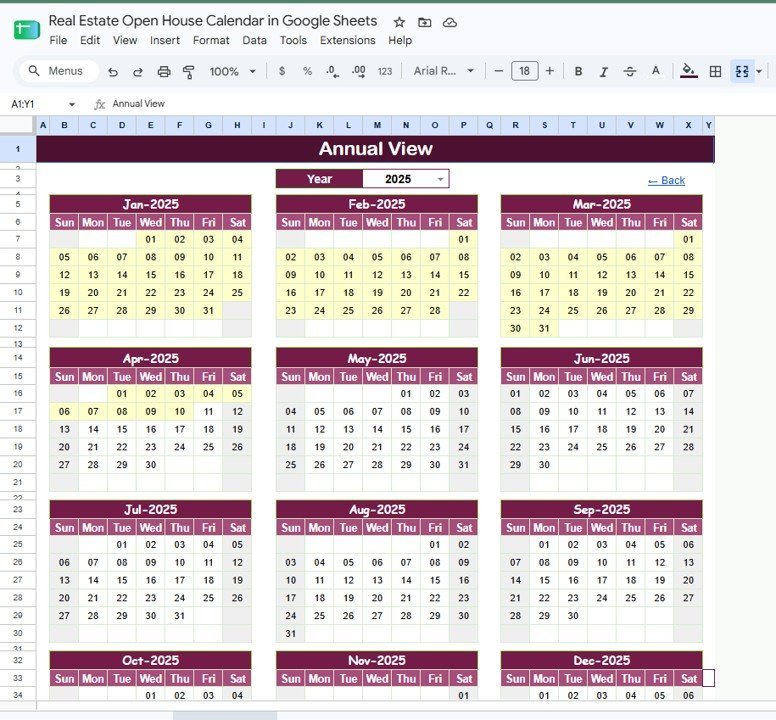
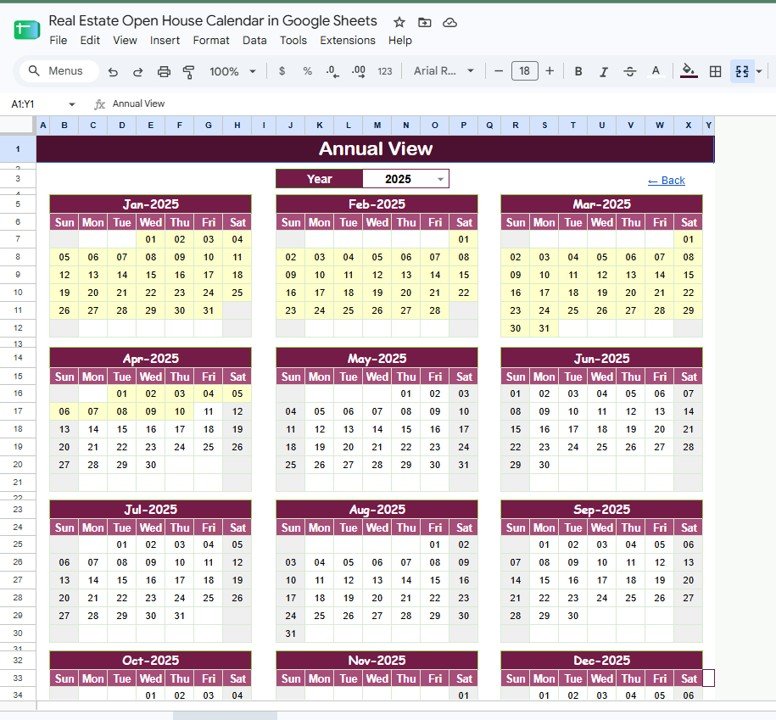
- Annual View: Review all 12 months of the selected year on one page.
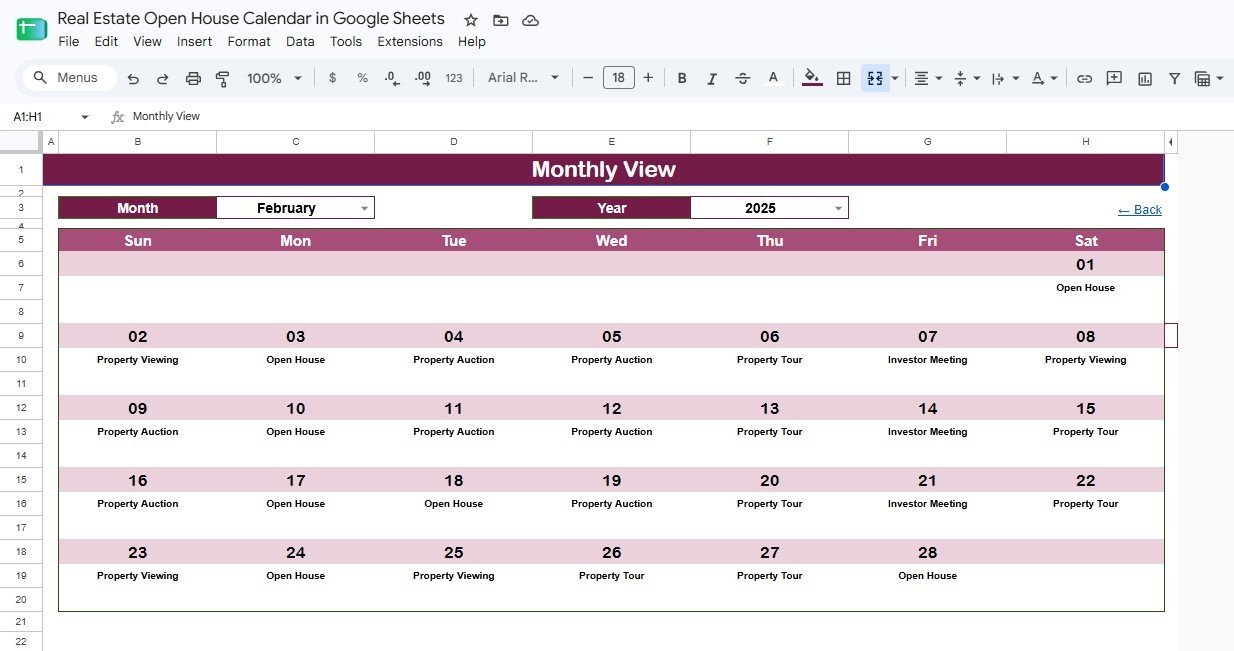
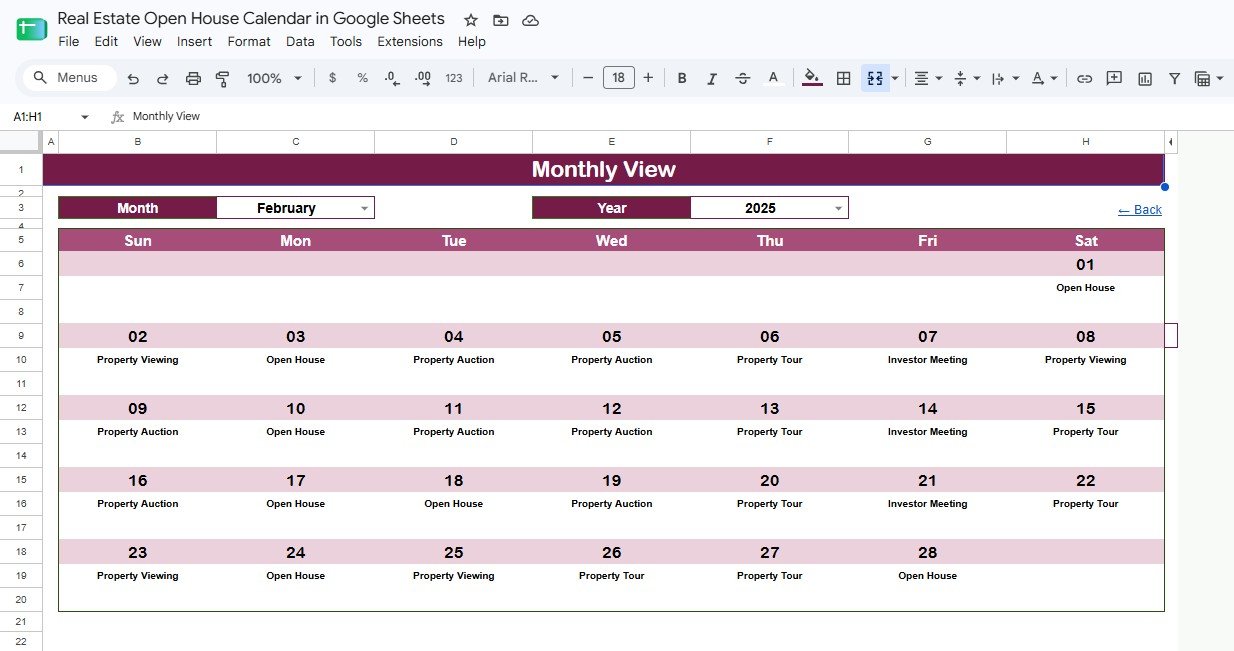
- Monthly View: Select a month and year to see events placed directly on the calendar.
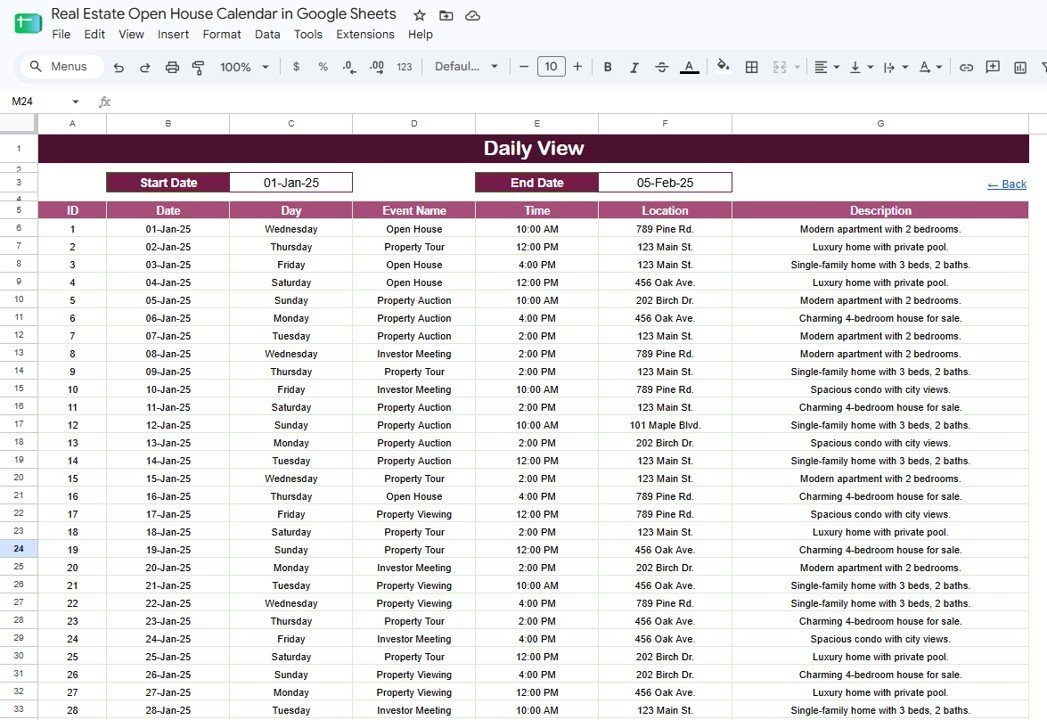
- Daily View: Filter by start and end date to see event details for any date range.
- Central Events sheet: Store ID, Date, Day, Event Name, Time, Location, and Description in one source table.
- Google Sheets sharing: Share the file with assistants, agents, partners, or brokerage staff using Google Drive permissions.
What’s Inside the Real Estate Open House Calendar in Google Sheets
Home Sheet Tab
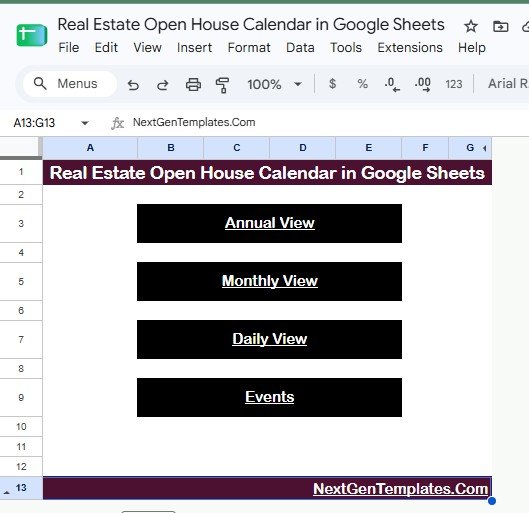
The Home sheet works as the index page. Four large navigation buttons open Annual View, Monthly View, Daily View, and Events so users do not have to search through tabs during a busy listing week.
Annual View Sheet Tab
The Annual View shows 12 months on a single page. Use it to spot weekend workload, auction-heavy periods, and upcoming property tour windows before the calendar gets crowded.
Annual View Sheet tab
Monthly View Sheet Tab
The Monthly View focuses on one selected month and year. It displays event names inside the day cells, making it easier to see open houses, property auctions, viewings, and investor meetings at a glance.
Monthly View Sheet tab
Daily View Sheet Tab
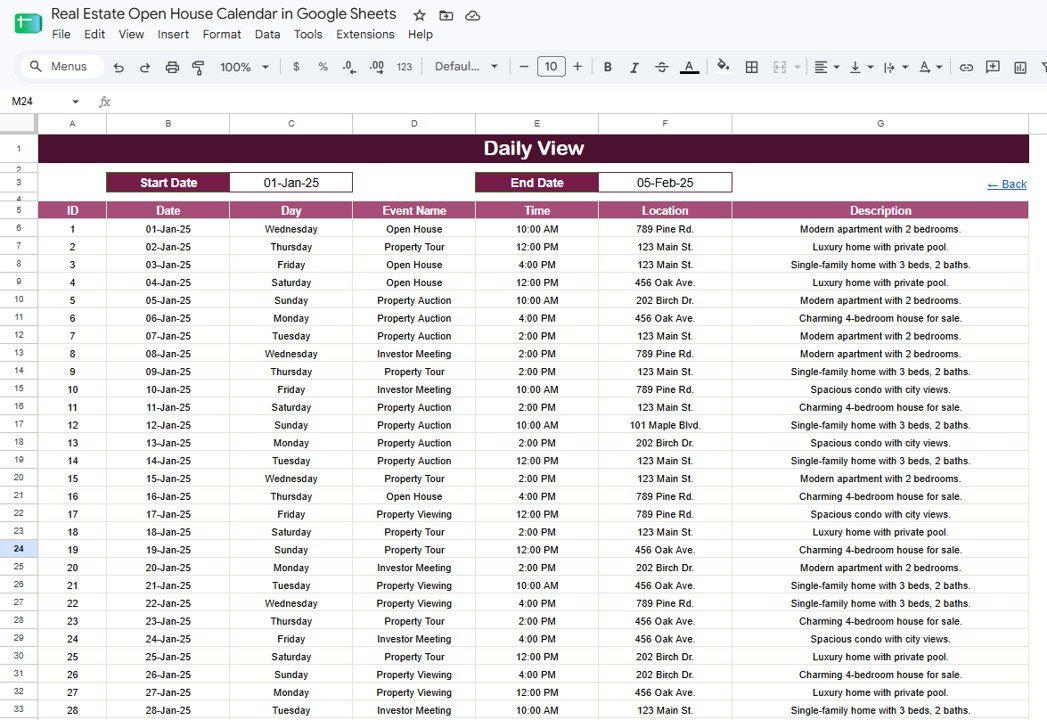
The Daily View gives a filtered event list between any start date and end date. It is useful for weekend open house prep, weekday property tours, and short planning windows.
Daily View Sheet tab
Events Sheet Tab
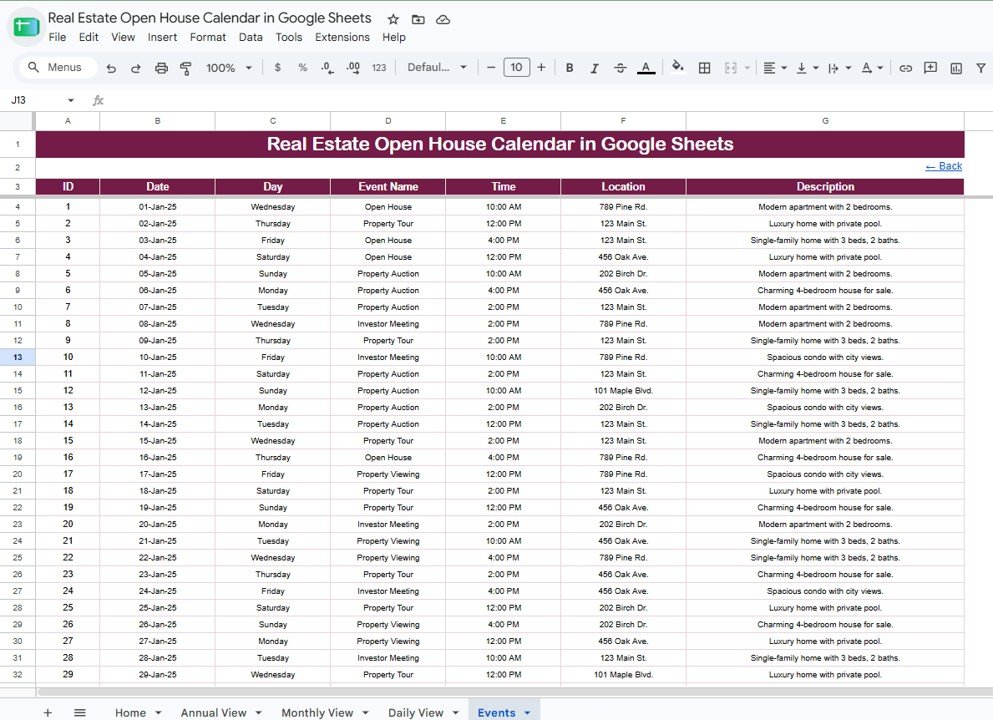
The Events sheet is the calendar database. Add or update the event rows here, then use the Annual, Monthly, and Daily views to review the schedule from different angles.
Events Sheet tab
Real Estate Open House Calendar in Google Sheets vs. Excel Calendar vs. Paid CRM/SaaS – Where This Fits
| Feature | This Google Sheets template | Excel calendar | Paid real estate CRM/SaaS |
|---|---|---|---|
| Cost | $4.99 one-time | Usually one-time | Usually monthly subscription |
| Platform | Google Sheets in browser or app | Excel desktop or cloud | Vendor web app |
| Setup time | Under 10 minutes after download | Under 15 minutes | Longer account and workflow setup |
| Real-time team collaboration | Native Google Drive sharing | Requires cloud setup | Usually included by seat |
| Mobile access | Google Sheets app or browser | Limited by mobile Excel workflow | Usually included |
| Customizable fields | Fully editable | Fully editable | Limited by plan and permissions |
| Share with link | Yes | Only through cloud storage | Usually invite based |
| Year-1 cost at 5 users | $4.99 for the template | Varies by workbook | Often hundreds or thousands yearly |
| Open house scheduling focus | Built for property events | Generic calendar | Broader lead and client management |
Who This Template Is For – and Who It’s Not For
This template is for solo real estate agents, small brokerages, listing coordinators, property managers, leasing teams, and assistants who need one shared schedule for open houses and property appointments.
It is not for teams that need MLS sync, automated SMS reminders, lead scoring, email drip campaigns, or role-based CRM pipelines. In those cases, use it as a simple scheduling layer or choose a dedicated CRM.
How to Use the Real Estate Open House Calendar in Google Sheets
- Open the PDF guide from your download and create your editable Google Sheets copy.
- Add open house, viewing, tour, auction, and investor meeting records in the Events sheet.
- Use Annual View to review the full year.
- Use Monthly View for the active listing month.
- Use Daily View to filter a specific date range before calls, showings, or weekend events.
- Share the sheet with the right access level. Google explains Drive sharing permissions here: Share files from Google Drive.
Real-World Use Cases
Maria, listing coordinator: Maria enters every open house and agent tour into the Events sheet, then checks the Monthly View before confirming weekend coverage.
Daniel, solo realtor: Daniel uses the Daily View every Friday to print or review the exact Saturday and Sunday schedule with address, time, and property notes.
Priya, property investment associate: Priya tracks auctions and investor meetings in the same calendar so her team can prepare documents before each event.
Frequently Asked Questions
What does this template include?
It includes 5 Google Sheets tabs: Home, Annual View, Monthly View, Daily View, and Events.
Can multiple agents use the same calendar?
Yes. Since it runs in Google Sheets, you can share the copy through Google Drive and choose viewer, commenter, or editor access.
Can I edit the event types?
Yes. You can adjust event names such as Open House, Property Viewing, Property Tour, Property Auction, and Investor Meeting to match your brokerage workflow.
Does this sync with Google Calendar or MLS systems?
No. This is a Google Sheets planning template. It does not include automatic MLS import, Google Calendar sync, or client reminder automation.
Can I filter events by date range?
Yes. The Daily View uses start and end date fields to show only the events in the selected period.
Is this a one-time purchase?
Yes. The template is priced at $4.99 as a one-time purchase from NextGenTemplates, with no template subscription fee.
About the Author
Built by PK – Microsoft Certified Professional with 15+ years of Excel, Google Sheets, and Power BI experience. Founder of NextGenTemplates, reaching 300K+ subscribers across YouTube channels. Every template is hand-built and tested before release.
Explore Related Templates
For real estate analytics, see the Real Estate Development Dashboard in Google Sheets, Housing & Urban Development Dashboard in Google Sheets, and Tenant and Property Management Dashboard in Google Sheets. For similar calendar structures, browse the Office Supplies Restock Calendar in Google Sheets and Warranty Expiration Calendar in Google Sheets.
Browse more Google Sheets templates and Google Sheets Calendar templates.
Get the Real Estate Open House Calendar in Google Sheets today for $4.99. Plan open houses, tours, auctions, and investor meetings in one shared calendar.
Watch the step-by-step video Demo:
Last updated: August 19, 2026.
Compatibility and Requirements
- Works in Google Sheets. You need a free Google account and a web browser, or the Google Sheets app.
- You create your own editable copy of the file and share it through Google Drive. Google explains the setup in Get started with Google Sheets.
More Real Estate Calendar Templates
- Real Estate Open House Calendar in Excel: the same open house schedule in Excel
- Real Estate Listing Calendar in Google Sheets: a calendar for tracking your listings
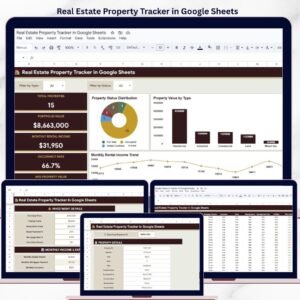
- Real Estate Property Tracker in Google Sheets: a tracker for the properties behind each event
- Real Estate & Property Bundle: Excel, Power BI and Google Sheets templates for real estate in one download
Browse all Google Sheets calendar templates.





Reviews
There are no reviews yet.