



Our Production Planning Dashboard in Power BI is a ready-to-use, interactive solution that transforms complex production data into clear, actionable insights. Designed for manufacturing and operations teams, it helps you monitor performance, track progress, and identify bottlenecks—all in real time.
🔹 5 Interactive Pages – Navigate through dedicated pages for Overview, Category & Plant Analysis, Production Line Analysis, Planner Performance, and Monthly Trends.
🔹 Customizable Slicers – Filter data by date, plant, product category, production line, and more.
🔹 Real-Time KPIs – Instantly track Total Orders, Completion Rate, Pending Orders, and more.
🔹 Visual Insights – Clean, professional charts and graphs make trends easy to understand.
🔹 Scalable Design – Works for small manufacturing units and large multi-plant operations.
📂 What’s Inside the Production Planning Dashboard
This dashboard is pre-built with five high-impact analytical pages:
1️⃣ Overview Page – The central hub for all key metrics. See order status, completion rates, plant-wise distribution, and planned vs. actual production figures in seconds.
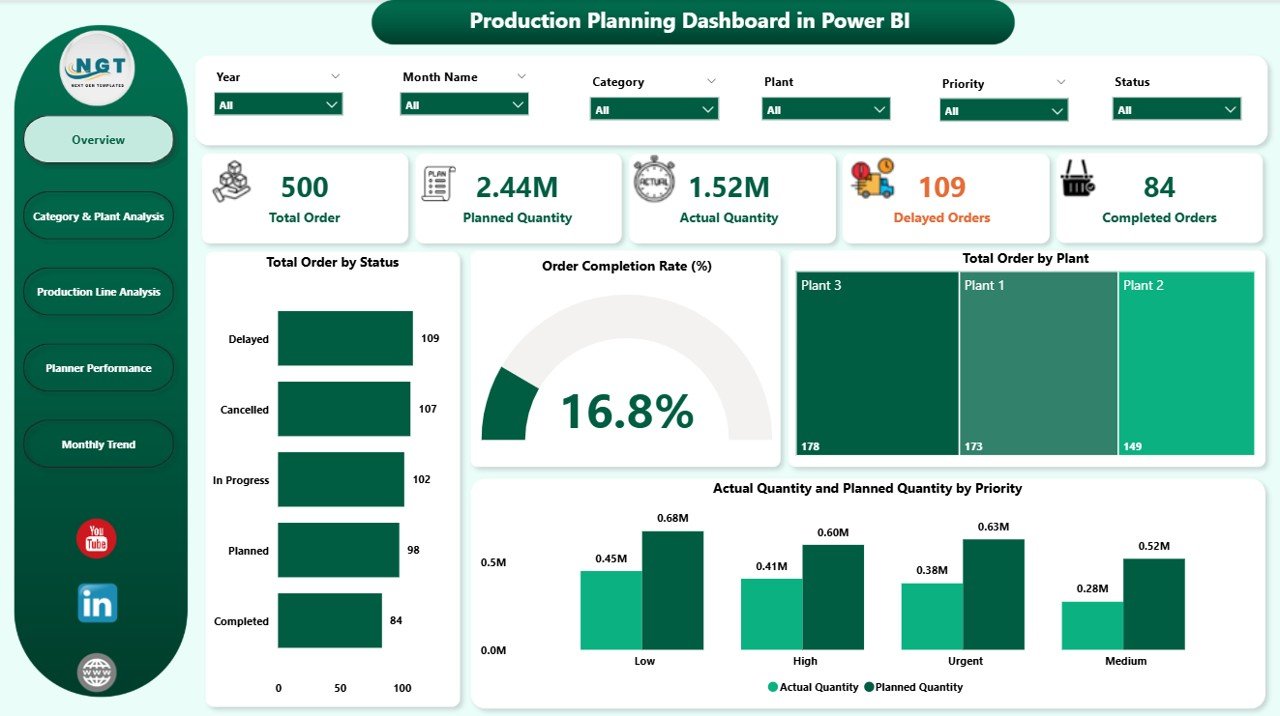
2️⃣ Category & Plant Analysis – Pinpoint which product categories or plants are performing best and which need attention.
3️⃣ Production Line Analysis – Monitor efficiency by production line, track cancellation rates, and compare planned vs. actual outputs.
4️⃣ Planner Performance – Evaluate individual planner efficiency, spot delays, and optimize scheduling.
5️⃣ Monthly Trends – Identify seasonal patterns, demand fluctuations, and recurring issues for better forecasting.
🛠 How to Use the Production Planning Dashboard
Using this dashboard is simple:
Load Your Data – Connect to Excel, ERP, SQL, or other data sources.
Select Filters – Use slicers to choose date ranges, plants, or product categories.
Analyze Performance – Review KPIs and drill down into problem areas.
Take Action – Make informed decisions to reduce delays, increase efficiency, and improve production planning.
💡 Pro Tip: Schedule automatic data refresh in Power BI so your dashboard is always up to date.
👥 Who Can Benefit from This Dashboard
This dashboard is perfect for:
🏭 Manufacturing Managers – Stay on top of production schedules and targets.
📊 Operations Analysts – Spot inefficiencies and optimize workflows.
👷 Production Planners – Compare planned vs. actual performance for smarter scheduling.
📈 Business Owners – Get a clear, real-time view of operational performance.
🌍 Multi-Plant Operators – Compare performance across locations for better resource allocation.
🔥 Why You’ll Love It
✔ Faster Decisions – Instant insights mean less waiting and more action.
✔ Better Resource Allocation – Focus on the areas that matter most.
✔ Error Reduction – Minimize mismatches between planned and actual figures.
✔ Team Alignment – Keep everyone on the same page with shared visuals.
📌 Click here to read the Detailed blog post
Visit our YouTube channel to learn step-by-step video tutorials
Watch the step-by-step video tutorial:
Compatibility and Requirements
- Built for Power BI Desktop, which is a free download from Microsoft: Get Power BI Desktop.
- You can load your own data from Excel, an ERP export, SQL or other sources.
Frequently Asked Questions
How many report pages does it have?
Five: Overview, Category and Plant Analysis, Production Line Analysis, Planner Performance and Monthly Trends.
What can I filter by?
The slicers filter the report by date, plant, product category and production line.
Which KPIs are shown?
The KPI cards track Total Orders, Completion Rate and Pending Orders, and the Overview page compares planned and actual production.
Can I see how each planner is doing?
Yes. The Planner Performance page shows individual planner efficiency and delays.
Related Production Planning Templates
- Production Planning Dashboard in Excel: the same topic for Excel users
- Production Planning Dashboard in Google Sheets: a browser-based version
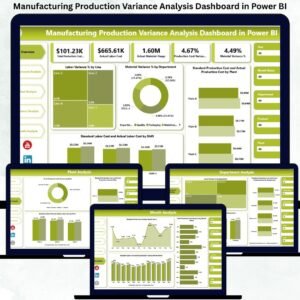
- Manufacturing Production Variance Analysis Dashboard in Power BI: dig into planned vs actual variances
- Plant Production Manager Toolkit: 9 Excel and Power BI templates for plant managers
- Manufacturing Excellence Bundle: 8 manufacturing templates in Excel and Power BI
Browse all Power BI dashboards or the Excel manufacturing templates.














Reviews
There are no reviews yet.