



🏢 The Meeting Room Utilization Report in Excel is designed to simplify space management in modern workplaces. With hybrid work models becoming the norm, managing meeting room usage efficiently is more critical than ever. This ready-to-use template provides clear visibility into bookings, occupancy, and meeting completion rates so you can make smarter space allocation decisions.
✨ Main features include:
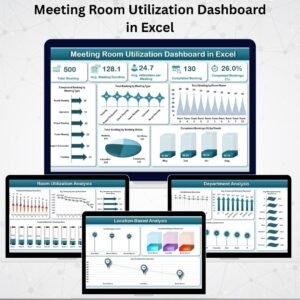
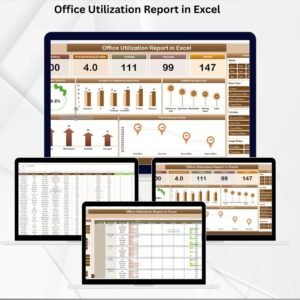
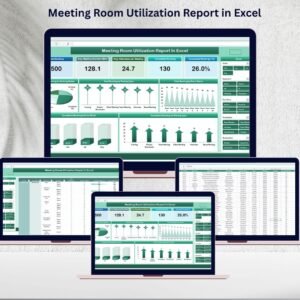
📊 Summary Dashboard with cards and charts for instant insights
✅ Report Sheet with Power Pivot Views for multi-dimensional analysis
🗂 Data Sheet as a structured input hub for all bookings
🔍 Trend Analysis by room, meeting type, and month
⏳ Efficiency Tracking with average meeting duration and attendance metrics

What’s Inside the Meeting Room Utilization Report
The template is organized into three powerful worksheets, each with a unique role:
Summary Sheet Tab
Cards: Total Bookings, Average Meeting Duration, Average Attendees, Completed Meetings, and Completion %
Charts: Bookings by Status, Meeting Type, Room Name, Completion % by Month
Report Sheet Tab
Leverages Power Pivot for in-depth analysis
Drill down into metrics by department, room, or meeting type
Perfect for management-level reporting
Data Sheet Tab
Input fields: Date, Time, Room, Meeting Type, Attendees, Booking Status
Updates automatically reflect in all dashboards
Ensures accuracy and real-time reporting
How to Use the Meeting Room Utilization Report
Using this tool is simple and straightforward:
📝 Enter data in the Data Sheet (bookings, attendees, meeting type, etc.)
🔄 Refresh the report to update dashboards automatically
📊 Review cards & charts for overall usage and completion rates
🎯 Drill into Power Pivot views to analyze patterns by room, type, or month
🛠 Customize fields (like department or location) to match your office setup
Who Can Benefit from This Report
The Meeting Room Utilization Report is perfect for:
🏢 Facility Managers – Optimize room allocation and reduce underutilization
🧑💼 Office Administrators – Track bookings, cancellations, and completion rates
📊 Operations Teams – Analyze trends and improve resource planning
💼 Corporate Leaders – Ensure hybrid workspaces are used effectively
🌍 Large Organizations – Manage multiple meeting rooms across offices
Why This Report Matters
Unlike manual spreadsheets or generic booking tools, this Excel-based solution provides:
✔ Automated reporting with charts & KPIs
✔ Flexibility to customize fields & metrics
✔ Easy updates without technical expertise
✔ Insights to support hybrid work strategies
✔ Scalable use across single or multiple locations
By consolidating meeting room data in one interactive report, you save time, improve efficiency, and make confident facility management decisions.
Click here to read the Detailed Blog Post
Watch the step-by-step video Demo:
Visit our YouTube channel to learn step-by-step video tutorials
Compatibility and Requirements
- Works in Microsoft Excel desktop (Excel 2016 or later, or Microsoft 365).
- The Report sheet uses Power Pivot views, so open it in the desktop app rather than Excel for the web. Microsoft explains PivotTables in Create a PivotTable to analyze worksheet data.
Frequently Asked Questions
Which sheets are in the report?
There are three: the Summary sheet with cards and charts, the Report sheet with Power Pivot views, and the Data sheet where you enter bookings.
What do the summary cards show?
Total Bookings, Average Meeting Duration, Average Attendees, Completed Meetings and Completion %.
How do I update the report?
Enter bookings in the Data sheet (date, time, room, meeting type, attendees and booking status), then refresh the report.
Can I add fields such as department or location?
Yes. You can customize the fields to match your office setup and drill into the data by department, room or meeting type.
Related Meeting Room and Facility Templates
- Meeting Room Utilization Dashboard in Excel: a full dashboard on the same topic
- Meeting Room Booking Tracker in Excel: logs room bookings day to day
- Meeting Room Utilization Dashboard in Power BI: the same analysis in Power BI
- Facility Booking Calendar in Excel: plans bookings on a calendar view
- Office Parking Utilization Report in Excel: a matching report for office parking
Browse all Excel report templates or the MS Excel templates.



Reviews
There are no reviews yet.