

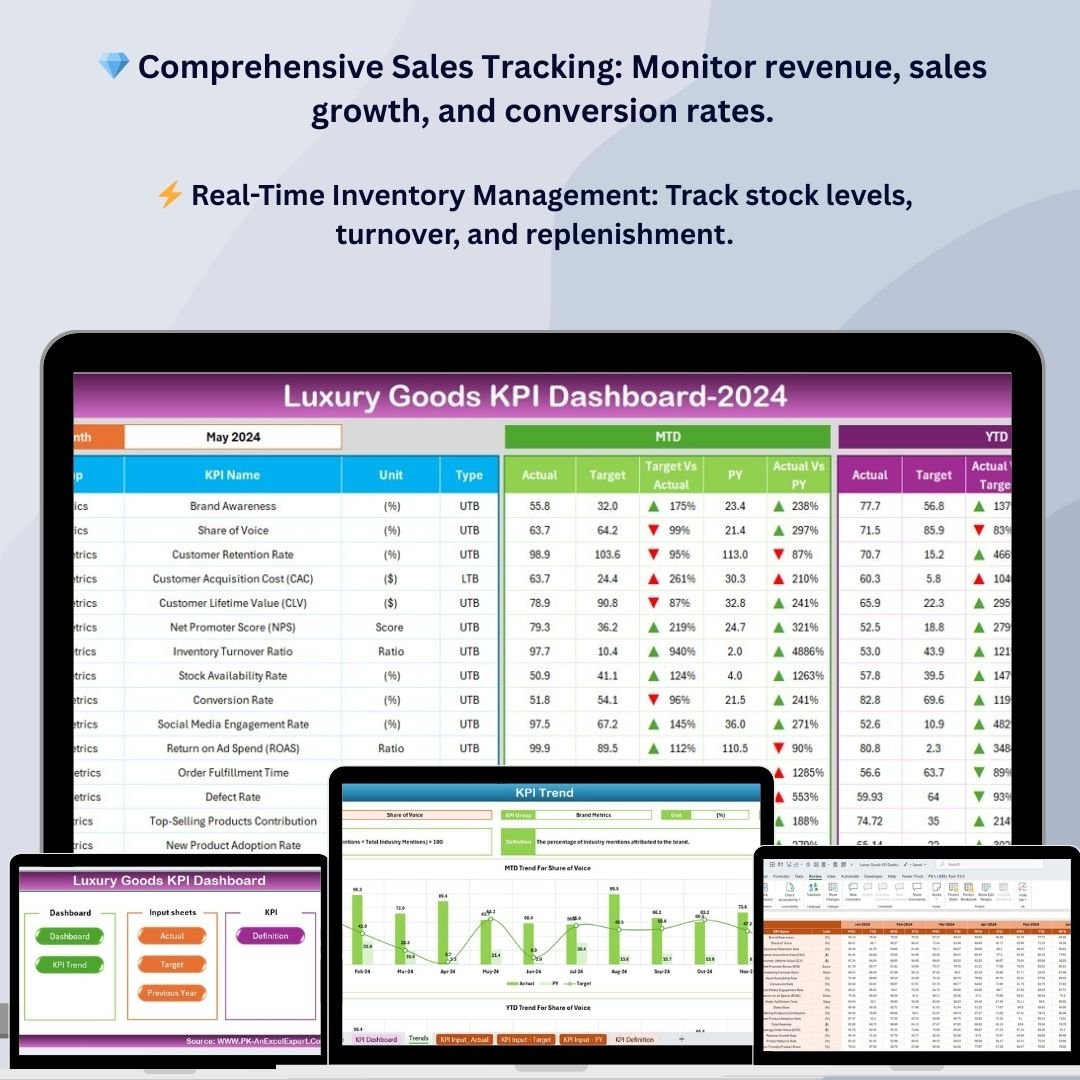
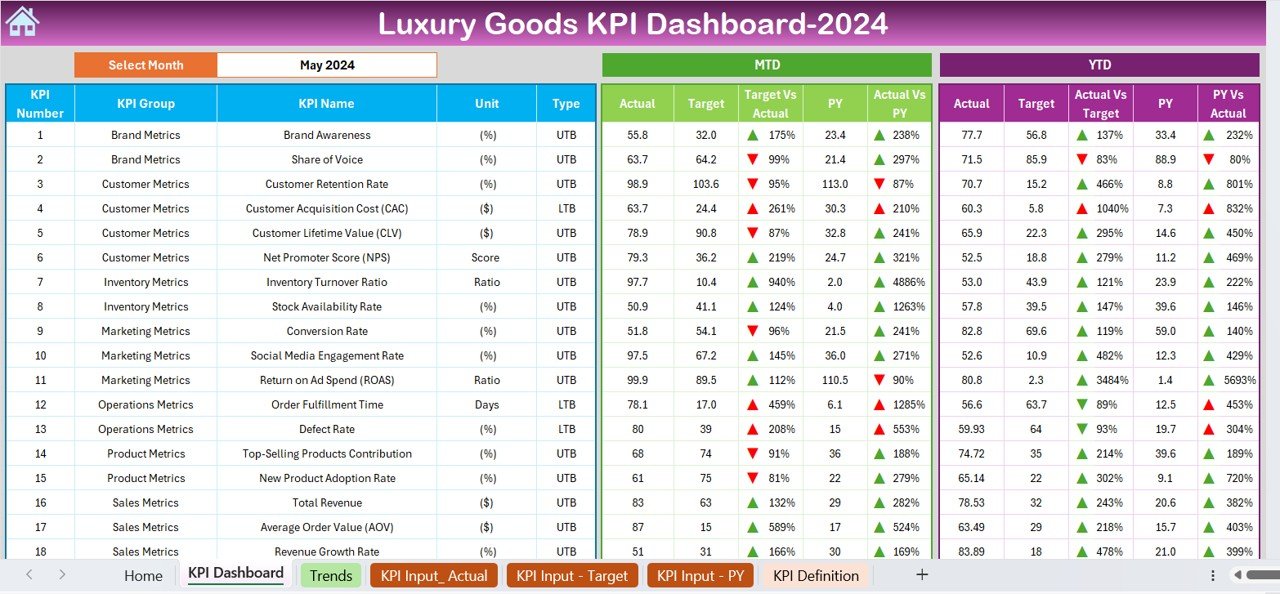
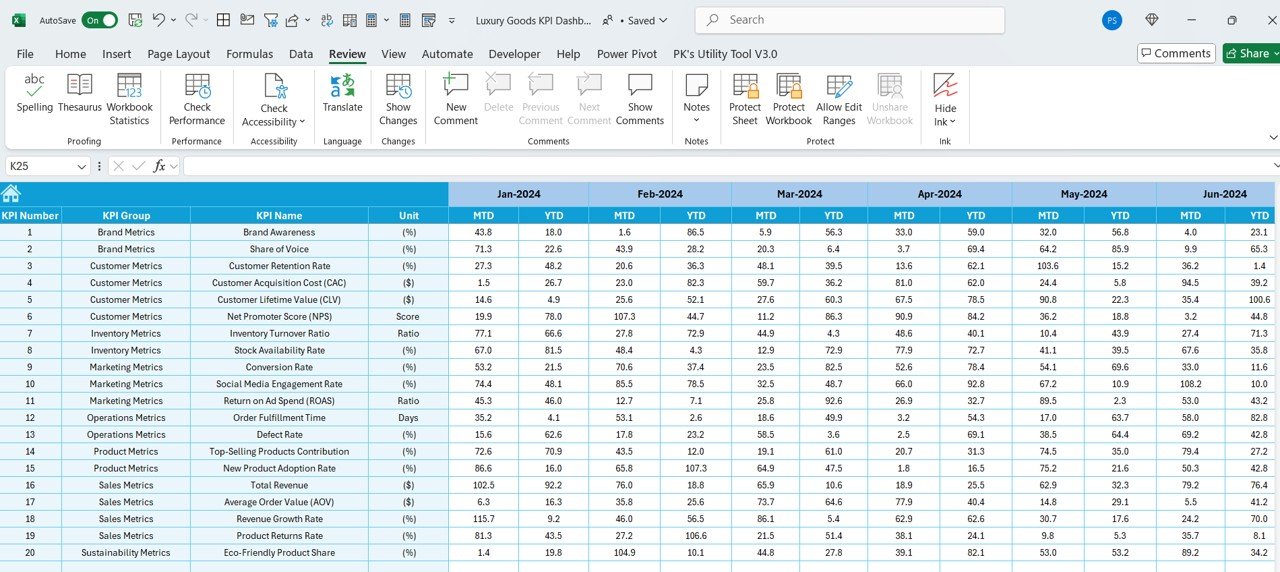
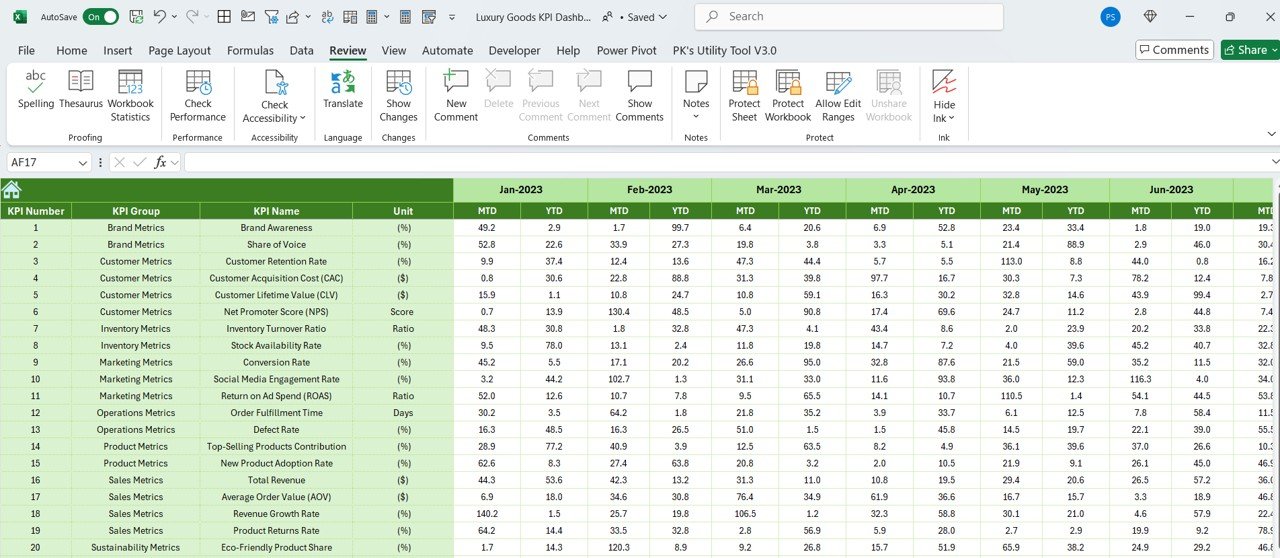
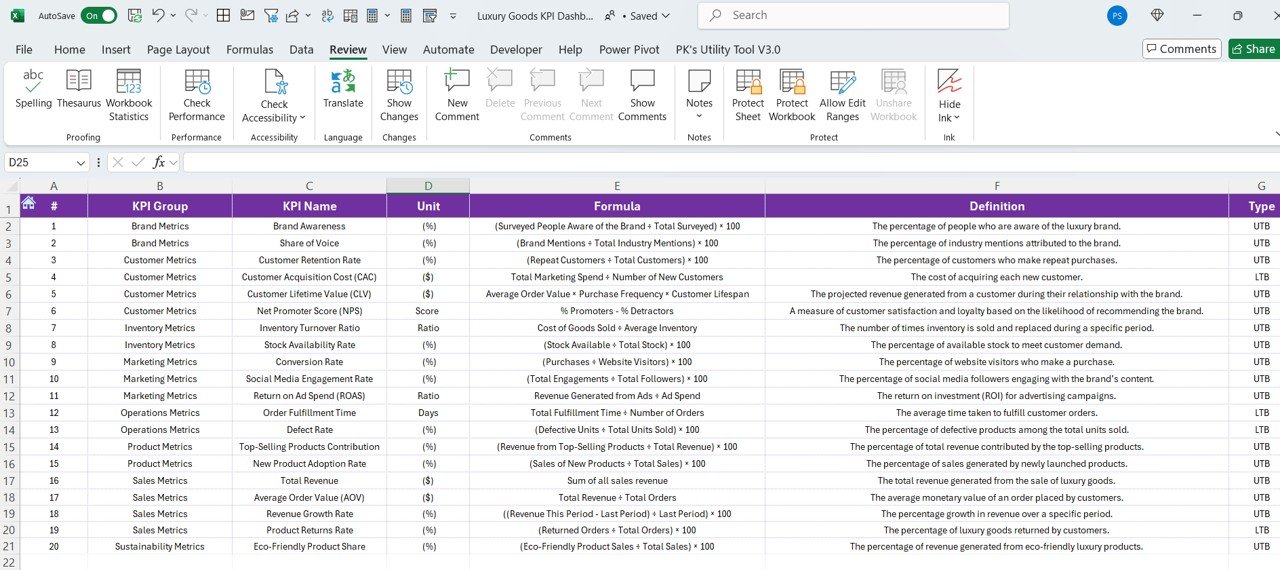
The Luxury Goods KPI Dashboard in Excel is an essential tool for businesses in the luxury goods industry, designed to help you monitor, track, and analyze key performance indicators (KPIs) that drive success in this competitive market. Whether you’re managing luxury retail, e-commerce, or overseeing distribution, this customizable Excel template allows you to track sales performance, inventory levels, customer satisfaction, and other important metrics with ease.
With this intuitive dashboard, you can make data-driven decisions to optimize your luxury brand’s performance, improve sales, and enhance customer engagement. The dashboard enables real-time tracking of key business metrics and provides insights into trends that help you make strategic decisions and maximize profitability.
Key Features of the Luxury Goods KPI Dashboard
💎 Comprehensive Sales Performance Tracking
Track important sales KPIs, such as revenue, average transaction value, sales growth, and conversion rates. Monitor sales performance in real-time to identify trends and optimize strategies.
⚡ Real-Time Inventory Management
Keep an eye on inventory levels for luxury products, ensuring that stock levels are aligned with demand. Track products’ stock, turnover rates, and replenishment needs to avoid overstocking or stockouts.
📈 Customer Satisfaction & Retention Insights
Measure customer satisfaction through feedback and ratings, and track retention rates. Understand which aspects of your products or services are resonating with customers and which areas need improvement.
📅 Customizable KPIs for Luxury Brands
Tailor the dashboard to track the specific KPIs most relevant to your luxury goods business. Whether it’s monitoring seasonal trends, high-ticket item sales, or VIP customer behavior, the dashboard can be adjusted to suit your needs.
🖥️ Interactive & User-Friendly Interface
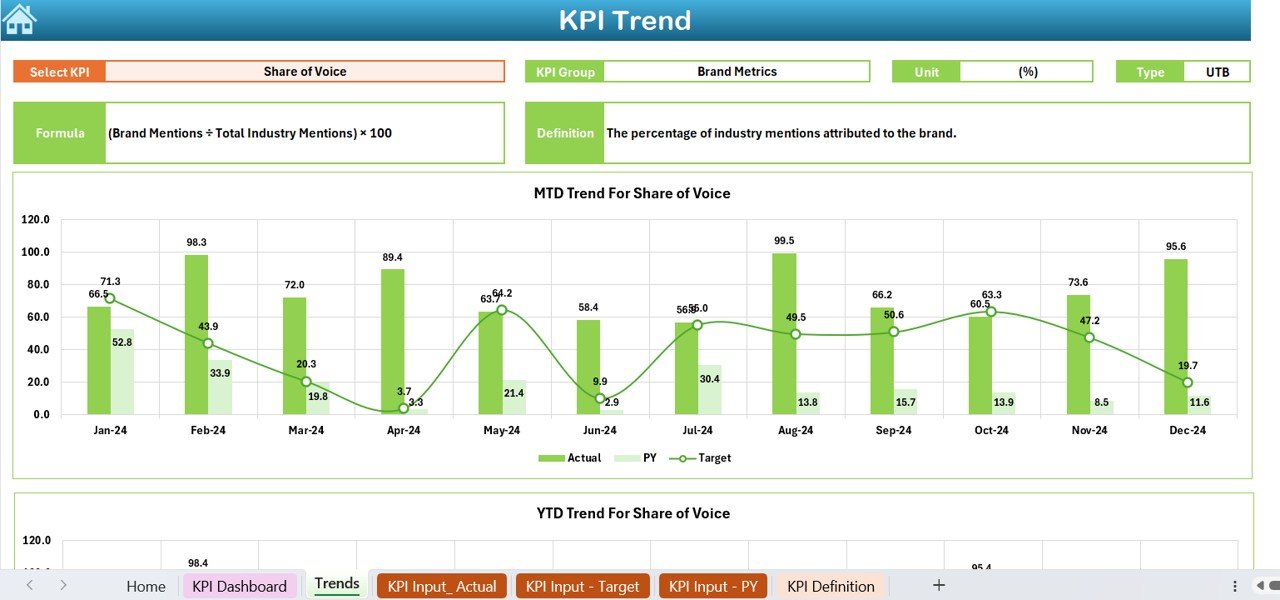
Designed with simplicity in mind, this Excel dashboard is easy to navigate, enter data, and track performance. Visual insights through charts and graphs make it easy to interpret your data and act on it.
Why You’ll Love the Luxury Goods KPI Dashboard
✅ Track Key Business Metrics for Luxury Brands
Monitor revenue, sales performance, inventory levels, and customer satisfaction in one place, giving you a comprehensive view of your luxury goods business.
✅ Optimize Sales & Customer Engagement
Understand customer preferences, track purchasing behavior, and tailor marketing strategies to maximize engagement and sales. Improve customer loyalty with targeted initiatives based on data insights.
✅ Manage Inventory Efficiently
Track luxury product inventory, ensure timely stock replenishment, and manage product turnover efficiently. Avoid stockouts and overstocking with real-time inventory updates.
✅ Make Data-Driven Decisions
Leverage real-time performance data to make informed decisions about pricing, inventory management, and customer engagement strategies.
✅ Visualize Performance Trends
Use interactive charts and graphs to visualize your sales performance, customer satisfaction, and inventory metrics, making it easier to identify areas of opportunity.
What’s Inside the Luxury Goods KPI Dashboard Template?
- Sales Tracking: Monitor sales metrics such as total revenue, average order value, sales growth, and conversion rates.
- Inventory Management: Track inventory levels, stock turnover, and replenish products to avoid stockouts.
- Customer Satisfaction & Retention: Measure customer satisfaction, track repeat purchases, and calculate retention rates.
- Financial Insights: Analyze profits, margins, and other key financial metrics to optimize profitability.
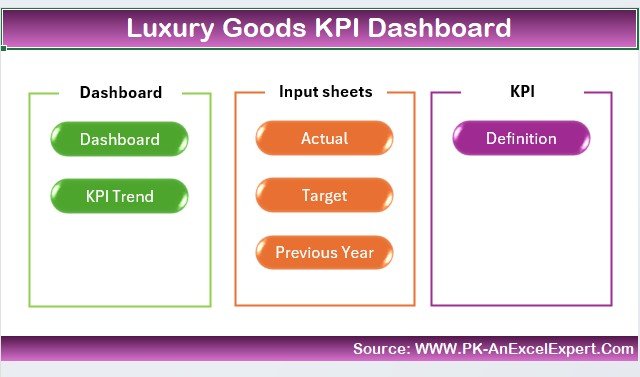
- Customizable KPIs: Tailor the dashboard to fit your luxury goods business’s specific needs.
- Visual Reporting: Use interactive charts and graphs to track business performance at a glance.
How to Use the Luxury Goods KPI Dashboard
1️⃣ Download the Template: Get instant access to your Luxury Goods KPI Dashboard.
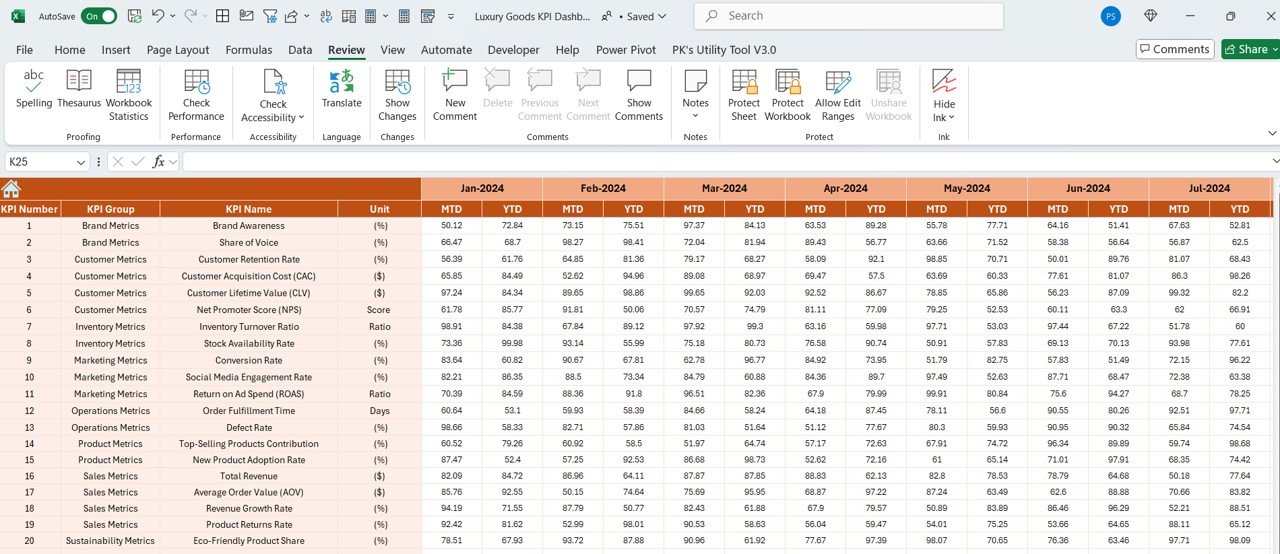
2️⃣ Enter Your Data: Input sales, inventory, and customer satisfaction data to start tracking performance.
3️⃣ Track KPIs: Use the dashboard to monitor performance in real-time and compare actual metrics against targets.
4️⃣ Analyze & Optimize: Use the insights to improve sales strategies, optimize inventory, and enhance customer engagement.
Who Can Benefit from the Luxury Goods KPI Dashboard?
🔹 Luxury Retailers & E-commerce Businesses
🔹 Brand Managers & Sales Teams
🔹 Product Managers & Inventory Coordinators
🔹 Customer Experience & Marketing Teams
🔹 Wholesale Distributors of Luxury Goods
🔹 Any Organization in the Luxury Goods Industry
Track, analyze, and optimize the performance of your luxury goods business with the Luxury Goods KPI Dashboard in Excel. Stay on top of sales, inventory, and customer satisfaction to drive profitability and success.
Click here to read the Detailed blog post
Visit our YouTube channel to learn step-by-step video tutorials
Youtube.com/@PKAnExcelExpert

























Reviews
There are no reviews yet.