

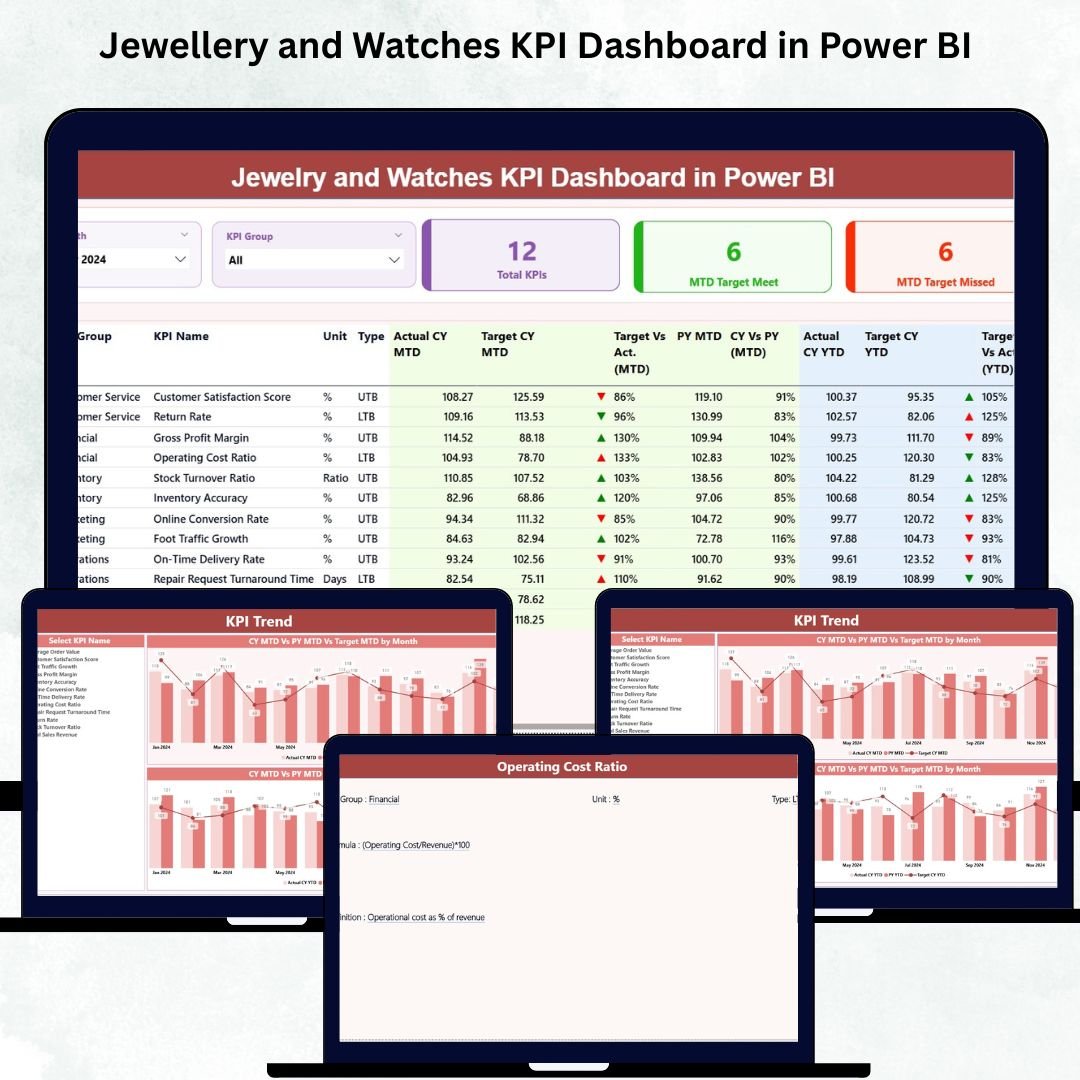

The jewellery and watches retail industry moves at lightning speed—premium customers expect flawless service, accurate information, and high-end product availability. Jewellery and Watches KPI Dashboard in Power BI In such a competitive environment, businesses need crystal-clear performance tracking, not scattered spreadsheets or outdated reports. That’s where the ✨ Jewellery and Watches KPI Dashboard in Power BI ✨ becomes your most powerful decision-making tool.
This ready-to-use dashboard transforms raw retail data into interactive visuals that help store managers, executives, and retail owners understand performance within seconds. Whether you want to monitor sales, reduce returns, analyze store performance, track KPIs, or improve operational efficiency—this dashboard gives you complete clarity on every number that matters.
💡 Key Features of the Jewellery & Watches KPI Dashboard in Power BI
This dashboard is designed for fast-paced luxury retail environments where every KPI counts. With interactive slicers, dynamic visuals, real-time insights, and automated calculations, the dashboard becomes your daily performance companion.
✨ 1. Interactive Slicers for Smart Filtering
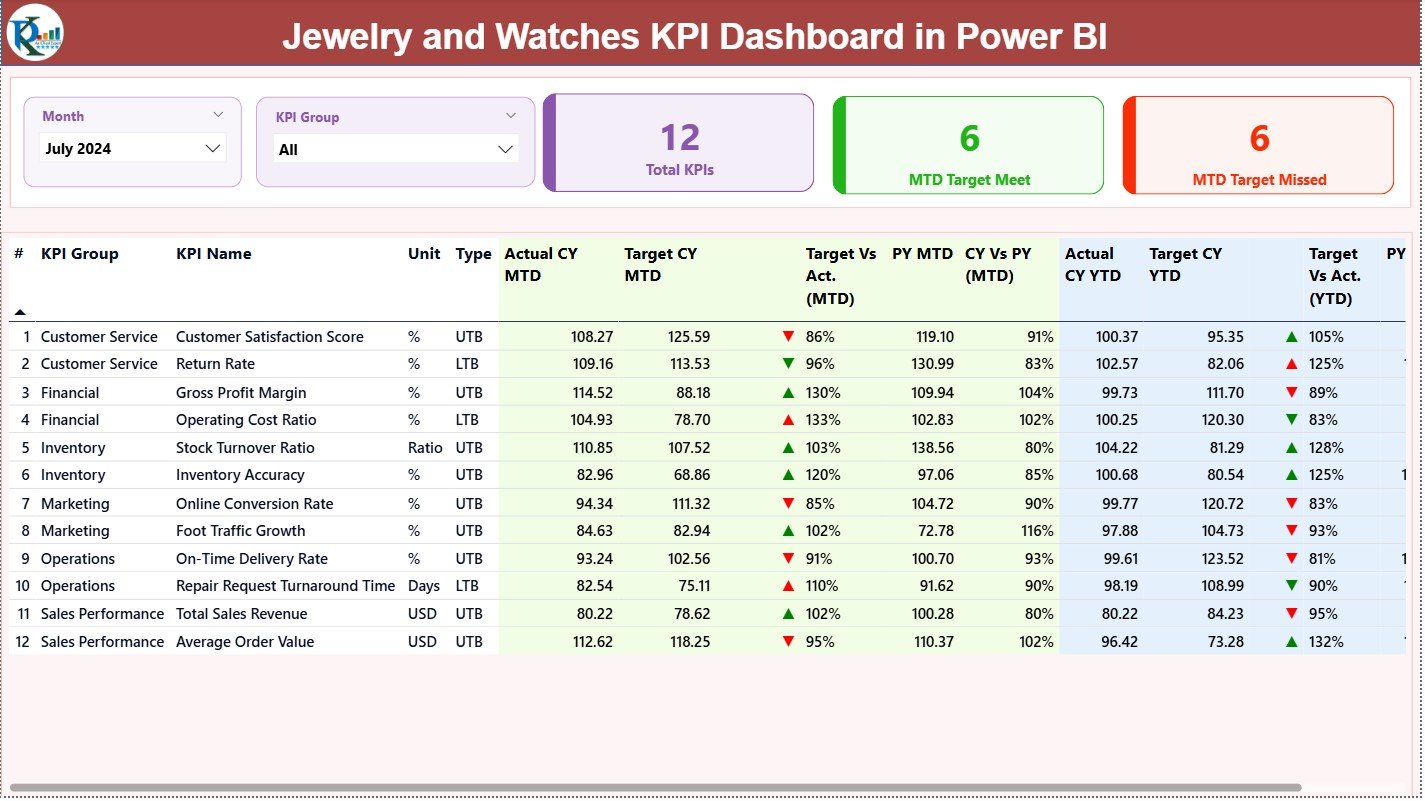
Filter your KPIs instantly by:
Month
KPI Group
Category
Store
And more
You get focused insights with just one click.
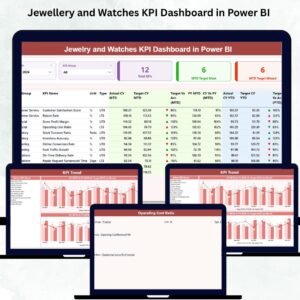
📊 2. Smart KPI Cards
Track the most important business indicators instantly:
⭐ Total KPIs Count
📈 MTD Target Met
⚠️ MTD Target Missed
These cards give a clear visual pulse of the business.
📋 3. Complete KPI Summary Table
See everything in one view:
KPI Number
KPI Group
KPI Name
Unit
KPI Type (LTB/UTB)
Actual MTD & YTD
Target MTD & YTD
Trend Indicators (▲ / ▼)
Target vs Actual %
CY vs PY Comparison
No more manual calculations—every insight is automated.
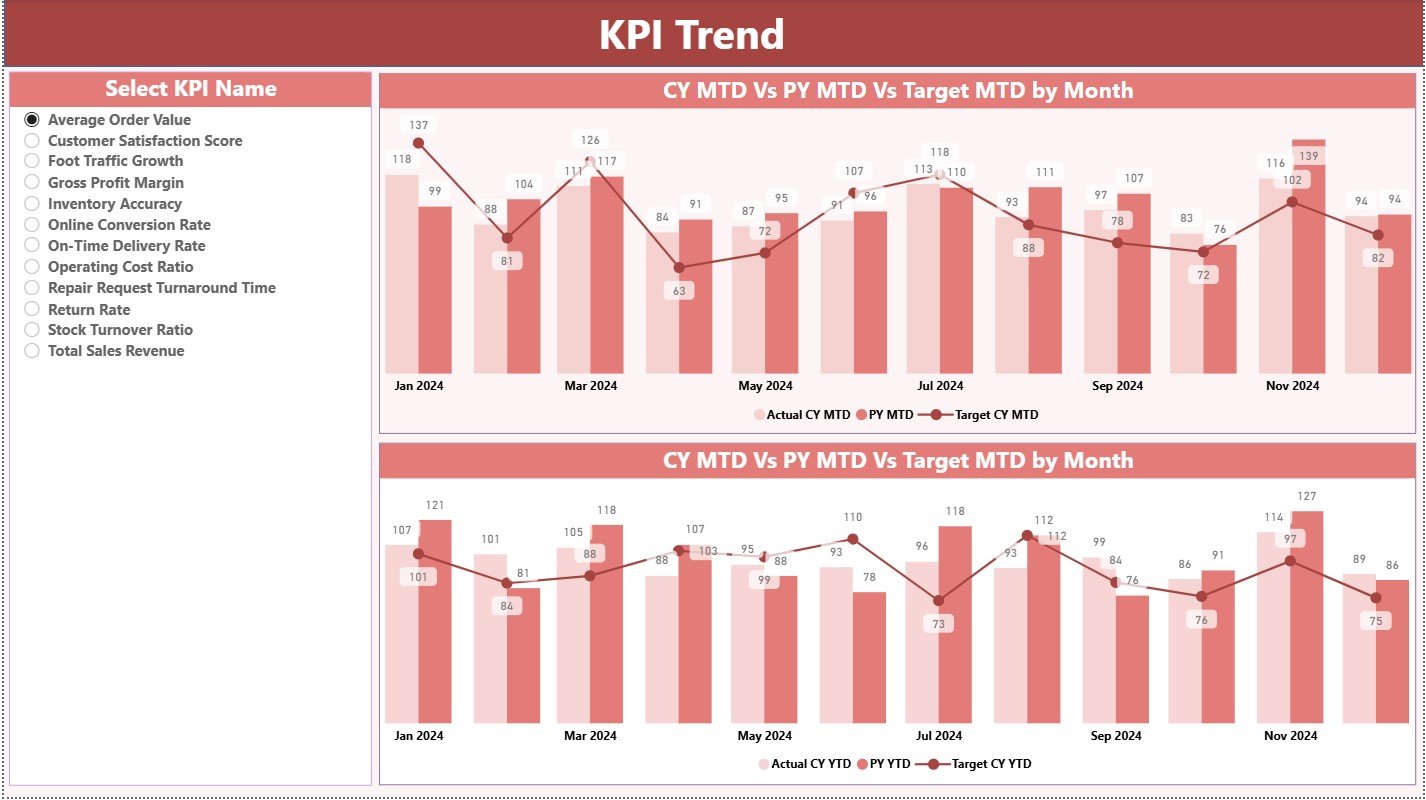
📈 4. KPI Trend Insights
Understand how performance evolves month-by-month with:
MTD Trend Chart
YTD Trend Chart
Current Year vs Previous Year
Actual vs Target Overlay
Perfect for forecasting, planning, and strategic analysis.
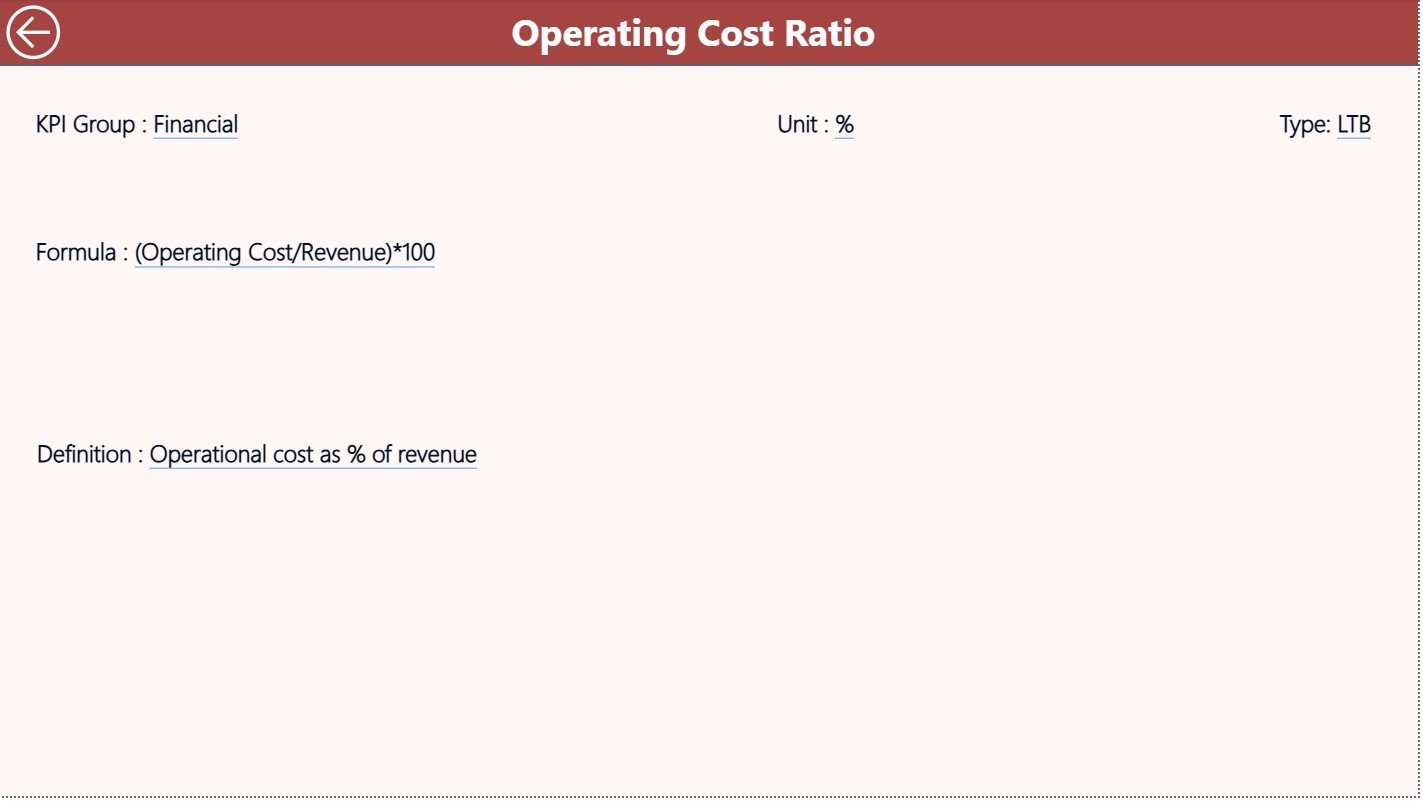
📘 5. KPI Definition Drill-Through Page
A hidden but powerful page that shows:
KPI Meaning
Calculation Formula
KPI Unit
KPI Type
KPI Definition
Every KPI is documented for clarity and transparency.
📦 What’s Inside the Dashboard
This ready-to-use solution includes:
✔️ Summary Page
✔️ KPI Trend Page
✔️ KPI Definition Page
✔️ Excel Source File (Actual, Target, KPI Definition sheets)
✔️ Automated visuals powered by Power BI
✔️ Interactive filters & icons
✔️ Clean, modern, and intuitive layout
Everything is built to make your performance review process faster and smarter.
📝 How to Use the Jewellery & Watches KPI Dashboard
Using this dashboard is extremely simple—even for beginners.
Step 1: Update Excel Source File
Fill in:
Actual MTD / YTD
Target MTD / YTD
KPI definitions and formulas
Step 2: Refresh Power BI
Click Refresh and the entire dashboard updates instantly.
Step 3: Analyze Performance
Use slicers, cards, charts, and comparison tables to understand:
Store performance
Category insights
Trend movement
Target vs actual
CY vs PY behavior
Step 4: Drill Through for Clarity
Right-click on any KPI → View detailed definition page.
Step 5: Take Action
Use insights to:
Improve sales
Reduce returns
Optimize inventory
Enhance customer satisfaction
👥 Who Can Benefit from This Dashboard?
This dashboard is perfect for:
🛍️ Jewellery Store Owners
⌚ Watch Retail Chains
📊 Retail Analysts
🧑💼 Store Managers
📝 Performance Management Teams
💼 Retail Consultants
🏢 Multi-Store Business Leaders
If your goal is to improve accuracy, efficiency, and decision-making—this dashboard is for you.
📘 Click here to read the Detailed Blog Post
▶️ Visit our YouTube channel to learn step-by-step video tutorials
Watch the step-by-step video tutorial:
Compatibility and Requirements
- Works in Power BI Desktop, which is free to download. Microsoft explains the install in Get Power BI Desktop.
- The data comes from an Excel source file with Actual, Target and KPI Definition sheets, so you also need Excel to edit your figures.
Frequently Asked Questions
Which pages are included?
Three pages: Summary, KPI Trend and KPI Definition. The package also includes the Excel source file with the Actual, Target and KPI Definition sheets.
How do I update the dashboard with my own numbers?
Enter your actual MTD and YTD values, your targets and your KPI definitions in the Excel source file. Then click Refresh in Power BI and every visual updates.
Can I filter the dashboard by month or store?
Yes. Slicers let you filter by month, KPI group, category and store.
Does it compare this year with last year?
Yes. The summary table shows current year against previous year, and actual against target for both MTD and YTD. The KPI Trend page charts the same comparisons.
Where do I find the meaning and formula of a KPI?
Right-click any KPI and drill through to the KPI Definition page. It shows the meaning, formula, unit and type of that KPI.
Is there an Excel version?
Yes. See the Jewellery and Watches KPI Dashboard in Excel.
Related Jewellery and Watches Templates
- Jewellery and Watches KPI Dashboard in Excel: the same KPIs in Excel
- Jewellery & Watches Dashboard in Power BI: another Power BI dashboard for the same trade
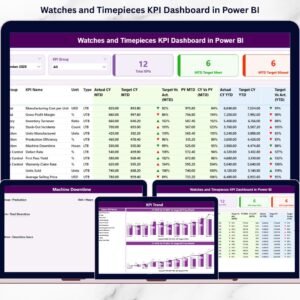
- Watches and Timepieces KPI Dashboard in Power BI: a KPI view focused on watches
- Jewellery Stock Register Data Entry System in Excel: a stock register for jewellery items
- Power BI Dashboard Mega Collection: 15 Power BI templates in one download
Browse all Power BI KPI dashboards.








Reviews
There are no reviews yet.